
These AM5 motherboards are the best options to pair with the Ryzen 7 7800X3D in 2026.
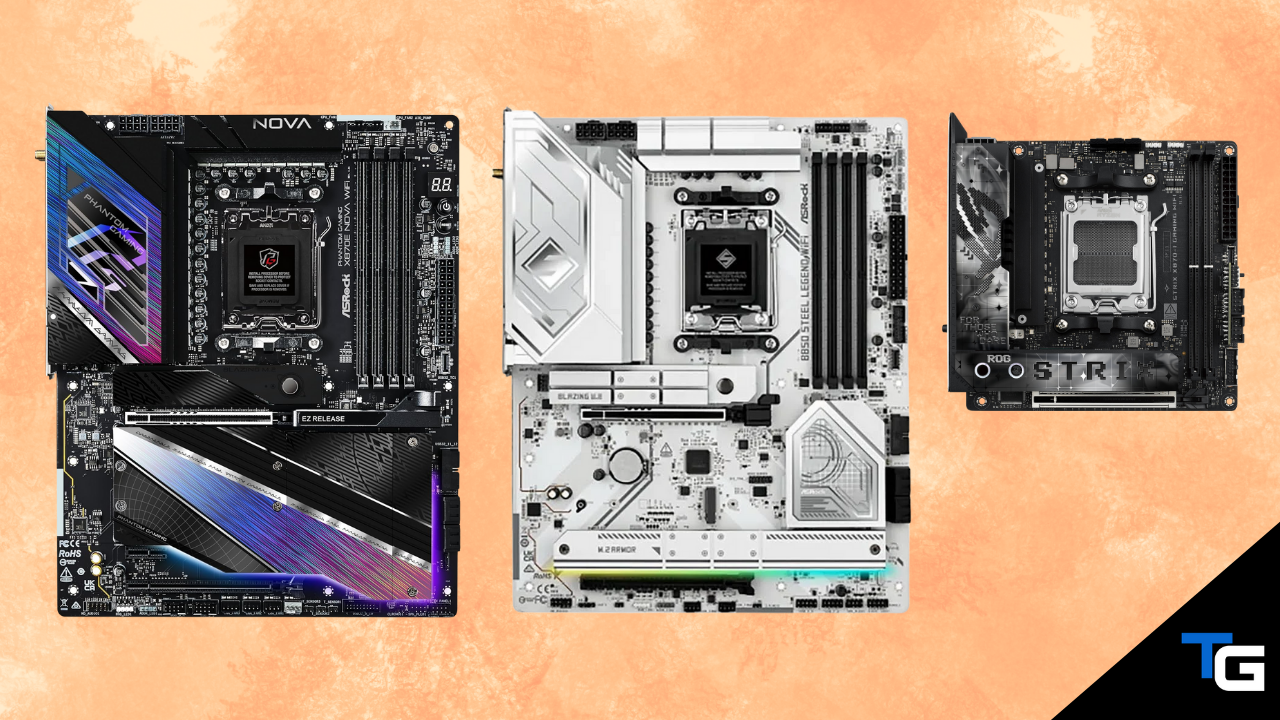
AMD’s Ryzen 7 7800X3D is no longer the company’s newest gaming processor, but it remains an excellent option when it is available at a meaningful discount compared to the Ryzen 7 9800X3D and 9850X3D.
If you’re still deciding which processor to use, our guide on the best AMD CPUs for gaming will help you compare the current options.
For builders who already own a 7800X3D—or who have found one at a good price—the processor can be paired with B650, B850, X870, or X870E motherboards. You don’t need an expensive board to get the CPU’s full gaming performance, but a higher-end option can provide USB4, faster networking, additional M.2 slots, and PCIe 5.0 support for both graphics cards and storage.
In this guide, we’ve selected seven motherboards covering ATX, micro-ATX, and Mini-ITX builds. You can use the filtering feature below to narrow the list by price, form factor, PCIe 5.0 graphics support, built-in Wi-Fi, and color.
Also Read: Best GPUs to Pair With the Ryzen 7 7800X3D
Considering a newer X3D processor? See our guide to the best motherboards for the Ryzen 7 9800X3D.
Note: Motherboard prices and Amazon availability change frequently. The budget filters below are based on typical street prices as of August 2026.
Watch: What to Look for in A Motherboard
Watch our Beginner’s Guide to Choosing A Motherboard below, read our complete guide on how to choose a motherboard, or watch the video on our YouTube channel.
Not sure whether you need an ATX, micro-ATX, or Mini-ITX board? Our motherboard form-factor comparison explains the size, expansion, and case-compatibility differences.
Filter for a Motherboard That Meets Your Criteria
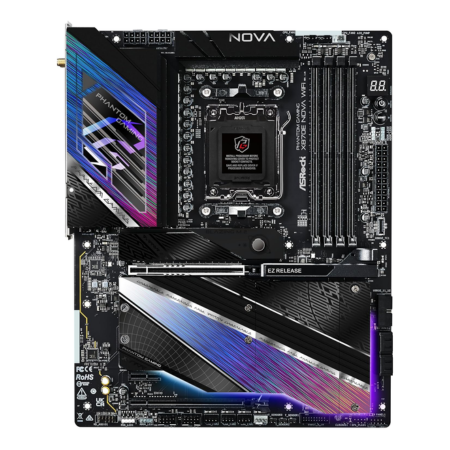
ASRock Phantom Gaming X870E Nova WiFi
A feature-packed X870E motherboard with premium connectivity.
Tech Specs
- Chipset: X870E
- Form Factor: ATX
- PCIe 5.0: GPU + M.2
- Wi-Fi: Wi-Fi 7
- Memory: 4x DDR5 DIMMs
Pros & Cons
- 20+2+1-phase 110A power design
- Dual rear USB4 Type-C ports
- Five total M.2 slots
- 5GbE LAN and Wi-Fi 7
- Overkill for a basic gaming-only build
ASRock Phantom Gaming X870E Nova WiFi Overview
The ASRock Phantom Gaming X870E Nova WiFi is our high-end ATX pick for the Ryzen 7 7800X3D. Its 20+2+1-phase power design and oversized heatsinks are far beyond what the 7800X3D requires, but they also leave plenty of room for a future high-end AM5 processor.
Its expansion and storage support are major reasons to consider it. The primary graphics slot supports PCIe 5.0 x16, while the five M.2 slots include one PCIe 5.0 x4 slot, three PCIe 4.0 x4 slots, and one PCIe 3.0/SATA-compatible slot.
The board also provides two rear 40Gbps USB4 Type-C ports, 5GbE wired networking, Wi-Fi 7, Bluetooth 5.4, BIOS Flashback, and a tool-free release system for the primary graphics slot and M.2 heatsinks.
Those features aren’t necessary to get excellent gaming performance from the 7800X3D. However, they make the Nova a strong option for builders who need several SSDs, fast external storage, or better-than-2.5GbE networking.
Most importantly, the X870E Nova is a standard ATX motherboard—not an Extended-ATX model—so it will fit in significantly more cases than ASRock’s larger X870E Taichi boards.
Overall, the ASRock Phantom Gaming X870E Nova WiFi is a premium, upgrade-friendly option that offers extensive connectivity without requiring an oversized E-ATX case.
Reviews
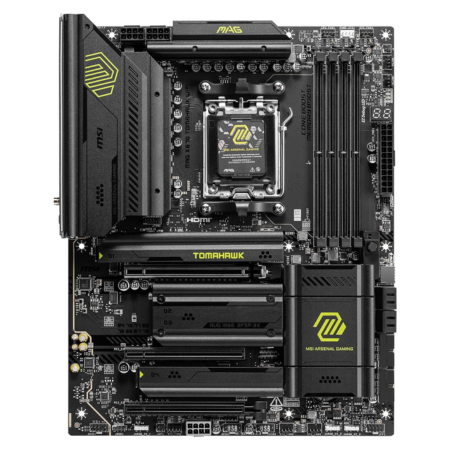
MSI MAG X870 Tomahawk WiFi
The best balance of premium features and reasonable pricing.
Tech Specs
- Chipset: X870
- Form Factor: ATX
- PCIe 5.0: GPU + M.2
- Wi-Fi: Wi-Fi 7
- Memory: 4x DDR5 DIMMs
Pros & Cons
- Strong 80A SPS power stages
- Two PCIe 5.0 M.2 slots
- Dual USB4 and 5GbE networking
- Excellent troubleshooting features
- USB4 and second Gen5 M.2 share bandwidth
MSI MAG X870 Tomahawk WiFi Overview
The MSI MAG X870 Tomahawk WiFi is the most balanced premium ATX option in this guide. Its power delivery and substantial heatsinks will easily handle the Ryzen 7 7800X3D, while its expansion and connectivity provide room for future upgrades.
The primary graphics slot supports PCIe 5.0 x16, and two of the board’s four M.2 slots support PCIe 5.0 x4 storage with a Ryzen 7000- or 9000-series processor. The remaining slots provide PCIe 4.0 connectivity.
There is some lane sharing to consider. Installing a drive in the second Gen5 M.2 slot reduces the USB4 and M.2 connections to x2 operation. The BIOS can restore full x4 bandwidth to that M.2 slot, but doing so disables the USB4 ports.
Its other connectivity is excellent. You get two rear USB4 Type-C ports, 5GbE LAN, Wi-Fi 7, Bluetooth 5.4, a front-panel 20Gbps USB-C header, and a large selection of additional USB ports.
MSI also includes an EZ PCIe release, tool-free M.2 latches, BIOS Flashback, diagnostic LEDs, and a two-digit debug display. These features can make assembling and troubleshooting a new build significantly easier.
For most buyers who want an X870 motherboard, the MSI MAG X870 Tomahawk WiFi offers the best combination of features, usability, and price.
Reviews
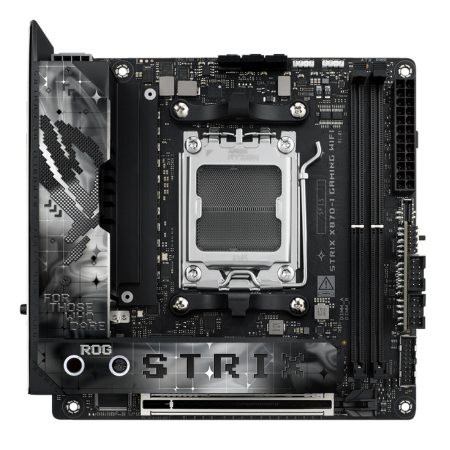
ASUS ROG Strix X870-I Gaming WiFi
A premium Mini-ITX board with dual USB4 and PCIe 5.0.
Tech Specs
- Chipset: X870
- Form Factor: Mini-ITX
- PCIe 5.0: GPU + M.2
- Wi-Fi: Wi-Fi 7
- Memory: 2x DDR5 DIMMs
Pros & Cons
- PCIe 5.0 graphics and storage support
- Two rear USB4 Type-C ports
- Ten rear USB ports
- Wi-Fi 7 and 2.5GbE LAN
- Very expensive for a Mini-ITX board
- Only two M.2 slots
ASUS ROG Strix X870-I Gaming WiFi Overview
If you want to build a high-end small-form-factor computer around the Ryzen 7 7800X3D, the ASUS ROG Strix X870-I Gaming WiFi provides nearly every modern platform feature in a Mini-ITX footprint.
Its 10+2+1 power-stage design is more than capable of handling the 7800X3D. You also get a PCIe 5.0 x16 graphics slot, one Gen5 M.2 slot, one Gen4 M.2 slot, and support for up to two DDR5 modules.
The rear I/O is unusually extensive for Mini-ITX. It includes two 40Gbps USB4 Type-C connections, four 10Gbps Type-A ports, another 10Gbps Type-C port, three USB 2.0 ports, 2.5GbE LAN, Wi-Fi 7, and Bluetooth 5.4.
ASUS uses an external ROG Strix Hive II module for audio connections and additional controls. A separate FPS card provides the SATA connections and some internal headers that would not otherwise fit on the motherboard.
As always, carefully check CPU-cooler, radiator, memory, and graphics-card clearances before purchasing parts for a Mini-ITX build. Small cases can impose restrictions that have nothing to do with the motherboard itself.
The ASUS ROG Strix X870-I is expensive, but it is the strongest option here for someone who wants a no-compromise Mini-ITX system.
Reviews
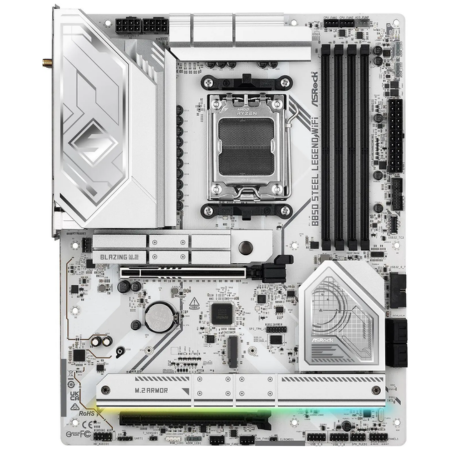
ASRock B850 Steel Legend WiFi
A well-rounded white B850 board with Wi-Fi 7 and four M.2 slots.
Tech Specs
- Chipset: B850
- Form Factor: ATX
- PCIe 5.0: GPU + M.2
- Wi-Fi: Wi-Fi 7
- Memory: 4x DDR5 DIMMs
Pros & Cons
- 14+2+1-phase 80A power design
- One Gen5 and three Gen4 M.2 slots
- Wi-Fi 7 and 2.5GbE LAN
- Excellent option for a white build
- No USB4 support
ASRock B850 Steel Legend WiFi Overview
The ASRock B850 Steel Legend WiFi is our preferred white ATX motherboard for the Ryzen 7 7800X3D. It provides most of the features a high-end gaming build needs while costing less than many X870 alternatives.
Its 14+2+1-phase 80A power design is easily sufficient for the 7800X3D and newer high-end AM5 processors. Both the primary graphics slot and primary M.2 slot support PCIe 5.0, so choosing the less expensive B850 chipset does not eliminate next-generation expansion support.
Storage support is particularly good for this class. In addition to the Gen5 M.2 connection, the board provides three Gen4 M.2 slots and four SATA ports.
Networking includes Wi-Fi 7, Bluetooth 5.4, and 2.5GbE LAN. You also get rear 10Gbps Type-A and Type-C connections, a front-panel 20Gbps Type-C header, BIOS Flashback, and a tool-free M.2 heatsink.
The main feature you give up compared to X870 is USB4. That will not matter to most gaming-focused builders, but users with high-speed external storage, docks, or specialized peripherals may prefer one of the X870 options above.
For most 7800X3D systems—and especially white-themed builds—the B850 Steel Legend provides a better balance of price and features than a premium X870E board.
Reviews
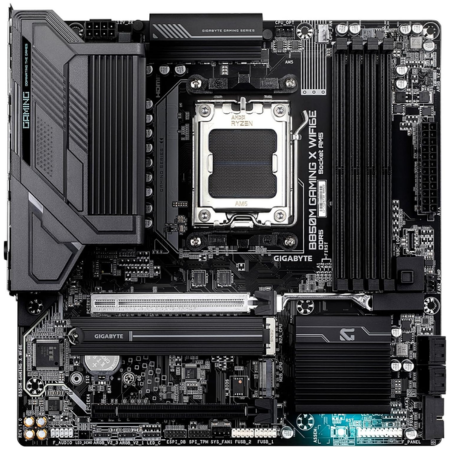
GIGABYTE B850M Gaming X WiFi6E
An affordable micro-ATX board with PCIe 5.0 and built-in Wi-Fi.
Tech Specs
- Chipset: B850
- Form Factor: Micro-ATX
- PCIe 5.0: GPU + M.2
- Wi-Fi: Wi-Fi 6E
- Memory: 4x DDR5 DIMMs
Pros & Cons
- 10+2+2-phase power design
- PCIe 5.0 graphics and M.2 support
- 2.5GbE LAN and Wi-Fi 6E
- Q-Flash Plus BIOS button
- Only two M.2 slots
- Modest rear USB selection
GIGABYTE B850M Gaming X WiFi6E Overview
The GIGABYTE B850M Gaming X WiFi6E is a good option if you want a smaller micro-ATX system without giving up the platform features that matter most.
Its 10+2+2-phase power design and VRM heatsinks are more than adequate for the Ryzen 7 7800X3D. Unlike many older budget micro-ATX motherboards, the board supports PCIe 5.0 x16 for the primary graphics slot as well as PCIe 5.0 x4 for the primary M.2 connection.
A second Gen4 M.2 slot and four SATA connectors provide additional storage expansion. However, the board only has two M.2 slots in total, which is one of the main compromises compared to the full-size ATX options.
Networking includes 2.5GbE LAN, Wi-Fi 6E, and Bluetooth 5.3. The rear panel also provides 10Gbps Type-A and Type-C ports, HDMI, two DisplayPort connections, and a Q-Flash Plus button for updating the BIOS without installing a processor.
The rear USB selection and number of fan headers are more limited than what you will find on a larger ATX board. Check your case-fan and peripheral requirements before choosing it.
Overall, the GIGABYTE B850M Gaming X WiFi6E provides the essential features needed for a compact 7800X3D gaming PC at a reasonable price.
Reviews
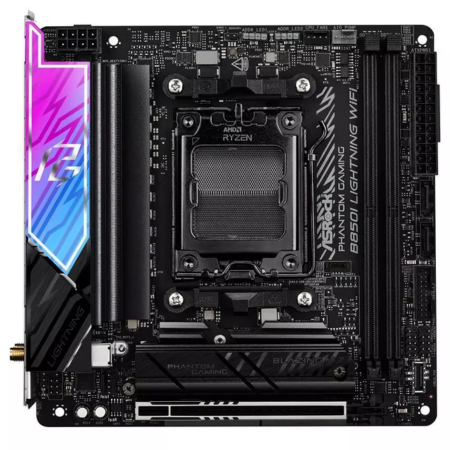
ASRock B850I Lightning WiFi
The best-value Mini-ITX motherboard for the Ryzen 7 7800X3D.
Tech Specs
- Chipset: B850
- Form Factor: Mini-ITX
- PCIe 5.0: GPU + M.2
- Wi-Fi: Wi-Fi 6E
- Memory: 2x DDR5 DIMMs
Pros & Cons
- 10+1+1-phase 110A power design
- Gen5 graphics and M.2 support
- 2.5GbE LAN and Wi-Fi 6E
- Good value for Mini-ITX
- No USB4 support
- Only two M.2 slots
ASRock B850I Lightning WiFi Overview
If you want a Mini-ITX motherboard but don’t need the ASUS X870-I’s USB4 connectivity, the ASRock B850I Lightning WiFi offers much better value.
Its 10+1+1-phase design uses 110A power stages for the CPU and will have no trouble powering the Ryzen 7 7800X3D. The primary graphics slot and primary M.2 connection both support PCIe 5.0, while a second M.2 slot operates at PCIe 4.0 x4.
Networking is handled by Killer 2.5GbE LAN, Wi-Fi 6E, and Bluetooth 5.2. Rear connectivity includes two 10Gbps Type-A ports and a 10Gbps Type-C connection with DisplayPort Alt Mode.
Like most Mini-ITX motherboards, the B850I Lightning only offers two memory slots, two M.2 slots, and fewer internal headers than a full-size ATX board. It also lacks the USB4 support included on the more expensive ASUS X870-I.
Those compromises are reasonable for a gaming-first small-form-factor system, though. The 7800X3D does not require an X870 chipset, and choosing the B850I Lightning can free up a meaningful amount of money for your graphics card, storage, or cooling.
Overall, the ASRock B850I Lightning WiFi is the Mini-ITX motherboard we would recommend to most value-conscious 7800X3D builders.
Reviews
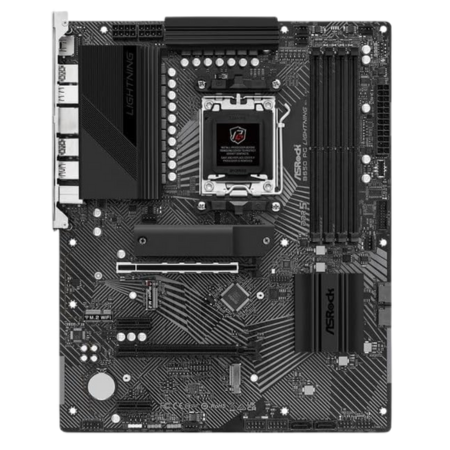
ASRock B650 PG Lightning
An affordable ATX board that covers the 7800X3D’s essentials.
Tech Specs
- Chipset: B650
- Form Factor: ATX
- PCIe 5.0: M.2 only
- Wi-Fi: No
- Memory: 4x DDR5 DIMMs
Pros & Cons
- 14+2+1-phase 60A power design
- Three M.2 slots, including one Gen5
- 2.5GbE LAN and 20Gbps rear USB-C
- Excellent value for a gaming build
- Primary graphics slot is PCIe 4.0
- No onboard Wi-Fi or USB4
ASRock B650 PG Lightning Overview
If your goal is to find an affordable ATX motherboard that will comfortably handle the Ryzen 7 7800X3D, the ASRock B650 PG Lightning remains one of the better choices in 2026.
Its 14+2+1-phase 60A power design and VRM heatsinks are more than sufficient for the 7800X3D. The board also includes one PCIe 5.0 x4 M.2 slot, one PCIe 4.0 x4 M.2 slot, one PCIe 4.0 x2 M.2 slot, and four SATA connections.
The primary graphics slot is limited to PCIe 4.0 x16. That is unlikely to be a meaningful limitation for a gaming system, but builders who specifically want a full PCIe 5.0 graphics connection should choose one of the B850 or X870 options instead.
You do not get onboard Wi-Fi, although the board includes an M.2 Key-E slot that can accommodate a separately purchased wireless module. Wired networking is handled by 2.5GbE LAN.
The rear I/O is good for the price, with a 20Gbps USB-C port, two 10Gbps Type-A ports, seven 5Gbps USB ports, BIOS Flashback, and a preinstalled I/O shield.
There is nothing particularly extravagant about the B650 PG Lightning. It simply provides enough power delivery, storage connectivity, and rear I/O for a 7800X3D gaming build while leaving more of your budget available for the graphics card.
Reviews
Which Motherboard Should You Get for the 7800X3D in 2026?
For a high-end build that needs extensive storage and connectivity, the ASRock Phantom Gaming X870E Nova WiFi provides five M.2 slots, dual USB4, 5GbE networking, Wi-Fi 7, and an extremely capable power design.
The MSI MAG X870 Tomahawk WiFi is our preferred all-around X870 option. It balances strong power delivery, dual Gen5 M.2 support, USB4, 5GbE LAN, Wi-Fi 7, and excellent troubleshooting features.
If you don’t need USB4, the ASRock B850 Steel Legend WiFi provides nearly everything most gaming builds need at a lower price. It is also the best option in this guide for a white-themed system.
For a compact build, choose the GIGABYTE B850M Gaming X WiFi6E for micro-ATX, the ASRock B850I Lightning WiFi for a value-oriented Mini-ITX system, or the ASUS ROG Strix X870-I Gaming WiFi if you want a premium Mini-ITX board with USB4.
Finally, the ASRock B650 PG Lightning is the best choice for builders who simply want an affordable ATX motherboard that can run the 7800X3D without holding it back.
Frequently Asked Questions
What motherboard chipset is best for the Ryzen 7 7800X3D?
B650 is sufficient for a gaming-focused Ryzen 7 7800X3D build. B850 is useful if you want PCIe 5.0 support for both the graphics card and primary M.2 drive, while X870 and X870E are better suited to systems that need USB4, additional expansion, or more high-speed connectivity.
The chipset does not meaningfully change the CPU’s gaming performance. Choose according to the ports, storage connections, networking, form factor, and upgrade features you need.
Is a B650 motherboard good enough for the 7800X3D?
Yes. A well-designed B650 motherboard can run the Ryzen 7 7800X3D without limiting its gaming performance. The CPU is relatively efficient, so it does not require the extreme power delivery found on expensive X870E motherboards.
A board such as the ASRock B650 PG Lightning provides sufficient power delivery, a Gen5 M.2 connection, 2.5GbE networking, and enough expansion for a typical gaming system.
Can the Ryzen 7 7800X3D use a B850 or X870 motherboard?
Yes. The Ryzen 7 7800X3D uses AMD’s AM5 socket and is compatible with B850, X870, and X870E motherboards. AMD’s 800-series chipsets support Ryzen 7000-, 8000-, and 9000-series processors.
Does the Ryzen 7 7800X3D require DDR5 memory?
Yes. AM5 motherboards and Ryzen 7000-series processors only support DDR5 memory. They cannot use DDR4.
For most gaming systems, a 32GB dual-channel kit consisting of two 16GB DDR5-6000 CL30 modules with an AMD EXPO profile is a strong target. Check the motherboard’s memory-support list before buying a kit, especially if you plan to use four modules or more than 64GB.
For current recommendations, see our guide to the best RAM for gaming.
Does PCIe 5.0 matter for a Ryzen 7 7800X3D gaming PC?
PCIe 5.0 is not required to get excellent gaming performance from the Ryzen 7 7800X3D. A PCIe 4.0 x16 graphics slot still provides plenty of bandwidth for a high-end gaming system.
PCIe 5.0 is more useful as a platform-longevity feature or if you plan to install a Gen5 NVMe SSD. If the choice is between paying extra for PCIe 5.0 or buying a faster graphics card, the graphics-card upgrade will usually make the larger difference in gaming performance.
Will I need to update the BIOS for the Ryzen 7 7800X3D?
The motherboards in this guide support Ryzen 7000-series processors, including the 7800X3D. A BIOS update generally should not be required just to boot this CPU.
It is still a good idea to install the latest stable BIOS after assembling the computer. Newer firmware can improve memory compatibility, security, system stability, and support for future AM5 processors.
Does the Ryzen 7 7800X3D include a CPU cooler?
No. The Ryzen 7 7800X3D does not include a stock cooler. A capable dual-tower air cooler or a quality 240mm-or-larger AIO will be sufficient for most builds.
See our guide to the best CPU coolers for current air-cooling and liquid-cooling options.
Will these motherboards support a future CPU upgrade?
Yes. AMD has extended its commitment to the AM5 platform through 2029. The listed boards already support Ryzen 7000-, 8000-, and 9000-series processors, although upgrading to a processor released after the motherboard may require a BIOS update.
For the strongest long-term upgrade path, choose a board with BIOS Flashback, adequate VRM cooling, and the expansion features you expect to use later.
