
The best NVMe SSDs for gaming PCs in 2026.
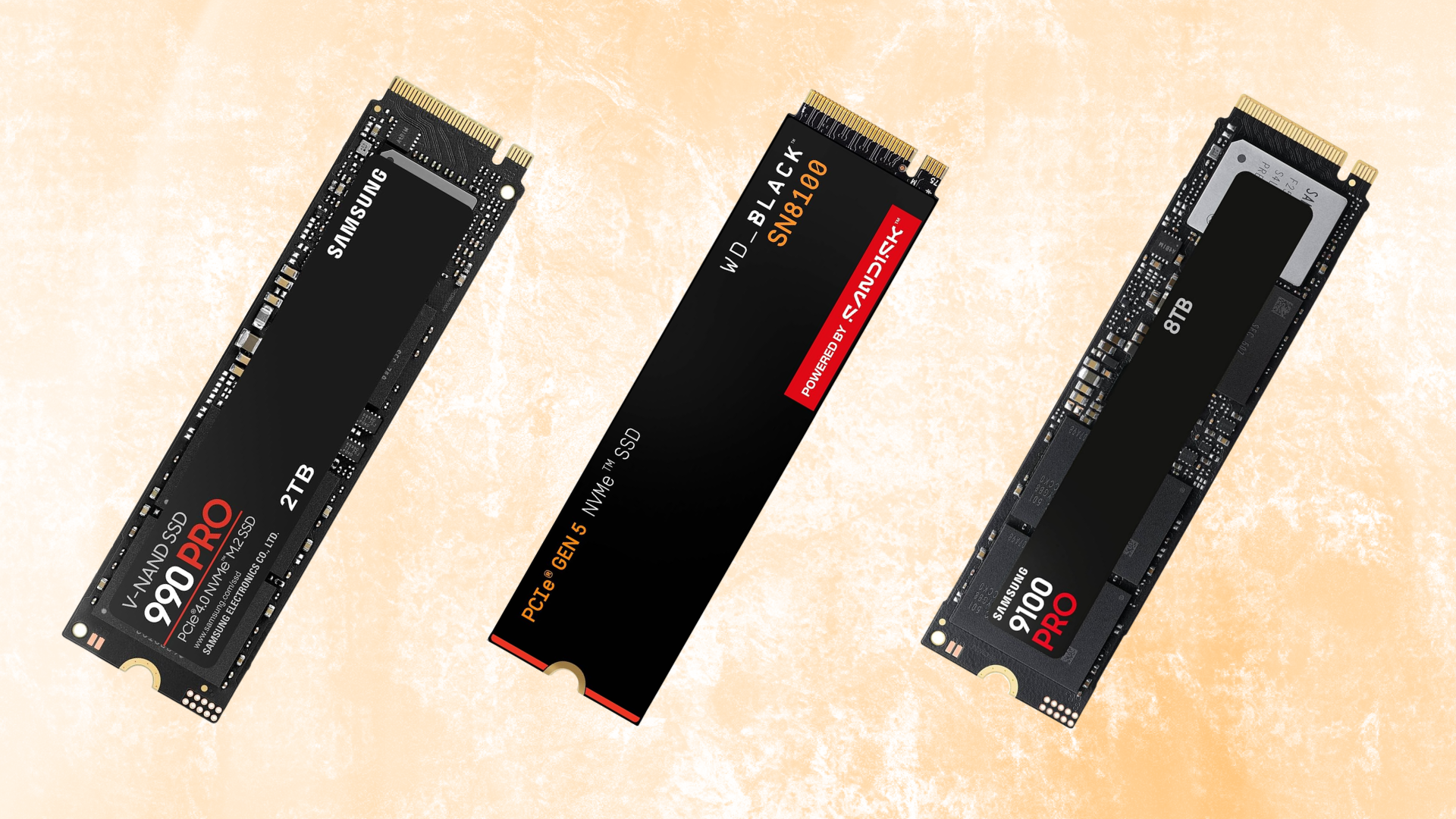
If you’re building a gaming PC in 2026, a 2TB PCIe 4.0 NVMe SSD is still where we would start for most systems.
Modern PCIe 4.0 drives are fast enough that moving to a PCIe 5.0 SSD generally won’t produce a dramatic difference in gaming performance. Gen5 drives can offer substantially higher sequential read and write speeds, but those enormous numbers are more useful for large file transfers, content creation, and other storage-heavy workloads than they are for increasing framerates.
That doesn’t mean PCIe 5.0 SSDs aren’t worth considering.
The newest Gen5 drives have improved significantly over the first generation of PCIe 5.0 SSDs. Drives like the WD_BLACK SN8100 and Samsung 9100 PRO can approach 15,000 MB/s sequential read speeds while offering better efficiency and thermal behavior than some of the earliest Gen5 models.
They’re excellent choices for high-end systems where budget isn’t a concern.
For a gaming-focused PC, though, we’d rather put the extra money toward your graphics card, processor, memory, or additional storage capacity.
That’s why Samsung’s 990 PRO remains our top overall choice. It delivers nearly the maximum performance available from PCIe 4.0, has an excellent track record, is available in multiple capacities, and is more than fast enough for virtually any gaming workload.
If you want a somewhat less expensive gaming-oriented option, the WD_BLACK SN7100 is another excellent choice.
And, if you’re building an enthusiast system and simply want one of the fastest consumer SSDs available, the WD_BLACK SN8100 is our preferred Gen5 option.
Also Read: The Best Hard Drives for Gaming
Watch: What to Look for in An SSD
Watch our Beginner’s Guide to Choosing an SSD below, or on our YouTube channel.
Samsung 990 PRO 2TB
The best SSD for gaming overall.

Tech Specs
- INTERFACE: PCIe 4.0 x4
- FORM FACTOR: M.2 2280
- CAPACITY: 2TB
- READ: Up to 7,450 MB/s
- WRITE: Up to 6,900 MB/s
- WARRANTY: 5 years / 1,200 TBW
Pros & Cons
- Excellent gaming and general-system performance
- Near the performance limit of PCIe 4.0
- Strong random and sequential performance
- Optional heatsink version available
- Costs more than value-oriented Gen4 drives
Samsung 990 PRO 2TB Overview
You don’t need a PCIe 5.0 SSD to build a high-end gaming PC.
In fact, for most gaming-focused systems, we’d still rather use a premium PCIe 4.0 drive like Samsung’s 990 PRO and put the money saved toward another component.
The 2TB 990 PRO offers sequential read speeds of up to 7,450 MB/s and sequential write speeds of up to 6,900 MB/s, putting it near the practical limit of the PCIe 4.0 x4 interface.
More importantly, it delivers excellent all-around SSD performance.
Games don’t simply read enormous sequential files continuously, so comparing SSDs exclusively by their advertised sequential read speeds can be misleading.
Random performance, latency, game design, decompression, your CPU, and the rest of the storage pipeline can all influence how quickly a game loads.
That’s one reason a Gen5 SSD capable of nearly 15,000 MB/s doesn’t suddenly make games load twice as fast as a 7,000+ MB/s Gen4 SSD.
For most gamers, the real advantage of the 990 PRO is that it gives you premium storage performance without requiring you to pay for bandwidth that your games may rarely take advantage of.
The 2TB capacity also makes sense for a modern gaming system.
Game installations have become enormous, and a 1TB drive can fill surprisingly quickly once Windows, applications, launchers, recordings, and several AAA games are installed.
A 2TB drive gives you considerably more breathing room without moving into the very expensive 4TB and 8TB capacities.
Samsung also offers the 990 PRO with an integrated heatsink.
For a desktop PC, we’d normally use your motherboard’s M.2 heatsink if it includes one. If your motherboard does not have an M.2 heatsink, buying the heatsink-equipped version is an easy alternative.
Ultimately, there are faster SSDs available in 2026.
But if the purpose of your computer is primarily gaming, the Samsung 990 PRO provides the combination of speed, reliability, capacity, and mature PCIe 4.0 performance that we’d want from our primary drive.
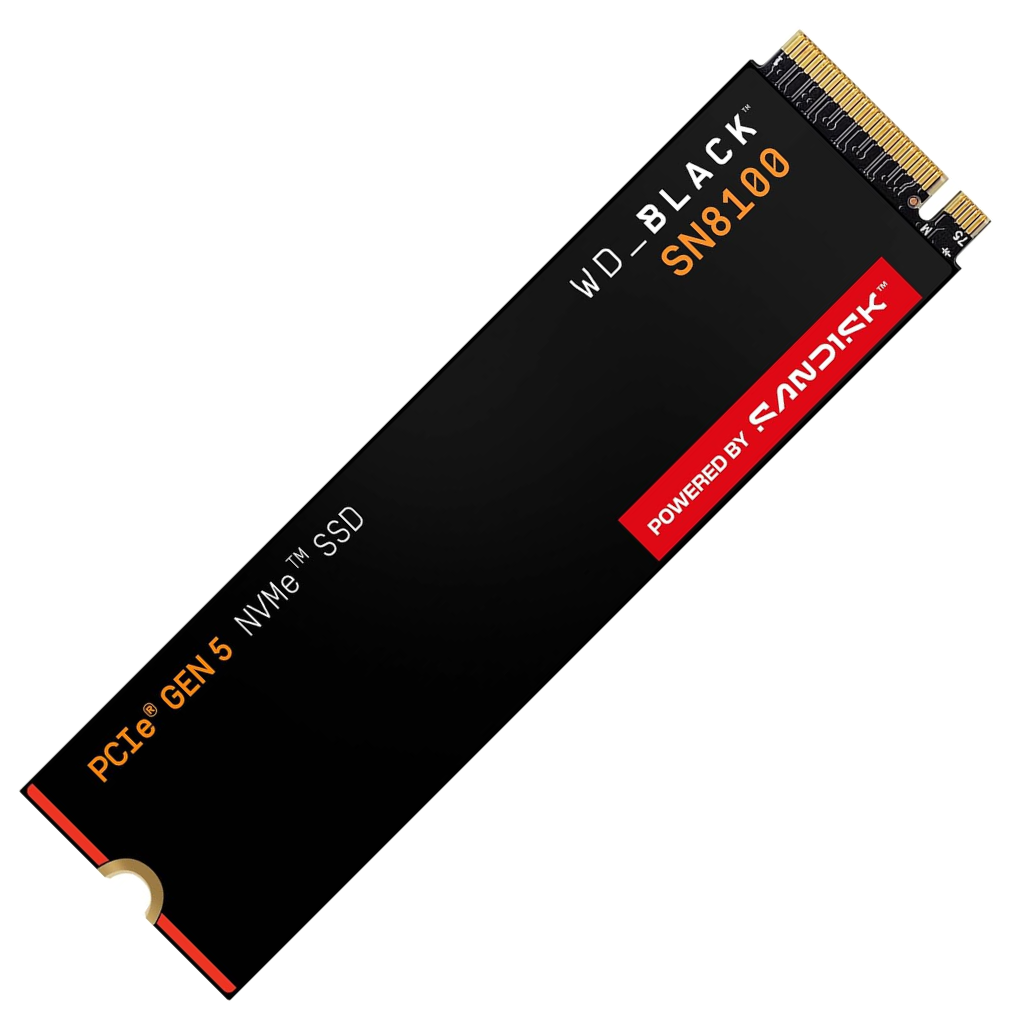
WD_BLACK SN8100 2TB
The best PCIe 5.0 SSD.
Tech Specs
- INTERFACE: PCIe 5.0 x4
- FORM FACTOR: M.2 2280
- CAPACITY: 2TB
- READ: Up to 14,900 MB/s
- WRITE: Up to 14,000 MB/s
- WARRANTY: 5 years / 1,200 TBW
Pros & Cons
- Exceptional PCIe 5.0 performance
- Nearly 15 GB/s sequential read speeds
- Excellent random performance
- Available with or without a heatsink
- Overkill for most gaming-only systems
WD_BLACK SN8100 2TB Overview
If you want a genuinely high-end PCIe 5.0 SSD, the WD_BLACK SN8100 is one of the first drives we’d consider.
The 2TB model is rated for sequential read speeds of up to 14,900 MB/s and sequential write speeds of up to 14,000 MB/s.
That is an enormous jump in raw bandwidth over even the fastest PCIe 4.0 drives.
The SN8100 also represents a more mature generation of Gen5 SSD technology than the first PCIe 5.0 drives that appeared a few years ago.
Those early drives offered impressive benchmark numbers, but high power consumption, substantial heat output, and high prices made them difficult to recommend for mainstream gaming PCs.
Newer Gen5 drives have improved significantly.
The SN8100 uses SanDisk’s TLC 3D NAND and is designed to provide very high performance without requiring the bulky active cooling solutions associated with some early Gen5 SSDs.
An optional heatsink version is available as well.
For gaming, however, it’s important to keep the drive’s performance in perspective.
Moving from a good PCIe 4.0 SSD to the SN8100 will not give you anything close to a two-times improvement in game loading simply because its sequential read rating is approximately twice as high.
Many gaming workloads cannot take advantage of that amount of sequential bandwidth.
Where the SN8100 makes more sense is in an enthusiast PC that does more than gaming.
If you’re regularly transferring enormous files, editing high-resolution video, working with large creative projects, running storage-intensive professional applications, or simply want a no-compromise system, the extra bandwidth becomes much easier to justify.
You will also need a motherboard and processor platform capable of providing a PCIe 5.0 x4 M.2 connection if you want to get its full performance.
The drive should still work in a compatible PCIe 4.0 M.2 slot, but it will be limited by the slower interface.
For the average gaming PC, choose a good Gen4 drive.
For an enthusiast gaming/workstation build where maximum storage performance is part of the goal, the WD_BLACK SN8100 is the Gen5 SSD we’d start with.
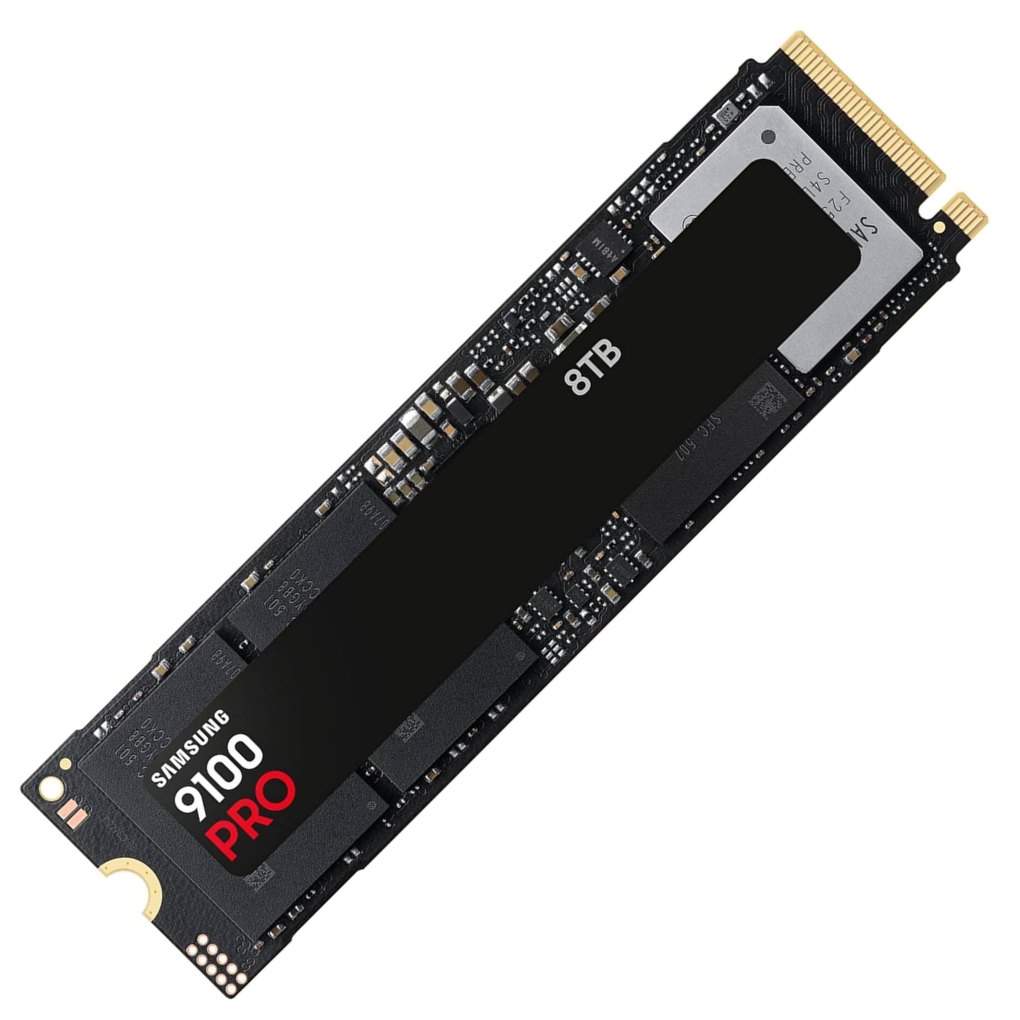
Samsung 9100 PRO 8TB
The best high-capacity SSD.
Tech Specs
- INTERFACE: PCIe 5.0 x4
- FORM FACTOR: M.2 2280
- CAPACITY: 8TB
- READ: Up to 14,800 MB/s
- WRITE: Up to 13,400 MB/s
- WARRANTY: 5 years / 4,800 TBW
Pros & Cons
- Massive 8TB capacity
- Extremely fast PCIe 5.0 performance
- Excellent endurance rating
- Optional heatsink version available
- 8TB model is extremely expensive
Samsung 9100 PRO 8TB Overview
Very few gaming PCs actually need an 8TB solid state drive.
But if your goal is to put an enormous amount of high-speed storage on a single M.2 drive, Samsung’s 8TB 9100 PRO is about as extreme as consumer storage gets.
This is not simply a large SSD, either.
The 9100 PRO is Samsung’s flagship PCIe 5.0 NVMe drive, and the 8TB model is rated for sequential read speeds of up to 14,800 MB/s and sequential write speeds of up to 13,400 MB/s.
It is also rated for up to 4,800 TBW of endurance.
The obvious advantage is the capacity.
An 8TB drive can hold an enormous Steam library while still leaving space for Windows, applications, video recordings, project files, and other data.
It can be especially useful for a gaming/content-creation system where you would otherwise need several individual SSDs.
Using one large drive also simplifies storage management.
You don’t have to continually decide which games go on which drive, move installations around as individual drives fill up, or dedicate multiple M.2 slots purely to game storage.
Of course, that convenience comes at a substantial cost.
The 8TB 9100 PRO is a niche product, and we’d never recommend sacrificing GPU, CPU, monitor, or other important components just to fit one into a gaming build.
For most people, two separate 2TB or 4TB drives will provide a much more practical balance between capacity and cost.
You should also make sure your system can properly cool a high-end Gen5 SSD.
Samsung produces both standard and heatsink-equipped versions of the 9100 PRO, and many modern enthusiast motherboards include substantial M.2 heatsinks of their own.
If you simply want 8TB of storage, there are cheaper ways to get it.
But if you specifically want a single 8TB M.2 SSD and don’t want to give up flagship-level performance to get that capacity, the Samsung 9100 PRO is an impressive option.
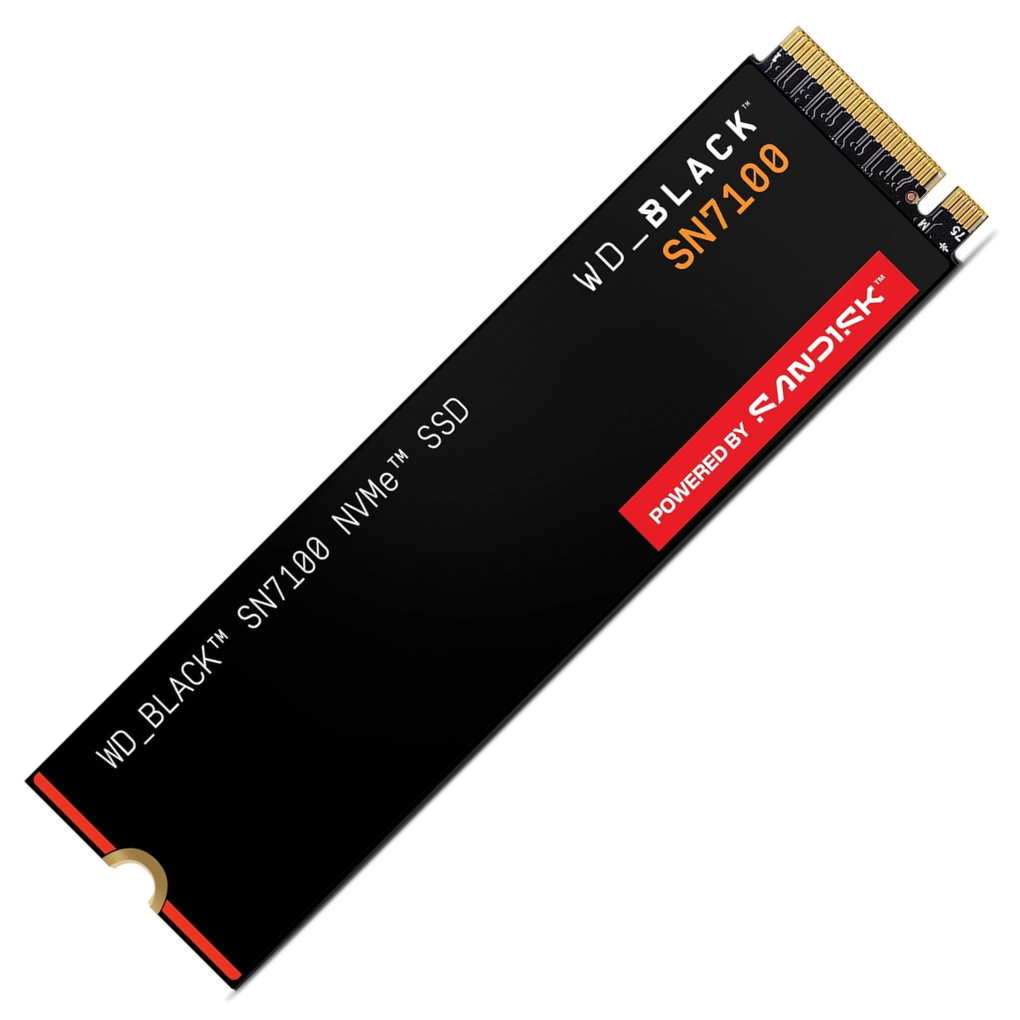
WD_BLACK SN7100 2TB
The best-value gaming SSD.
Tech Specs
- INTERFACE: PCIe 4.0 x4
- FORM FACTOR: M.2 2280
- CAPACITY: 2TB
- READ: Up to 7,250 MB/s
- WRITE: Up to 6,900 MB/s
- WARRANTY: 5 years
Pros & Cons
- Excellent Gen4 gaming performance
- Very close to flagship sequential speeds
- Power-efficient design
- Great fit for desktops and gaming laptops
- DRAM-less design isn’t ideal for every heavy workload
WD_BLACK SN7100 2TB Overview
Not every gaming PC needs a premium SSD.
In fact, if your main priority is gaming, choosing a slightly less expensive SSD and putting the savings toward your graphics card will usually produce a much larger improvement to your actual gaming experience.
That’s where the WD_BLACK SN7100 makes a lot of sense.
The 2TB version is rated for sequential read speeds of up to 7,250 MB/s and sequential write speeds of up to 6,900 MB/s.
Those specifications put it remarkably close to premium PCIe 4.0 drives.
The SN7100 uses a DRAM-less design, which helps reduce cost and power consumption.
That might sound like a major disadvantage if you’re familiar with older budget SSDs, but modern DRAM-less NVMe drives can perform very well thanks to technologies such as Host Memory Buffer and improved controllers and NAND.
For a gaming workload, we wouldn’t automatically rule out an SSD simply because it does not contain dedicated DRAM.
Where dedicated DRAM becomes more valuable is under heavier sustained storage workloads, large professional file transfers, and certain workstation applications.
That’s one of the reasons we’d still prefer the 990 PRO for someone who wants the strongest all-around system drive.
For storing and launching games, though, the SN7100 makes a compelling argument.
It is also designed with efficiency in mind, making it an attractive option for gaming laptops and other systems where power consumption and heat matter.
As with any SSD purchase, current pricing should ultimately determine how good of a value it is.
If the SN7100 is only slightly cheaper than the Samsung 990 PRO, we’d probably spend the extra money and take the Samsung.
If there is a meaningful price difference, the SN7100 is the more sensible gaming purchase.
Either way, it’s a much better starting point for a mainstream gaming PC than spending significantly more for a Gen5 drive simply because its advertised sequential speed is higher.
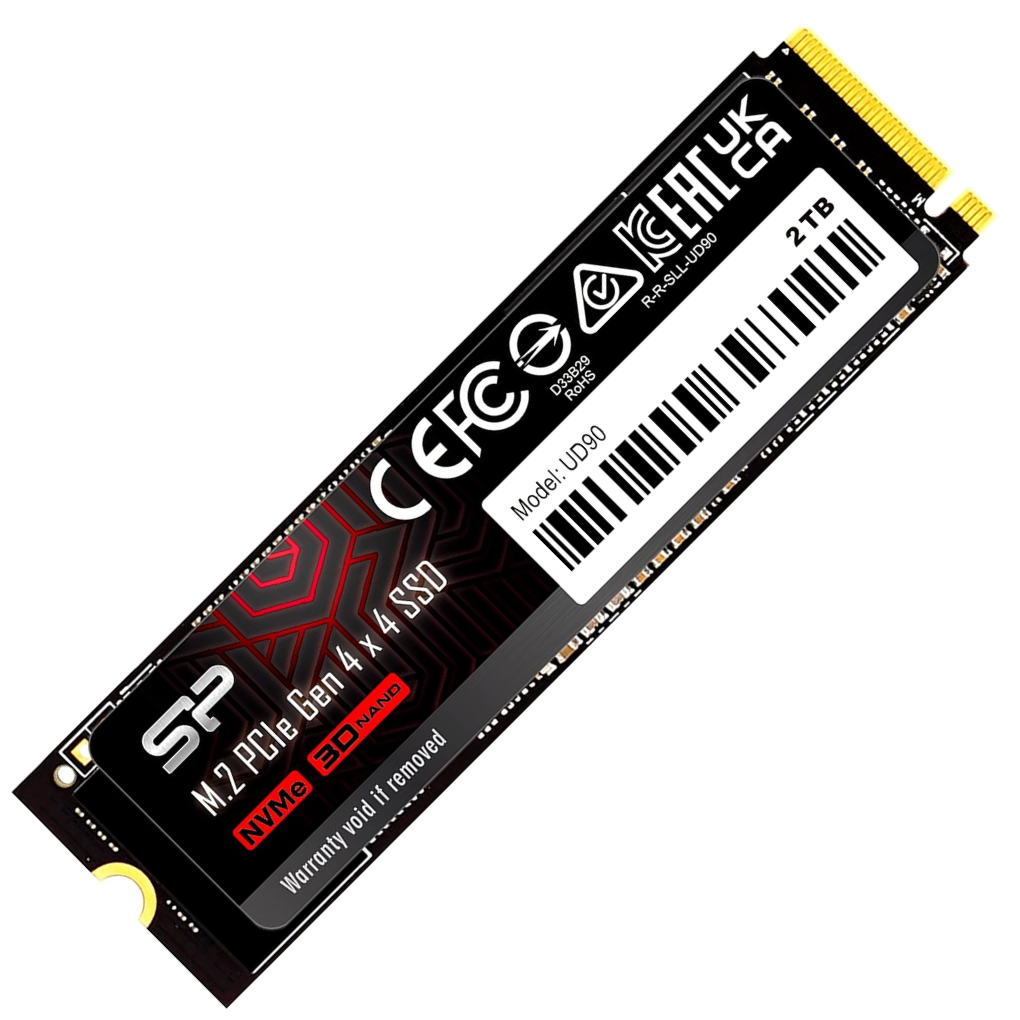
Silicon Power UD90 2TB
A budget-friendly PCIe 4.0 SSD.
Tech Specs
- INTERFACE: PCIe 4.0 x4
- FORM FACTOR: M.2 2280
- CAPACITY: 2TB
- READ: Up to 5,000 MB/s
- WRITE: Up to 4,800 MB/s
- WARRANTY: 5 years
Pros & Cons
- Good PCIe 4.0 performance for the money
- 2TB provides plenty of room for games
- Much faster than SATA SSDs
- Good fit for budget and mid-range gaming builds
- Significantly slower than premium Gen4 drives in benchmarks
Silicon Power UD90 2TB Overview
You don’t need to buy one of the fastest SSDs available to get a good gaming experience.
If you’re working with a tighter budget, Silicon Power’s UD90 gives you 2TB of PCIe 4.0 storage while keeping the cost of your SSD under control.
The drive is rated for sequential read speeds of up to 5,000 MB/s and sequential write speeds of up to 4,800 MB/s.
Those numbers obviously fall well short of the 7,000+ MB/s performance offered by premium Gen4 drives and the nearly 15,000 MB/s available from flagship Gen5 drives.
But benchmark numbers don’t tell the entire story.
For gaming, the difference between a competent NVMe SSD and a flagship model is generally much smaller than the difference suggested by their sequential-speed specifications.
A faster drive may shave time off some loading screens, installations, file transfers, and other storage-intensive operations, but your graphics card and processor are still going to have a much larger impact on your gaming performance.
That’s why drives like the UD90 can make sense in budget-oriented PCs.
Suppose spending less on your SSD allows you to move from one graphics card tier to the next.
We’d make that trade almost every time in a gaming-focused system.
The 2TB capacity is another reason we like this configuration.
A faster 1TB SSD might look better on a specification sheet, but having twice as much storage can be considerably more useful when modern AAA games routinely consume tens or even hundreds of gigabytes each.
The UD90 isn’t the SSD we’d choose for a premium workstation that routinely moves enormous files.
And if a Samsung 990 PRO or WD_BLACK SN7100 is available for only a small amount more, we’d consider stepping up to one of those drives instead.
But when the UD90 is meaningfully cheaper, it gives budget-conscious builders the capacity and NVMe performance they actually need without spending money on benchmark performance they may never notice.
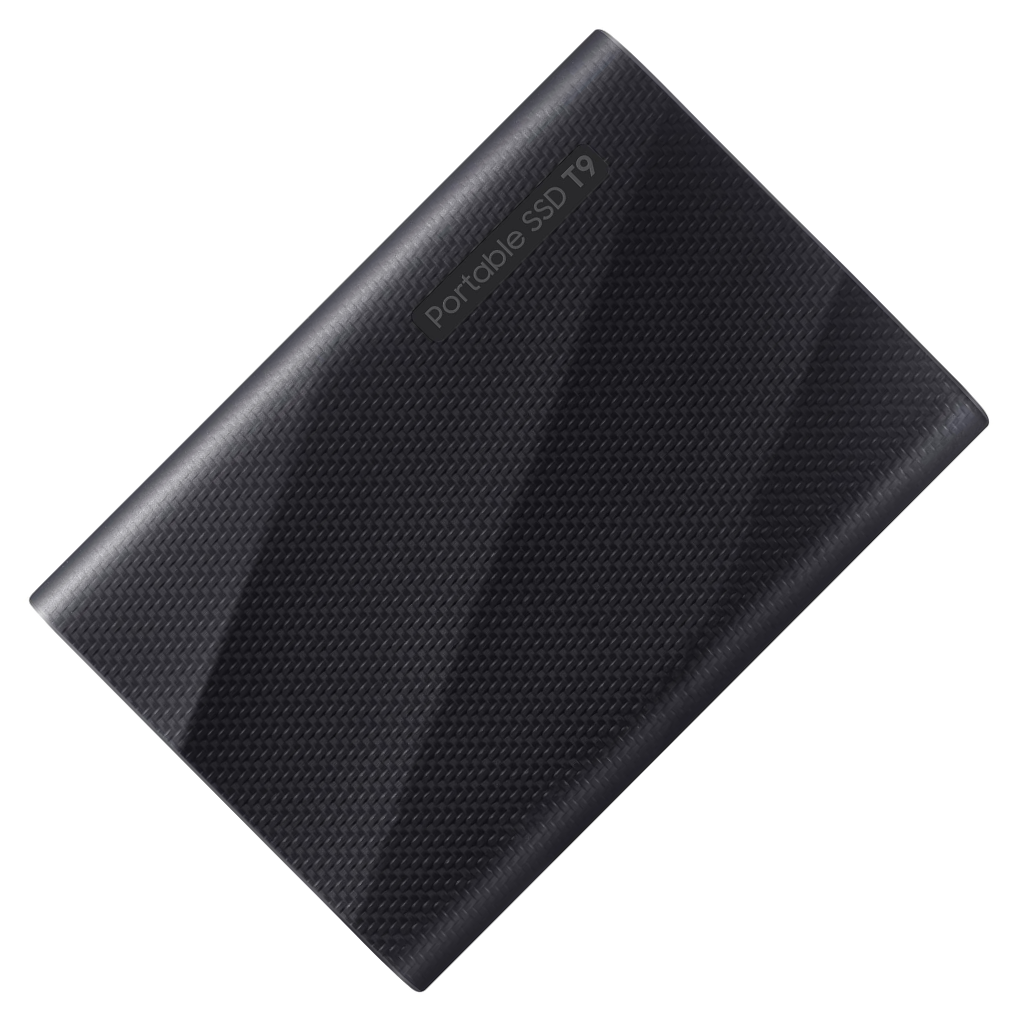
Samsung T9 2TB
The best external SSD.
Tech Specs
- INTERFACE: USB 3.2 Gen 2×2
- CONNECTION: USB-C
- CAPACITY: 2TB
- READ: Up to 2,000 MB/s
- WRITE: Up to 2,000 MB/s
- WARRANTY: 5 years
Pros & Cons
- Fast portable storage
- Compact and easy to move between systems
- Up to 2,000 MB/s transfer speeds
- Useful for game libraries and large files
- You need a 20Gbps USB port to reach maximum speeds
Samsung T9 2TB Overview
Internal NVMe storage is usually the better choice for your primary gaming drive.
But sometimes you need storage that can move between computers, and that’s where Samsung’s T9 becomes useful.
The T9 connects over USB 3.2 Gen 2×2 and offers sequential read and write speeds of up to 2,000 MB/s.
That’s significantly slower than the internal PCIe 4.0 and PCIe 5.0 drives on this list, but it is still extremely fast for portable storage.
A 2TB T9 can be useful if you regularly move large game installations, recordings, videos, project files, or other data between computers.
It can also work as additional game storage when you’ve already used the available M.2 slots in your system.
There is one important compatibility consideration.
USB 3.2 Gen 2×2 provides a 20Gbps connection, but not every USB-C port supports 20Gbps.
USB-C describes the physical connector rather than guaranteeing a particular transfer speed.
If you connect the T9 to a 10Gbps USB port, you won’t be able to reach the drive’s advertised 2,000 MB/s performance.
That’s something we’d check before spending extra money on a fast external SSD.
For desktop users who simply need additional storage and still have an empty M.2 slot, an internal NVMe drive will generally provide better performance and value.
The T9 makes more sense when portability is the reason you’re buying the drive.
If you want fast external storage that can easily move between a gaming desktop, laptop, and other compatible devices, Samsung’s T9 is our preferred option.
Which SSD should you choose?
For most gaming PCs, we’d start with a 2TB PCIe 4.0 NVMe SSD.
Samsung’s 990 PRO is our top overall choice. It offers excellent gaming performance, strong all-around storage performance, mature firmware and software support, and nearly the maximum sequential performance available over PCIe 4.0.
The WD_BLACK SN7100 is the option we’d compare against it if you’re trying to get the most gaming performance for your money. It gives you near-flagship Gen4 sequential performance without targeting the same premium segment as the 990 PRO.
If you’re building a high-end system and specifically want PCIe 5.0 storage, the WD_BLACK SN8100 is our preferred choice. Its 2TB model is capable of approximately 14,900 MB/s reads and 14,000 MB/s writes.
Just don’t expect those numbers to translate directly into twice the gaming performance of a good Gen4 SSD.
For builders who need enormous amounts of storage on one drive, Samsung’s 8TB 9100 PRO combines huge capacity with flagship Gen5 performance. Its price makes it a niche recommendation, but there are few compromises when it comes to either capacity or speed.
At the other end of the spectrum, Silicon Power’s UD90 is a good option for a budget-oriented build. We’d rather have a 2TB mid-range NVMe drive and a better graphics card than overspend on a flagship SSD in a system where the budget is limited.
Finally, if portability is important, Samsung’s T9 provides up to 2,000 MB/s transfers over a compatible USB 3.2 Gen 2×2 connection.
Frequently Asked Questions
What is the best SSD for gaming in 2026?
For most gaming PCs, our top choice is the Samsung 990 PRO.
The 990 PRO is a PCIe 4.0 NVMe SSD capable of sequential read speeds up to 7,450 MB/s and sequential write speeds up to 6,900 MB/s.
There are substantially faster PCIe 5.0 SSDs available, but the additional sequential bandwidth usually provides a much smaller gaming benefit than the specifications would suggest.
For that reason, we’d rather use a high-end Gen4 drive for a gaming system and put additional money toward the graphics card, processor, or more SSD capacity.
The WD_BLACK SN7100 is another excellent gaming option if it is meaningfully cheaper than the 990 PRO.
Do you need a PCIe 5.0 SSD for gaming?
No.
A good PCIe 4.0 NVMe SSD is more than fast enough for a high-end gaming PC.
PCIe 5.0 drives provide significantly higher maximum sequential bandwidth, but games typically cannot take full advantage of that difference.
A Gen5 SSD makes more sense if you also use your computer for workloads that regularly move large amounts of data, or if you’re building an enthusiast system where price is secondary to having the fastest hardware available.
Is PCIe 4.0 still good for gaming in 2026?
Yes.
PCIe 4.0 SSDs remain excellent gaming drives.
High-end Gen4 SSDs can exceed 7,000 MB/s sequential read speeds, and even less expensive mid-range models provide considerably more storage performance than SATA SSDs.
We expect PCIe 4.0 NVMe drives to remain useful for gaming systems for years.
How much SSD storage do you need for gaming?
For a new gaming PC, we’d recommend 2TB if your budget allows it.
A 1TB SSD is still completely usable, particularly for a budget gaming PC, but modern game installations can consume storage extremely quickly.
Windows, applications, launchers, recordings, screenshots, mods, and other files will also take up part of your SSD.
Starting with 2TB means you’ll spend less time uninstalling and reinstalling games to make room.
For large game libraries, 4TB can make sense as well.
Is a 1TB SSD enough for gaming?
It can be.
If you tend to play only a few games at a time, 1TB may provide all the storage you need.
It’s also a reasonable capacity for a budget gaming PC where spending additional money on storage would require sacrificing gaming performance elsewhere.
However, if you’re building a mid-range or high-end system that you plan to keep for several years, we’d generally start with 2TB.
Does an SSD increase FPS?
Usually not by a meaningful amount.
Your graphics card and processor have a much larger influence on average framerate.
An SSD primarily improves storage-related operations such as boot times, application startup, game loading, installation, file transfers, and asset streaming.
Some modern games are designed around fast storage and may perform poorly or experience streaming issues on extremely slow drives, but upgrading from one competent NVMe SSD to a faster NVMe SSD generally won’t produce a large increase in FPS.
Will a PCIe 5.0 SSD work in a PCIe 4.0 slot?
Generally, yes.
PCIe is backward compatible, so a PCIe 5.0 NVMe SSD can normally operate in a PCIe 4.0 M.2 slot.
However, the drive will be limited by the bandwidth available from the PCIe 4.0 interface.
That means there is usually little reason to buy an expensive Gen5 SSD if your current system only provides Gen4 connectivity unless you plan to carry the drive over to a future computer.
Do NVMe SSDs need a heatsink?
It depends on the SSD.
Many PCIe 4.0 NVMe SSDs can operate without a large dedicated heatsink, although using your motherboard’s included M.2 heatsink is still a good idea.
High-performance PCIe 5.0 SSDs can generate considerably more heat under sustained workloads, so we would normally install a heatsink on a flagship Gen5 drive.
Many current motherboards include M.2 heatsinks specifically for this purpose.
If your motherboard already has one, you generally don’t need to purchase the SSD version that includes a separate heatsink.
Is a DRAM-less SSD bad for gaming?
Not necessarily.
Older DRAM-less SSDs developed a poor reputation because some inexpensive models delivered inconsistent performance.
Modern NVMe drives can use technologies such as Host Memory Buffer to use a small portion of system memory for drive-management tasks.
A good modern DRAM-less SSD can provide excellent gaming performance.
Dedicated DRAM can still be beneficial for certain heavier workloads, which is one reason premium drives remain attractive as high-end system drives.
For a gaming-focused system, though, we wouldn’t reject an otherwise good SSD simply because it is DRAM-less.
Are SATA SSDs still worth buying?
They can be, but they’re no longer our first choice for a new gaming PC.
NVMe SSDs have become mainstream and provide substantially more bandwidth than SATA.
If your motherboard has an available M.2 NVMe slot, we’d normally use it before buying another SATA SSD.
SATA drives still make sense when you’ve already filled all of your motherboard’s M.2 slots, when you’re upgrading an older computer that doesn’t support NVMe storage, or when you find a particularly inexpensive SATA drive for secondary storage.
Should you buy a Gen3 SSD in 2026?
Only if the price is exceptionally low or you’re upgrading a system that cannot take advantage of newer interfaces.
PCIe 4.0 SSDs have become common enough that there’s little reason to deliberately choose a slower Gen3 drive for most new gaming PCs.
A Gen3 SSD is still fast enough to run games well, so there is no reason to replace an existing Gen3 NVMe drive solely because newer interfaces exist.
But for a new purchase, we’d generally choose Gen4.
Does NVMe make games load faster than SATA?
It can, although the difference varies significantly from game to game.
NVMe SSDs have dramatically more available bandwidth than SATA SSDs, but game loading isn’t determined by sequential storage speed alone.
The CPU still has to process and decompress data, and the game’s engine has to be designed to take advantage of fast storage.
The jump from a hard drive to an SSD is enormous.
The difference between a SATA SSD and NVMe SSD is smaller.
And the difference between a good Gen4 NVMe SSD and a flagship Gen5 drive can be smaller still in actual gameplay.
Should your operating system and games be on the same SSD?
There’s nothing wrong with keeping Windows and your games on the same SSD.
A modern NVMe SSD is easily fast enough to handle operating-system activity and game loading at the same time.
Separate drives can still be useful for organizational purposes, large game libraries, recording gameplay, backups, or professional workflows.
But you don’t need to buy separate Windows and gaming SSDs for performance reasons.
Should you buy a 2TB SSD or two 1TB SSDs?
We generally prefer one 2TB SSD.
Using one larger drive keeps another M.2 slot available for a future upgrade and makes managing your storage easier.
Larger-capacity versions of the same SSD family can also sometimes provide better performance and endurance than their smallest-capacity counterparts.
Two drives can make sense if you’re reusing an SSD you already own or if you find separate drives at a significantly better price.
For a completely new build, though, we’d start with a single 2TB drive.
What is the difference between M.2 and NVMe?
M.2 describes a physical form factor, while NVMe is a storage protocol.
Most of the internal gaming SSDs in this guide are M.2 2280 NVMe drives.
However, not every M.2 device is necessarily an NVMe SSD.
M.2 SATA SSDs also exist, and other types of hardware can use M.2 connectors.
Always check both the physical form factor and interface supported by your motherboard before buying a drive.
What does M.2 2280 mean?
The number describes the physical dimensions of the drive.
An M.2 2280 SSD is approximately 22mm wide and 80mm long.
This is the most common M.2 size used for desktop gaming PCs and many laptops.
Other M.2 sizes exist, including shorter 2230 drives commonly used in handheld gaming systems.
Make sure your device supports the physical size of the SSD you’re purchasing.
What is SSD TBW?
TBW stands for terabytes written.
It is an endurance rating describing the amount of data the manufacturer specifies can be written to the SSD during its warranty period.
For example, a drive rated for 1,200 TBW is rated for approximately 1,200 terabytes of writes.
Gaming workloads generally aren’t especially write-intensive, so modern consumer SSD endurance ratings are more than sufficient for typical gaming use.
Do you need to fill every M.2 slot on your motherboard?
No.
In fact, we’d generally leave unused M.2 slots available for future upgrades.
Storage needs tend to increase over time, and adding another SSD later is considerably easier if you still have an open slot.
Also check your motherboard manual before populating every M.2 connector.
On some motherboards, particular M.2 slots share PCIe lanes or other resources with expansion slots or SATA ports.
Should you buy an internal or external SSD for gaming?
For your primary game library, we’d normally use an internal NVMe SSD.
Internal PCIe drives provide much more bandwidth and don’t depend on USB connectivity.
External SSDs are more useful when portability is important, when you’re moving files between several computers, or when your system has no available internal expansion slots.
If you do choose an external drive, check the speed of your USB port.
Connecting a 20Gbps external SSD such as the Samsung T9 to a slower USB port will limit its maximum performance.
