
Pair these graphics cards with your Ryzen 5 7600X or Ryzen 5 9600X.
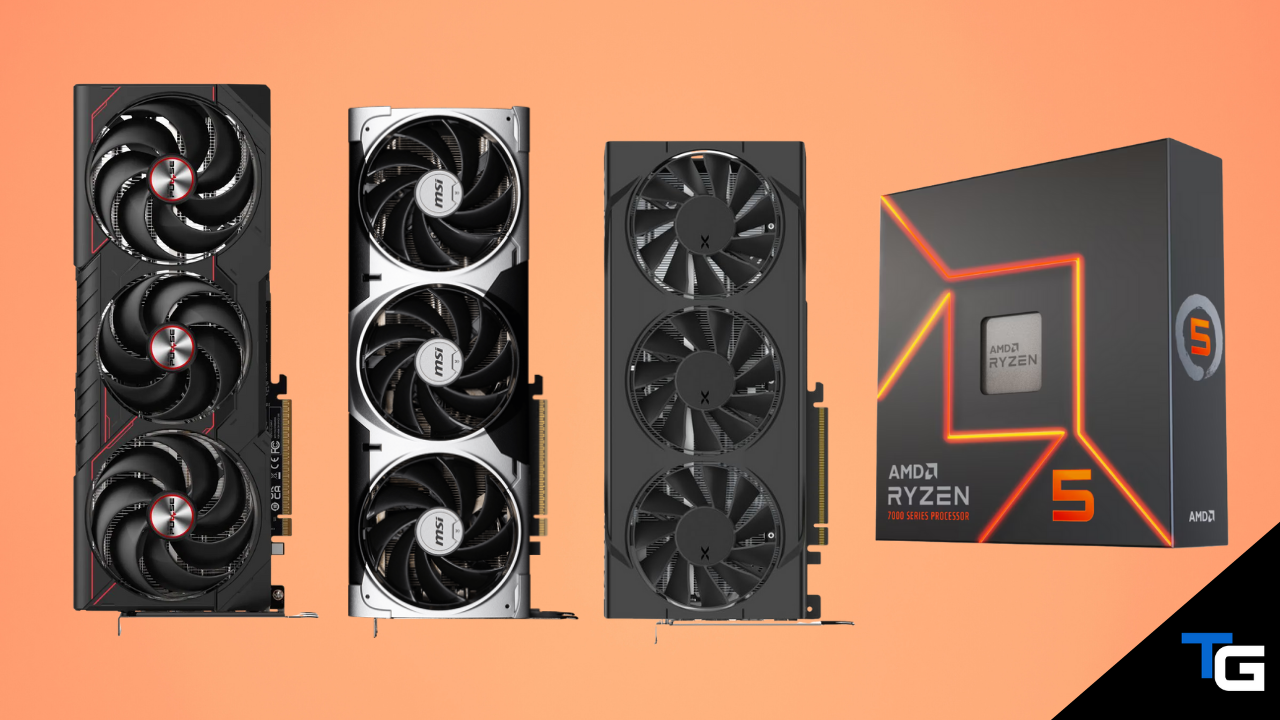
The Ryzen 5 7600X and Ryzen 5 9600X are still excellent gaming processors in 2026. Both offer enough performance to pair with everything from an affordable 1080P graphics card all the way up to a high-end GPU intended for high-refresh-rate 1440P or 4K gaming.
That makes them particularly useful for gaming-focused builds. Rather than spending significantly more on the processor, you can put more of your budget toward the component that will usually have the biggest impact on gaming performance: your graphics card.
Of course, the right GPU depends on your resolution, refresh rate, the games you play, and how much you want to spend. If you want to compare these options against the rest of the market, check out our guide to the best graphics cards for 2026.
In this guide, we’ve highlighted our favorite GPUs to pair with the Ryzen 5 9600X and 7600X, ranging from budget-oriented 1080P options to powerful cards capable of high-refresh-rate 1440P and 4K gaming.
One important thing to keep in mind is that graphics card pricing has been unusually volatile in 2026. The budget filters below represent the general market tier each GPU belongs to rather than a guarantee that every model will be available within that price range on any given day. Always compare the current prices before choosing between two closely matched GPUs.
Watch: What to Look for in A Graphics Card
If you’re not sure what specifications or features matter most, you can also read our full guide on how to choose a graphics card.
Filter for the Right Graphics Card
AMD Radeon RX 9070 XT
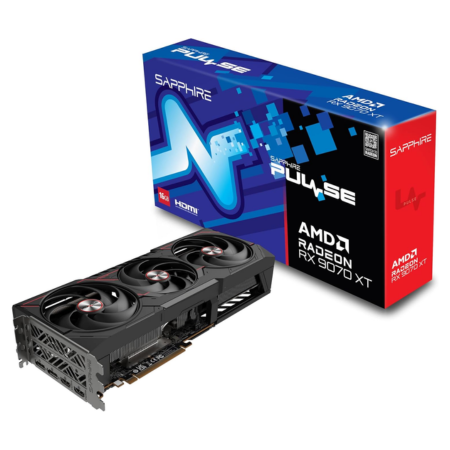
Our pick: Sapphire PULSE RX 9070 XT
Tech Specs
- Game: 2400MHz
- Boost: 2970MHz
- VRAM: 16GB GDDR6
- Length: 320mm
- PSU: 750-watts
Pros & Cons
- Excellent 1440P and capable 4K performance
- 16GB of VRAM provides plenty of headroom
- Strong raster performance for the money
- NVIDIA still leads in heavy ray tracing
Sapphire PULSE RX 9070 XT Overview
For most gaming-focused Ryzen 5 7600X and 9600X builds at the high end, the Radeon RX 9070 XT is the graphics card we’d check first.
It comes with 16GB of GDDR6 memory and AMD’s RDNA 4 architecture, and it delivers excellent performance at 1440P. It’s also powerful enough for a very good 4K experience, especially when you’re willing to use FSR upscaling or make small adjustments to the most demanding graphics settings.
The 16GB framebuffer is another major advantage. It provides plenty of room for high-resolution textures and demanding modern games and is particularly appealing if you’re building a system that you don’t plan on upgrading for several years.
AMD also improved its ray-tracing hardware considerably with RDNA 4, and the RX 9070 XT supports FSR 4 AI-powered upscaling. NVIDIA still has the advantage in demanding ray-tracing workloads and offers broader support for its DLSS feature set, but the gap between the two companies is much smaller than it was a few generations ago.
For the specific model, we like Sapphire’s PULSE RX 9070 XT. It uses a large triple-fan cooler, measures 320mm long, and reaches a boost clock of up to 2970MHz. It also uses two traditional 8-pin PCIe power connectors rather than a 16-pin connector.
Sapphire recommends a minimum 750-watt power supply. If you’re putting together a new system around a card at this level, make sure you’re pairing it with a high-quality unit. Our guide to the best power supplies for gaming PCs has some suitable options.
Ultimately, if your primary goal is gaming performance and the RX 9070 XT is noticeably cheaper than the RTX 5070 Ti, this is the high-end GPU we’d pair with the Ryzen 5 7600X or 9600X.
NVIDIA GeForce RTX 5070 Ti
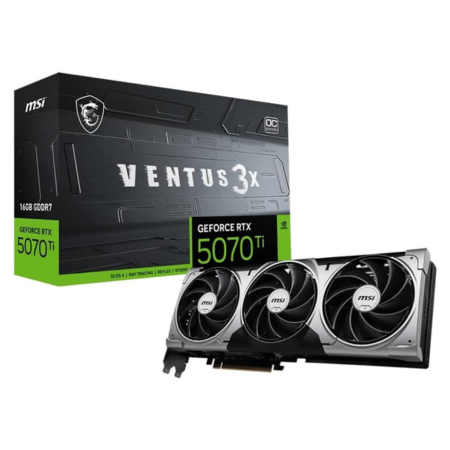
Our pick: MSI RTX 5070 Ti Ventus 3X OC
Tech Specs
- Boost: 2482MHz
- Extreme: 2497MHz
- VRAM: 16GB GDDR7
- Length: 303mm
- PSU: 750-watts
Pros & Cons
- Excellent 1440P and capable 4K performance
- 16GB of fast GDDR7 memory
- Excellent DLSS and ray-tracing support
- Can be poor value when priced far above 9070 XT
MSI RTX 5070 Ti Ventus 3X OC Overview
If you prefer NVIDIA’s feature set, the GeForce RTX 5070 Ti is the best high-end alternative to the RX 9070 XT for a Ryzen 5 9600X or 7600X gaming PC.
The RTX 5070 Ti includes 16GB of GDDR7 memory, which provides substantially more headroom than the standard RTX 5070’s 12GB framebuffer. That’s useful for high-resolution textures, 4K gaming, content creation, and other memory-intensive workloads.
Gaming performance is excellent at 1440P, including on high-refresh-rate monitors, and the card is also capable of a strong 4K experience.
The biggest reason to choose it over the RX 9070 XT is NVIDIA’s software and feature ecosystem. Blackwell GPUs support DLSS 4.5, including NVIDIA’s latest upscaling and frame-generation technologies, and NVIDIA continues to hold an advantage in many demanding ray-tracing workloads.
The RTX 5070 Ti is also the more attractive option if your PC will be used for CUDA-based applications, AI workloads, 3D rendering, streaming, or certain video-editing applications.
Our recommended MSI Ventus 3X OC model uses a triple-fan cooler, measures 303mm long, and includes 16GB of GDDR7 memory. MSI lists a 750-watt recommended power supply.
The catch is price. If the RTX 5070 Ti costs dramatically more than the RX 9070 XT, AMD’s card usually makes more sense for a gaming-only system. But when prices are relatively close—or you specifically want NVIDIA’s features—the RTX 5070 Ti is an excellent pairing for either Ryzen processor.
AMD Radeon RX 9070
Our pick: XFX Swift RX 9070 OC

Tech Specs
- Game: 2210MHz
- Boost: 2700MHz
- VRAM: 16GB GDDR6
- Length: 290mm
- PSU: 800-watts
Pros & Cons
- Excellent high-refresh 1440P performance
- 16GB of VRAM
- Less expensive alternative to 9070 XT
- Pricing can get too close to the 9070 XT
XFX Swift RX 9070 OC Overview
The Radeon RX 9070 is another strong match for the Ryzen 5 7600X and 9600X, especially if you’re targeting high-refresh-rate 1440P gaming but don’t need quite as much performance as the RX 9070 XT offers.
Like the XT model, the RX 9070 is built on AMD’s RDNA 4 architecture and comes with 16GB of GDDR6 memory. That gives it plenty of memory headroom for modern games, high-resolution textures, mods, and future releases.
Our recommended XFX Swift model has a game clock of up to 2210MHz and a boost clock of up to 2700MHz. At 290mm long, it’s also considerably easier to fit into many cases than some of the larger high-end cards.
The RX 9070 is primarily a 1440P card, but it has enough performance for 4K gaming as well, particularly with FSR enabled in demanding titles.
One thing to watch closely is the price gap between this card and the RX 9070 XT. If you only have to spend a small amount more to get the XT, we’d move up to the faster card. The RX 9070 makes the most sense when there is a meaningful discount.
Also note that while AMD’s reference guidance can vary by configuration, XFX recommends an 800-watt power supply for this particular Swift model.
Overall, this is a good option if you want 16GB of VRAM and excellent 1440P performance without stepping all the way up to an RX 9070 XT.
NVIDIA GeForce RTX 5070
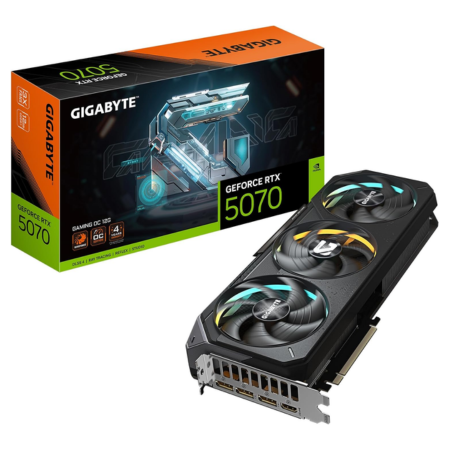
Our pick: GIGABYTE RTX 5070 Gaming OC
Tech Specs
- Core: 2625MHz
- CUDA Cores: 6,144
- VRAM: 12GB GDDR7
- Length: 327mm
- PSU: 750-watts
Pros & Cons
- Strong high-refresh 1440P performance
- Excellent DLSS 4.5 support
- Strong ray tracing and creator features
- 12GB VRAM provides less long-term headroom
GIGABYTE RTX 5070 Gaming OC Overview
The RTX 5070 is a good option if you want strong 1440P performance and NVIDIA’s latest graphics features but don’t want to pay for an RTX 5070 Ti.
GIGABYTE’s Gaming OC model comes with 6,144 CUDA cores, 12GB of GDDR7 memory, and a factory core clock of 2625MHz. It also uses GIGABYTE’s triple-fan WINDFORCE cooling system and provides Performance and Silent BIOS modes.
For gaming, the RTX 5070 is best suited for high-refresh-rate 1440P. It can run demanding modern games at high settings and has enough performance to venture into 4K gaming as well, especially when DLSS is available.
DLSS 4.5 and NVIDIA’s frame-generation technology are major advantages here, as is the RTX 5070’s ray-tracing performance.
The biggest downside is the 12GB of VRAM. That’s still enough for most 1440P gaming, but it offers less headroom than the 16GB included on the RX 9070, RX 9070 XT, RTX 5070 Ti, RX 9060 XT 16GB, and RTX 5060 Ti 16GB.
For more information on how memory capacity affects different resolutions, check out our guide on how much VRAM you need for gaming.
Price is another important consideration. If an RX 9070 or RX 9070 XT is available for roughly the same amount, we’d generally lean toward the Radeon option for gaming. If you want DLSS, stronger ray tracing, CUDA support, or other NVIDIA-specific features, though, the RTX 5070 remains a capable choice.
AMD Radeon RX 9060 XT (16GB)
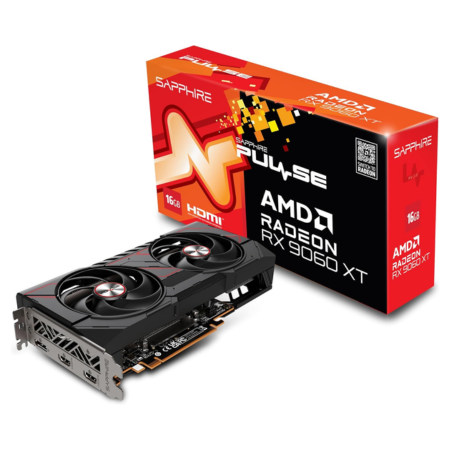
Our pick: Sapphire PULSE RX 9060 XT 16GB
Tech Specs
- Game: 2700MHz
- Boost: 3290MHz
- VRAM: 16GB GDDR6
- Length: 240mm
- PSU: 450-watts
Pros & Cons
- Excellent 1080P and solid 1440P performance
- Generous 16GB VRAM capacity
- Low power requirements
- NVIDIA has stronger RT and software support
Sapphire PULSE RX 9060 XT 16GB Overview
For a more budget-friendly Ryzen 5 7600X or 9600X gaming PC, the 16GB Radeon RX 9060 XT is one of the best options available.
It provides excellent 1080P performance and is powerful enough to deliver a solid experience at 1440P as well. It’s particularly well suited to gamers who want to run high graphics settings without moving into the more expensive RX 9070 or RTX 5070 class.
The biggest selling point is its 16GB of GDDR6 memory. That’s an unusually generous amount of VRAM for a card in this performance tier and gives the RX 9060 XT significantly more memory headroom than 8GB alternatives.
Sapphire’s PULSE model is also compact and efficient. It measures just 240mm long, uses a single 8-pin PCIe power connector, and Sapphire recommends only a 450-watt power supply.
The card supports FSR 4 and AMD’s latest RDNA 4 features. NVIDIA’s RTX 5060 Ti has the advantage in ray tracing, DLSS support, and certain creator applications, but it can also cost noticeably more.
If your primary goal is maximizing gaming performance, VRAM, and longevity without spending a fortune, the RX 9060 XT 16GB is arguably the sweet spot in this entire list.
NVIDIA GeForce RTX 5060 Ti (16GB)
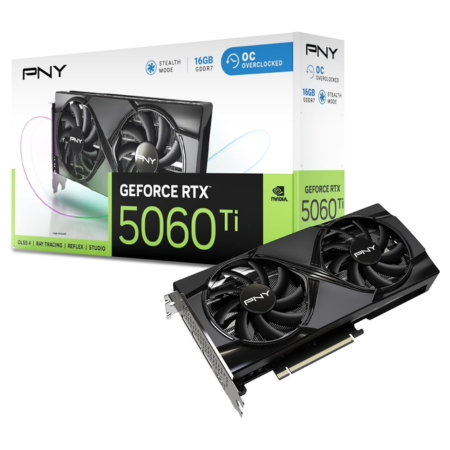
Our pick: PNY RTX 5060 Ti 16GB OC
Tech Specs
- Base: 2407MHz
- Boost: 2692MHz
- VRAM: 16GB GDDR7
- Length: 245mm
- PSU: 600-watts
Pros & Cons
- 16GB of fast GDDR7 memory
- Compact dual-fan design
- Excellent DLSS and creator support
- Can cost too much versus RX 9060 XT
PNY RTX 5060 Ti 16GB OC Overview
The 16GB RTX 5060 Ti is the NVIDIA card we’d consider first for a mid-range Ryzen 5 7600X or 9600X gaming PC.
Its 16GB of GDDR7 memory is particularly important. NVIDIA also offers an 8GB RTX 5060 Ti, but if you’re building a new system in 2026, we’d strongly prefer the 16GB model unless the 8GB version is dramatically less expensive.
Gaming performance is excellent at 1080P and solid at 1440P. DLSS 4.5 can also help extend the card’s usefulness in demanding games, while NVIDIA’s ray-tracing hardware gives it an advantage over similarly priced Radeon cards when ray tracing is enabled.
PNY’s OC Dual-Fan model is particularly easy to work into a build thanks to its compact design. It measures roughly 245mm long and requires a 600-watt system power supply.
The main competition is AMD’s 16GB RX 9060 XT. The Radeon card can provide better gaming value when it’s substantially cheaper, while the RTX 5060 Ti has the stronger feature set.
If you want 16GB of VRAM but prefer NVIDIA for DLSS, ray tracing, streaming, content creation, or CUDA support, the RTX 5060 Ti 16GB is the card to get.
AMD Radeon RX 9060 XT (8GB)
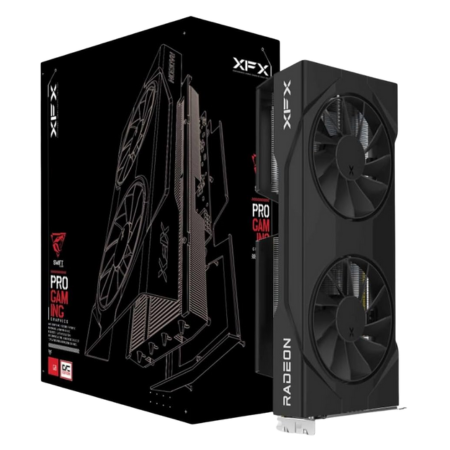
Our pick: XFX Swift RX 9060 XT OC 8GB
Tech Specs
- Game: 2780MHz
- Boost: 3320MHz
- VRAM: 8GB GDDR6
- Length: 270mm
- PSU: 450-watts
Pros & Cons
- Strong 1080P gaming performance
- Low power requirements
- FSR 4 support
- 8GB VRAM limits long-term headroom
XFX Swift RX 9060 XT OC 8GB Overview
If you want strong 1080P gaming performance while keeping the GPU budget as low as possible, the 8GB RX 9060 XT is worth considering.
The GPU itself is plenty capable for 1080P gaming and is particularly attractive for competitive titles where you’ll often be playing at lower settings in pursuit of higher framerates.
XFX’s Swift model has a game clock of up to 2780MHz and a boost clock of up to 3320MHz. Its 270mm dual-fan design is relatively easy to fit into most modern cases, and it only requires a single 8-pin power connector and a 450-watt power supply.
The obvious downside is the 8GB framebuffer.
Eight gigabytes is still workable at 1080P, especially when you’re willing to reduce texture quality in the most demanding games, but it provides considerably less long-term headroom than a 12GB or 16GB graphics card.
So, we’d only choose this model when it is meaningfully less expensive than the 16GB RX 9060 XT. If the price difference is modest, spend the extra money on the 16GB card.
NVIDIA GeForce RTX 5060 (8GB)
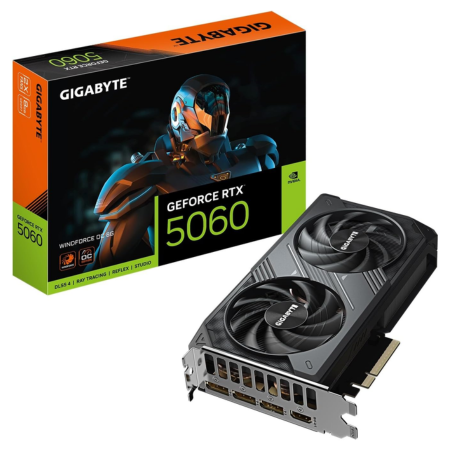
Our pick: GIGABYTE RTX 5060 WINDFORCE OC 8G
Tech Specs
- Core: 2512MHz
- CUDA Cores: 3,840
- VRAM: 8GB GDDR7
- Length: 199mm
- PSU: 550-watts
Pros & Cons
- Very compact dual-fan design
- DLSS 4.5 support
- Good 1080P performance
- 8GB of VRAM is the major limitation
GIGABYTE RTX 5060 WINDFORCE OC Overview
The RTX 5060 is NVIDIA’s lower-cost option for gamers who want access to the latest Blackwell features.
It’s primarily a 1080P graphics card and performs particularly well in competitive games and less demanding titles. DLSS 4.5 gives it another tool for handling more demanding games, and NVIDIA’s ray-tracing performance is generally stronger than AMD’s at this tier.
GIGABYTE’s WINDFORCE OC model is also one of the easiest cards on this list to fit into a compact build. It measures only 199mm long, uses a dual-fan cooler, and requires a 550-watt power supply.
Again, however, the 8GB framebuffer is the biggest concern.
For mainstream 1080P gaming, 8GB can still get the job done. But newer AAA games increasingly benefit from larger amounts of VRAM, particularly when using high-resolution texture settings or ray tracing.
For that reason, we wouldn’t spend significantly more for an RTX 5060 than an RX 9060 XT 8GB, and we’d strongly consider moving up to a 12GB or 16GB option if your budget allows.
Still, if you specifically want an inexpensive NVIDIA GPU for 1080P gaming, the RTX 5060 is a reasonable match for either the Ryzen 5 7600X or 9600X.
Intel Arc B580
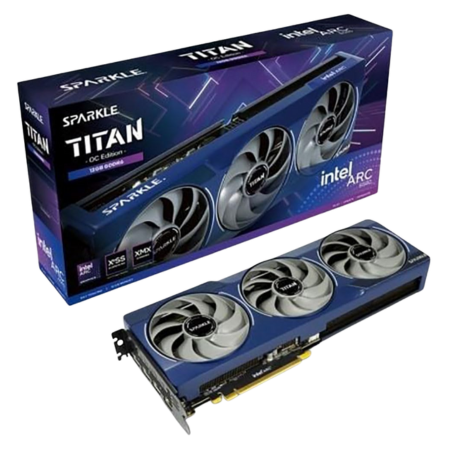
Our pick: Sparkle Arc B580 TITAN OC
Tech Specs
- Boost: 2740MHz
- Xe Cores: 20
- VRAM: 12GB GDDR6
- Length: 315mm
- PSU: 600-watts
Pros & Cons
- 12GB VRAM at a lower price tier
- Capable 1080P and 1440P performance
- XeSS upscaling support
- Resizable BAR is important for performance
Sparkle Arc B580 TITAN OC Overview
Intel’s Arc B580 remains one of the most interesting lower-cost GPUs available, particularly because it gives you 12GB of VRAM without forcing you into a significantly more expensive performance tier.
That extra memory gives it an immediate advantage over the 8GB RTX 5060 and RX 9060 XT when you’re concerned about high-resolution textures and future games.
Performance is strong at 1080P, and the B580 is capable of delivering a solid 1440P experience as well. Intel’s XeSS upscaling and frame-generation technologies can provide another boost in supported games.
Intel’s driver situation has also improved substantially since the company’s first-generation Arc GPUs. AMD and NVIDIA still have more established graphics ecosystems, and individual older or unusual games can sometimes behave differently on Arc hardware, but the B580 is a much easier card to recommend today than early Intel GPUs were.
One important requirement is Resizable BAR. Intel recommends enabling ReBAR for optimal Arc performance. Fortunately, a Ryzen 5 7600X or 9600X system is modern enough that this shouldn’t be a problem as long as the feature is enabled in your motherboard’s BIOS.
Sparkle’s TITAN OC model comes with 12GB of GDDR6 memory, a large triple-fan cooler, and a boost clock of up to 2740MHz.
If you’re looking for a budget-oriented GPU and value 12GB of VRAM more than NVIDIA’s software ecosystem or AMD’s more established driver platform, the Arc B580 is an excellent alternative.
What About the Radeon RX 9070 GRE?
AMD introduced another option in 2026: the Radeon RX 9070 GRE.
The RX 9070 GRE sits between AMD’s RX 9060 XT and RX 9070. It comes with 12GB of GDDR6 memory, and the XFX Swift model can boost up to 2790MHz.
It’s another perfectly capable GPU to pair with a Ryzen 5 7600X or 9600X, particularly for 1440P gaming.
However, its value depends heavily on pricing. If the RX 9070 GRE is much cheaper than a full RX 9070, it’s worth considering. If the two are priced closely, we’d spend the extra money on the RX 9070 and its 16GB of VRAM.
Which GPU Should You Get for the Ryzen 5 9600X/7600X?
For a high-end gaming build, we’d start with the RX 9070 XT. It offers excellent high-refresh-rate 1440P performance, capable 4K gaming, and 16GB of VRAM.
If you prefer NVIDIA’s ray tracing, DLSS, CUDA support, or creator-oriented features, the RTX 5070 Ti is the better choice—provided its price isn’t dramatically higher.
For a step down in price, the RX 9070 is an excellent 1440P option. The RTX 5070 is the NVIDIA alternative, although its 12GB of VRAM makes it a little less attractive for long-term use.
For most value-focused builders, however, the RX 9060 XT 16GB is probably the sweet spot. It combines excellent 1080P performance, capable 1440P performance, 16GB of VRAM, and very low power requirements.
The RTX 5060 Ti 16GB is a good alternative if you want NVIDIA’s feature set.
On a tighter budget, the RX 9060 XT 8GB, RTX 5060, and Intel Arc B580 are all capable 1080P options. Of those three, the B580’s 12GB framebuffer gives it the most memory headroom.
Both the 7600X and 9600X are strong enough that your choice should primarily be based on the resolution, refresh rate, and graphics settings you’re targeting rather than worrying excessively about CPU/GPU “bottlenecks.” If you’re still deciding which AMD processor to build around, you can also see our guide to the best AMD CPUs for gaming.
Frequently Asked Questions
What is the best GPU to pair with the Ryzen 5 7600X?
For a high-end gaming build, the Radeon RX 9070 XT is one of the best GPUs to pair with the Ryzen 5 7600X. It’s powerful enough for high-refresh-rate 1440P and capable 4K gaming without requiring you to spend significantly more on a higher-end processor.
For a more affordable build, the RX 9060 XT 16GB is an excellent match.
What is the best GPU to pair with the Ryzen 5 9600X?
The RX 9070 XT is our top gaming-oriented pairing for the Ryzen 5 9600X. The RTX 5070 Ti is an excellent alternative if you prioritize NVIDIA features such as DLSS, stronger ray tracing, CUDA support, or GPU-accelerated creator applications.
For mid-range builds, the RX 9060 XT 16GB and RTX 5060 Ti 16GB are both excellent options.
Will a Ryzen 5 7600X bottleneck an RX 9070 XT or RTX 5070 Ti?
In most gaming situations, the Ryzen 5 7600X is fast enough to pair with an RX 9070 XT or RTX 5070 Ti without creating a major performance problem.
You may become more CPU-limited when playing competitive games at very low resolutions and settings while targeting extremely high framerates, but at 1440P and especially 4K, performance will typically be much more dependent on the graphics card.
Will a Ryzen 5 9600X bottleneck an RX 9070 XT?
The Ryzen 5 9600X and Radeon RX 9070 XT make an excellent gaming combination. At 1440P and 4K, the graphics card will generally be the more important performance limitation.
A faster X3D processor may produce higher framerates in particularly CPU-heavy games or competitive titles at very high refresh rates, but upgrading the GPU usually produces a larger improvement in graphically demanding games.
Is 8GB of VRAM enough in 2026?
Eight gigabytes of VRAM is still usable for 1080P gaming, but it is becoming increasingly restrictive in demanding AAA games.
Cards such as the RTX 5060 and RX 9060 XT 8GB can still deliver good performance, but you may need to reduce texture quality or other memory-intensive settings in some games.
For a new gaming PC that you plan to keep for several years, 12GB is preferable and 16GB provides even more headroom.
Is 16GB of VRAM worth it for 1440P gaming?
Yes. While not every 1440P game requires 16GB of VRAM, the additional capacity gives you more room for high-resolution textures, ray tracing, mods, and future games.
This is one of the reasons we prefer the 16GB RX 9060 XT and RTX 5060 Ti over their 8GB alternatives when the price difference is reasonable.
Should I choose AMD or NVIDIA with the Ryzen 5 7600X or 9600X?
Either will work perfectly well.
AMD’s RX 9000-series cards often offer strong traditional gaming performance and generous VRAM capacities. NVIDIA’s RTX 50-series cards generally have the advantage in ray tracing, DLSS support, CUDA applications, and certain creator workloads.
Your decision should come down to the specific GPUs you’re comparing, their current prices, and which features matter to you.
Can I use an Intel Arc B580 with a Ryzen 5 7600X or 9600X?
Yes. In fact, both processors are good matches for Intel’s Arc B580 because their AM5 platforms support Resizable BAR.
Resizable BAR should be enabled for optimal Arc performance, so make sure the setting is turned on in your motherboard’s BIOS.
What power supply do I need for a Ryzen 5 7600X or 9600X gaming PC?
It depends primarily on your graphics card.
A build with an RX 9060 XT can operate with a quality 450-watt or larger PSU depending on the specific model, while an RTX 5060 typically calls for around 550 watts and an RTX 5060 Ti around 600 watts.
High-end options such as the RX 9070 XT and RTX 5070 Ti generally call for a quality 750-watt power supply. Some specific factory-overclocked models recommend more, so always check the requirements for the exact graphics card you’re purchasing.
