
These graphics cards pair well with the Ryzen 5 5600 and 5600X.
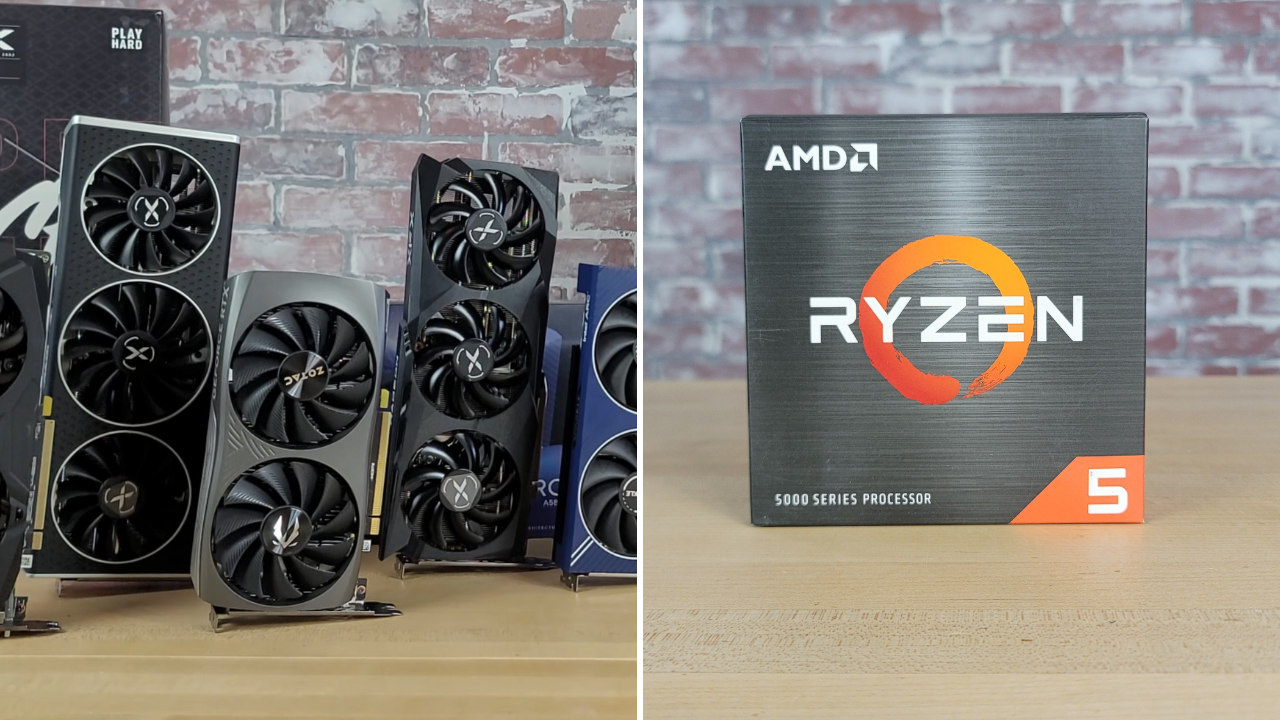
The AMD Ryzen 5 5600X and Ryzen 5 5600 are no longer new processors, but they still make a lot of sense for budget gaming PCs and AM4 upgrades.
I’ve used these processors in versions of my $800 build and $1,000 build, and the Ryzen 5 5600 has also been a strong fit for lower-cost builds. With six Zen 3 cores and 12 threads, either CPU can support everything from an affordable 1080P graphics card to a powerful 1440P option.
In this guide, I’ve listed the current GPUs that make the most sense to pair with the Ryzen 5 5600 or 5600X and selected a specific Amazon-available graphics card for each GPU.
Why the Ryzen 5 5600(X) Still Makes Sense
✅ Lower Platform Cost Leaves More for the GPU
The Ryzen 5 5600 and 5600X are inexpensive, AM4 motherboards remain widely available, and DDR4 memory is affordable. If you already own an AM4 system—or find a good package deal—the money saved on the platform can go toward the component that usually has the biggest effect on gaming performance: the graphics card.
✅ AM4 Still Has Useful Upgrade Options
The Ryzen 5 5600(X) is not the end of the road for an AM4 gaming PC. A Ryzen 7 5700X3D or 5800X3D can provide a meaningful improvement in CPU-heavy games if you can find one at a sensible price. If you are considering a larger platform upgrade instead, see our guide to the best AMD CPUs for gaming.
✅ A GPU Upgrade Is Easy
If you already own a Ryzen 5 5600 or 5600X system, installing a new graphics card is much simpler and less expensive than replacing the CPU, motherboard, and memory at the same time. Just make sure your case has enough clearance and your power supply has the required capacity and connectors.
For most Ryzen 5 5600(X) owners, the 16GB Radeon RX 9060 XT is the best-balanced option. The RTX 5060 Ti 16GB is the better fit if you prefer NVIDIA’s DLSS and ray-tracing ecosystem, while the RTX 5070 makes sense for demanding 1440P gaming as long as you accept that the CPU may limit maximum framerates in some games.
Note: The price filters below are based on each GPU’s normal price tier. Graphics-card prices and Amazon inventory can change frequently. Near the end of the guide, I’ve also listed older GPUs worth considering on the used market.
Watch: What to Look for in a Graphics Card
Watch the video below for the most important factors to consider, or read our complete guide on how to choose a graphics card.
Filter for the Right Graphics Card
NVIDIA GeForce RTX 5070
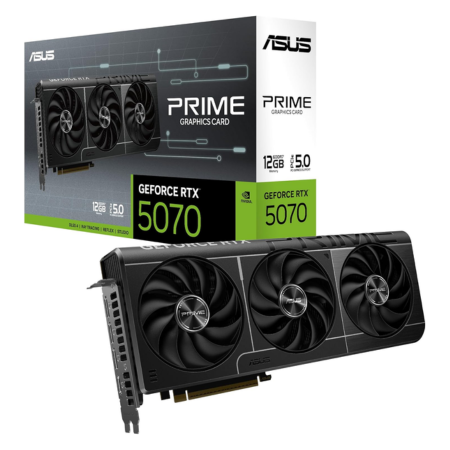
Our pick: ASUS RTX 5070 Prime
Tech Specs
- Boost: 2512MHz
- VRAM: 12GB GDDR7
- Length: 304mm
- PSU: 750W
Pros & Cons
- Excellent 1440P performance
- Strong ray tracing and DLSS support
- SFF-ready 2.5-slot design
- Can be CPU-limited at high framerates
- Only 12GB of VRAM at this price
ASUS RTX 5070 Prime Overview
The RTX 5070 is the fastest new GPU I would normally pair with a Ryzen 5 5600 or 5600X. It is a strong option for demanding 1440P gaming, especially if you value NVIDIA’s ray-tracing performance, DLSS upscaling, and frame-generation support.
The main limitation is not that the combination will perform poorly—it won’t—but that the Ryzen 5 5600(X) can prevent the RTX 5070 from reaching its full potential in CPU-heavy games and high-refresh-rate 1080P scenarios. At 1440P with demanding graphics settings, the load shifts more heavily toward the GPU and the pairing becomes more balanced. If you want more context, see our explanation of PC bottlenecks.
ASUS’s Prime model has a practical 2.5-slot, triple-fan cooler and is officially SFF-ready, although its 304mm length still requires a case-clearance check. It also calls for a 750-watt power supply and uses a 16-pin power connector. If your current PSU is old or undersized, compare it against our recommendations for the best gaming power supplies.
Choose this card if you already have a Ryzen 5 5600(X), game primarily at 1440P, and want the strongest NVIDIA option that is still reasonably defensible on AM4. If you are building an entirely new PC at this performance level, however, it is also worth comparing the total cost of moving to AM5.
AMD Radeon RX 9060 XT (16GB)
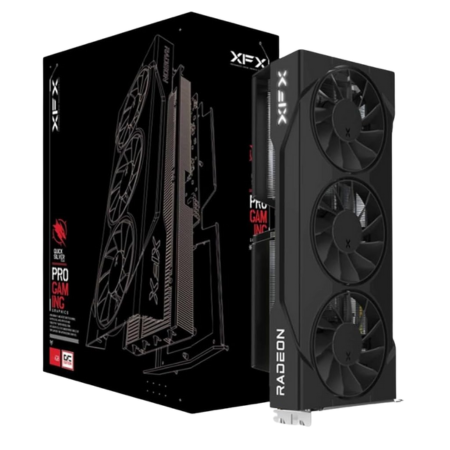
Our pick: XFX RX 9060 XT Swift OC
Tech Specs
- Game: 2780MHz
- Boost: 3320MHz
- VRAM: 16GB GDDR6
- Length: 290mm
- PSU: 450W
Pros & Cons
- Excellent value for 1440P gaming
- 16GB of VRAM
- Modest power-supply requirement
- Triple-fan cooler
- NVIDIA still has the stronger feature set
XFX RX 9060 XT Swift OC (16GB) Overview
For most Ryzen 5 5600 and 5600X systems, the 16GB Radeon RX 9060 XT is the best overall pairing. It provides enough performance for a strong 1440P experience without pushing so far up the GPU stack that a platform upgrade starts to look necessary.
The 16GB frame buffer is another major advantage. It gives you more room for high-resolution textures and demanding future games than the 8GB cards in this price range. AMD’s newer FSR features also make the RX 9060 XT more capable than older Radeon cards when you need extra performance from upscaling or frame generation.
XFX’s Swift OC uses a 290mm triple-fan cooler, reaches a boost clock of up to 3320MHz, and requires only one 8-pin PCIe power connection. XFX lists a 450-watt minimum PSU recommendation, although the quality and condition of the power supply still matter as much as the number printed on its label.
If your priority is traditional rasterized performance, 16GB of VRAM, and good 1440P value, this is the card I would start with. Consider the RTX 5060 Ti 16GB instead if DLSS, ray tracing, CUDA, or creator-app support matters more to you.
NVIDIA GeForce RTX 5060 Ti (16GB)
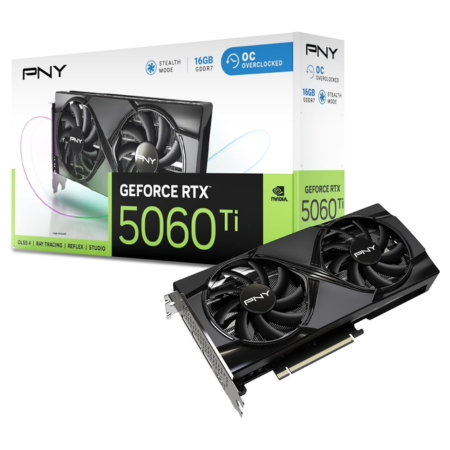
Our pick: PNY RTX 5060 Ti OC
Tech Specs
- Base: 2407MHz
- Boost: 2692MHz
- VRAM: 16GB GDDR7
- Length: 245mm
- PSU: 600W
Pros & Cons
- Strong 1080P and 1440P performance
- 16GB of VRAM
- Excellent DLSS and ray-tracing support
- Compact dual-fan design
- Usually costs more than the RX 9060 XT
PNY RTX 5060 Ti OC (16GB) Overview
The 16GB RTX 5060 Ti is the most sensible NVIDIA alternative to the Radeon RX 9060 XT. It pairs well with the Ryzen 5 5600(X) for high-refresh-rate 1080P gaming and strong 1440P performance, and its 16GB of GDDR7 avoids the more obvious longevity concern attached to 8GB GPUs.
The reason to choose it over the Radeon card is NVIDIA’s feature set. DLSS, ray tracing, Reflex, CUDA support, and broad compatibility with creative applications can justify the higher cost for the right user. The reason not to choose it is value: if you do not care about those features, the 16GB RX 9060 XT will often be the more economical route.
PNY’s OC dual-fan model is only 245mm long, making it an easy fit in compact cases. Its 2692MHz boost clock is higher than the reference specification, and the card uses a conventional 8-pin power connector. NVIDIA recommends a 600-watt system power supply for the RTX 5060 Ti.
Ultimately, this is the best NVIDIA pairing for most Ryzen 5 5600(X) owners. It is fast enough to provide an excellent upgrade without stretching as far into CPU-limited territory as the RTX 5070 can.
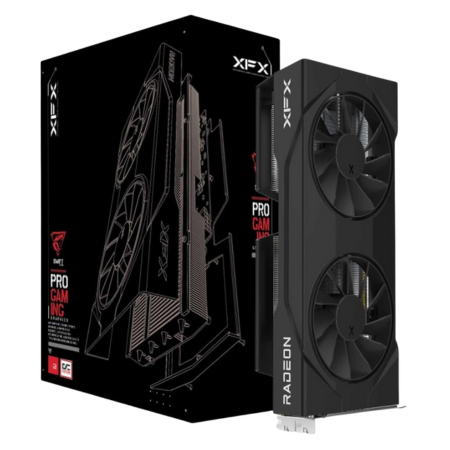
AMD Radeon RX 9060 XT (8GB)
Our pick: XFX RX 9060 XT Swift OC
Tech Specs
- Game: 2780MHz
- Boost: 3320MHz
- VRAM: 8GB GDDR6
- Length: 270mm
- PSU: 450W
Pros & Cons
- Strong 1080P performance
- Efficient and easy to power
- Compact dual-fan design
- 8GB of VRAM is increasingly restrictive
- 16GB model is the better long-term buy
XFX RX 9060 XT Swift OC (8GB) Overview
The 8GB RX 9060 XT is a capable 1080P graphics card and can also handle selective 1440P gaming. It delivers the same basic GPU architecture as the 16GB model, so it can be a reasonable option when its price is substantially lower.
The problem is the 8GB frame buffer. It remains workable at 1080P, but some demanding games already require reduced texture settings or other compromises when VRAM use climbs. If the 16GB version is only modestly more expensive, I would pay the difference. Our guide on how much VRAM you need for gaming covers this issue in more detail.
XFX’s Swift OC model measures 270mm long, uses a dual-fan cooler, and has a 450-watt minimum PSU recommendation. That combination makes it easy to install in many older AM4 systems without replacing the case or power supply.
This card makes the most sense when it is priced near the bottom of its class. If the 16GB RX 9060 XT, Arc B580, or RTX 5060 is close in price, compare the extra VRAM and feature differences before buying.
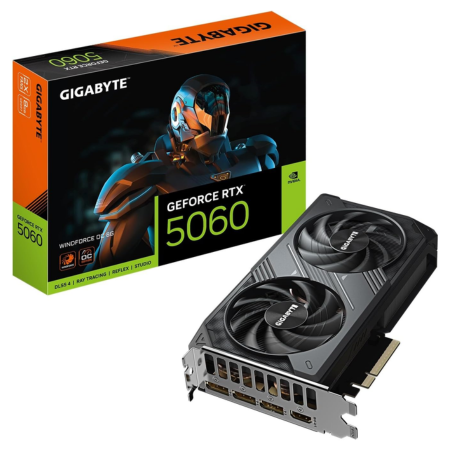
NVIDIA GeForce RTX 5060
Our pick: GIGABYTE RTX 5060 WINDFORCE OC
Tech Specs
- Boost: 2512MHz
- VRAM: 8GB GDDR7
- Length: 199mm
- PSU: 550W
Pros & Cons
- Strong 1080P performance
- Excellent DLSS feature support
- Very compact design
- Only 8GB of VRAM
- Poor value when priced above MSRP
GIGABYTE RTX 5060 WINDFORCE OC Overview
The RTX 5060 is a good fit for a Ryzen 5 5600(X) system built primarily for 1080P gaming. It supports the complete NVIDIA feature set, including DLSS upscaling, Multi Frame Generation in supported games, Reflex, and the latest-generation ray-tracing hardware.
Its biggest weakness is the 8GB frame buffer. DLSS can reduce the internal rendering resolution and help performance, but it does not turn an 8GB card into a 12GB or 16GB card. You may still need to reduce texture quality or ray-tracing settings in especially demanding games.
GIGABYTE’s WINDFORCE OC is an especially compact implementation. It measures only 199mm long, uses a dual-fan cooler, reaches a 2512MHz core clock, and carries a 550-watt PSU recommendation. It should fit in nearly any case that supports a full-height graphics card.
Choose the RTX 5060 if you want NVIDIA’s software and gaming features in a small, efficient 1080P card. Avoid paying a large premium for it, though; once its price approaches that of a 16GB RX 9060 XT or RTX 5060 Ti, those cards become better buys.
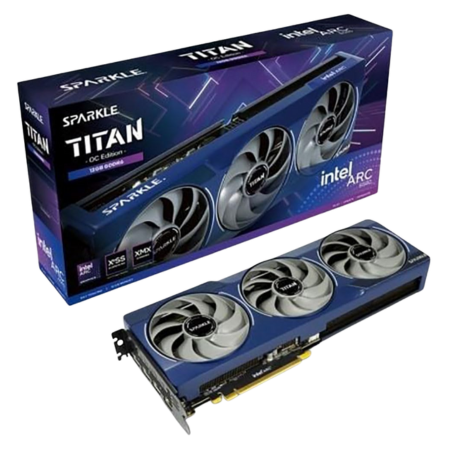
Intel Arc B580
Our pick: Sparkle Arc B580 Titan OC
Tech Specs
- Boost: 2740MHz
- VRAM: 12GB GDDR6
- Length: 315mm
- PSU: 600W
Pros & Cons
- Strong 1080P value
- 12GB of VRAM
- Capable XeSS upscaling
- Resizable BAR must be enabled
- Less consistent game support than AMD/NVIDIA
Sparkle Arc B580 Titan OC Overview
The Arc B580 is one of the most interesting lower-cost pairings for the Ryzen 5 5600(X). Its 12GB of VRAM gives it more memory headroom than the 8GB Radeon and GeForce alternatives, and it can provide a strong 1080P experience with useful 1440P capability.
Intel’s Arc drivers have improved significantly, but compatibility still is not as predictable as it is with AMD or NVIDIA—especially in older games. You should also update your motherboard BIOS and enable Above 4G Decoding and Resizable BAR before installing an Arc card. Ryzen 5000 systems support the required feature when paired with a compatible motherboard and BIOS.
Sparkle’s Titan OC model uses a substantial 2.2-slot triple-fan cooler and boosts to 2740MHz. Its 315mm length means it is not a good fit for every compact case, and Sparkle recommends a 600-watt power supply.
If you are comfortable doing a little extra setup and you want 12GB of VRAM at a budget price, the B580 is an excellent option. If you want the simplest plug-and-play experience across the broadest selection of games, an AMD or NVIDIA card remains the safer choice.
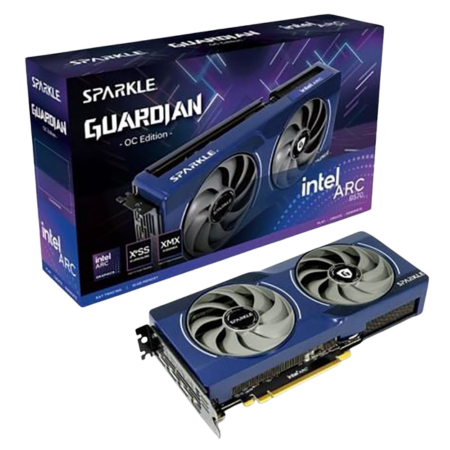
Intel Arc B570
Our pick: Sparkle Arc B570 Guardian OC
Tech Specs
- Boost: 2660MHz
- VRAM: 10GB GDDR6
- Length: 242mm
- PSU: 600W
Pros & Cons
- Good affordable 1080P option
- 10GB of VRAM
- Compact dual-fan design
- Resizable BAR must be enabled
- Slower than the other current-gen picks
Sparkle Arc B570 Guardian OC Overview
The Arc B570 is the lowest-cost current-generation card on this list. It is slower than the B580, RTX 5060, and RX 9060 XT, but it still provides solid 1080P performance and offers a useful 10GB of GDDR6 memory.
Sparkle’s Guardian OC is compact at 242mm long and uses a 2.2-slot dual-fan cooler. It reaches a 2660MHz boost clock and has a 170-watt rated power consumption. Sparkle recommends a 600-watt system power supply.
As with the B580, Resizable BAR is essential. Update your motherboard BIOS, enable Above 4G Decoding and ReBAR, and install Intel’s current graphics driver. Without those settings, Arc performance can drop substantially.
If the B570 is meaningfully cheaper than the other cards in this guide, it is a sensible way to refresh a Ryzen 5 5600(X) system for 1080P gaming. If the B580 is only a little more expensive, however, its extra performance and 12GB frame buffer make it the better purchase.
Older GPUs to Target on the Used Market
If you would rather buy used than pay for a current-generation card, the following GPUs can pair well with a Ryzen 5 5600 or 5600X:
- Radeon RX 7800 XT
- Radeon RX 7700 XT
- GeForce RTX 4070 or RTX 4070 SUPER
- GeForce RTX 4060 Ti 16GB
- Radeon RX 6800 or RX 6800 XT
- GeForce RTX 3080 10GB or 12GB
- Radeon RX 6750 XT
- GeForce RTX 4060
- Radeon RX 6650 XT
- Intel Arc A750
Some of these cards are still sold new, but aging inventory is not always priced competitively. When buying used, ask for proof that the card works, inspect it for physical damage, and compare its price against the new options above.
Upper-Range Performance Targets for a Ryzen 5 5600X System
I tested the Ryzen 5 5600X with an RX 7800 XT across 17 games at 1080P and 1440P. That combination provides a useful reference point for the upper end of what you can reasonably pair with this processor. You can view the charts and test details in my Ryzen 5 5600X and RX 7800 XT benchmark.
![5600X + 7800 XT Benchmark in 17 Games [1080P & 1440P]](https://techguided.com/wp-content/cache/flying-press/e41b6c06acbf48e95a56612938184926.jpg)
Which GPU Should You Choose?
The Ryzen 5 5600 and 5600X remain capable gaming processors, especially for people who already own an AM4 system. The right graphics card depends more on your resolution, target framerate, preferred features, and budget than it does on finding one perfectly matched model.
For most people, I would choose the 16GB RX 9060 XT. It offers a strong balance of 1440P performance, VRAM, power efficiency, and price. The RTX 5060 Ti 16GB is the better alternative for users who value DLSS, ray tracing, CUDA, or NVIDIA’s creator tools. The RTX 5070 is the upper limit I would normally recommend, while the RTX 5060, Arc B580, Arc B570, and 8GB RX 9060 XT make the most sense for lower-cost 1080P builds.
If you need help choosing a GPU for your Ryzen 5 5600(X), leave a comment below with your budget, monitor resolution and refresh rate, current power supply, and the games you play.
Frequently Asked Questions
What is the best GPU to pair with a Ryzen 5 5600 or 5600X?
For most gamers, the 16GB Radeon RX 9060 XT is the best overall pairing. It offers strong 1440P performance, plenty of VRAM, and a modest power requirement. If you prefer NVIDIA’s DLSS, ray tracing, or creator features, the 16GB RTX 5060 Ti is the better alternative.
Will a Ryzen 5 5600X bottleneck an RTX 5070?
It can, especially in CPU-heavy games, at 1080P, or when targeting very high framerates. The pairing is more balanced at 1440P with demanding graphics settings because the GPU becomes the larger performance constraint. An RTX 5070 can still be a worthwhile upgrade for an existing Ryzen 5 5600X system, but it is near the top of what I would recommend pairing with the processor.
Is 8GB of VRAM enough for 1080P gaming?
Eight gigabytes is still usable for 1080P gaming, but it can require lower texture settings in demanding titles. If two otherwise similar cards are close in price, a 12GB or 16GB option is the safer long-term purchase.
Do I need a new power supply for one of these GPUs?
That depends on your current PSU. The XFX RX 9060 XT cards list a 450-watt minimum, the RTX 5060 calls for 550 watts, the RTX 5060 Ti and Sparkle Arc cards call for 600 watts, and ASUS recommends 750 watts for its Prime RTX 5070. Capacity is only part of the decision—also check the PSU’s quality, age, available connectors, and the power demands of the rest of your system.
Will Intel Arc B580 and B570 cards work with a Ryzen 5 5600(X)?
Yes, provided your motherboard and BIOS support Resizable BAR. Update the motherboard BIOS, enable Above 4G Decoding and Resizable BAR, and install Intel’s latest graphics driver. I would not recommend an Arc card for a system that cannot enable ReBAR.
Should I upgrade my Ryzen 5 5600(X) before upgrading the GPU?
Usually, no. If your current graphics card is the main limitation, a GPU upgrade will deliver the larger improvement. A CPU upgrade becomes more useful when you play CPU-heavy games, target very high framerates, or already own a powerful GPU that is frequently underutilized. In those situations, an AM4 X3D processor or a move to a newer platform may make sense.
Is the Ryzen 5 5600(X) still worth using in 2026?
Yes—especially if you already own an AM4 motherboard and DDR4 memory. It is still a capable six-core gaming CPU. For a completely new build with a larger budget, however, compare the total cost and upgrade path of an AM5 system before committing to AM4.
