
These DDR5 memory kits are excellent options to pair with AMD’s Ryzen 7 9800X3D.
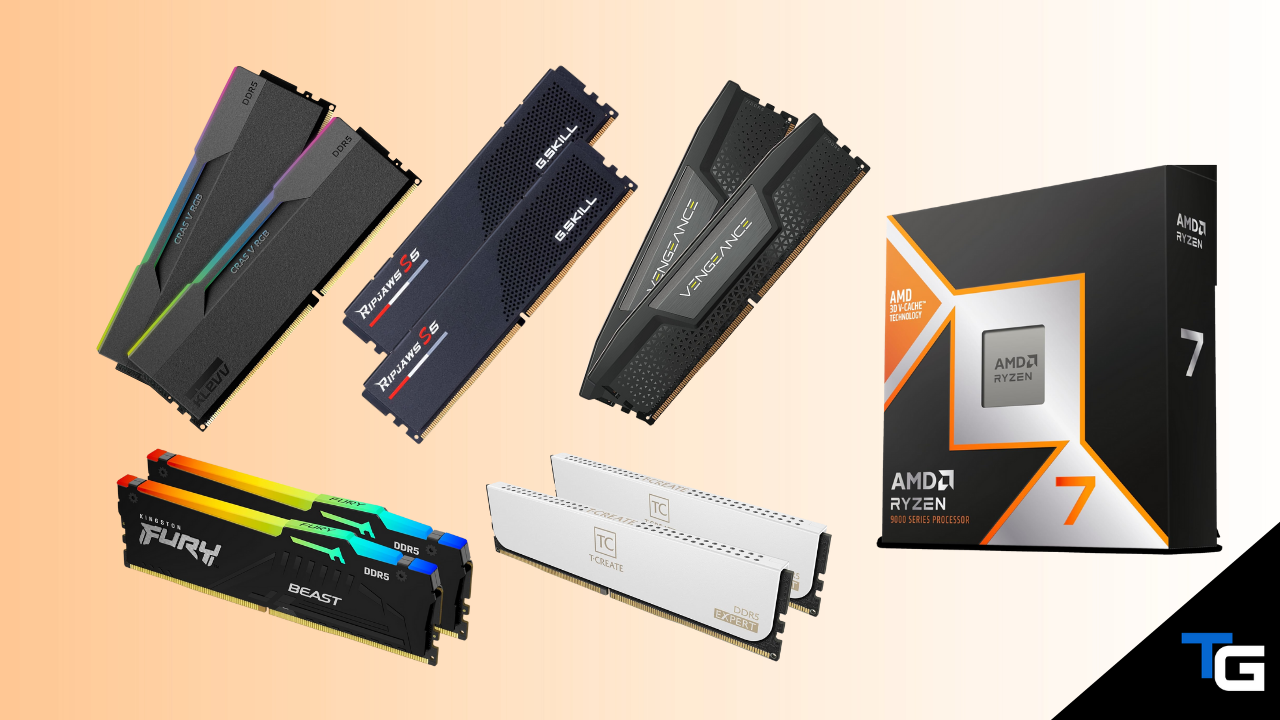
If you’re building a high-end gaming PC around AMD’s Ryzen 7 9800X3D, you don’t need to chase the fastest DDR5 kit you can find.
For most 9800X3D builds, a 32GB (2x16GB) DDR5-6000 CL30 kit with AMD EXPO support is the configuration we’d recommend. It gives you an excellent combination of speed, latency, capacity, and AM5 compatibility without spending extra money on memory speeds that are unlikely to make a meaningful difference in gaming.
AMD officially lists DDR5-5600 as the 9800X3D’s maximum stock memory speed when using two DIMMs. The DDR5-6000 kits recommended below achieve their advertised speeds through AMD EXPO, so you’ll need to enable the EXPO profile in your motherboard’s BIOS.
For a new gaming PC in 2026, we’d also generally recommend 32GB of RAM rather than 16GB. You can check out our guide on how much RAM you need for gaming for a more detailed breakdown.
And if you’re still putting together the rest of your system, see our guides on the best motherboards for the Ryzen 7 9800X3D and the best RAM for gaming.
We’ve highlighted a range of EXPO-compatible kits below, including value-oriented options, RGB kits, low-profile memory, and a 64GB option.
Filter for the Right RAM Kit
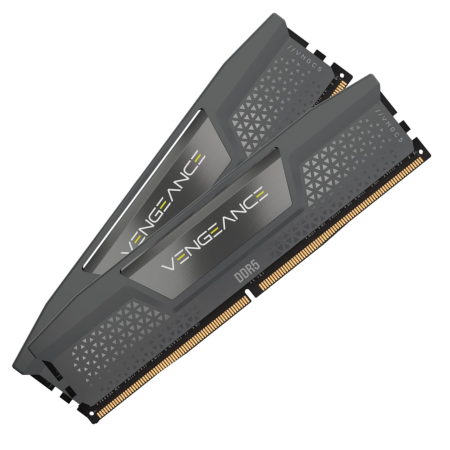
Corsair Vengeance
Our top overall pick: DDR5-6000 CL30, EXPO support, and a low-profile design.
Tech Specs
- Capacity: 32GB (2x16GB)
- Speed: DDR5-6000
- Latency: CL30
- Color: Gray
- EXPO: Yes
Pros & Cons
- Excellent DDR5-6000 CL30 configuration for AM5
- Low-profile heatspreaders improve CPU cooler clearance
- AMD EXPO support
- No RGB lighting
Corsair Vengeance Overview
Corsair’s Vengeance DDR5-6000 CL30 kit is our favorite all-around option for a Ryzen 7 9800X3D gaming PC.
This specific kit gives you 32GB of memory across two 16GB DIMMs, which is the configuration we’d recommend for the majority of high-end gaming PCs in 2026.
More importantly, it hits the DDR5-6000 CL30 combination that makes sense for AM5 without pushing into much faster memory speeds that can require more tweaking.
The relatively short heatspreaders are another advantage. If you’re using a large dual-tower air cooler, a lower-profile kit like Vengeance reduces the chance of your memory interfering with the cooler’s front fan.
It doesn’t include RGB lighting, but for builders who care more about compatibility, performance, and simplicity, that’s not much of a drawback.
Overall, this is the kit we’d start with for most 9800X3D builds.
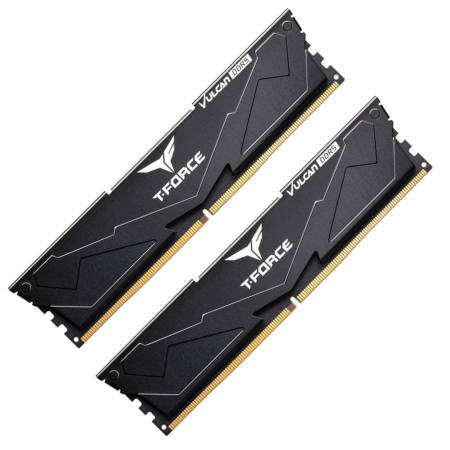
TEAMGROUP T-Force Vulcan
A strong value alternative with the same ideal DDR5-6000 CL30 specs.
Tech Specs
- Capacity: 32GB (2x16GB)
- Speed: DDR5-6000
- Latency: CL30
- Color: Black
- EXPO: Yes
Pros & Cons
- DDR5-6000 CL30 at a typically competitive price
- AMD EXPO and Intel XMP support
- Low-profile, minimalist design
- No RGB lighting
TEAMGROUP T-Force Vulcan Overview
If the T-Force Vulcan is cheaper than the Corsair kit above when you’re ready to buy, it would be an equally sensible option.
This particular kit includes 32GB (2x16GB) of DDR5-6000 memory with CL30 latency and supports AMD EXPO.
It also uses relatively compact heatspreaders, making it a good choice for builds that use a larger air-based CPU cooler.
And because there’s no RGB lighting or oversized decorative shroud, the Vulcan series fits well in more understated builds.
Ultimately, there isn’t enough separating quality DDR5-6000 CL30 kits for us to recommend paying a substantial premium for one brand over another. If this kit is significantly less expensive than the alternatives when you buy, it’s an excellent value-oriented choice.
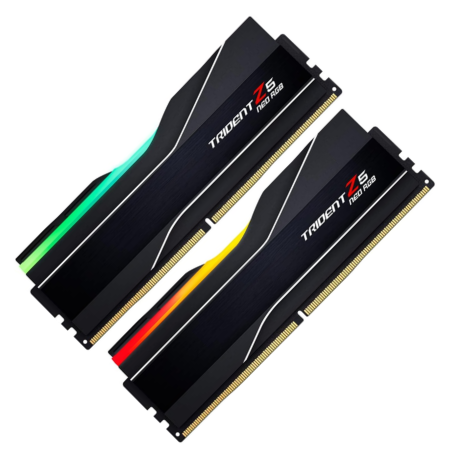
G.SKILL Trident Z5 Neo RGB
Our favorite premium RGB option for the Ryzen 7 9800X3D.
Tech Specs
- Capacity: 32GB (2x16GB)
- Speed: DDR5-6000
- Latency: CL30
- Color: Black
- EXPO: Yes
Pros & Cons
- Designed specifically for AMD EXPO platforms
- Excellent DDR5-6000 CL30 specification
- Premium RGB lighting and heatspreader design
- Taller than non-RGB alternatives
- Usually costs more than basic DDR5-6000 CL30 kits
G.SKILL Trident Z5 Neo RGB Overview
G.SKILL’s Trident Z5 Neo line was designed specifically for AMD’s DDR5-based platforms, making it one of the easiest premium memory lines to recommend for the 9800X3D.
The kit we’ve linked to is a 32GB (2x16GB) DDR5-6000 CL30 kit with an AMD EXPO profile.
The main reason to choose it over less-expensive options is aesthetics. Its aluminum heatspreaders and diffused RGB light bar give it a much more premium appearance than basic non-RGB memory.
The downside is that the modules are taller. If you’re using a large air cooler that extends over the DIMM slots, check your RAM clearance before buying.
For an AIO-cooled system or a build where RGB aesthetics are important, however, the Trident Z5 Neo RGB is one of our favorite choices.
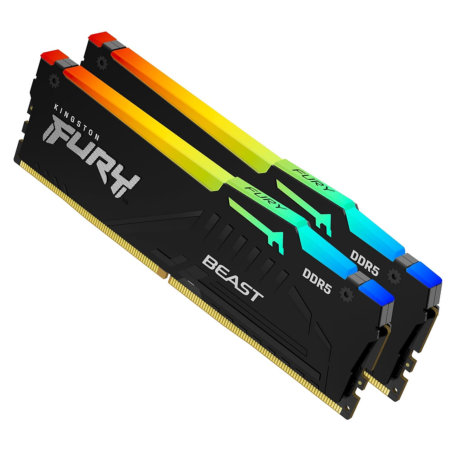
Kingston FURY Beast RGB
Another excellent DDR5-6000 CL30 RGB option with EXPO support.
Tech Specs
- Capacity: 32GB (2x16GB)
- Speed: DDR5-6000
- Latency: CL30
- Color: Black
- EXPO: Yes
Pros & Cons
- DDR5-6000 CL30 configuration
- AMD EXPO support
- Attractive synchronized RGB lighting
- Costs more than non-RGB kits
- More cooler-clearance concerns than low-profile RAM
Kingston FURY Beast RGB Overview
Kingston’s FURY Beast RGB is another good option if you’re looking for DDR5-6000 CL30 memory with lighting.
The specific kit we’ve linked to includes 32GB (2x16GB), runs at DDR5-6000 with CL30 timings, and supports AMD EXPO.
Kingston also offers FURY Beast kits in a variety of speeds, capacities, colors, and timing configurations, so make sure you’re getting an EXPO-compatible DDR5-6000 CL30 version if you decide to choose a different SKU.
Compared with the G.SKILL kit above, there isn’t a major performance reason to choose one over the other for a 9800X3D gaming system. We’d primarily compare their current prices and decide which design you prefer.
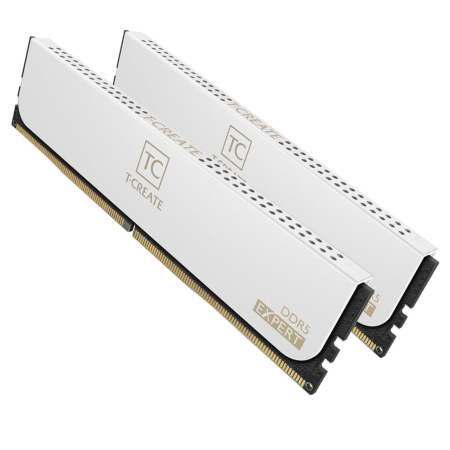
TEAMGROUP T-Create Expert
A clean, understated DDR5-6000 CL30 option with excellent cooler clearance.
Tech Specs
- Capacity: 32GB (2x16GB)
- Speed: DDR5-6000
- Latency: CL30
- Color: Black
- EXPO: Yes
Pros & Cons
- DDR5-6000 CL30 with AMD EXPO
- Clean and minimalist appearance
- Relatively short heatspreaders
- No RGB lighting
TEAMGROUP T-Create Expert Overview
TEAMGROUP’s T-Create Expert is worth considering if you prefer minimalist hardware over RGB-heavy components.
Like our other main recommendations, the kit linked here gives you 32GB of DDR5-6000 memory with CL30 latency in a two-DIMM configuration.
It supports AMD EXPO as well as Intel XMP, giving it a little additional flexibility if the memory eventually gets moved into another system.
The relatively compact heatspreaders are also useful in an air-cooled 9800X3D build where a larger CPU cooler might extend over the memory slots.
There isn’t anything flashy about the T-Create Expert—and that’s really the point. It’s a straightforward, well-specced memory kit that checks the important boxes for a high-end AM5 gaming PC.
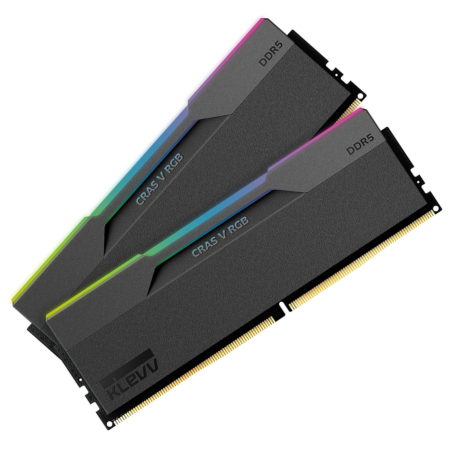
KLEVV CRAS V RGB 64GB
Our 64GB pick: DDR5-6000 CL30, RGB lighting, and a white heatspreader.
Tech Specs
- Capacity: 64GB (2x32GB)
- Speed: DDR5-6000
- Latency: CL30
- Color: White
- EXPO: Yes
Pros & Cons
- 64GB capacity without using four DIMMs
- DDR5-6000 CL30 with AMD EXPO support
- Excellent choice for a white-themed RGB build
- 64GB is unnecessary for most gaming-only systems
- Tall RGB modules can cause air-cooler clearance issues
KLEVV CRAS V RGB 64GB Overview
Most people buying a Ryzen 7 9800X3D primarily for gaming should stick with 32GB.
However, there are scenarios where 64GB makes sense. Heavy content creation, virtual machines, memory-intensive professional applications, and some heavily modded games can all benefit from additional capacity.
If that’s you, this KLEVV CRAS V RGB kit is one of the more interesting options.
It gives you 64GB across two 32GB DIMMs while maintaining the DDR5-6000 CL30 configuration we’d prefer for a 9800X3D system.
Using two 32GB modules is also preferable to filling all four DIMM slots when possible, as running four DDR5 modules can make high memory speeds more difficult to achieve.
This version also comes with white heatspreaders and RGB lighting, making it an especially good fit for a white-themed high-end build.
Which RAM Should You Get for the Ryzen 7 9800X3D?
For most people, the answer is pretty simple: get a 32GB (2x16GB) DDR5-6000 CL30 kit with AMD EXPO from a reputable manufacturer.
Our top overall choice is Corsair’s 32GB Vengeance DDR5-6000 CL30 kit. It offers the specifications we’re looking for, doesn’t have oversized heatspreaders, and will fit well in just about any type of 9800X3D build.
If the TEAMGROUP T-Force Vulcan is noticeably less expensive, we’d have no problem choosing it instead.
For RGB, we’d look first at the G.SKILL Trident Z5 Neo RGB or the Kingston FURY Beast RGB.
And if you actually need 64GB, we’d prefer a 2x32GB kit rather than filling all four DIMM slots. The 64GB KLEVV CRAS V RGB DDR5-6000 CL30 kit is a good example.
You can also read our guide on how to choose RAM if you want a more detailed explanation of capacity, speed, latency, compatibility, and other factors to consider.
Frequently Asked Questions
What RAM speed is best for the Ryzen 7 9800X3D?
For most Ryzen 7 9800X3D builds, we’d recommend a DDR5-6000 CL30 memory kit.
AMD officially rates the processor for up to DDR5-5600 with two DIMMs, so DDR5-6000 is technically an overclock. However, AMD EXPO-compatible DDR5-6000 kits are widely available and provide a good balance between memory frequency, latency, and ease of configuration on AM5.
Going significantly faster than DDR5-6000 can work, but it usually isn’t necessary for a gaming-focused 9800X3D system.
Does the Ryzen 7 9800X3D support DDR5-6000 RAM?
Yes. DDR5-6000 memory can be used with the Ryzen 7 9800X3D, typically by enabling the memory kit’s AMD EXPO profile in your motherboard’s BIOS.
Because DDR5-6000 is above AMD’s official DDR5-5600 stock specification for a two-DIMM configuration, the advertised DDR5-6000 setting should be considered memory overclocking rather than a guaranteed stock speed.
For the best chance of a plug-and-play experience, check your motherboard manufacturer’s memory compatibility list before purchasing.
Is 32GB of RAM enough for a Ryzen 7 9800X3D gaming PC?
Yes. 32GB is the capacity we’d recommend for most new high-end gaming PCs in 2026.
A 32GB kit provides plenty of memory for modern games while leaving room for browsers, Discord, game launchers, recording software, streaming applications, and other background programs.
Most gamers won’t gain anything meaningful by moving from 32GB to 64GB unless their specific workloads actually require the additional capacity.
For more information, check out our guide on how much RAM you need for gaming.
Should I get 32GB or 64GB of RAM for the 9800X3D?
For a gaming-focused build, get 32GB.
A 64GB kit makes more sense if the computer will also be used for memory-intensive productivity applications, large content-creation projects, virtual machines, certain heavily modded games, or other workloads that can actually consume more than 32GB of memory.
More capacity does not automatically make your games run faster.
Should I use two or four RAM sticks with the Ryzen 7 9800X3D?
We’d recommend using two DIMMs whenever possible.
For example, use a 2x16GB kit for 32GB or a 2x32GB kit for 64GB rather than filling all four memory slots.
Running four DDR5 modules places more stress on the processor’s memory controller and can make higher memory speeds more difficult to achieve. AMD’s official memory specification also drops substantially when four DIMMs are installed.
Do I need AMD EXPO RAM for the Ryzen 7 9800X3D?
You don’t absolutely need an EXPO memory kit, but we’d strongly prefer one for an AM5 system.
AMD EXPO stores tested memory speed, timing, and voltage settings that compatible AM5 motherboards can load through the BIOS. This makes configuring a DDR5-6000 kit considerably easier than manually entering memory settings.
Some newer kits support both AMD EXPO and Intel XMP, which is perfectly fine as long as the kit includes an EXPO profile.
Will faster RAM noticeably improve 9800X3D gaming performance?
Usually not enough to justify spending significantly more money or dealing with a more difficult memory configuration.
Once you’re using a quality DDR5-6000 CL30 kit, moving to substantially faster memory generally becomes an enthusiast-tuning exercise rather than an essential gaming upgrade.
The Ryzen 7 9800X3D’s large 3D V-Cache also helps reduce its dependence on system-memory performance in many gaming workloads.
For most builders, we’d rather put additional budget toward the graphics card, storage, cooling, or another component that will provide a more noticeable benefit.
