
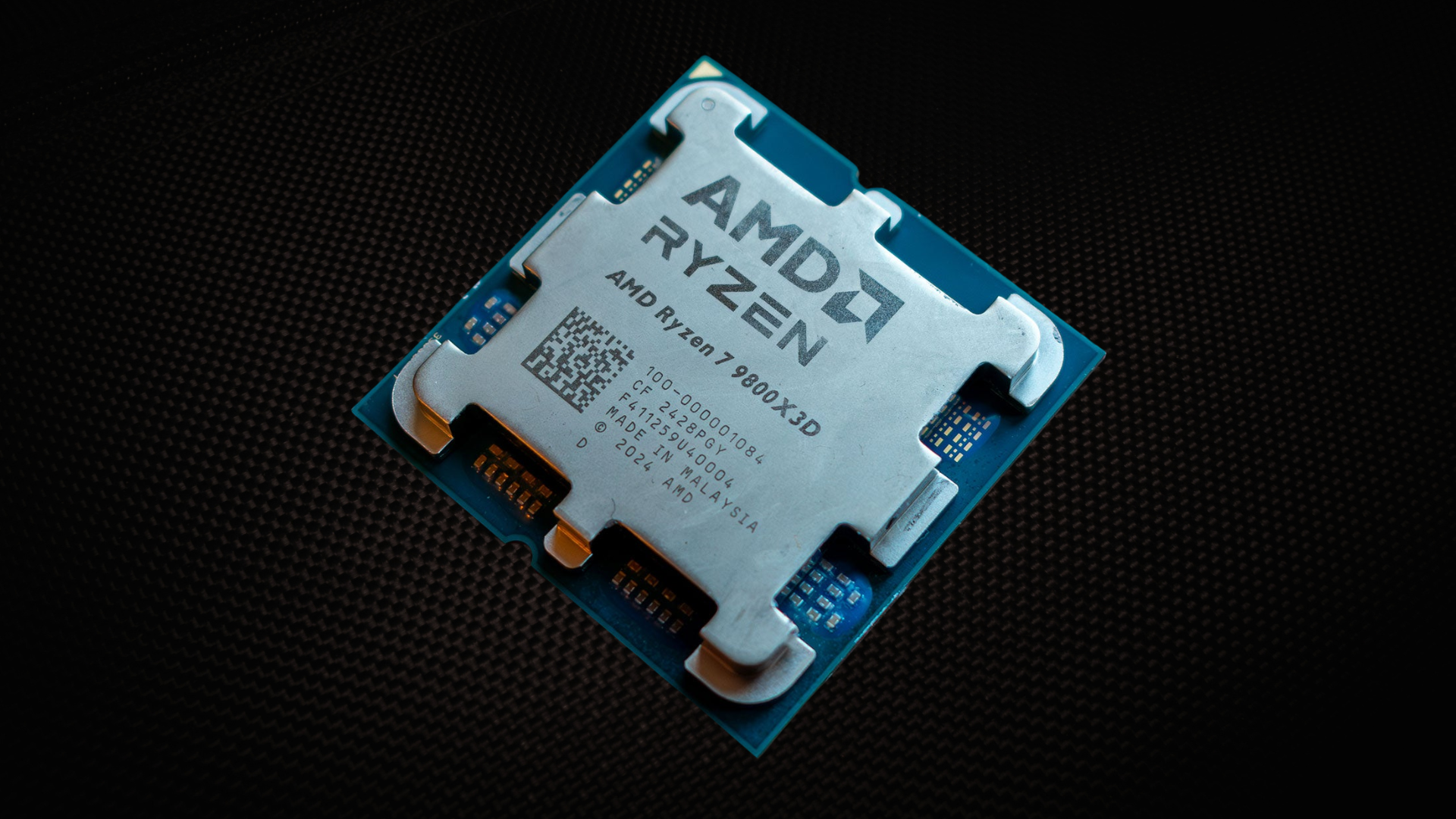
 The best processors for smooth gameplay and a stable single-PC stream.
The best CPU for gaming and streaming at the same time is the AMD Ryzen 7 9800X3D. Its eight fast Zen 5 cores and 3D V-Cache deliver elite gaming performance, while a modern graphics card’s hardware encoder can handle the video compression with relatively little CPU overhead.
If you plan to encode with x264, edit video frequently, run a demanding VTuber setup, or keep several production tools active while you play, get the Ryzen 9 9950X3D. It pairs near-flagship gaming performance with 16 cores and 32 threads. The Ryzen 7 9850X3D is the gaming-first premium option, and the Core Ultra 7 270K Plus is our preferred Intel alternative.
The Ryzen 5 7600X3D is the value pick for a stream that uses the GPU encoder. The Ryzen 5 9600X costs less and is the sensible entry point for a new AM5 streaming build, but both six-core options have less headroom for CPU encoding and unusually heavy background workloads.
Your encoder choice matters as much as the CPU model. For most single-PC streams, we recommend the dedicated hardware encoder on a recent NVIDIA, AMD, or Intel graphics card. Buy additional CPU cores only when your actual workflow will use them.
Also Read: The Best CPUs for Gaming
Also Read: The Best CPU Coolers for Gaming
Watch: What to Look for in A CPU
Watch our Beginner’s Guide to Choosing A CPU below, or on our YouTube channel.
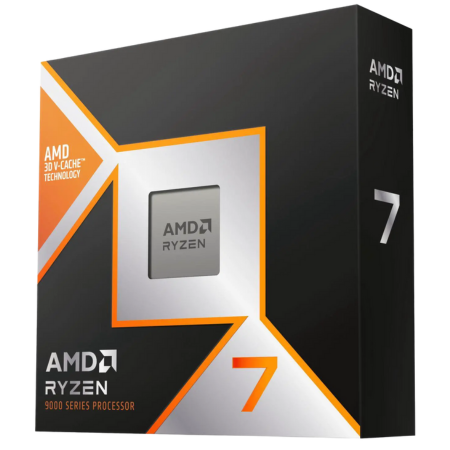
AMD Ryzen 7 9800X3D
The best overall CPU for gaming and streaming.
Tech Specs
- SOCKET: AM5
- ARCH.: Zen 5
- CORES: 8
- THREADS: 16
- BASE: 4.7GHz
- BOOST: 5.2GHz
- TDP: 120W
Pros & Cons
- Elite gaming performance and 1% lows
- Eight cores suit OBS and normal background apps
- 96MB of game-friendly L3 cache
- AM5 provides a strong upgrade path
- Not the best choice for heavy x264 encoding
AMD Ryzen 7 9800X3D Overview
The Ryzen 7 9800X3D is the CPU we would put in most high-end single-PC gaming and streaming systems.
Its eight Zen 5 cores, 16 threads, and 96MB of L3 cache give games the fast per-core performance and large working cache that help maintain strong average frame rates and 1% lows. That matters when OBS, chat, audio software, browser sources, device utilities, and the game are all active at once.
The recommendation assumes that your graphics card performs the final video encode. Modern GPU encoders use dedicated media hardware, so OBS still needs some CPU time for scene composition, browser sources, audio, and plugins, but the processor is not asked to compress every frame through x264. Under that common setup, eight fast cores provide a strong balance.
The 9800X3D is especially attractive for competitive shooters, battle royales, MMOs, simulations, strategy games, and other titles that can become CPU- or cache-limited. It also makes sense when you play at 1080P or 1440P high refresh rates with a powerful graphics card.
You do not need the Ryzen 9 9950X3D just because OBS is open. If your stream uses NVENC, an AMD hardware encoder, or an Intel Arc media engine and your scenes are reasonably simple, the additional eight cores will rarely justify the higher total platform cost.
The limitation appears when streaming is only one part of a heavier production workload. Live avatar rendering, several camera effects, numerous browser sources, simultaneous local recording, CPU-based effects, a virtual machine, or x264 encoding can use more processing capacity. Those are the cases where the 9950X3D becomes a better fit.
For everyone else, the 9800X3D keeps the budget focused on the graphics card, memory, storage, microphone, lighting, and other components that can improve the gaming and streaming experience more than unused CPU cores.
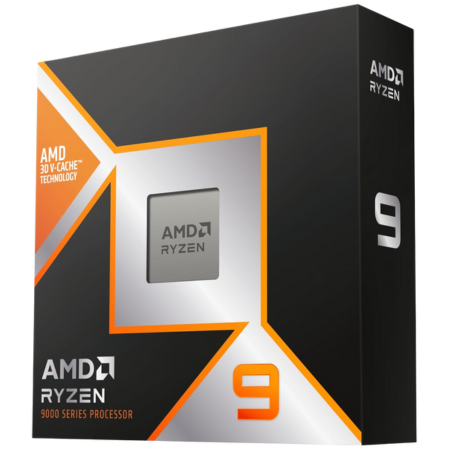
AMD Ryzen 9 9950X3D
The best CPU for heavy streaming and creator work.
Tech Specs
- SOCKET: AM5
- ARCH.: Zen 5
- CORES: 16
- THREADS: 32
- BASE: 4.3GHz
- BOOST: 5.7GHz
- TDP: 170W
Pros & Cons
- Excellent gaming and multithreaded performance
- 16 cores provide room for x264 and production tools
- Strong for editing, rendering, and compiling
- Retains X3D-class gaming performance
- Unnecessary for a simple GPU-encoded stream
AMD Ryzen 9 9950X3D Overview
The Ryzen 9 9950X3D is the no-compromise choice for a computer that must game, stream, record, and produce content at a high level.
It combines 16 Zen 5 cores and 32 threads with AMD’s 3D V-Cache design. That gives it far more multithreaded capacity than an eight-core gaming CPU without forcing the large gaming-performance compromise that can come with a conventional workstation-focused processor.
Those extra cores are useful when you deliberately encode the stream with x264, run complex OBS scenes and filters, drive a VTuber avatar, record a high-quality local copy, or keep several demanding production applications open. They also accelerate many video exports, CPU renders, software builds, and other tasks performed before or after a stream.
For a straightforward stream using a graphics-card encoder, however, the 9950X3D is more processor than most people need. OBS composition and common background tools do not automatically require 16 cores. The Ryzen 7 9800X3D normally produces the smarter gaming-first system because the savings can go toward a faster GPU or more complete streaming setup.
The 9950X3D also requires more attention to cooling. AMD lists a 170-watt default TDP and recommends liquid cooling for optimal performance. A long all-core encode or render creates a very different thermal load from normal gaming, so size the cooler for the heaviest task you will actually run.
Keep the motherboard firmware, AMD chipset driver, and Windows installation current. The processor uses two eight-core chiplets, and correct scheduling helps games run on the cache-equipped chiplet while background or production work uses the rest of the CPU.
AMD’s newer Ryzen 9 9950X3D2 places 3D V-Cache on both chiplets and can be faster in some creator workloads, but its much higher price makes it a specialist developer and workstation option. For a high-end gaming and streaming PC, the standard 9950X3D is the more sensible recommendation at current prices.
Choose the 9950X3D when gaming performance and creator throughput are both important. If streaming is the heaviest task you perform and your GPU handles the encode, save the money and get the 9800X3D instead.
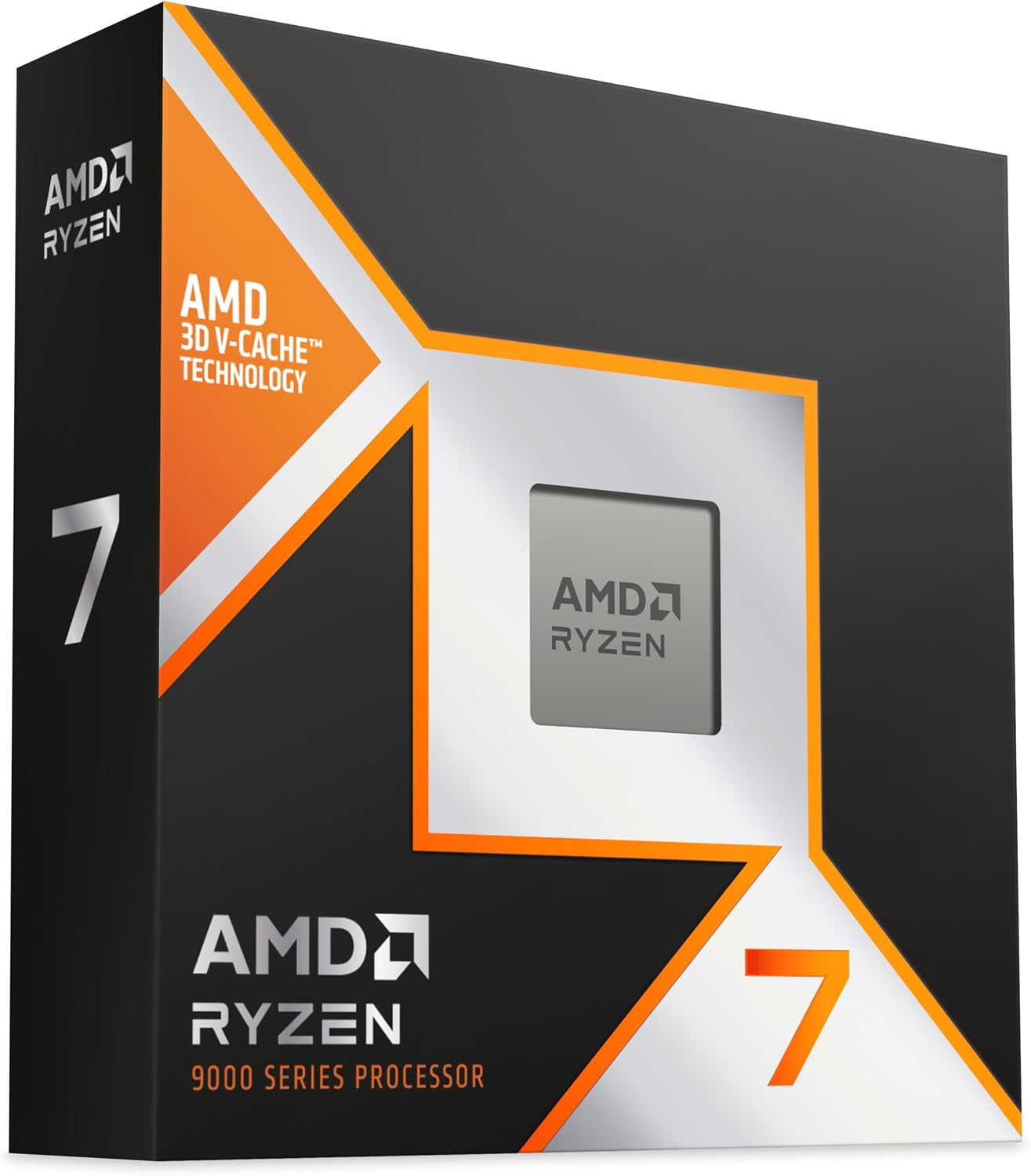
AMD Ryzen 7 9850X3D
The fastest gaming-first CPU for a GPU-encoded stream.
Tech Specs
- SOCKET: AM5
- ARCH.: Zen 5
- CORES: 8
- THREADS: 16
- BASE: 4.7GHz
- BOOST: 5.6GHz
- TDP: 120W
Pros & Cons
- AMD’s fastest eight-core gaming CPU
- Excellent frame rates and frame consistency
- Enough cores for normal GPU-encoded streaming
- Compatible with the AM5 platform
- Small real-world gain over the 9800X3D
AMD Ryzen 7 9850X3D Overview
The Ryzen 7 9850X3D is for a gaming-first streamer who wants every practical frame and is willing to pay more for a small lead.
It follows the same basic formula as the 9800X3D: eight Zen 5 cores, 16 threads, 96MB of L3 cache, and a 120-watt TDP. Its main advantage is frequency. The 9850X3D can boost up to 5.6GHz, compared with 5.2GHz for the 9800X3D.
That higher clock can help in CPU-limited gaming, particularly with a flagship graphics card, competitive settings, and a high-refresh display. A GPU-encoded stream leaves the processor free to prioritize the game, so the 9850X3D is the fastest option here for that specific type of build.
It does not provide more streaming capacity than the 9800X3D. Both chips have the same core and thread count. If your limitation is x264 encoding, complex production software, or frequent CPU rendering, move to the 9950X3D instead of paying for a faster eight-core chip.
The 9850X3D is also a poor upgrade from a 9800X3D. The difference is too small to justify replacing an already elite CPU. It makes sense for a new system only when the live price gap is modest relative to the total cost of the PC.
At 4K or demanding visual settings, the graphics card often determines the frame rate and reduces the visible difference between the two Ryzen 7 processors. Compare their current prices before ordering. If the premium is substantial, the 9800X3D is the better purchase.
Buy the 9850X3D when maximum game performance is the priority, the graphics card handles the encode, and value is secondary. It is a focused premium option, not the default recommendation for every streamer.
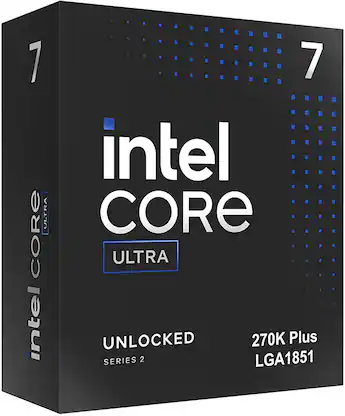
Intel Core Ultra 7 270K Plus
The best Intel CPU for gaming and streaming.
Tech Specs
- SOCKET: LGA 1851
- ARCH.: Arrow Lake Refresh
- CORES: 24
- THREADS: 24
- BASE: 3.7GHz
- BOOST: 5.5GHz
- PBP: 125W
Pros & Cons
- Strong gaming and multithreaded performance
- 24 cores provide substantial multitasking capacity
- Quick Sync adds a useful media engine
- Often priced competitively for its workload range
- Slower in games than AMD’s top X3D chips
Intel Core Ultra 7 270K Plus Overview
The Core Ultra 7 270K Plus is the Intel processor we would choose for a new gaming and streaming PC.
It combines eight performance cores with 16 efficiency cores for 24 total cores and 24 threads. That hybrid layout gives the processor substantial multithreaded capacity for OBS, background tools, video work, and general productivity while the performance cores handle latency-sensitive game threads.
Intel’s top advantage for some creator workflows is its integrated media engine and Quick Sync support. Quick Sync can encode and decode H.264, HEVC, and AV1 on supported software, which can be useful for stream processing, video editing, transcoding, or a secondary encode path. Confirm support in the exact application and codec you use.
The 270K Plus also makes sense when it is heavily discounted. Its large core count can deliver excellent mixed-workload value, and its gaming performance is strong enough for high-refresh play. A lower CPU price can offset part of the cost of an LGA 1851 motherboard.
AMD’s Ryzen 7 X3D processors remain the better choice when the highest possible gaming frame rates and 1% lows are the only priorities. The Intel chip’s advantage is balance: many cores, capable gaming, and an additional media engine in one package.
Account for cooling and motherboard power settings. Intel lists 125 watts of processor base power, but maximum turbo power can be much higher under a sustained all-core workload. A capable cooler and sensible board settings keep performance consistent without putting unnecessary fan noise near your microphone.
Choose the 270K Plus if you prefer Intel, use Quick Sync-aware applications, or find it at a price that makes the complete platform more attractive than a comparable AMD build.
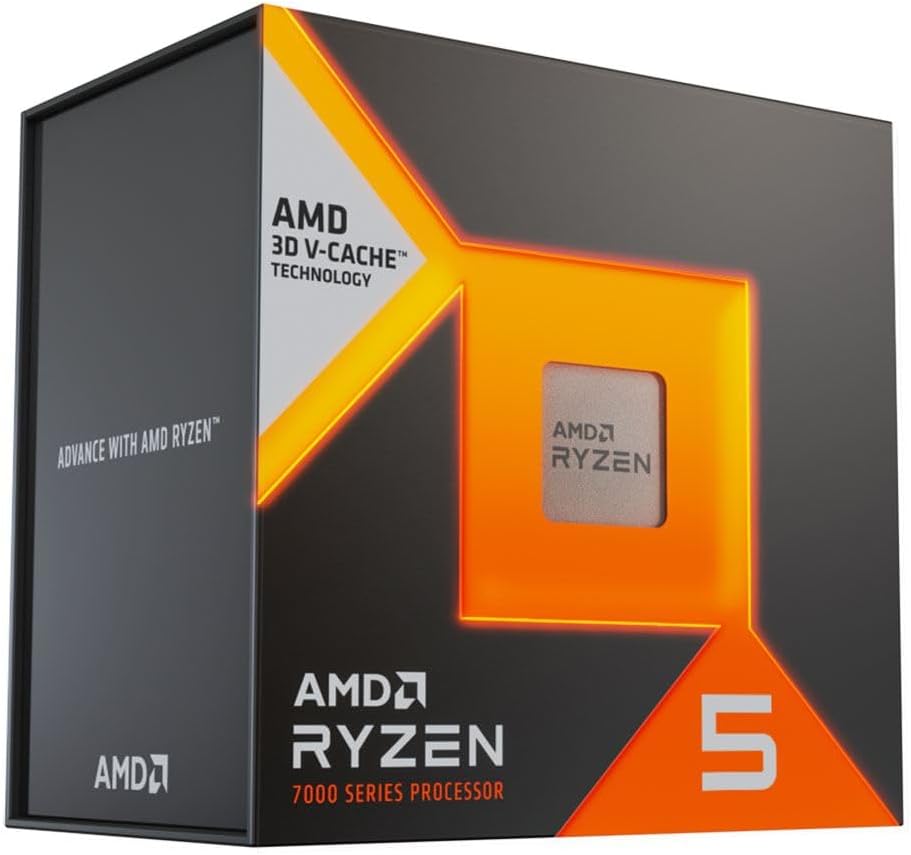
AMD Ryzen 5 7600X3D
The best-value CPU for a gaming-first stream.
Tech Specs
- SOCKET: AM5
- ARCH.: Zen 4
- CORES: 6
- THREADS: 12
- BASE: 4.1GHz
- BOOST: 4.7GHz
- TDP: 65W
Pros & Cons
- Excellent gaming performance per dollar
- 96MB of L3 cache helps CPU-heavy games
- Low power and cooling requirements
- AM5 leaves room for a later upgrade
- Six cores limit heavy streaming workloads
AMD Ryzen 5 7600X3D Overview
The Ryzen 5 7600X3D is the value choice for a streamer who cares more about game performance than CPU-based production work.
Its six Zen 4 cores and 12 threads are paired with 96MB of L3 cache—the same L3 capacity found on the Ryzen 7 X3D models in this guide. That large cache lets the 7600X3D perform far above what its Ryzen 5 label suggests in many CPU-limited games.
The processor works best with GPU encoding. Let NVENC, AMD’s hardware encoder, or an Intel graphics card’s media engine compress the stream, and reserve the CPU for the game, OBS composition, voice chat, browser sources, and normal background tasks.
Six cores provide less margin than eight when everything becomes busy at once. A CPU-heavy game, several animated browser sources, camera processing, multiple audio filters, and simultaneous recording can compete for the same resources. The system may still stream successfully, but it gives you less room to add complexity later.
The 7600X3D is not the right choice for a slow x264 preset or frequent CPU rendering. In those cases, the Ryzen 9 9950X3D or Core Ultra 7 270K Plus is a more appropriate investment. It is also less versatile than an eight-core processor for editing and other multithreaded applications.
Its 65-watt TDP keeps platform requirements manageable, and AM5 provides a useful upgrade path. You can start with the 7600X3D, a solid motherboard, and a strong GPU, then move to an eight- or 16-core AM5 processor if the streaming workflow expands.
Compare its live price with the Ryzen 5 9600X. Choose the 7600X3D when the game is the priority and its cache advantage is worth the premium. Choose the 9600X when the lowest complete build price or stronger Zen 5 general-purpose performance matters more.
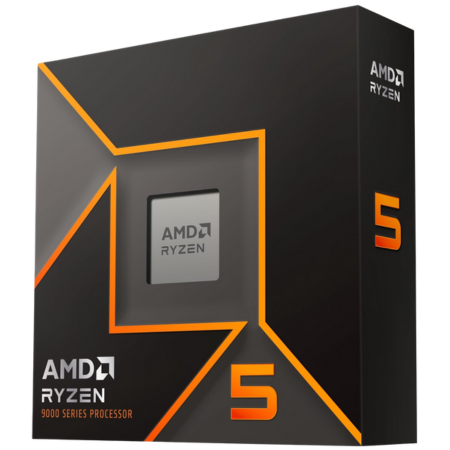
AMD Ryzen 5 9600X
The best budget CPU for gaming and streaming.
Tech Specs
- SOCKET: AM5
- ARCH.: Zen 5
- CORES: 6
- THREADS: 12
- BASE: 3.9GHz
- BOOST: 5.4GHz
- TDP: 65W
Pros & Cons
- Strong per-core performance for its price
- Handles a straightforward GPU-encoded stream
- Low power and cooling requirements
- Affordable entry to the AM5 platform
- Limited headroom for x264 and heavy multitasking
AMD Ryzen 5 9600X Overview
The Ryzen 5 9600X is the lowest-cost CPU in this guide and the sensible starting point for a new AM5 gaming and streaming build.
It provides six Zen 5 cores, 12 threads, and a boost clock up to 5.4GHz within a 65-watt TDP. Its fast cores are capable of strong gaming performance, and the modest power target makes it easier to cool quietly than the high-core-count options.
Pair the 9600X with a graphics card that has a capable hardware encoder. A straightforward 1080p60 stream, OBS, voice chat, and a few browser sources do not require a flagship processor when dedicated media hardware performs the encode.
The 9600X is a budget recommendation, not a promise of unlimited multitasking. CPU-heavy games can already use much of a six-core processor. Add x264 encoding, elaborate scenes, camera effects, background recording software, and a large browser session, and the available headroom can disappear quickly.
That is why we prefer the Ryzen 7 9800X3D for a high-end new system. Eight cores and 3D V-Cache provide more room for the game and the stream while also improving performance in many CPU-limited titles. The 9600X makes sense when that upgrade would force you to compromise on the graphics card or other important parts.
AM5 is another advantage. A good B-series motherboard and DDR5 memory can remain in the system if you upgrade to a Ryzen 7 or Ryzen 9 later. Do not overspend on the motherboard for this chip, but confirm that it has the USB ports, networking, storage expansion, and capture-card slot layout your streaming setup requires.
Choose the 9600X for an affordable GPU-encoded stream, lighter esports games, or a build that needs to reserve as much money as possible for the graphics card. Move up to eight cores if you already know your game or production workflow is CPU-heavy.
Which CPU should you choose for gaming and streaming?
For most people, get the Ryzen 7 9800X3D and use the graphics card’s hardware encoder. It gives the game elite CPU performance, provides enough cores for OBS and normal background software, and costs less than a 16-core creator chip.
Choose the Ryzen 9 9950X3D when you use x264, run a complex production or VTuber setup, record and stream simultaneously with CPU-heavy effects, or edit and render frequently. Its additional eight cores matter only when your workload can use them.
Choose the Ryzen 7 9850X3D when the stream uses GPU encoding and maximum game performance matters more than value. It is faster than the 9800X3D, but the difference is small enough that price should decide between them.
The Core Ultra 7 270K Plus is the Intel option. Its 24-core hybrid design provides strong mixed-workload performance, and Quick Sync can be valuable in supported streaming and editing workflows.
For a lower-cost system, choose the Ryzen 5 7600X3D when gaming performance is the priority. Choose the Ryzen 5 9600X when the lowest platform cost matters more. Keep both six-core CPUs paired with GPU encoding.
GPU encoding versus CPU encoding
Your encoder choice determines whether the processor must perform the heaviest part of the stream.
Modern graphics cards include dedicated media hardware. OBS can use NVIDIA NVENC, AMD’s hardware encoder, or Intel’s Arc media engine to compress the video with far less CPU work than x264. The CPU still runs the game, builds the OBS scene, processes audio, updates browser sources, and manages background applications, but it does not have to compress every output frame in software.
CPU encoding uses the x264 encoder. Its presets trade processing work for compression efficiency: slower presets demand substantially more CPU time. A 16-core processor can provide useful room for x264, but the right preset still depends on the game, resolution, frame rate, bitrate, and scene complexity. A preset that works in a quiet test area may overload during the busiest part of a match.
For most single-PC gaming streams, use the GPU encoder. Choose x264 only when you have tested it against the hardware encoder at the same service limits and can identify a meaningful benefit. A strong graphics-card encoder plus an eight-core gaming CPU usually creates a faster and simpler gaming system than an expensive many-core CPU paired with a weaker GPU.
Also Read: How Much Does the CPU Affect FPS?
Match the CPU to your streaming workload
| Use case | Encoder | CPU target | Best starting point |
|---|---|---|---|
| Budget 1080p60 stream | GPU hardware encoder | Fast six-core | Ryzen 5 9600X |
| Value high-FPS stream | GPU hardware encoder | Cache-focused six-core | Ryzen 5 7600X3D |
| High-end single-PC stream | GPU hardware encoder | Fast eight-core | Ryzen 7 9800X3D |
| Maximum gaming-first stream | GPU hardware encoder | Fastest gaming-focused eight-core | Ryzen 7 9850X3D |
| x264, VTubing, or heavy creator work | CPU or mixed | High-core-count gaming CPU | Ryzen 9 9950X3D |
| Intel/Quick Sync workflow | GPU, Quick Sync, or mixed | Many-core hybrid CPU | Core Ultra 7 270K Plus |
Treat this table as a starting point. Game engine, graphics settings, scene complexity, camera effects, plugins, recording, and background applications can change the load substantially.
A competitive shooter at a high frame rate may put more pressure on the game thread than a graphically demanding 4K title. A simple talking-head scene is easier than a production with animated browser sources, noise removal, background replacement, multiple cameras, and avatar tracking. Build around your heaviest repeatable workload—not a total CPU-utilization number from an idle scene.
How we chose these CPUs
We prioritized the combination of gaming speed, usable multitasking headroom, platform cost, and encoder fit. A CPU does not earn a recommendation merely because it has the highest core count.
The criteria included:
- Gaming performance: Strong average frame rates, 1% lows, and frame-time behavior in CPU-limited games.
- Streaming headroom: Enough cores for OBS composition, audio, browser sources, and normal production tools.
- Encoder fit: Whether the CPU makes sense with a GPU hardware encoder, x264, Quick Sync, or a mixed workflow.
- Creator performance: Extra value in editing, rendering, compiling, transcoding, and other work outside the live stream.
- Complete platform cost: Processor, motherboard, DDR5 memory, cooler, and the upgrade path.
- Availability: Every recommended processor has a live Amazon product listing.
We did not include a 16-core processor as the default merely because streaming sounds demanding. When a modern GPU handles the encode, game-thread speed and cache can be more valuable than unused CPU cores. Conversely, we did not treat an eight-core gaming lead as sufficient for every creator: x264 and heavy production tools can justify a Ryzen 9 or many-core Intel chip.
Amazon prices and stock change. Compare the live price of the 9800X3D with the 9850X3D, and compare the complete AMD platform cost with the Core Ultra 7 270K Plus before deciding.
How many cores do you need for gaming and streaming?
Six modern cores and 12 threads can handle gaming plus a straightforward GPU-encoded stream. This is the budget tier. It works best when the game is not using every available thread, the OBS scene is simple, and unnecessary background software is closed.
Eight cores and 16 threads are the sweet spot for a new gaming-first streaming PC. The extra two cores provide room for OBS, voice chat, browser sources, device software, and background tasks without paying workstation prices. That is why the Ryzen 7 9800X3D is our overall pick.
Sixteen conventional performance cores or a high-core-count hybrid design become worthwhile when the CPU does more than support a GPU-encoded stream. x264, avatar tracking, CPU effects, frequent editing, virtual machines, rendering, software development, and simultaneous production work can all use the additional resources.
Core count is not interchangeable across architectures. Cache, per-core performance, clock behavior, power limits, thread type, scheduler behavior, and the application all affect the result. Do not assume that a larger number on the box guarantees higher gaming performance.
If you are comparing the AM5 options directly, see our guide to the best AMD CPUs for gaming.
Protect game performance and 1% lows
A stream can appear healthy while the game feels worse. Average FPS may remain high even though an overloaded game thread, an OBS plugin, or a background process creates intermittent frame-time spikes.
Compare average FPS, 1% lows, and the frame-time graph with the stream off and on. If the average barely changes but the lows decline or the graph develops repeatable spikes, the system lacks headroom or a background task is interrupting the game.
Hardware encoding usually reduces CPU pressure, but it does not eliminate every conflict. OBS still composites the scene, processes sources, handles audio, and coordinates the encode. Browser sources, camera utilities, RGB software, antivirus scans, game launchers, and recording tools can all create short bursts of work.
Keep some GPU headroom as well. If the game holds the graphics card at full utilization, OBS can report rendering lag even when the CPU is fast enough. A frame-rate cap or a small reduction in GPU-heavy settings can make the stream more consistent.
Also Read: Does A Faster CPU Improve 1% Lows?
RAM, storage, cooling, and motherboard requirements
Thirty-two gigabytes of dual-channel memory is a comfortable target for a new streaming PC. A game, OBS, chat, a browser dashboard, music, overlays, camera software, and device utilities can consume more memory than gaming alone. Heavy editing, virtual machines, or large projects may justify 64GB.
Install the modules in the motherboard’s recommended slots, enable the supported XMP or EXPO profile, and test stability. Capacity and a stable dual-channel configuration matter more than chasing an extreme memory speed that produces crashes or frame-time spikes.
Also Read: How Much Does RAM Affect FPS?
Recording creates another storage requirement. Use an SSD with enough free space and sustained write performance for the local recording format. A separate recording drive is not mandatory, but it can make capacity management easier and keep a large capture from filling the operating-system drive.
None of the six processors in this guide includes a retail CPU cooler. The Ryzen 5 chips are the easiest to cool, while the Ryzen 9 9950X3D and Core Ultra 7 270K Plus need stronger cooling for sustained multithreaded work. A quieter cooler also matters when the PC sits near an open microphone.
Price the motherboard with the CPU. AMD’s options use AM5 and DDR5. The Intel processor uses LGA 1851 and DDR5. Confirm the board has enough USB connectivity, networking, M.2 slots, fan headers, and PCIe slot clearance for a capture card. A graphics card can physically cover a smaller expansion slot even when the specification sheet lists it.
Also Read: How Much Should You Spend on A Gaming CPU?
Resolution and frame-rate targets still matter
The CPU requirement is shaped by the game and target frame rate, not the stream resolution alone. A competitive game running at 300 FPS can be more CPU-demanding than a graphically intensive 4K game running at 80 FPS.
At 1080P with reduced settings and a powerful graphics card, the CPU must prepare frames quickly and differences between processors are easier to see. At 1440P or 4K with high visual settings, the graphics card is more likely to become the limit. A faster CPU still helps background headroom and some 1% lows, but it cannot render pixels for an overloaded GPU.
Choose the graphics card for the game resolution and verify that its media engine supports the codec and platform you plan to use. Then choose the CPU for the game’s frame-rate target and the production workload that remains.
Also Read: How to Choose A CPU for 1440P Gaming
Test the complete OBS workflow before going live
Start with the OBS auto-configuration wizard, then set the platform, output resolution, output frame rate, bitrate, codec, and encoder. Perform a private stream or local test that reproduces the most demanding scene you expect to broadcast.
Watch the OBS statistics for rendering lag, encoding lag, and dropped network frames. These categories point to different problems:
- Rendering lag: The graphics pipeline may be overloaded. Cap game FPS or reduce GPU-heavy settings.
- Encoding lag: The selected encoder or preset cannot keep up. Use a faster preset, reduce output demands, or change encoders.
- Dropped network frames: The upload connection is unstable or insufficient. A faster CPU will not fix it.
Also monitor game frame times, CPU per-core use, GPU utilization, RAM use, temperatures, and clock speeds. Total CPU utilization can hide one saturated game thread, while a 100-percent GPU can starve OBS of rendering time even when the encoder itself is dedicated hardware.
Test simultaneous recording separately. A higher-quality local recording can add another encode session and substantial storage bandwidth. Confirm audio synchronization, scene transitions, camera effects, and browser sources during the same run instead of validating them one at a time.
If you would rather buy a complete system, our guide to the best prebuilt gaming PCs for streaming under $1,000 explains the other component requirements.
Frequently Asked Questions
What is the best CPU for gaming and streaming at the same time?
The AMD Ryzen 7 9800X3D is the best overall choice for a gaming-first single-PC stream that uses the graphics card’s hardware encoder. It provides elite gaming performance, strong 1% lows, and eight cores for OBS and normal background software.
The Ryzen 9 9950X3D is better when you use x264, run a complex production setup, edit frequently, or perform other heavy multithreaded work.
Is eight cores enough for gaming and streaming?
Yes. Eight modern cores and 16 threads are enough for gaming, OBS, chat, browser sources, audio tools, and normal background applications when a dedicated GPU encoder performs the video compression.
Heavy x264 encoding, many CPU-based effects, live avatar rendering, frequent video exports, or other production tasks can benefit from more cores.
Can a six-core CPU game and stream?
Yes. A modern six-core, 12-thread processor such as the Ryzen 5 7600X3D or Ryzen 5 9600X can handle a straightforward GPU-encoded stream.
Six cores provide less headroom for CPU-heavy games, complex scenes, x264, and large background workloads. Close unnecessary applications and test the busiest part of the game before going live.
Should I use NVENC or x264?
For most single-PC gaming streams with a recent NVIDIA graphics card, start with NVENC. It uses dedicated media hardware and preserves more CPU headroom for the game and OBS.
x264 can be useful when you have spare CPU capacity and a tested preset produces a meaningful benefit for your platform and bitrate. Do not assume a slower x264 preset is automatically better for every stream.
Do I need a Ryzen 9 to stream?
No. A Ryzen 7 or even a recent Ryzen 5 can stream successfully when the GPU performs the encode. A Ryzen 9 becomes worthwhile for CPU encoding, complex production tools, frequent editing and rendering, or heavy multitasking.
Is the Ryzen 7 9850X3D better than the 9800X3D for streaming?
It is slightly faster for CPU-limited gaming, but it does not have more streaming capacity. Both processors have eight cores and 16 threads.
Choose the 9850X3D when maximum game performance matters and the price gap is small. Choose the 9800X3D for the better overall value. Choose the 9950X3D if you need more CPU cores.
Is AMD or Intel better for gaming and streaming?
AMD’s Ryzen 7 X3D processors are the stronger choice for maximum gaming performance. The Ryzen 9 9950X3D also combines excellent gaming with 16 full performance cores for demanding creator work.
Intel’s Core Ultra 7 270K Plus is compelling when its price is lower, you want strong hybrid multithreaded performance, or your workflow benefits from Quick Sync. Compare the complete motherboard, memory, and cooling cost.
How much RAM do I need for gaming and streaming?
Thirty-two gigabytes is the preferred target for a new build. It provides room for the game, OBS, browser sources, chat, recording tools, device utilities, and a normal browser session.
Sixteen gigabytes can work for a simpler setup, while 64GB is useful for heavy editing, large projects, virtual machines, or unusually complex production workflows.
Will streaming lower gaming FPS?
Usually, yes, although the effect may be small with hardware encoding. OBS still needs resources for capture, composition, browser sources, audio, and plugins, and the GPU needs enough headroom to render the game and the scene.
Compare game frame times with the stream off and on. If OBS reports rendering lag, leave GPU headroom. If it reports encoding lag, change the encoder, preset, or output settings.
Should I build a second streaming PC?
Most people do not need one. Modern GPU encoders make a single-PC stream practical and avoid the extra capture hardware, audio routing, power use, space, and troubleshooting of a two-PC setup.
A second PC can make sense for production redundancy, console capture, unusual input requirements, or a workflow that must isolate the game from the broadcast system.
Do these processors include a CPU cooler?
No. The retail versions of the Ryzen 7 9800X3D, Ryzen 9 9950X3D, Ryzen 7 9850X3D, Core Ultra 7 270K Plus, Ryzen 5 7600X3D, and Ryzen 5 9600X require a separate CPU cooler.
Always confirm the exact Amazon listing and package contents before ordering.
Bottom Line
The Ryzen 7 9800X3D is the best CPU for most people who game and stream on the same PC. Pair it with a capable GPU hardware encoder and 32GB of dual-channel memory for a fast, balanced system.
Choose the Ryzen 9 9950X3D for x264, demanding VTuber or production tools, and frequent editing or rendering. Choose the Ryzen 7 9850X3D when maximum gaming performance matters more than value, or the Core Ultra 7 270K Plus when you prefer Intel and can use Quick Sync.
The Ryzen 5 7600X3D and Ryzen 5 9600X are the budget options, but keep their six cores paired with GPU encoding. Whichever CPU you buy, test the real game, OBS scene, encoder, bitrate, and recording setup together. The best processor is the one that protects both game frame times and stream stability in your actual workload.
