
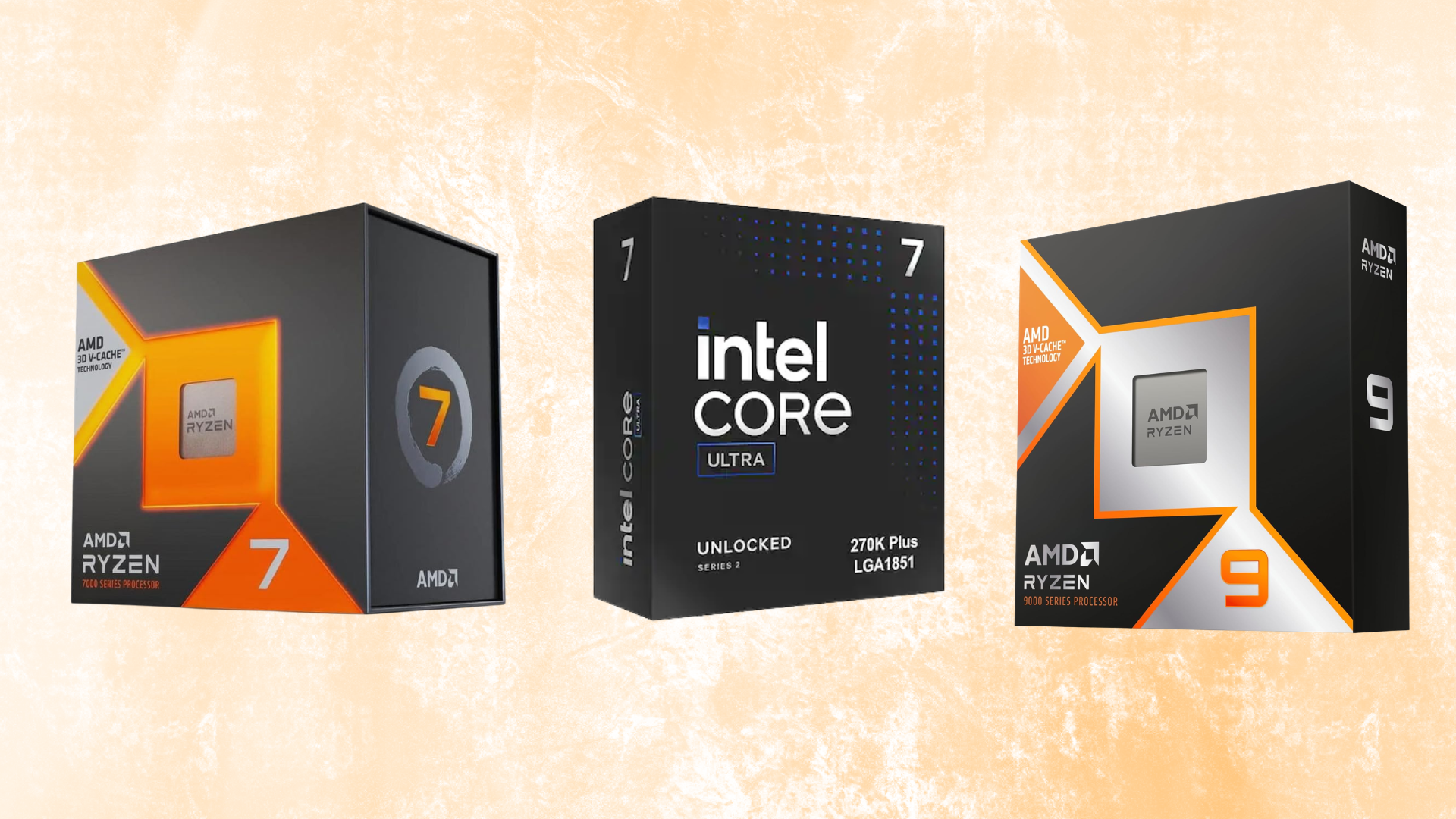
 The best processors for high, consistent frame rates in competitive games.
The best CPU for 240Hz competitive gaming is the AMD Ryzen 7 9800X3D. It delivers elite CPU-limited gaming performance and strong 1% lows without charging as much as the slightly faster Ryzen 7 9850X3D.
If you want every frame available and do not mind paying more for a small improvement, get the Ryzen 7 9850X3D. The Ryzen 5 7600X3D is our value pick because its 96MB of L3 cache gives it unusually strong gaming performance for a six-core processor. The Ryzen 9 9950X3D is the better fit for a computer that must also handle demanding professional work, while the Core Ultra 7 270K Plus is the Intel CPU we would choose.
For a less expensive AM5 build, the Ryzen 5 9600X is the sensible starting point. It can drive lighter esports games at very high frame rates, but it cannot match the X3D processors in every CPU-heavy title.
No CPU guarantees 240 FPS in every game. Your graphics card, resolution, settings, memory, background applications, and the game engine all matter. Treat 240Hz as a performance target for specific games—not a universal specification that one processor can promise.
Also Read: The Best CPUs for Gaming
Also Read: The Best CPU Coolers for Gaming
Watch: What to Look for in A CPU
Watch our Beginner’s Guide to Choosing A CPU below, or on our YouTube channel.
AMD Ryzen 7 9800X3D
The best overall CPU for 240Hz gaming.
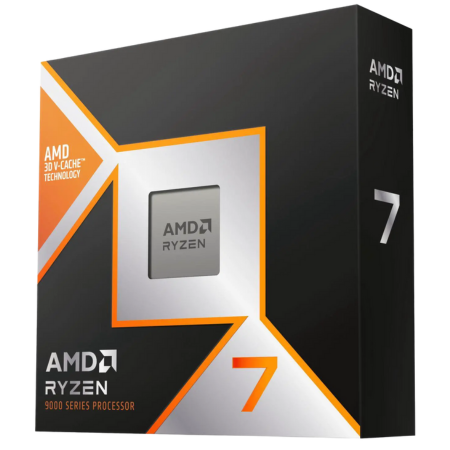
Tech Specs
- SOCKET: AM5
- ARCH.: Zen 5
- CORES: 8
- THREADS: 16
- BASE: 4.7GHz
- BOOST: 5.2GHz
- TDP: 120W
Pros & Cons
- Elite average FPS and 1% lows
- 96MB of game-friendly L3 cache
- Eight cores suit gaming and multitasking
- AM5 offers a strong upgrade path
- Does not include a CPU cooler
AMD Ryzen 7 9800X3D Overview
The Ryzen 7 9800X3D is the processor we would put in most high-end competitive gaming PCs.
It combines eight Zen 5 cores, 16 threads, and a maximum boost clock of 5.2GHz with 96MB of L3 cache. The additional cache is especially useful when a game repeatedly accesses a working set of world, physics, player, and draw-call data. That can improve both average frame rates and the slowest frames in cache-sensitive titles.
Those traits make the 9800X3D well suited to competitive shooters, large multiplayer games, battle royales, MMOs, simulators, and strategy games. It will not lead by the same margin in every title, but it is one of the safest choices when you want to minimize the chance that the CPU prevents a powerful graphics card from reaching a 240Hz display’s potential.
AMD’s newer Ryzen 7 9850X3D is faster, but not dramatically so. Both processors use the same core architecture, have the same core count, provide the same amount of L3 cache, and carry the same 120-watt TDP. The 9850X3D’s main advantage is its higher boost clock.
For most buyers, price should decide between them. If the 9850X3D is only slightly more expensive, buy the faster chip. If the gap is substantial, the 9800X3D delivers nearly the same competitive experience and leaves more room for a better graphics card, monitor, memory kit, or storage drive.
The 9800X3D also makes more sense for gaming than a 12- or 16-core processor. Most games cannot convert the additional cores into meaningfully higher frame rates. Eight fast cores provide enough room for the game, voice chat, anti-cheat, browser tabs, and normal capture software without paying workstation prices.
Pair it with a capable GPU, a stable dual-channel DDR5 kit, and cooling that can sustain its boost behavior. For a gaming-first system targeting 240Hz or faster, the Ryzen 7 9800X3D offers the best balance of speed, cost, efficiency, and platform longevity.
AMD Ryzen 7 9850X3D
The fastest CPU for maximum competitive FPS.
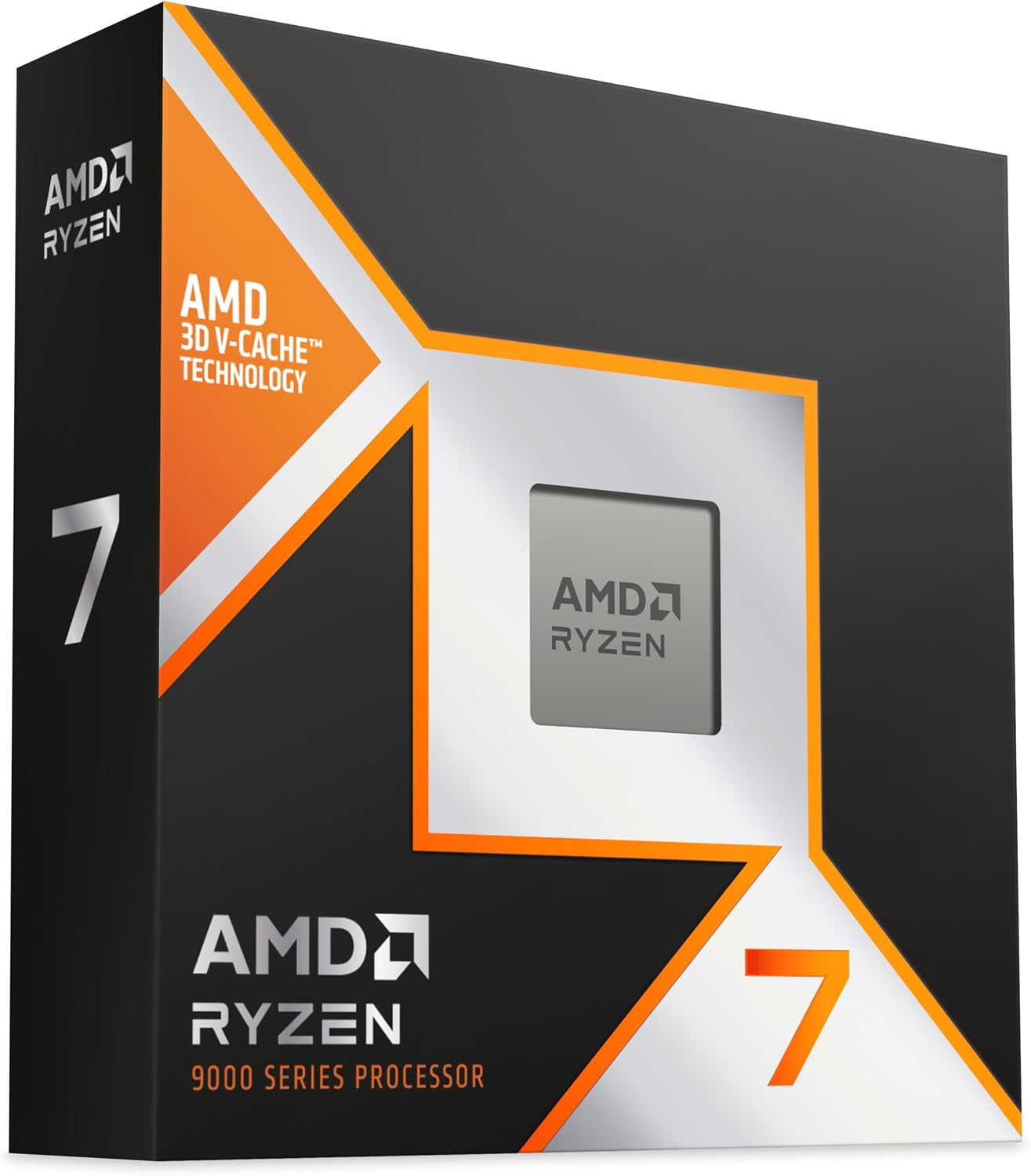
Tech Specs
- SOCKET: AM5
- ARCH.: Zen 5
- CORES: 8
- THREADS: 16
- BASE: 4.7GHz
- BOOST: 5.6GHz
- TDP: 120W
Pros & Cons
- AMD’s fastest eight-core gaming CPU
- Excellent average FPS and frame consistency
- Higher boost clock than the 9800X3D
- Compatible with the AM5 platform
- Small gain over the cheaper 9800X3D
AMD Ryzen 7 9850X3D Overview
The Ryzen 7 9850X3D is the choice for a no-compromise competitive system where the last few frames matter more than value.
Its basic formula is nearly identical to the 9800X3D’s: eight Zen 5 cores, 16 threads, second-generation 3D V-Cache, 96MB of L3 cache, and a 120-watt TDP. The important difference is frequency. The 9850X3D can boost as high as 5.6GHz, compared with 5.2GHz on the 9800X3D.
That higher clock gives it a small lead in CPU-limited gaming. The benefit is most visible with a high-end graphics card at 1080P or 1440P competitive settings, where the GPU can render frames quickly enough to expose differences between processors. At higher visual settings or 4K resolution, the GPU often becomes the limit and the gap narrows.
The 9850X3D is not a sensible upgrade from a 9800X3D. The improvement is too small to justify replacing an already-elite processor. It is better viewed as the premium option for someone building from scratch and choosing between the two chips.
Check their live prices before buying. When the premium is modest relative to the total cost of a flagship gaming PC, choosing the 9850X3D is reasonable. When it costs substantially more, the 9800X3D is the smarter purchase.
You should also remember that a faster processor cannot make every game hold 240 FPS. Engine limits, large fights, shader compilation, network activity, and the graphics card can all create dips. The 9850X3D gives you the most CPU headroom; it does not remove the rest of the system from the equation.
Choose it when you use a high-end GPU, play at competitive settings, care about the strongest attainable CPU-limited performance, and are comfortable paying extra for a relatively small lead.
AMD Ryzen 5 7600X3D
The best-value CPU for competitive gaming.
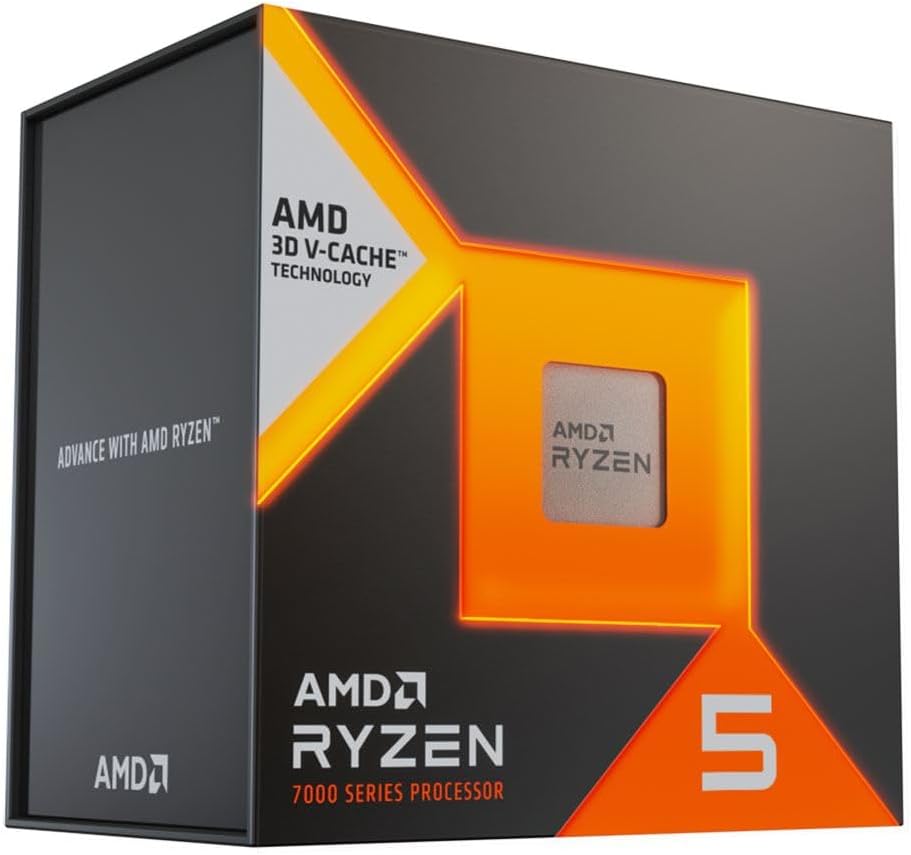
Tech Specs
- SOCKET: AM5
- ARCH.: Zen 4
- CORES: 6
- THREADS: 12
- BASE: 4.1GHz
- BOOST: 4.7GHz
- TDP: 65W
Pros & Cons
- Outstanding gaming performance per dollar
- Same 96MB of L3 cache as Ryzen 7 X3D chips
- Low power and cooling requirements
- AM5 supports future CPU upgrades
- Six cores limit heavy productivity performance
AMD Ryzen 5 7600X3D Overview
The Ryzen 5 7600X3D brings the feature that matters most to many CPU-limited games—large cache—down to a much more accessible price.
It has six Zen 4 cores, 12 threads, a maximum boost clock of 4.7GHz, and 96MB of L3 cache. Its clocks and core count look modest next to the processors above, but specifications do not tell the full story. In games that respond well to 3D V-Cache, the 7600X3D can outperform newer non-X3D processors that look faster on paper.
That makes it particularly attractive for a gaming-first build. Competitive shooters, Fortnite Performance Mode, racing simulators, MMOs, and other CPU-sensitive titles can benefit from its cache and strong frame-time consistency. Choosing it instead of a Ryzen 7 may also free enough money to move up a GPU tier, which is often the better trade for 1440P gaming.
The 65-watt TDP keeps motherboard and cooling requirements reasonable. You do not need an oversized liquid cooler or premium X-series motherboard to build a stable system around it. A quality B650 or B850 board, a competent air cooler, and a properly configured dual-channel memory kit are enough for most builds.
There are two caveats. First, six cores and 12 threads are excellent for gaming and ordinary multitasking, but they are not ideal for frequent CPU rendering, heavy software compilation, or other sustained multithreaded work. Second, its retail availability and price can move around. Compare the live price with the Ryzen 7 9800X3D and Ryzen 5 9600X before buying.
If the 7600X3D costs much less than the 9800X3D and your PC is primarily for gaming, it is the value standout in this guide. If its price climbs too close to the Ryzen 7, spend more for the two additional cores and newer architecture.
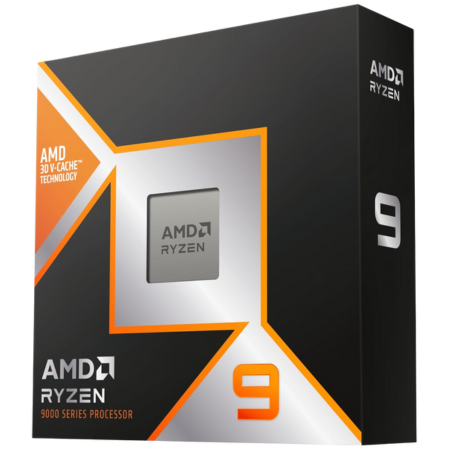
AMD Ryzen 9 9950X3D
The best CPU for 240Hz gaming and heavy work.
Tech Specs
- SOCKET: AM5
- ARCH.: Zen 5
- CORES: 16
- THREADS: 32
- BASE: 4.3GHz
- BOOST: 5.7GHz
- TDP: 170W
Pros & Cons
- Excellent gaming and multithreaded performance
- 16 cores handle demanding production work
- Strong option for editing, rendering, and compiling
- Uses AMD’s long-lived AM5 platform
- Poor value for a gaming-only computer
AMD Ryzen 9 9950X3D Overview
The Ryzen 9 9950X3D is for a system that must be both an elite gaming PC and a serious workstation.
It provides 16 Zen 5 cores, 32 threads, a maximum boost clock of 5.7GHz, and 128MB of L3 cache. One eight-core compute die carries AMD’s 3D V-Cache, allowing games to use the cache-equipped cores while heavily threaded applications can draw on the complete processor.
That design gives the 9950X3D a combination the Ryzen 7 chips cannot match. It can deliver top-tier gaming performance and then use twice as many cores for video production, CPU rendering, code compilation, game development, virtual machines, data work, and other demanding applications.
The extra cores are not a reason to buy it for gaming alone. Games do not automatically run faster because a CPU has 16 cores, and the Ryzen 7 9800X3D or 9850X3D can deliver comparable gaming performance at a lower price. A modern GPU’s hardware encoder also means ordinary streaming does not require a 16-core processor.
Buy the 9950X3D when the non-gaming workloads are frequent and valuable enough to justify it. If you occasionally edit a video or stream through your graphics card, the Ryzen 7 remains the better allocation.
Cooling and motherboard quality deserve more attention here. The processor has a 170-watt TDP and can place a much heavier sustained load on the system during production work than it will during a normal game. Use a capable cooler, good case airflow, and a motherboard with adequate power delivery.
For a competitive gamer who also earns time-sensitive income from CPU-heavy work, the 9950X3D is the best dual-purpose option. For a machine that spends nearly all of its life in games, save the money.
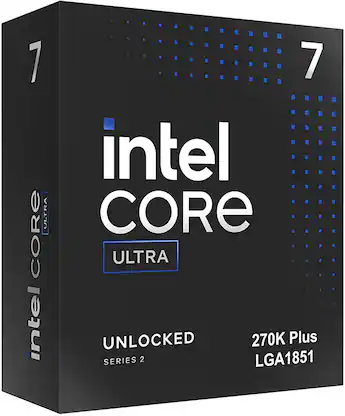
Intel Core Ultra 7 270K Plus
The best Intel CPU for 240Hz gaming.
Tech Specs
- SOCKET: LGA 1851
- ARCH.: Arrow Lake Refresh
- CORES: 24
- THREADS: 24
- BASE: 3.7GHz
- BOOST: 5.5GHz
- PBP: 125W
Pros & Cons
- Intel’s strongest current gaming option
- Excellent multithreaded performance
- 24 performance and efficiency cores
- Intel Quick Sync benefits supported workflows
- Slower in games than AMD’s top X3D chips
Intel Core Ultra 7 270K Plus Overview
Intel’s Core Ultra 7 270K Plus is the Intel processor we would choose for a new high-refresh gaming and productivity PC.
It combines eight performance cores with 16 efficiency cores for 24 cores and 24 threads in total. Intel also improved the gaming performance that held back the original Core Ultra 200S desktop lineup, making the 270K Plus a much more credible alternative to AMD.
The 270K Plus still does not consistently match the Ryzen 7 9800X3D or 9850X3D in CPU-limited gaming. If the only goal is the highest possible frame rate at 1080P competitive settings, buy one of the AMD X3D processors.
Its case becomes stronger when the PC also handles heavily threaded work. The 24-core design performs well in rendering, compression, compiling, content creation, and sustained multitasking. Intel Quick Sync can also accelerate compatible video-production and streaming workflows.
At 1440P with higher graphics settings, the practical gaming difference can shrink because the graphics card becomes the larger limitation. That makes the Intel chip easier to justify in a balanced mixed-use system than in a specialized low-setting esports machine.
Platform cost and longevity are the main cautions. The 270K Plus requires an LGA 1851 motherboard and DDR5 memory, and Intel’s socket does not offer the same clear long-term upgrade story as AMD’s AM5 platform. Compare the complete CPU, board, memory, and cooler cost—not just the processor price.
Choose the 270K Plus if you prefer Intel, rely on Intel-specific media features, or want excellent productivity performance alongside very good gaming performance. Choose AMD’s X3D chips when maximum competitive FPS and 1% lows are the priority.
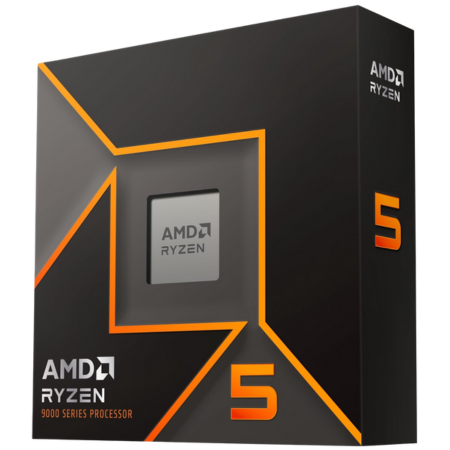
AMD Ryzen 5 9600X
The best budget CPU for a new 240Hz build.
Tech Specs
- SOCKET: AM5
- ARCH.: Zen 5
- CORES: 6
- THREADS: 12
- BASE: 3.9GHz
- BOOST: 5.4GHz
- TDP: 65W
Pros & Cons
- Strong per-core performance for its price
- Low power and cooling requirements
- Affordable entry to the AM5 platform
- Leaves more budget for the graphics card
- No 3D V-Cache for CPU-heavy games
AMD Ryzen 5 9600X Overview
The Ryzen 5 9600X is the lowest-cost processor on this list that we would use as the foundation of a new, performance-oriented AM5 system.
It has six Zen 5 cores, 12 threads, a maximum boost clock of 5.4GHz, and a 65-watt TDP. It does not have 3D V-Cache, but its strong per-core performance makes it capable of very high frame rates in lighter esports games.
That distinction matters. A 9600X system can exceed 240 FPS in games such as Valorant, Rainbow Six Siege, Rocket League, and Overwatch 2 when the rest of the system and settings are appropriate. It will have a harder time holding strong 1% lows in CPU-heavy battle royales, large multiplayer fights, simulations, or games that respond strongly to additional cache.
The lower CPU price can still produce the better complete PC. If choosing the 9600X lets you upgrade the graphics card, that trade can improve 1440P performance more than moving to a premium processor—particularly when you play a mix of esports and graphically demanding games.
Its 65-watt rating also keeps supporting costs under control. A mainstream B-series motherboard and a competent air cooler are sufficient, so you do not need to spend heavily on parts that add little gaming performance.
Compare its price with the Ryzen 5 7600X3D and Ryzen 5 7600X. The 7600X3D is the better gaming CPU when its price fits the build, while the older 7600X can be a good fallback when it is meaningfully cheaper. At similar prices, we prefer the newer 9600X over the standard 7600X.
Buy the 9600X for a budget-conscious 240Hz esports build with realistic game-specific expectations. If you play CPU-heavy competitive titles and can afford the 7600X3D, step up to the cache-equipped processor.
Which CPU should you choose for 240Hz gaming?
For most high-end competitive gaming PCs, get the Ryzen 7 9800X3D. It gives up very little performance to the 9850X3D and is usually the better place to stop spending on the processor.
Choose the Ryzen 7 9850X3D when you want the fastest gaming-focused eight-core available and its price is close to the 9800X3D. Do not upgrade from a 9800X3D just to gain the small difference between them.
The Ryzen 5 7600X3D is the best value for a gaming-first system. Its six cores are less useful for heavy production work, but its 3D V-Cache makes it much faster in games than its model tier suggests.
Choose the Ryzen 9 9950X3D for frequent rendering, editing, compiling, or workstation use. Choose the Core Ultra 7 270K Plus if you specifically want Intel or benefit from Quick Sync and its strong multithreaded performance.
For the lowest-cost new build, start with the Ryzen 5 9600X. It is fast enough for many esports games at 240Hz, puts you on AM5, and preserves more of the budget for the GPU.
What 240Hz competitive gaming actually requires
A 240Hz monitor refreshes once every 4.17 milliseconds. To display a completely new frame on every refresh, the CPU must finish game logic and prepare the frame, the GPU must render it, and the rest of the pipeline must deliver it inside that narrow window.
That is why a 240 FPS average is not the same as a consistent 240Hz experience. A benchmark can average 280 FPS while dropping well below 200 FPS during smoke effects, destruction, a crowded endgame, or a large multiplayer fight. Those slow frames affect motion consistency and responsiveness even though the average looks impressive.
Use three measurements when comparing CPUs: average FPS, 1% lows, and the frame-time graph. Average FPS shows throughput. The 1% low summarizes the slowest portion of the run. The frame-time graph reveals individual spikes that both numbers can hide.
Also Read: Does A Faster CPU Improve 1% Lows?
Match the processor to the game and resolution
| Gaming target | CPU priority | GPU priority | Best starting point |
|---|---|---|---|
| 1080P low-setting esports | Very high | Moderate to high | Ryzen 5 9600X or better |
| 1080P CPU-heavy competitive | Extremely high | High | Ryzen 5 7600X3D or Ryzen 7 9800X3D |
| 1440P competitive settings | High | Very high | Ryzen 7 9800X3D plus a high-end GPU |
| 1440P high/ultra mixed gaming | Moderate to high | Extremely high | Buy enough CPU, then prioritize the GPU |
| Gaming plus heavy production | Workload dependent | High to very high | Ryzen 9 9950X3D or Core Ultra 7 270K Plus |
Lighter esports titles are the easiest 240Hz target. Valorant, Rainbow Six Siege, Rocket League, Overwatch 2, and similar games are designed to run at very high frame rates on a broad range of hardware. A modern six-core processor may already be enough when paired with the right GPU and settings.
Counter-Strike 2, Fortnite, battle royales, large multiplayer matches, and simulation-heavy games can expose bigger differences between processors. Performance can also change substantially between an empty practice area and the most demanding portion of a real match. Look for benchmarks that reproduce the part of the game you care about.
Graphically intensive single-player games may not sustain 240 FPS on any practical system. In those titles, a 240Hz display still provides useful adaptive-sync range and lower-latency headroom, but buying the fastest CPU will not overcome a graphics workload that keeps the GPU below 240 FPS.
1080P versus 1440P at 240Hz
Moving from 1080P to 1440P increases the number of rendered pixels by about 78%. That additional work falls primarily on the graphics card. If the GPU cannot produce 240 frames per second at your chosen settings, a faster CPU will not solve the problem.
Resolution does not reduce the CPU’s work directly. The processor still needs to prepare the same number of target frames, run game logic, process input, update physics, and submit draw calls. Higher resolution simply makes it more likely that the GPU takes longer and becomes the limiting component first.
At 1080P low settings with a flagship GPU, CPU differences are easiest to expose. At 1440P competitive settings, both CPU and GPU can matter. At 1440P high or ultra settings, put more of the budget toward the graphics card unless testing for your exact game shows a CPU limit.
Also Read: How Much Does the CPU Affect FPS?
Also Read: How to Choose A CPU for 1440P Gaming
Also Read: The Best Graphics Cards for 1440P 240Hz Gaming
How we chose these CPUs
We prioritized gaming performance in situations where the processor can actually change the result. That means CPU-limited testing with a powerful graphics card, attention to 1% lows and frame-time behavior, and results across several game engines instead of one unusually favorable title.
We also considered the complete purchase rather than ranking benchmark bars in isolation:
- CPU-limited gaming performance: How well the processor feeds a fast GPU at high frame rates.
- Frame consistency: Whether strong average FPS is supported by useful 1% lows.
- Value: Whether a small performance gain justifies the price difference.
- Platform cost: Motherboard, memory, cooling, and upgrade-path requirements.
- Availability: Every recommended processor has a live Amazon product listing.
- Use-case fit: Gaming-only systems should not pay for cores they will not use, while mixed-workload PCs may benefit from them.
Prices and stock can change daily. Compare the Ryzen 7 9800X3D and 9850X3D directly, and do the same with the Ryzen 5 7600X3D and 9600X. A recommendation can change when two processors swap price positions.
Memory, cooling, and platform choices matter
Use a dual-channel memory kit with enough capacity for the game and your normal background applications. Enable the kit’s stable XMP or EXPO profile in the motherboard firmware; otherwise, it may run at a slower default speed and reduce CPU-limited performance.
Memory tuning can affect high-frame-rate gaming, but stability is more important than an impressive specification. An unstable memory overclock can create crashes, corrupted files, or frame-time spikes. Start with a well-supported kit and verify it under real gaming and memory-test workloads.
Cooling affects sustained clocks and noise. None of the six processors in this guide includes a retail CPU cooler, so include one in the build budget. The Ryzen 5 chips and Ryzen 7 X3D processors are manageable with a good air cooler, while the Ryzen 9 9950X3D deserves stronger cooling for sustained production workloads.
Compare the complete platform price. AMD’s CPUs require an AM5 motherboard and DDR5 memory, while the Intel option requires an LGA 1851 board and DDR5. A processor that costs slightly less can still produce the more expensive build after the motherboard and cooler are added.
Do not ignore the rest of the latency chain
A fast CPU helps the system prepare frames quickly, but input latency also depends on the game engine, GPU load, frame-rate cap, display, mouse, keyboard, network connection, and synchronization settings.
Running the GPU at or near full utilization can increase render latency in some games. Technologies such as NVIDIA Reflex or AMD Anti-Lag can help when supported, while a sensible frame-rate cap may improve consistency. The best configuration varies by game, so test changes instead of applying one universal settings list.
Also Read: What Is Input Lag and How Can You Reduce It?
Frequently Asked Questions
What is the best CPU for 240Hz competitive gaming?
The AMD Ryzen 7 9800X3D is the best overall choice. It provides elite gaming performance and strong 1% lows while usually costing less than the Ryzen 7 9850X3D.
The 9850X3D is the faster option, but its lead is small. Buy it when the price difference is modest and maximum CPU-limited performance matters more than value.
Can the Ryzen 5 9600X reach 240 FPS?
Yes, in many lighter esports games when paired with an appropriate graphics card and settings. It may exceed 240 FPS in titles such as Valorant, Rocket League, Rainbow Six Siege, and Overwatch 2.
It will not hold 240 FPS in every game or every match. CPU-heavy battle royales, large multiplayer encounters, simulations, and graphically demanding releases may require a faster CPU, faster GPU, lower settings, or a lower performance target.
Do you need an X3D processor for 240Hz?
No. A modern non-X3D CPU can run many esports games at 240 FPS. An X3D processor is most useful when you play cache-sensitive or CPU-heavy games, use a high-end GPU, and want the strongest average frame rates and 1% lows available.
If buying an X3D chip forces you to use a much weaker graphics card, the less expensive CPU may produce the faster complete system—especially at 1440P.
Is six cores enough for competitive gaming?
Six modern cores and 12 threads are enough for most gaming-focused systems. The Ryzen 5 7600X3D and Ryzen 5 9600X can handle current games, voice chat, anti-cheat, and ordinary background tasks.
Eight cores provide more headroom for demanding games, capture software, multitasking, and future workloads. More than eight cores is generally unnecessary for gaming alone.
Are 1% lows more important than average FPS?
They are not more important; they answer a different question. Average FPS measures overall throughput, while the 1% low describes the slowest portion of the benchmark. A frame-time graph adds the detail needed to see individual spikes.
For 240Hz gaming, all three matter. A high average with frequent slow frames can feel less consistent than a slightly lower average with stronger lows.
Does 1440P 240Hz need a faster CPU than 1080P 240Hz?
Both targets ask the CPU to prepare up to 240 frames per second. The difference is that 1440P makes the graphics card render about 78% more pixels, so the GPU is more likely to become the limit.
A fast CPU still matters at 1440P competitive settings, but do not overspend on it at the expense of the graphics card.
Is AMD or Intel better for 240Hz gaming?
AMD currently offers the strongest pure-gaming options. Its Ryzen 7 X3D processors lead in many CPU-limited tests, and the Ryzen 5 7600X3D provides excellent gaming value.
Intel’s Core Ultra 7 270K Plus is worth considering for strong productivity performance, Quick Sync, or an Intel-specific preference. It is a capable gaming CPU, but AMD’s top X3D chips are the better choice when maximum competitive performance is the only priority.
What GPU should you pair with a 240Hz CPU?
The answer depends on the game, resolution, and settings. A mainstream or upper-midrange GPU can drive lighter esports games at 1080P competitive settings, while 1440P 240Hz and demanding games can justify a high-end or flagship graphics card.
Use benchmarks of the exact game and settings you plan to play. A generic bottleneck calculator cannot account for the game engine, map, player count, or performance target.
Is 240 FPS the same as 240Hz?
No. Hertz describes how many times the monitor can refresh each second, while FPS describes how many frames the computer produces. A 240Hz monitor can display up to 240 complete refreshes per second, but the experience depends on frame pacing and synchronization as well as the average FPS number.
Producing more than 240 FPS can still reduce the age of the newest frame available to the display, which may lower latency in competitive games. Whether to cap the frame rate depends on the game and synchronization setup.
Can a CPU upgrade fix poor 1% lows?
It can when the processor is delaying frame preparation. A busy main thread, limited cache, weak per-core performance, or heavy background load can all improve with a faster CPU.
Poor lows can also come from shader compilation, full GPU utilization, insufficient memory, storage stalls, unstable tuning, or the game engine. Diagnose the cause before buying hardware.
Do these processors include a cooler?
No. The retail versions of the Ryzen 7 9800X3D, Ryzen 7 9850X3D, Ryzen 5 7600X3D, Ryzen 9 9950X3D, Core Ultra 7 270K Plus, and Ryzen 5 9600X require a separate CPU cooler.
Always confirm the exact Amazon listing and package contents before ordering.
Bottom Line
The Ryzen 7 9800X3D is the best CPU for most 240Hz competitive gaming builds. The Ryzen 7 9850X3D is marginally faster, but it is only worth the premium when their prices are close.
The Ryzen 5 7600X3D is the value champion for a gaming-first PC, while the Ryzen 5 9600X is the best budget starting point. Choose the Ryzen 9 9950X3D for heavy professional workloads or the Core Ultra 7 270K Plus for the strongest current Intel alternative.
Most importantly, buy for the games and settings you actually use. A 240Hz monitor does not require a flagship CPU in every esports title, and no flagship CPU can guarantee 240 FPS in every demanding game. Compare average FPS, 1% lows, and complete system cost before deciding.
