
The best graphics cards for 1440P 240Hz gaming, from competitive esports to demanding AAA games.
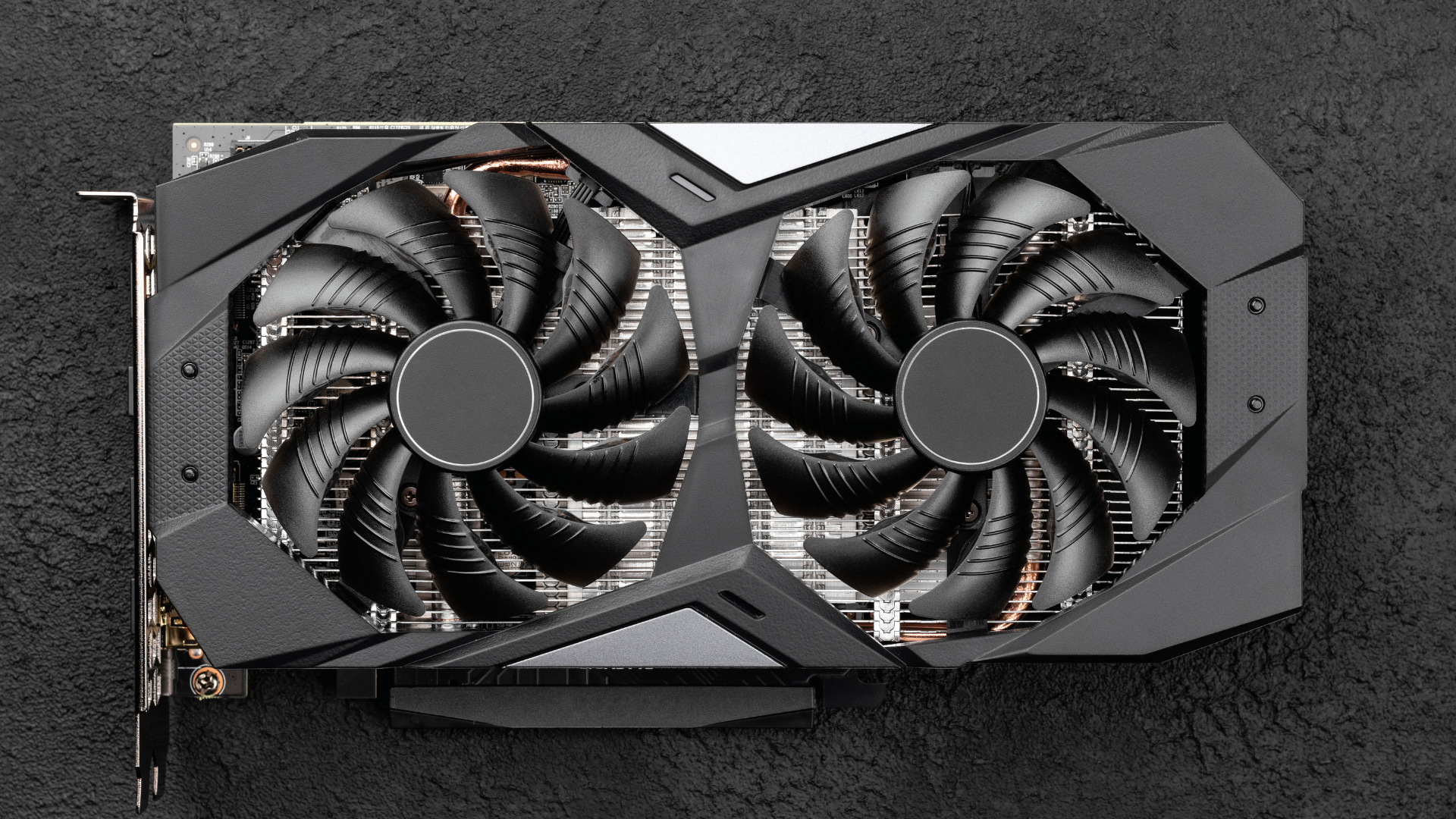
A 240Hz monitor can refresh its image 240 times per second, but that does not mean every graphics card—or every game—will run at 240 FPS. Competitive games such as Valorant, Counter-Strike 2, Overwatch 2, and Rainbow Six Siege can reach that target with a relatively affordable GPU and a fast processor. A visually demanding game with ultra settings and ray tracing is an entirely different workload.
That distinction changes which graphics cards are actually worth buying.
For most 1440P 240Hz gaming PCs, our top recommendation is the Sapphire Pulse Radeon RX 9070 XT. It has the rasterized performance and 16GB of VRAM needed for an excellent high-refresh-rate experience without the extreme price of NVIDIA’s fastest cards.
The Gigabyte RTX 5080 Gaming OC is the premium choice for demanding single-player games, ray tracing, and DLSS 4. The ASUS Prime RTX 5070 Ti is the more balanced NVIDIA option when it costs meaningfully less than an RTX 5080. If your goal is primarily 240 FPS in competitive games at optimized settings, the ASRock RX 9060 XT Challenger 16GB is the least expensive card we recommend.
No current GPU can guarantee a locked 240 FPS in every modern game at native 1440P and maximum settings. This guide tells you what each card can realistically do, where upscaling and frame generation help, and when spending more stops making sense. You can also compare these specialized recommendations with our complete best graphics cards rankings.
Also Read: The Best CPUs for Gaming
What “1440P at 240Hz” Actually Requires
There are three very different ways to use a 1440P 240Hz monitor:
- Competitive gaming: Low or optimized settings, minimal ray tracing, and a focus on low latency. A mid-range GPU can reach 240 FPS in many esports games, but the processor often becomes the limit.
- High-refresh AAA gaming: High or ultra settings with native rendering or quality upscaling. Even powerful cards will frequently run below 240 FPS, but motion can still feel exceptionally smooth at 120-200 FPS with variable refresh rate enabled.
- Maximum-quality gaming: Ultra settings, heavy ray tracing, and a 200-240Hz displayed framerate using DLSS or FSR plus frame generation. This can look very smooth, but generated frames do not provide the same latency benefit as 240 traditionally rendered frames.
The graphics card is only part of the equation. At very high framerates, the CPU must process game logic and prepare frames quickly enough to keep the GPU busy. A high-end gaming processor, fast dual-channel memory, and properly configured Resizable BAR can make a larger difference at 240Hz than they would at 60Hz.
How We Chose
We excluded cards that are technically capable of outputting a 1440P 240Hz signal but do not provide a convincing 240Hz gaming experience. We also avoided filling the list with nearly identical products.
Our ranking weighs current 1440P rasterized and ray-tracing performance, 16GB memory availability, upscaling and latency features, board-partner cooling, card dimensions, power requirements, and current Amazon availability. Most importantly, every recommendation has a clear reason to exist.
Because GPU prices change constantly, use the following guardrails before buying:
- Choose the RX 9070 XT over the RTX 5070 Ti when the NVIDIA card costs substantially more and ray tracing or CUDA is not a priority.
- Consider the RTX 5070 Ti when it is within roughly 20% of the RX 9070 XT and you value DLSS, ray tracing, streaming, or creator applications.
- Move from the RTX 5070 Ti to the RTX 5080 only when the price premium is approximately 25-30% or less, or when you explicitly want the fastest sensible option for demanding AAA games.
- Choose the RX 9060 XT 16GB for a lower-cost esports build. If an RX 9070 XT is less than about 40% more, the faster card is the better long-term purchase.
Our Top Picks at a Glance
Sapphire Pulse RX 9070 XT
The best graphics card for most 1440P 240Hz builds.
Tech Specs
- ARCH.: RDNA 4
- PROCESSORS: 4,096
- BOOST: 2,970MHz
- VRAM: 16GB GDDR6
- LENGTH: 320mm
- POWER: 304W
- PSU: 750W
Pros & Cons
- Excellent high-refresh 1440P rasterized performance
- 16GB of VRAM provides useful long-term headroom
- Usually a much better value than comparable NVIDIA cards
- Uses two standard eight-pin power connectors
- Heavy ray tracing and creator software still favor NVIDIA
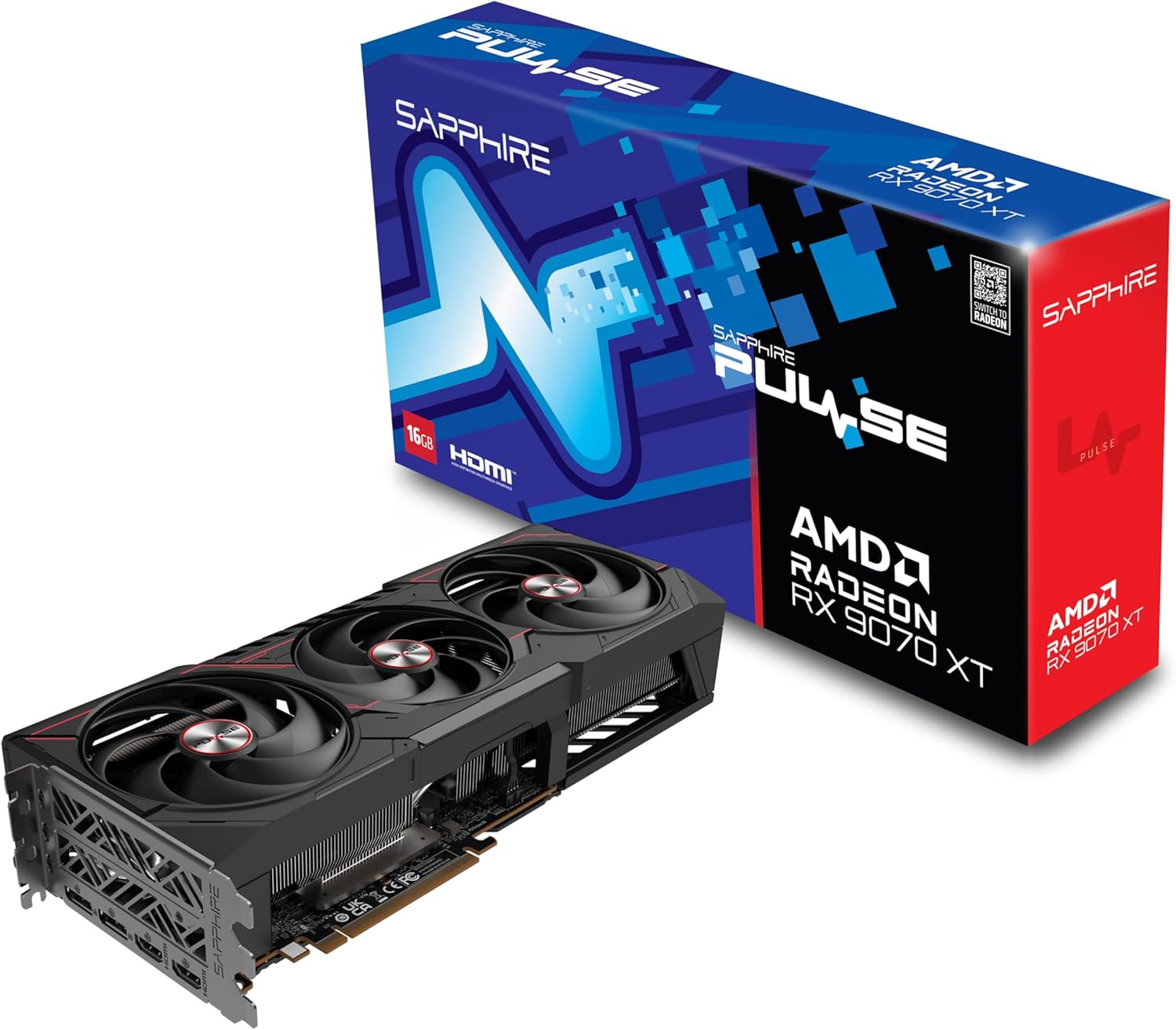
Sapphire Pulse RX 9070 XT Overview
The Radeon RX 9070 XT is the card we would check first for a new 1440P 240Hz gaming PC. It is fast enough to make proper use of a high-refresh display, includes 16GB of memory, and avoids the steep premium attached to the fastest NVIDIA GPUs.
In competitive games, the RX 9070 XT can drive very high framerates with optimized settings. Once the game becomes CPU-limited, lowering graphics settings further may not improve performance. That is why this card makes the most sense alongside a modern high-end gaming CPU rather than an older processor that cannot consistently prepare 240 frames per second.
Demanding AAA games are different. The RX 9070 XT delivers an excellent native 1440P experience, but you should not expect every game to remain at 240 FPS with ultra settings. Quality-mode FSR can increase performance with a relatively small image-quality tradeoff, while supported frame-generation features can make motion appear smoother.
Do not confuse generated frames with native frames. Frame generation works best when the card is already producing a strong base framerate. It is useful in visually rich single-player games, but we would leave it disabled in competitive shooters where input latency matters more than the number shown by an FPS counter.
The RX 9070 XT’s main weakness is NVIDIA’s feature advantage. An RTX 5070 Ti or RTX 5080 is a better fit if your favorite games use demanding path tracing, you strongly prefer DLSS, or you regularly use CUDA-accelerated applications. For conventional rasterized gaming, however, the RX 9070 XT is extremely competitive.
Sapphire’s Pulse model is a practical version of the card. Its triple-fan cooler uses Honeywell PTM7950 thermal-interface material, it draws approximately 304 watts, and it connects through two familiar eight-pin PCIe cables. That makes power-supply installation simpler than it is with a 16-pin NVIDIA card.
The Pulse is still a large three-slot GPU. It measures 320mm long and approximately 62mm thick, so check your case clearance and leave room for the included support bracket. Sapphire recommends a quality 750-watt power supply.
Bottom line: Buy the Sapphire Pulse RX 9070 XT if you want the best combination of 1440P performance, 16GB of VRAM, conventional power connectors, and sensible value. It is the right default choice for this guide.
Gigabyte RTX 5080 Gaming OC
The best premium option for demanding AAA games and ray tracing.
Tech Specs
- ARCH.: Blackwell
- CUDA CORES: 10,752
- BOOST: 2,730MHz
- VRAM: 16GB GDDR7
- LENGTH: 340mm
- POWER: 360W
- PSU: 850W
Pros & Cons
- The fastest card on our recommended shortlist
- Excellent ray tracing, DLSS, and creator support
- Multi Frame Generation can push displayed framerates toward 240Hz
- Large cooler and factory overclock
- Expensive, power hungry, and physically enormous
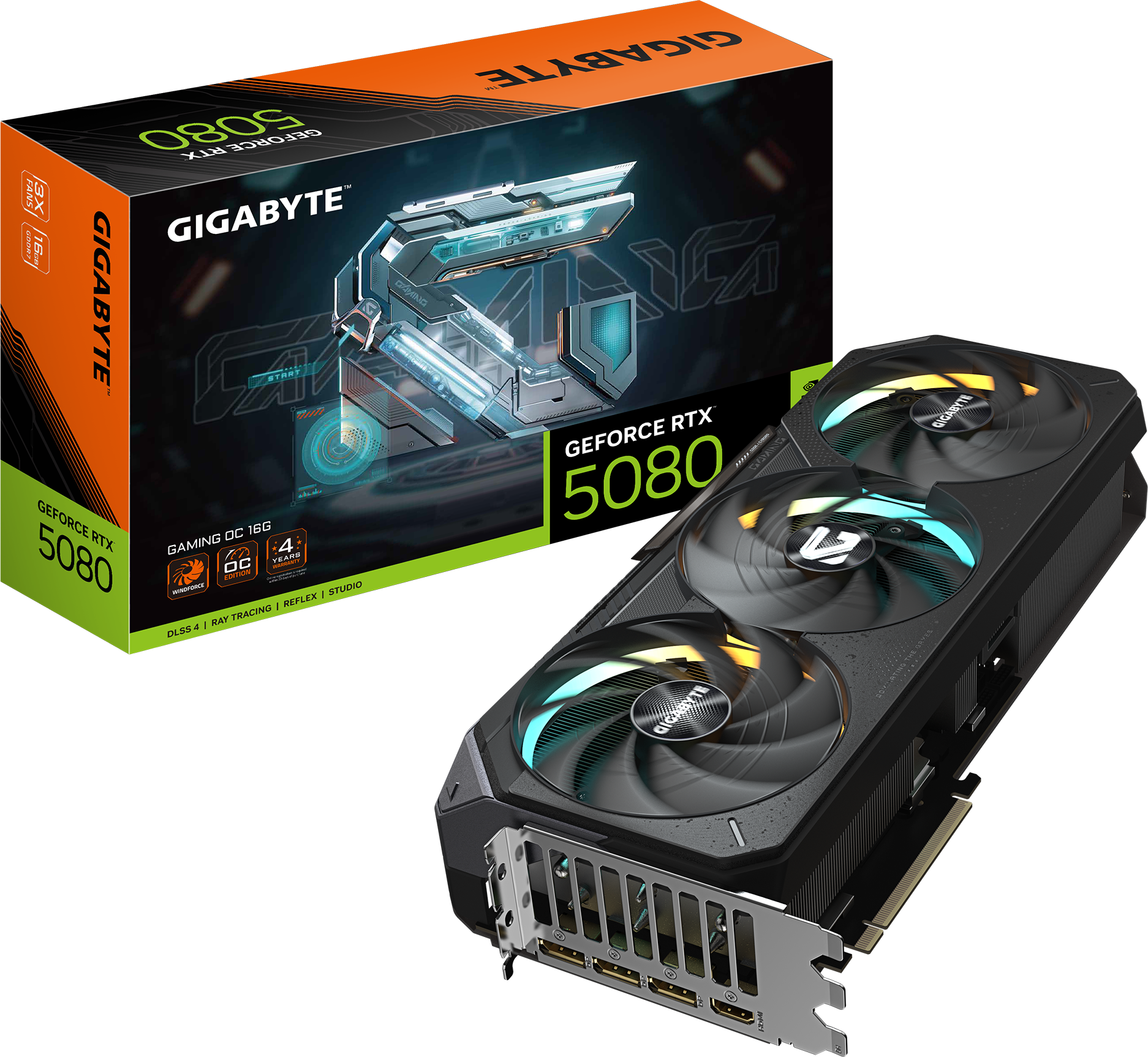
Gigabyte RTX 5080 Gaming OC Overview
The GeForce RTX 5080 is the premium card we recommend for a 1440P 240Hz monitor. It provides more raw performance than the RX 9070 XT and RTX 5070 Ti, excels in ray-traced games, and gives you access to NVIDIA’s complete DLSS 4 feature set.
That still does not make it a universal “240 FPS at ultra” card. Modern games vary too much for that promise to be credible. In well-optimized or lighter games, the RTX 5080 can fully utilize a 240Hz display. In demanding AAA releases, it is better viewed as a card that produces a strong native base framerate and then uses high-quality upscaling or frame generation when additional smoothness is desirable.
Multi Frame Generation is the feature that most clearly separates the RTX 5080 from the Radeon options. In supported games, it can insert multiple AI-generated frames between traditionally rendered frames. This can produce exceptionally smooth motion on a 240Hz monitor, particularly in slower-paced games with ray tracing enabled.
However, generated frames do not make the game respond like a native 240 FPS experience. Mouse and keyboard input is still tied to the underlying rendered framerate. Use NVIDIA Reflex, start with a healthy base framerate, and reserve Multi Frame Generation for games where image quality and fluid motion matter more than the lowest possible latency.
The RTX 5080 is also the strongest option on this list for streaming, video editing, 3D rendering, and GPU-accelerated creative software. Its mature CUDA ecosystem and excellent media engine can justify the premium for a system that does more than play games. If production work is a major priority, compare our dedicated guide to graphics cards for editing and gaming before choosing from a gaming-first ranking.
Gigabyte’s Gaming OC model runs at a 2,730MHz advertised core clock and uses a substantial WINDFORCE cooling system. The card measures 340 x 140 x 70mm, requires an 850-watt power supply, and uses one 16-pin connector. Use a modern power supply with a native 12V-2×6 cable when possible, insert it fully, and avoid bending the cable sharply where it exits the connector.
Bottom line: Choose the RTX 5080 when you want the best premium experience in demanding games, heavy ray tracing, or creator applications. Skip it if its price is wildly out of proportion to the RTX 5070 Ti or RX 9070 XT.
ASUS Prime RTX 5070 Ti
The best-balanced NVIDIA option—when the price is right.
Tech Specs
- ARCH.: Blackwell
- CUDA CORES: 8,960
- BOOST: 2,527MHz
- VRAM: 16GB GDDR7
- LENGTH: 304mm
- POWER: 300W
- PSU: 750W
Pros & Cons
- Excellent 1440P performance and 16GB of VRAM
- Strong ray tracing, DLSS 4, Reflex, and creator support
- Much of the RTX 5080 experience for less money
- Relatively compact 2.5-slot design
- A poor value when priced far above the RX 9070 XT
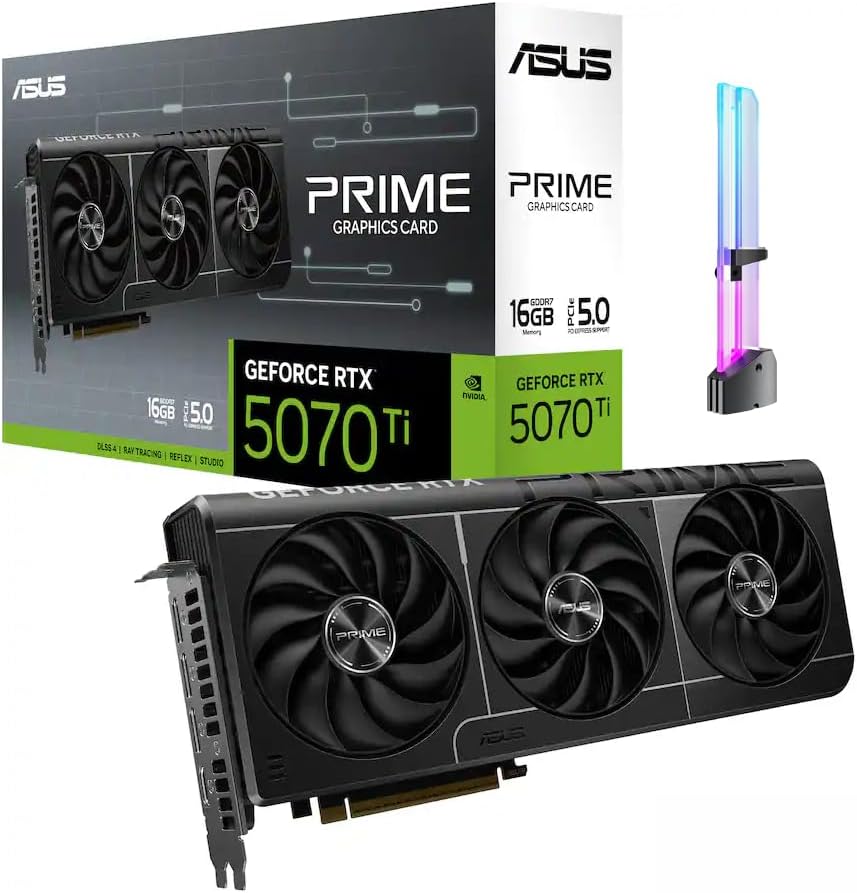
ASUS Prime RTX 5070 Ti Overview
The RTX 5070 Ti is the NVIDIA card that makes the most sense for a broad range of 1440P 240Hz builds. It combines 16GB of GDDR7 memory with strong native performance, capable ray tracing, DLSS 4, NVIDIA Reflex, and broad application support.
In competitive games, it is easily powerful enough to target 240 FPS when paired with a fast CPU. In demanding single-player games, it delivers a high-refresh native experience and can use DLSS Quality or Balanced mode to move closer to the monitor’s limit without the image-quality loss associated with more aggressive performance modes.
The RTX 5070 Ti also supports Multi Frame Generation. The same warning that applies to the RTX 5080 applies here: generated frames improve displayed smoothness, but they do not provide the responsiveness of 240 native frames. Keep the feature off in latency-sensitive competitive games and use it selectively in visually demanding titles.
The reason this is not our top overall recommendation is price. The RX 9070 XT is extremely competitive in conventional rasterized games and also has 16GB of memory. If the RTX 5070 Ti costs far more, its ray-tracing, DLSS, CUDA, and media advantages may not be worth the difference for a gaming-only PC.
The RTX 5070 Ti becomes attractive when its price is reasonably close to the Radeon card or when NVIDIA-specific features matter to you. It can also be a better value than the RTX 5080 because it delivers much of the same feature set and most of its 1440P experience at lower power.
ASUS’ Prime model is unusually manageable for a high-end card. It is approximately 304mm long, 50mm thick, and occupies 2.5 slots. It draws about 300 watts, uses a 16-pin power connector, and calls for a 750-watt power supply. Its smaller dimensions make it a better fit than many oversized 5070 Ti models.
Bottom line: Buy the ASUS Prime RTX 5070 Ti when you want NVIDIA’s ray tracing, DLSS, Reflex, streaming, and creator advantages without paying RTX 5080 money. Compare its live price with both neighboring cards before checking out.
ASRock RX 9060 XT Challenger 16GB
The best affordable option for 1440P 240Hz esports.
.png)
Tech Specs
- ARCH.: RDNA 4
- PROCESSORS: 2,048
- BOOST: 3,290MHz
- VRAM: 16GB GDDR6
- LENGTH: 249mm
- POWER: 160W class
- PSU: 550W
Pros & Cons
- A sensible entry point for 240Hz competitive gaming
- 16GB of VRAM instead of a short-lived 8GB configuration
- Compact, efficient, and easy to power
- Supports FSR, Anti-Lag 2, DisplayPort 2.1a, and HDMI 2.1b
- Not a 240 FPS card for demanding AAA games
ASRock RX 9060 XT Challenger 16GB Overview
The 16GB Radeon RX 9060 XT is the lowest tier we recommend for a new 1440P 240Hz system. It is not a substitute for the RX 9070 XT in demanding games, but it can be an excellent choice for a player whose library is dominated by esports titles.
Games designed for competitive play are typically less demanding than cinematic AAA releases. With optimized settings and a sufficiently fast CPU, the RX 9060 XT can take advantage of a 240Hz display in titles such as Valorant, Rainbow Six Siege, Overwatch 2, and similar games. Exact results depend on the game, map, match conditions, processor, memory, and settings.
In graphically intensive single-player games, expect a good 1440P experience—not 240 native FPS. FSR upscaling can improve performance, and frame generation can increase displayed smoothness in supported titles, but this card is best purchased with realistic expectations.
We specifically recommend the 16GB version. The less expensive 8GB RX 9060 XT can run competitive games, but a new 1440P build benefits from the additional memory headroom in demanding games, high-resolution texture packs, and future releases. Saving a small amount for the 8GB model is a false economy.
The ASRock Challenger OC is the smallest and easiest-to-power card in this guide. It measures 249 x 132 x 41mm, uses one standard eight-pin connector, and has a 550-watt manufacturer PSU recommendation. Its dual-fan, near-two-slot design will fit into cases that cannot accommodate the enormous coolers used by the other picks.
Bottom line: Choose the RX 9060 XT 16GB when competitive games are your priority and budget matters. If you also play demanding AAA games regularly, save for the RX 9070 XT. Compare the current graphics cards under $500 if shifting prices put other suitable options in the same range.
Which Graphics Card Should You Choose?
Buy the RX 9070 XT if you want the best all-around value. It is the easiest recommendation for a gaming-first 1440P 240Hz system.
Buy the RTX 5080 if you want the strongest practical option for demanding AAA games, ray tracing, DLSS 4, or professional GPU workloads—and you are comfortable paying a large premium.
Buy the RTX 5070 Ti if you want NVIDIA’s features but cannot justify the RTX 5080. It is an excellent card at the right price, but it should not cost dramatically more than the RX 9070 XT.
Buy the RX 9060 XT 16GB if you mainly play esports titles and want the least expensive credible route to 1440P 240Hz. It is not intended to deliver 240 FPS in modern AAA games.
Why the RTX 5090 Is Not One of Our Picks
The GeForce RTX 5090 is the fastest consumer graphics card, but it is a poor recommendation for a 1440P-focused gaming PC at current market prices.
At 1440P and very high framerates, performance increasingly depends on the CPU and game engine. That prevents the RTX 5090’s enormous theoretical advantage from translating cleanly into a better 240Hz experience. Its 32GB of VRAM is also unnecessary for gaming at this resolution.
The RTX 5090 makes sense for buyers who also use a 4K high-refresh display, run memory-intensive AI or rendering workloads, or simply want the fastest hardware regardless of price. For everyone else, an RTX 5080 paired with a faster gaming CPU is a more rational 1440P 240Hz build.
Cards We Would Skip at Current Prices
GeForce RTX 5070
The RTX 5070 can be a good 1440P card, especially for esports, but its 12GB memory capacity and lower raw performance make it difficult to recommend when it is priced close to a 16GB RX 9070 XT. Buy it only after confirming a meaningful discount.
Radeon RX 9070
The non-XT RX 9070 is efficient and capable, but it is often priced too close to the substantially faster RX 9070 XT. It becomes worthwhile when it is at least 15% less expensive.
GeForce RTX 5060 Ti 16GB
The 16GB RTX 5060 Ti has useful NVIDIA features and can handle 1440P gaming, but the RX 9060 XT usually fills the budget-esports role for less. The RTX 5060 Ti only becomes our preference when its price is close and you specifically need DLSS, CUDA, or NVIDIA’s media features.
Any 8GB Card
An 8GB GPU can still run esports titles at 1440P, but it is not the foundation we would choose for an expensive 240Hz setup. A 16GB card provides more room for high-resolution textures, new games, mods, and background GPU-accelerated applications.
How to Get the Most From a 1440P 240Hz Monitor
1. Pair the GPU with a fast gaming CPU
At 240 FPS, the processor has only about 4.17 milliseconds to help prepare each frame. A modern gaming CPU with strong single-threaded performance and a large cache is important, particularly in multiplayer games. Upgrading from a slow CPU can improve both average FPS and the one-percent lows that determine how smooth a game feels.
2. Confirm that 240Hz is actually enabled
Windows may default a new monitor to 60Hz or 144Hz. Open the advanced display settings and select 240Hz. Then enable Adaptive-Sync, FreeSync, or G-SYNC Compatible mode in both the monitor and graphics driver.
3. Use the correct display connection
Most 1440P 240Hz monitors use DisplayPort with Display Stream Compression or HDMI 2.1. Use the cable supplied with the monitor or a certified replacement, and connect the display directly to the graphics card rather than the motherboard.
4. Tune the settings that actually affect performance
Start by reducing ray tracing, volumetric effects, crowd density, shadows, and other settings with a large performance cost. Texture quality mostly affects VRAM use and often can remain high on a 16GB card.
5. Use upscaling before aggressive image-quality cuts
DLSS, FSR, and XeSS can provide a large performance improvement. At 1440P, Quality mode is the best starting point. Balanced mode is useful when you need additional speed, but Performance mode can look noticeably softer at this resolution.
6. Treat frame generation as a single-player feature
Frame generation can make motion look smoother, but it does not improve input response like a higher native framerate. Start from a strong underlying framerate, enable Reflex or Anti-Lag when supported, and turn frame generation off for competitive play.
7. Enable Resizable BAR
Resizable BAR—called Smart Access Memory on AMD systems—allows the CPU to access a larger portion of graphics memory at once. Enable it in the motherboard firmware and confirm that it is active in the GPU software.
8. Watch one-percent lows, not just the average
A system averaging 240 FPS can still feel uneven if it repeatedly drops far below that figure. Stable frame times, a capable CPU, sufficient system memory, current drivers, and sensible background-app management matter as much as a headline average.
Frequently Asked Questions
What is the best GPU for 1440P 240Hz gaming?
The Radeon RX 9070 XT is the best overall choice for most buyers because it combines strong 1440P performance, 16GB of VRAM, and better value than higher-end NVIDIA cards.
Choose the RTX 5080 instead if you prioritize maximum performance, ray tracing, DLSS 4, or creator applications. The RTX 5070 Ti is the more affordable NVIDIA alternative when its price is reasonable.
Can an RX 9070 XT run 1440P at 240 FPS?
Yes, in many competitive and lighter games when paired with a fast CPU and appropriate settings. It will not maintain 240 FPS in every demanding AAA game at native resolution and maximum settings.
Can an RTX 5080 run every game at 1440P 240 FPS?
No. It is the fastest card we recommend, but particularly demanding games and heavy ray tracing can remain below 240 native FPS. DLSS upscaling and Multi Frame Generation can increase the displayed framerate in supported games.
Do you need an RTX 5090 for 1440P 240Hz?
No. The RTX 5090 is frequently limited by the CPU or game engine at 1440P, and its extreme price, power draw, and 32GB memory capacity are difficult to justify for gaming at this resolution. It is better suited to 4K high-refresh gaming and demanding professional workloads.
What is the cheapest GPU for 1440P 240Hz?
The RX 9060 XT 16GB is our minimum recommendation for a new 1440P 240Hz build. It can reach 240 FPS in many esports games at optimized settings, but buyers who want high-refresh performance in demanding AAA games should step up to the RX 9070 XT.
Is 16GB of VRAM necessary for 1440P?
It is not strictly necessary for every game, but 16GB is the capacity we prefer for a new high-end 1440P card. It gives you more headroom for high-resolution textures, ray tracing, mods, new releases, and creator workloads. Our explanation of how much VRAM you need for gaming covers why capacity alone does not determine performance.
Is 240 FPS the same as 240Hz?
No. Hertz describes how many times the monitor can refresh each second; FPS describes how many frames the GPU produces. A 240Hz monitor can display up to 240 complete frames per second, but it still works at lower framerates. Variable refresh rate synchronizes the monitor to the GPU within its supported range.
Does frame generation count as 240 FPS?
It counts toward the displayed framerate, but not all of those frames are traditionally rendered. Frame generation improves visual fluidity while input response remains tied more closely to the base framerate. It is valuable in many single-player games but not a substitute for native 240 FPS in competitive play.
Should you use DLSS or FSR at 1440P?
Yes, when a game needs additional performance. Begin with Quality mode and compare it with native rendering. Use Balanced mode if necessary. Avoid automatically selecting the most aggressive performance preset, because its lower internal resolution can reduce image clarity at 1440P.
Does the CPU matter at 1440P 240Hz?
Very much. The higher the target framerate, the more work the processor must complete every second. Competitive games can become CPU-limited long before a high-end graphics card reaches full utilization. A fast gaming CPU and properly configured memory are essential for stable 240 FPS.
How much system memory do you need?
Use at least 32GB for a new high-end gaming PC. Dual-channel memory with the appropriate XMP or EXPO profile enabled can improve CPU-limited performance. Heavy multitasking, content creation, and certain simulations may benefit from 64GB.
Do you need DisplayPort 2.1 for 1440P 240Hz?
Not necessarily. DisplayPort 1.4 with Display Stream Compression can support 1440P at 240Hz, and many monitors also offer HDMI 2.1. Check the monitor manual to determine which port supports its full refresh rate, color depth, HDR, and variable-refresh features.
What power supply do you need?
A quality 550-watt unit is sufficient for many RX 9060 XT systems. The RX 9070 XT and RTX 5070 Ti are better paired with a quality 750-watt power supply, while the RTX 5080 calls for approximately 850 watts. Account for the CPU and other components, and follow the card manufacturer’s recommendation.
Should you cap the framerate below 240 FPS?
If you use variable refresh rate, a cap a few frames below the monitor’s maximum can help keep the system inside its adaptive-sync range. Competitive players should also test the game’s native limiter and NVIDIA Reflex or AMD Anti-Lag settings, since the lowest-latency configuration varies by game.
Is 1440P 240Hz worth it over 1440P 165Hz?
It is most worthwhile for competitive players who can consistently run well above 165 FPS. In slower-paced AAA games, the difference is subtler, and spending the same budget on a better HDR panel or a faster GPU may have a larger visual impact. If 144Hz is your practical target, our guide to choosing a GPU for 1440p 144Hz can help you avoid overspending.
Sources and Update Notes
Product specifications were cross-checked against official information from AMD, NVIDIA, Sapphire, Gigabyte, and ASRock. Performance positioning was cross-checked against current multi-game testing in the Tom’s Hardware GPU hierarchy rather than relying on manufacturer-selected benchmarks.
Amazon links were checked for active purchase offers when this guide was updated. Stock, sellers, and pricing can change without notice, so compare the live prices of adjacent tiers before buying.
