
These high-end X870E motherboards will handle your extreme Ryzen CPU.
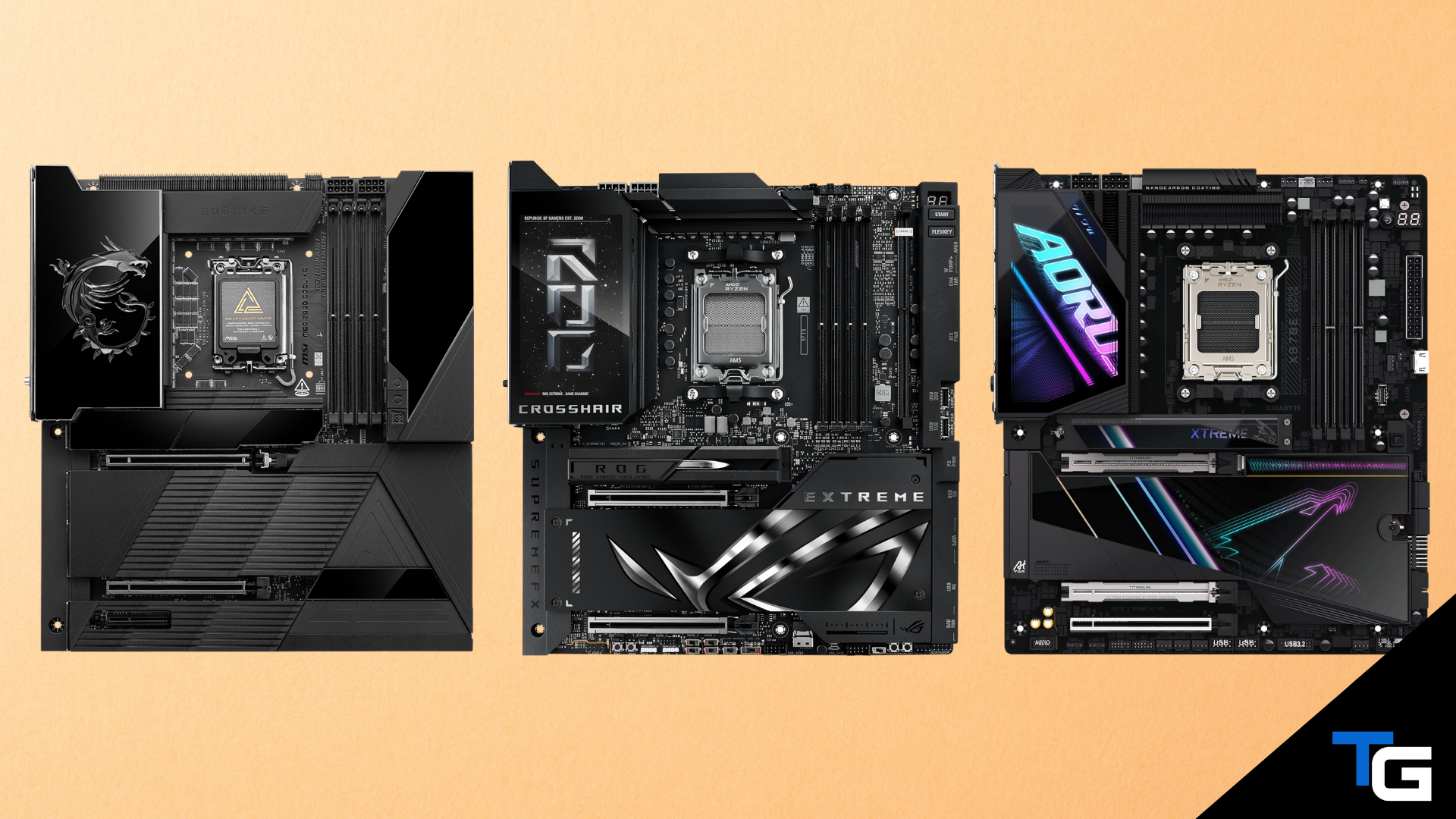
Looking for an AM5 socket motherboard to house one of the best AMD CPUs for gaming? Want a feature-packed board with strong power delivery, PCIe 5.0 support, USB4, Wi-Fi 7, and plenty of room for high-speed storage?
In this guide, we’ve highlighted 13 of the best X870E motherboards currently available. You can use the filters below to narrow the list by budget, brand, and color scheme.
If you’re still deciding which chipset or feature set is right for your build, our guides on how to choose a motherboard and the best gaming motherboards provide a broader look at your options.
Watch: What to Look for in A Motherboard
Watch our Beginner’s Guide to Choosing A Motherboard below, or on our YouTube channel.
Filter for a Motherboard That Meets Your Criteria
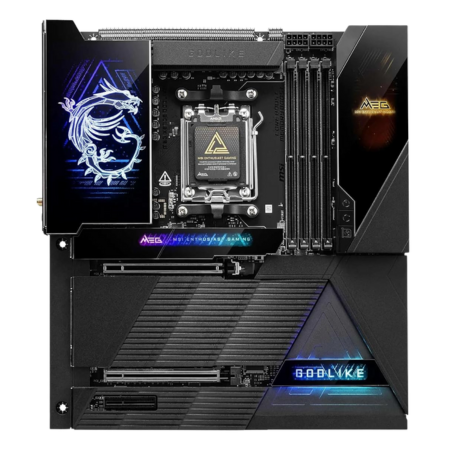
MSI MEG X870E Godlike
So many features, such a big price tag…
Tech Specs
- Power: 24+2+1
- M.2: 7 Slots (2x Gen5 onboard + 2x Gen5 via expansion card)
- PCIe 5.0: 2x PCIe 5.0 x16
- WiFi: Wi-Fi 7
- Max RAM: 256GB DDR5
Pros & Cons
- Extreme power design
- Dynamic Dashboard III
- EZ Link design
- M.2 Xpander-Z Slider
- Incredibly expensive
MSI MEG X870E Godlike Overview
If you’re building a no-compromise flagship AMD rig, MSI’s MEG X870E Godlike is the E-ATX board to flex. Its 24+2+1 power-stage design is built to push high-end Ryzen chips without breaking a sweat. It also supports up to seven M.2 drives: five on the board and two more through the included M.2 expansion card. Four of those positions can accommodate Gen5 drives, although some high-bandwidth connections share lanes, so check the manual before planning a fully populated configuration.
You also get two physical PCIe 5.0 x16 slots, Wi-Fi 7, dual high-speed Ethernet connections, USB4, and support for up to 256GB of DDR5 memory.
The flipside is the usual Godlike caveats—size, price, and a feature set most gamers won’t fully use. If you don’t need an enormous number of M.2 drives and premium networking, there are cheaper X870E options that make more sense. But for extreme builds and storage-heavy creator workflows, this is one of the most complete AM5 motherboards available.
Reviews
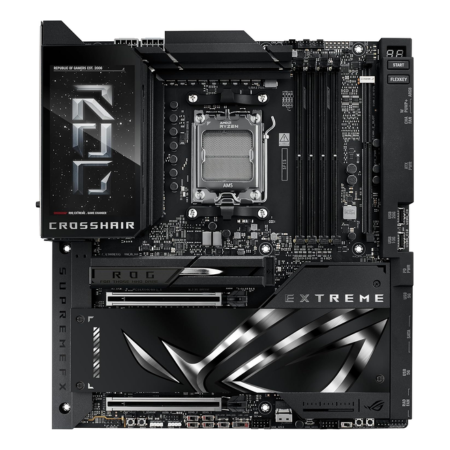
ASUS ROG Crosshair X870E Extreme
Another extreme X870E motherboard for the big spenders.
Tech Specs
- Power: 20+2+2
- M.2: 5 Slots (3x Gen5)
- PCIe 5.0: 2x PCIe 5.0 x16
- WiFi: Wi-Fi 7
- Max RAM: 256GB DDR5
Pros & Cons
- Extreme power design
- 5-inch LCD screen
- ROG Q-DIMM.2
- Builder-friendly connections
- Incredibly expensive
ASUS ROG Crosshair X870E Extreme Overview
ASUS’s ROG Crosshair X870E Extreme is all about bandwidth and premium extras. You get two physical PCIe 5.0 x16 slots and five total M.2 positions, including three Gen5-capable slots and two additional PCIe 4.0 positions through the included ROG Q-DIMM.2 module. The 20+2+2 power design is more than enough for a high-end Ryzen CPU, while Wi-Fi 7, USB4, 10GbE, and support for up to 256GB of DDR5 cover the connectivity and memory side.
The catch is its price and E-ATX footprint. Most gaming builds won’t take full advantage of the board’s expansion, networking, display, and overclocking features. If you aren’t planning on several high-speed drives or add-in cards, a cheaper X870E board will make more sense.
But if your workflow benefits from a lot of PCIe connectivity and top-tier storage throughput—and you have a huge budget—the Crosshair X870E Extreme should suit your needs.
Reviews
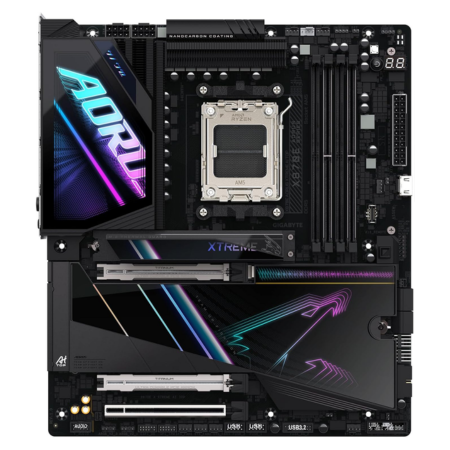
GIGABYTE X870E AORUS Xtreme AI TOP
GIGABYTE’s most extreme original X870E motherboard offering.
Tech Specs
- Power: 18+2+2
- M.2: 4 Slots (1x Gen5)
- PCIe 5.0: 2x PCIe 5.0 x16
- WiFi: Wi-Fi 7
- Max RAM: 256GB DDR5
Pros & Cons
- Very good power design
- Dual 10GbE LAN
- DDR Wind Blade
- DIY-friendly features
- Very expensive
GIGABYTE X870E AORUS Xtreme AI TOP Overview
GIGABYTE’s X870E AORUS Xtreme AI TOP is a flagship-class board designed for heavily connected systems. Its 18+2+2 power design is plenty for Ryzen 9 chips, and the expansion you actually need is here: two physical PCIe 5.0 x16 slots and four M.2 sockets. One M.2 position runs at PCIe 5.0 x4 with Ryzen 7000- and 9000-series CPUs, while the remaining slots operate at PCIe 4.0 speeds.
Networking is a standout feature. You get dual 10GbE LAN in addition to Wi-Fi 7, making this one of the most capable boards here for fast local storage and workstation networks. The tradeoff is that buyers who mainly care about Gen5 NVMe storage can get more Gen5 M.2 positions from several less expensive boards on this list.
For a high-end Ryzen workstation that values networking, robust power delivery, and premium build features, though, the AORUS Xtreme AI TOP is a capable pick.
Reviews
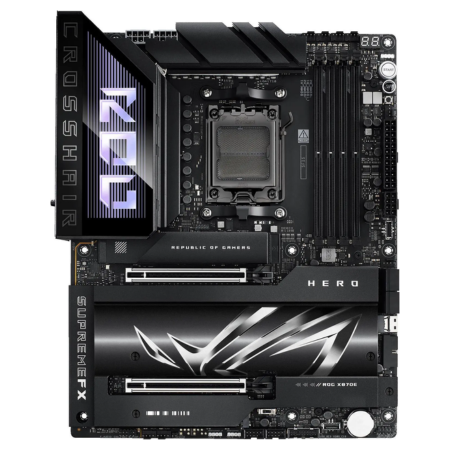
ASUS ROG Crosshair X870E Hero
Another high-end X870E option from ASUS.
Tech Specs
- Power: 18+2+2
- M.2: 5 Slots (3x Gen5)
- PCIe 5.0: 2x PCIe 5.0 x16
- WiFi: Wi-Fi 7
- Max RAM: 256GB DDR5
Pros & Cons
- Very good power design
- A ton of connectivity options
- M.2 Q-Release
- Triple Gen5 M.2 support
- Very expensive
ASUS ROG Crosshair X870E Hero Overview
If you want flagship-tier features without moving all the way up to the Crosshair Extreme, the ROG Crosshair X870E Hero is the sweet spot in ASUS’s lineup. You get robust 18+2+2 power stages for high-end Ryzen chips, two physical PCIe 5.0 x16 slots, and a standout storage setup: five M.2 slots with three Gen5 positions.
The trade-off is mostly price—this is still a premium board—and many builds won’t fully exploit triple Gen5 storage. Installing multiple high-bandwidth devices can also change how lanes are allocated, so anyone planning to fill the expansion slots should review the motherboard manual first.
But if your build mixes a powerful GPU with multiple bleeding-edge NVMe drives and you want headroom for future upgrades, the Crosshair X870E Hero offers an excellent balance of high-end features and usability.
Reviews
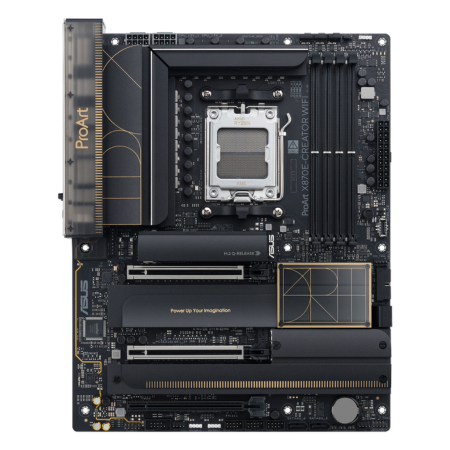
ASUS ProArt X870E-CREATOR WiFi
A feature-rich option geared toward workstation builds.
Tech Specs
- Power: 16+2+2
- M.2: 4 Slots (2x Gen5)
- PCIe 5.0: 2x PCIe 5.0 x16
- WiFi: Wi-Fi 7
- Max RAM: 256GB DDR5
Pros & Cons
- Good power design
- 10GbE and 2.5GbE LAN
- Quick Charge 4+
- Clean workstation styling
- Very expensive
ASUS ProArt X870E-CREATOR WiFi Overview
For those of you who are building a creator-focused AM5 rig, ASUS’s ProArt X870E-CREATOR WiFi is an easy fit. It trades gamer flash for workstation-friendly expansion and connectivity: two physical PCIe 5.0 x16 slots, four M.2 ports with two Gen5-capable positions, 10GbE plus 2.5GbE LAN, Wi-Fi 7, and dual USB4 ports. Its 16+2+2 power design is also plenty for a high-end Ryzen chip, so sustained renders and heavy multitasking won’t faze it.
As with most ProArt boards, you’re paying for professional networking, expansion, and a clean aesthetic rather than RGB and novelty features. If you don’t need 10GbE, multiple Gen5 drives, or a second full-length expansion slot, cheaper X870E options will make more sense.
But if your workflow benefits from fast storage, high-speed networking, PCIe flexibility, and understated styling, the ProArt X870E-CREATOR WiFi is a standout pick.
Reviews
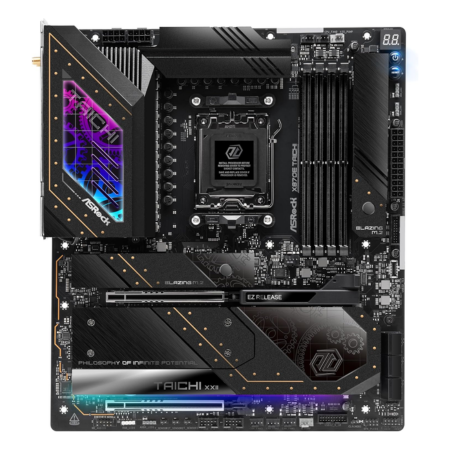
ASRock X870E Taichi
An extremely strong power design for a more reasonable price.
Tech Specs
- Power: 24+2+1
- M.2: 4 Slots (1x Gen5)
- PCIe 5.0: 2x PCIe 5.0 x16
- WiFi: Wi-Fi 7
- Max RAM: 256GB DDR5
Pros & Cons
- Very good power design
- Graphics card EZ release
- Toolless M.2 heatsink
- Moderate price tag
- Only one Gen5 M.2 slot
ASRock X870E Taichi Overview
Looking for a high-end X870E board that focuses on fundamentals rather than excess? ASRock’s X870E Taichi leans into clean, reliable performance. Its 24+2+1 power-stage design is overbuilt for Ryzen 9 chips, giving you stable operation under long renders or heavy compile workloads. You also get two physical PCIe 5.0 x16 slots and four M.2 ports, with one Gen5-capable position.
The tradeoff versus the flashier boards is storage: four M.2 slots compared to the five or seven found on some more expensive boards, and only one of them supports Gen5 speeds. If you’re planning a wall of Gen5 drives, look higher on this list.
But if you want robust power delivery, a useful debug display, USB4, Wi-Fi 7, 5GbE LAN, and excellent build quality at a less eye-watering price, the X870E Taichi might be the best bet for you.
Reviews
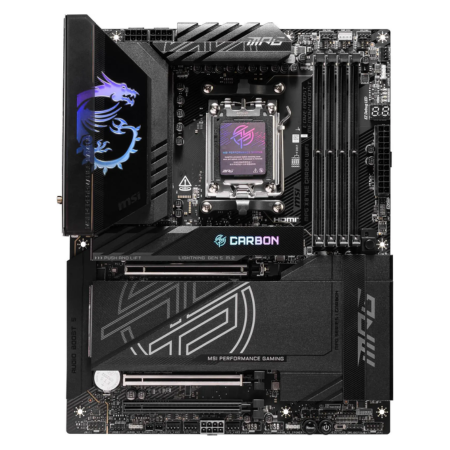
MSI MPG X870E Carbon WiFi
A less expensive X870E offering from MSI.
Tech Specs
- Power: 18+2+1
- M.2: 4 Slots (2x Gen5)
- PCIe 5.0: 2x PCIe 5.0 x16
- WiFi: Wi-Fi 7
- Max RAM: 256GB DDR5
Pros & Cons
- Very good power design
- EZ PCIe release
- 5GbE and 2.5GbE LAN
- Moderate price tag
- Fewer M.2 slots than flagship boards
MSI MPG X870E Carbon WiFi Overview
For a “flagship feel” without the Godlike price, MSI’s MPG X870E Carbon WiFi hits a great middle ground. You get an 18+2+1 power design, two physical PCIe 5.0 x16 slots that can operate at x16/x0 or x8/x8, and four M.2 sockets—two of them Gen5—for fast primary storage plus extra high-speed drives.
The connectivity story is a standout: two USB4 40Gbps Type-C ports on the rear I/O, Wi-Fi 7, and both 5GbE and 2.5GbE LAN. MSI also includes useful build perks like EZ PCIe Release and screwless EZ M.2 hardware.
The trade-offs? You get four M.2 slots rather than the five you’ll see on some pricier X870E boards, and there’s no 10GbE. But for most high-end Ryzen builds that want PCIe 5.0 GPU bandwidth, Gen5 storage, and a solid power design without going overboard on price, the Carbon is a worthy recommendation.
Reviews
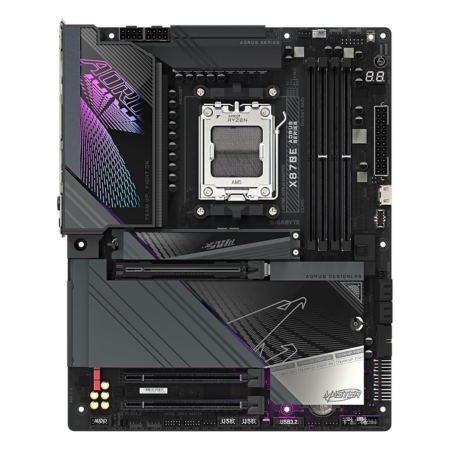
GIGABYTE X870E AORUS Master
A solid X870E board that balances price and features.
Tech Specs
- Power: 16+2+2
- M.2: 4 Slots (3x Gen5)
- PCIe 5.0: 1x PCIe 5.0 x16
- WiFi: Wi-Fi 7
- Max RAM: 256GB DDR5
Pros & Cons
- Good power design
- Triple Gen5 M.2 support
- M.2 EZ-Match
- Sensor Panel Link
- Only one full-length Gen5 slot
GIGABYTE X870E AORUS Master Overview
If you want a high-end AM5 board that prioritizes fast storage and modern I/O, GIGABYTE’s X870E AORUS Master fits the brief. Its headline is storage: four M.2 slots with three Gen5-capable positions—plenty for creators and their project libraries.
It’s also backed by a solid 16+2+2 VRM, two rear USB4 Type-C ports, Wi-Fi 7, and 5GbE LAN, so external drives, networking, and wireless connectivity are covered for years.
The flip side is expansion: you get one full-length PCIe 5.0 x16 slot, so multi-card setups aren’t the Master’s focus. For most gaming and creator builds anchored by one top-tier GPU plus a stack of fast SSDs, though, this is a practical trade-off.
Reviews
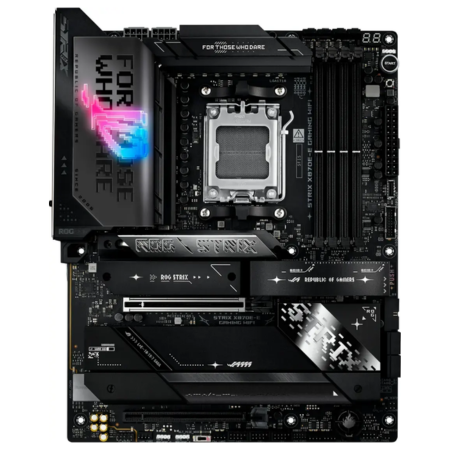
ASUS ROG Strix X870E-E Gaming WiFi
A strong all-around option from ASUS.
Tech Specs
- Power: 18+2+2
- M.2: 5 Slots (3x Gen5)
- PCIe 5.0: 1x PCIe 5.0 x16
- WiFi: Wi-Fi 7
- Max RAM: 256GB DDR5
Pros & Cons
- Very good power design
- Dynamic OC Switcher
- AI Cooling II
- Triple Gen5 M.2 support
- Only one full-length Gen5 slot
ASUS ROG Strix X870E-E Gaming WiFi Overview
Looking to stack fast storage without going full halo-board? ASUS’s ROG Strix X870E-E Gaming WiFi is built for a one-GPU, many-SSD setup. It packs an 18+2+2 power design, a single reinforced PCIe 5.0 x16 slot for your graphics card, and five M.2 bays—three of them Gen5—for excellent NVMe expansion.
Connectivity is solid as well: two USB4 Type-C ports, Wi-Fi 7, and 5GbE LAN, plus builder-friendly touches like PCIe Slot Q-Release Slim and tool-free M.2 latches.
Ultimately, for high-end gaming and creator builds that want triple Gen5 SSD support, fast external I/O, and reliable power delivery without the “Extreme” price, the Strix X870E-E hits the mark.
Reviews
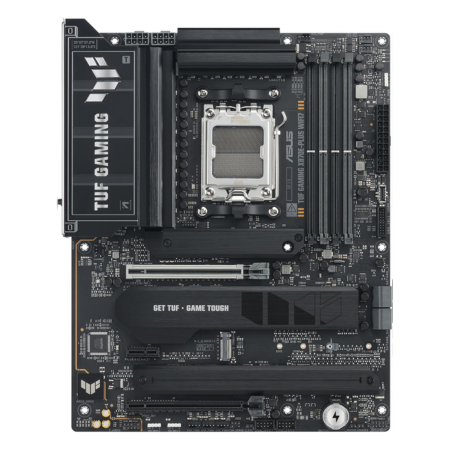
ASUS TUF Gaming X870E-PLUS WiFi 7
A sensible X870E motherboard for a high-end single-GPU build.
Tech Specs
- Power: 16+2+1
- M.2: 4 Slots (2x Gen5)
- PCIe 5.0: 1x PCIe 5.0 x16
- WiFi: Wi-Fi 7
- Max RAM: 256GB DDR5
Pros & Cons
- Good power design
- PCIe Q-Release Slim
- Dynamic OC Switcher
- More affordable price tag
- Less expansion than premium boards
ASUS TUF Gaming X870E-PLUS WiFi 7 Overview
Want the sensible high-end pick? ASUS’s TUF Gaming X870E-PLUS WiFi 7 packs the essentials without the flagship price tag. You get a solid 16+2+1 power-stage design, a reinforced PCIe 5.0 x16 slot for your GPU, and four M.2 ports with two Gen5-capable positions.
The rear I/O is excellent as well: Wi-Fi 7, two USB4 40Gbps Type-C ports, and 2.5GbE Ethernet. Quality-of-life touches include PCIe Q-Release Slim, M.2 Q-Latch, Q-LED, BIOS FlashBack, and an upgraded audio section.
What you give up versus pricier X870E boards is lane flexibility and sheer slot count. There’s no second full-length PCIe 5.0 slot, and you get four M.2 positions instead of five or more. If you’re running a single GPU and want a couple of Gen5 SSDs with strong power delivery and modern connectivity, however, this TUF board is worth checking out.
Reviews
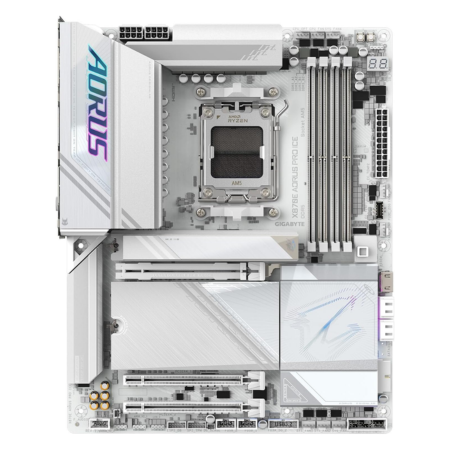
GIGABYTE X870E AORUS PRO ICE
A premium white-themed X870E motherboard.
Tech Specs
- Power: 16+2+2
- M.2: 4 Slots (3x Gen5)
- PCIe 5.0: 1x PCIe 5.0 x16
- WiFi: Wi-Fi 7
- Max RAM: 256GB DDR5
Pros & Cons
- Good power design
- White-themed design
- Triple Gen5 M.2 support
- Sensor Panel Link
- Only one full-length Gen5 slot
GIGABYTE X870E AORUS PRO ICE Overview
Are you looking for a white X870E motherboard? Or how about a board that offers three PCIe 5.0 M.2 slots without moving into four-figure flagship territory? Then GIGABYTE’s X870E AORUS PRO ICE might be for you.
It has four M.2 ports—three of which support Gen5 speeds with compatible Ryzen CPUs—and a single reinforced PCIe 5.0 x16 slot for your graphics card. You also get Wi-Fi 7, two USB4 Type-C ports on the rear I/O, and 2.5GbE Ethernet.
The power design is a 16+2+2 arrangement with 80A stages. It also comes with substantial VRM and M.2 cooling, along with builder-friendly perks like EZ-Latch tool-free M.2 and PCIe releases.
Ultimately, if you’re looking to build a white-themed Ryzen PC and you want plenty of high-speed storage support without stepping up to an ultra-premium model, the X870E AORUS PRO ICE should suit your needs.
Reviews
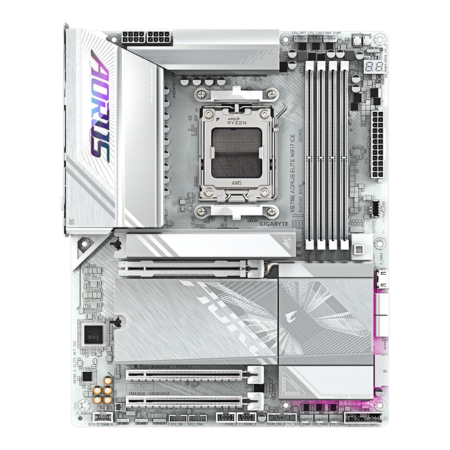
GIGABYTE X870E AORUS ELITE WIFI7 ICE
A more affordable white-themed X870E board.
Tech Specs
- Power: 16+2+2
- M.2: 4 Slots (3x Gen5)
- PCIe 5.0: 1x PCIe 5.0 x16
- WiFi: Wi-Fi 7
- Max RAM: 256GB DDR5
Pros & Cons
- Good power design
- White-themed design
- Triple Gen5 M.2 support
- Sensor Panel Link
- Only one full-length Gen5 slot
GIGABYTE X870E AORUS ELITE WIFI7 ICE Overview
Building a clean white AM5 rig? GIGABYTE’s X870E AORUS ELITE WIFI7 ICE nails the look and the essentials without the halo-board markup. The board features a 16+2+2 power design, a single reinforced PCIe 5.0 x16 slot for your GPU, and four M.2 bays—three of them Gen5—for speedy storage.
The board also offers two USB4 Type-C ports, Wi-Fi 7, 2.5GbE Ethernet, and GIGABYTE’s tool-less EZ-Latch features for PCIe and M.2 devices. Sensor Panel Link, provided through an onboard HDMI header, also makes adding an in-case system display easier.
If you don’t need multiple full-length PCIe 5.0 slots and you want a white-themed board that’s more moderately priced than the flagship options, this ICE model hits a practical sweet spot.
Reviews
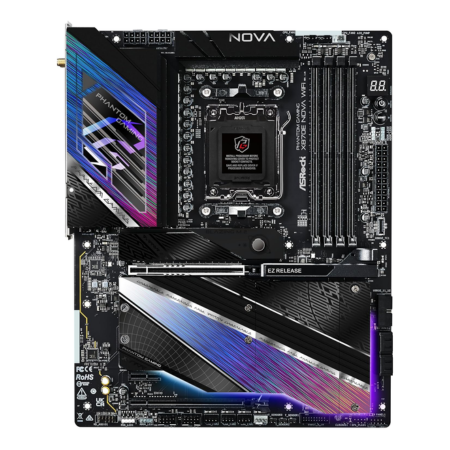
ASRock Phantom Gaming X870E Nova WiFi
A really strong power design for one of the cheaper X870E boards.
Tech Specs
- Power: 20+2+1
- M.2: 5 Slots (1x Gen5)
- PCIe 5.0: 1x PCIe 5.0 x16
- WiFi: Wi-Fi 7
- Max RAM: 256GB DDR5
Pros & Cons
- Very good power design
- Graphics card EZ release
- Toolless M.2 heatsinks
- More affordable price tag
- Only one Gen5 M.2 slot
ASRock Phantom Gaming X870E Nova WiFi Overview
Are you looking for a relatively affordable X870E motherboard without sacrificing the ability to pair it with an extreme Ryzen CPU?
ASRock’s Phantom Gaming X870E Nova WiFi sticks to the essentials that matter: a stout 20+2+1 VRM, a single PCIe 5.0 x16 slot for your GPU, and five M.2 bays—one Gen5, three Gen4, and one Gen3/SATA position. You also get Wi-Fi 7, two USB4 ports on the rear I/O, 5GbE LAN, and builder-friendly touches like EZ Release for the graphics card and toolless multi-layer M.2 heatsinks.
Of course, there are trade-offs. It’s a one-GPU, one-Gen5-SSD board. If you want multiple Gen5 drives or dual full-length PCIe 5.0 flexibility, you’ll need to look at something further up on this list.
The upside is its price positioning. The Nova is commonly one of the more affordable X870E options and it still delivers strong power delivery, making it an easy value pick for high-end PC builds.
Reviews
Which X870E Motherboard is Best for You?
While there are a lot of X870E motherboards to choose between, most of them vary very little in the features that matter to the average high-end gaming build.
They all have power delivery capable of supporting a high-end Ryzen processor. They all offer PCIe 5.0 support, at least one Gen5 M.2 slot, USB4, Wi-Fi 7, and more connection options than most users will ever need.
So, the best X870E motherboard for you will come down to how much of a premium you’re willing to spend on things like additional M.2 slots, multiple Gen5 storage positions, faster Ethernet, extra full-length PCIe slots, onboard displays, advanced overclocking controls, and builder-friendly features.
Form factor matters, too. Several premium boards in this guide are E-ATX models, while many of the less expensive options are standard ATX. Before buying, confirm that your case supports the board’s dimensions. Our guide on ATX vs. micro-ATX vs. Mini-ITX vs. E-ATX explains the practical differences.
Ultimately, if you’re in the market for an X870E motherboard, there’s an option above that will suit your needs. The ASRock Phantom Gaming X870E Nova WiFi and ASUS TUF Gaming X870E-PLUS WiFi 7 are the sensible choices for most buyers, while the MSI MEG X870E Godlike and ASUS ROG Crosshair X870E Extreme are built for no-compromise systems.
Frequently Asked Questions
What is the difference between X870E and X870?
X870E is AMD’s more expansion-focused 800-series AM5 chipset. In general, X870E boards provide more guaranteed PCIe 5.0 connectivity and greater lane flexibility than standard X870 boards, which makes X870E a better fit for systems with several high-bandwidth storage devices or add-in cards. Both platforms support USB4 and can offer Wi-Fi 7, and either can be an excellent choice for a high-end gaming PC.
Is an X870E motherboard worth it for gaming?
For gaming alone, usually not. A quality B850 or X870 motherboard can run a high-end Ryzen gaming CPU and graphics card just as well. X870E becomes worthwhile when you also want several M.2 drives, multiple PCIe 5.0 expansion slots, premium networking, extensive rear I/O, advanced overclocking tools, or other flagship features.
Which processors are compatible with X870E motherboards?
X870E motherboards use AMD’s AM5 socket and support Ryzen 7000-, 8000-, and 9000-series desktop processors. Support can vary by individual CPU and BIOS version, especially for processors released after a motherboard was manufactured, so check the board’s CPU support list and update the BIOS when necessary.
Is X870E a good choice for the Ryzen 7 9800X3D?
Yes. Every X870E motherboard in this guide can comfortably handle a Ryzen 7 9800X3D. However, the 9800X3D does not require an X870E board, and a less expensive B850 or X870 model with a good VRM can deliver the same gaming performance. If you’re specifically building around that processor, see our guide to the best motherboards for the Ryzen 7 9800X3D.
Does X870E require DDR5 memory?
Yes. AM5 motherboards, including every X870E model, support DDR5 memory only. DDR4 modules are physically incompatible. A 32GB DDR5-6000 EXPO kit is a sensible starting point for most AM5 gaming builds, although workstation users may want 64GB or more. You can compare current options in our guide to the best RAM for gaming.
Do I need a PCIe 5.0 SSD for an X870E motherboard?
No. X870E motherboards work with both PCIe 4.0 and PCIe 5.0 NVMe SSDs. Gen5 drives can deliver much higher sequential transfer speeds, but a good Gen4 drive is still the better value for most gaming PCs because the real-world difference in game loading times is usually small. Our best SSDs for gaming guide includes both Gen4 and Gen5 options.
Will an X870E motherboard fit in any ATX case?
Not necessarily. X870E is a chipset, not a board size. Some X870E motherboards use the standard ATX form factor, while flagship models such as the MSI MEG X870E Godlike, ASUS ROG Crosshair X870E Extreme, and ASRock X870E Taichi use wider E-ATX layouts. Always check the exact motherboard dimensions and your case’s supported form factors before buying.
