
These 2TB NVMe SSDs suit gaming laptops with an upgradeable M.2 2280 slot, with an emphasis on fit, efficiency, and useful storage capacity.
The best SSD upgrade for a gaming laptop is the one that fits, runs comfortably within the laptop’s cooling arrangement, and gives you enough room to stop uninstalling games every week. Maximum sequential speed comes after those requirements.
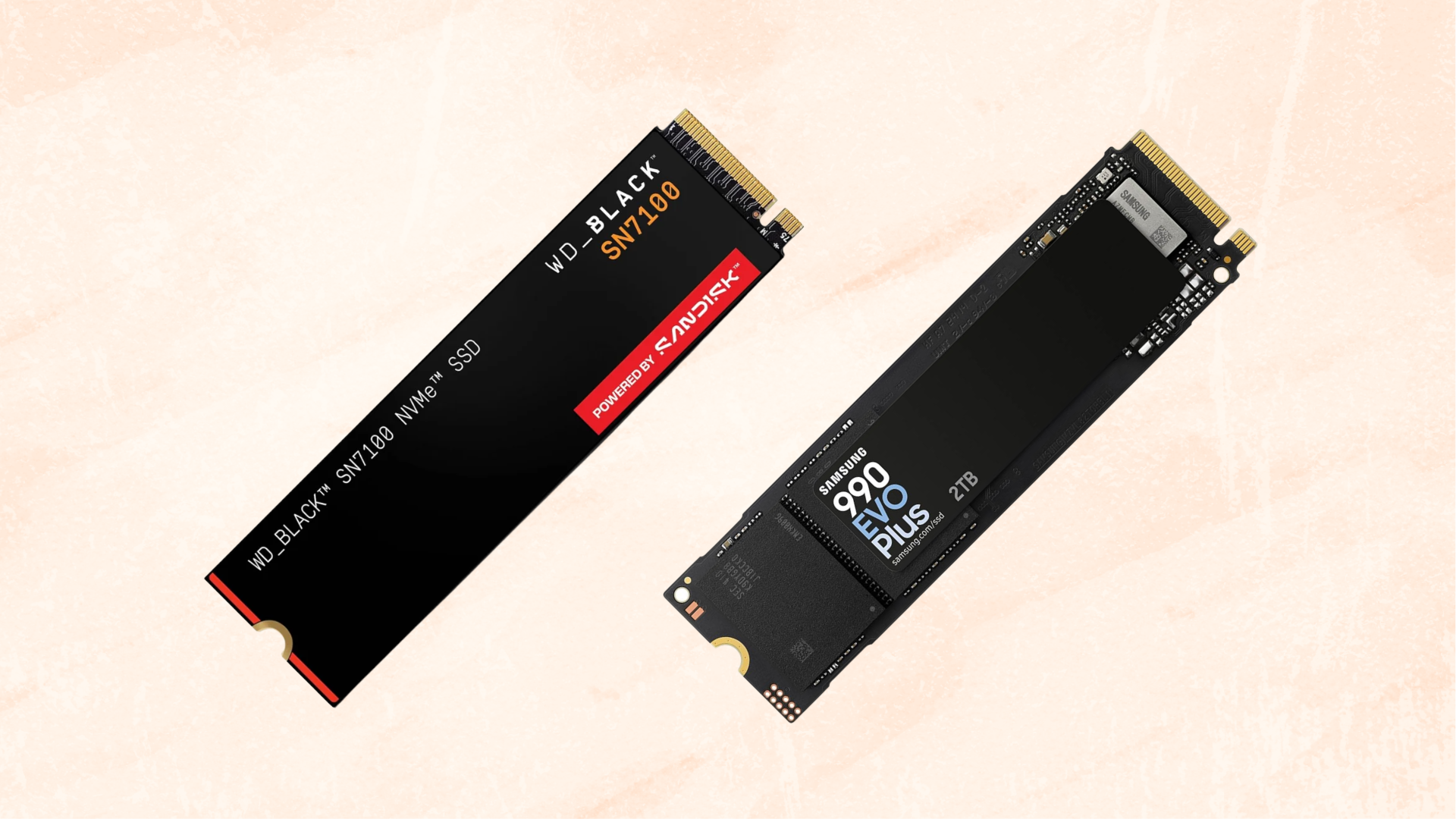
Our first choice for most compatible laptops is the WD_BLACK SN7100 2TB. Its efficient design is well suited to a portable system, and its PCIe 4.0 performance is more than sufficient for a capable gaming machine.
The Samsung 990 EVO Plus 2TB is an alternative worth comparing when its price is competitive, particularly if you value Samsung’s drive-management software. The Samsung 990 PRO 2TB is the more appropriate step up for a laptop that also handles demanding storage work and can cool it properly.
All three recommendations here are bare M.2 2280 drives. They are not universal laptop upgrades: a system requiring 2230 or 2242 storage, M.2 SATA, or soldered storage needs a different solution. For a broader view beyond laptop use, see our best SSDs for gaming guide.
Check These Laptop Requirements Before Buying
Find the service manual for your exact laptop model and verify the socket type, supported drive length, thickness constraints, and access procedure. A chassis sold in several configurations may not include every expansion connector in every version.
Also establish whether you are adding a drive or replacing the system drive. Adding a second SSD is usually simpler because Windows remains where it is. Replacing the only SSD requires a migration or fresh-installation plan before the old drive comes out.
Check the thermal arrangement. A laptop may use a thin metal shield, foil, a thermal pad, or a chassis contact point. Preserve the manufacturer-specified configuration. A large desktop heatsink is generally the wrong solution for a tightly fitted laptop bay.
Our guide to choosing a compatible SSD explains the difference between physical M.2 size and the storage protocol. The fact that a drive enters the connector is not enough to establish compatibility.
How We Chose
This shortlist emphasizes efficient operation, a practical 2TB capacity, manageable physical dimensions, manufacturer support, and performance suited to a mixed library of games and everyday applications.
Specifications below are manufacturer ratings. They are not new TechGuided benchmark results, and advertised sequential speeds are not promises for every game installation or file transfer. Published testing is cited where it supports a particular recommendation.
We would compare the SN7100 and 990 EVO Plus first for a gaming-focused laptop. Pay extra for the 990 PRO when your workload justifies it, not because “PRO” automatically means every game will load noticeably sooner.
Our Top Picks at a Glance
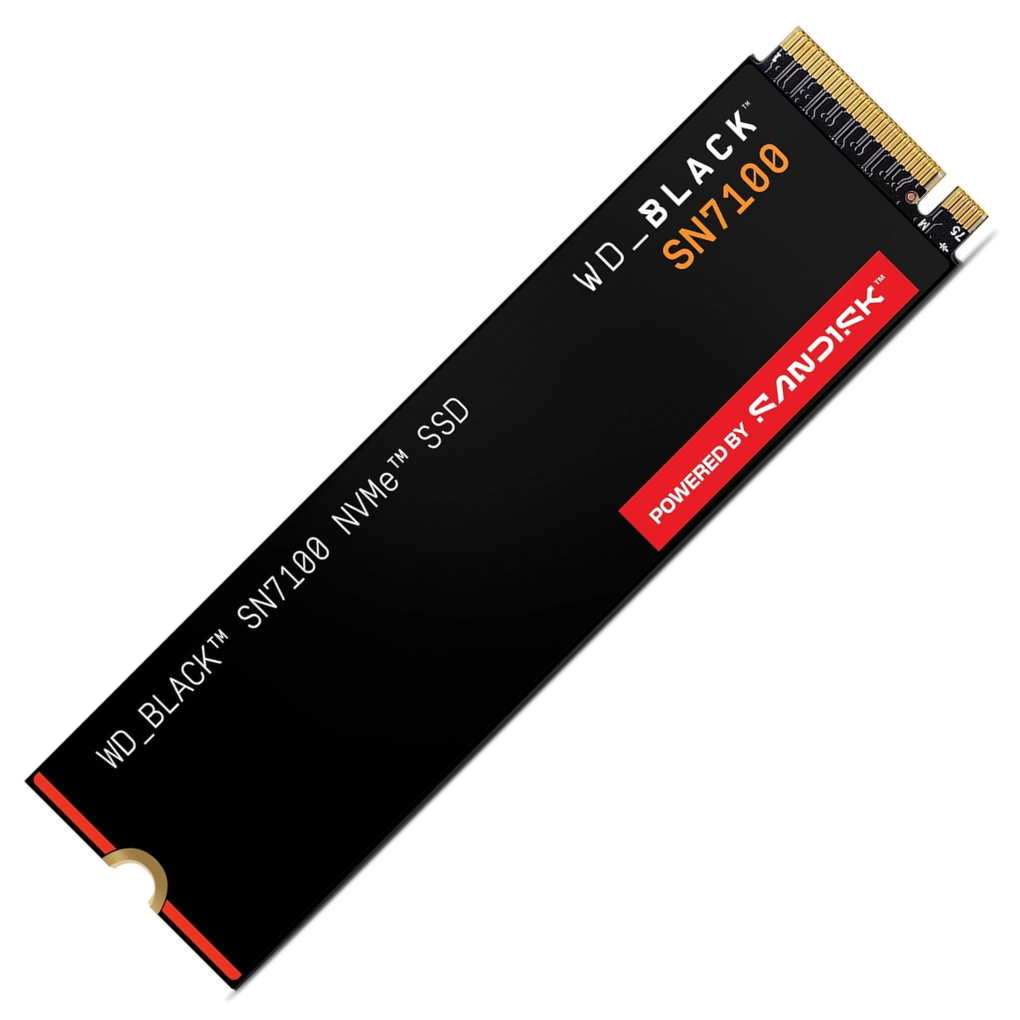
WD_BLACK SN7100 2TB
The best starting point for most compatible gaming laptops.
Tech Specs
- CAPACITY: 2TB
- INTERFACE: PCIe 4.0 x4 NVMe
- FORMAT: M.2 2280
- READ: Up to 7,250MB/s
- WRITE: Up to 6,900MB/s
- NAND: TLC
- WARRANTY: Five-year limited
Pros & Cons
- Efficient design suits portable gaming systems
- Strong performance for game-library use
- 2TB capacity provides useful expansion room
- Bare 2280 format avoids a bulky factory cooler
- Sustained heavy writes are not its main strength
WD_BLACK SN7100 2TB Overview
The SN7100 is the drive we would check first when upgrading a gaming laptop for more space. It combines a full-speed Gen4 interface with a design that makes efficiency a priority, a useful balance in a system where storage sits in a confined thermal environment.
SanDisk specifies up to 7,250MB/s reads and 6,900MB/s writes for the 2TB version. Its official product information identifies the drive’s intended laptop and handheld uses. That does not mean it fits every handheld or laptop; the required drive length still decides compatibility.
The efficiency argument also has support beyond the specification sheet. Tom’s Hardware’s original testing highlighted its low power consumption and strong random-read behavior, while identifying tradeoffs in broader performance.
That combination fits a machine used to launch games, browse, study, and handle ordinary desktop work. It is less compelling if your laptop spends long stretches writing huge video projects and you care primarily about performance after the fast write cache is exhausted.
The SN7100 does not need onboard DRAM to be a worthwhile gaming drive. A modern DRAM-less NVMe design can use host-memory assistance for mapping work. That feature is distinct from the flash-based write cache and should not be interpreted as the drive storing your game files in system RAM.
Do not turn efficiency into a battery-life promise. The display, CPU, GPU, power profile, and workload dominate many laptop-use scenarios. We like the drive because its design is appropriate for the environment, not because we can promise a fixed extra hour away from the charger.
Choose this drive for a gaming-focused 2280 laptop upgrade when its price is competitive with the alternatives. If another suitable drive offers substantially more capacity for the same money, revisit the capacity decision before paying for a particular model name.
Samsung 990 EVO Plus 2TB
A practical alternative with Samsung’s management software.

Tech Specs
- CAPACITY: 2TB
- INTERFACE: PCIe 4.0 x4 or 5.0 x2
- FORMAT: M.2 2280
- READ: Up to 7,250MB/s
- WRITE: Up to 6,300MB/s
- CACHE SUPPORT: HMB and TurboWrite
- WARRANTY: Five years or 1,200TBW, whichever comes first
Pros & Cons
- Compact bare-drive format suits compatible laptops
- Useful balance of speed and efficiency
- Samsung Magician management support
- 2TB gives room for a substantial active library
- Gen5 x2 support is not full Gen5 x4 performance
Samsung 990 EVO Plus 2TB Overview
The 990 EVO Plus is worth comparing directly with the SN7100. It is intended for everyday and performance-oriented consumer use, and the 2TB version provides the capacity we would want when replacing a cramped laptop drive.
Pay attention to the full name. The 990 EVO Plus, original 990 EVO, and 990 PRO are different products. A marketplace listing that groups them together can make it easy to compare the price of one model with the specifications of another.
Samsung rates this 2TB version at up to 7,250MB/s reads and 6,300MB/s writes. It can operate through PCIe 4.0 x4 or PCIe 5.0 x2. The second mode uses fewer lanes at a newer signaling rate; it does not turn the drive into a roughly 14GB/s Gen5 x4 model. See Samsung’s 2TB product specifications.
For a laptop with a Gen4 storage socket, that distinction is mostly about understanding the product correctly. The drive is still a suitable Gen4-class upgrade when the system supports its physical and electrical requirements.
Samsung Magician is a useful part of the ownership experience for checking supported drive information and firmware. It does not remove the need for backups, and it should not be treated as a substitute for investigating actual storage errors.
Published 2TB testing from HotHardware provides useful context for its performance and power characteristics. We would still compare prices at the time of purchase: an otherwise sensible drive can become a poor choice if its premium pushes it too close to a better-suited alternative.
Choose this drive when it is competitively priced, fits the laptop’s thermal arrangement, and you prefer Samsung’s support tools. Do not pay a premium simply because its listing includes the words PCIe 5.0.
Samsung 990 PRO 2TB
The step-up option for a laptop that also handles demanding storage work.

Tech Specs
- CAPACITY: 2TB
- INTERFACE: PCIe 4.0 x4 NVMe
- FORMAT: M.2 2280
- READ: Up to 7,450MB/s
- WRITE: Up to 6,900MB/s
- DRAM: 2GB LPDDR4
- WARRANTY: Five years or 1,200TBW, whichever comes first
Pros & Cons
- Premium Gen4 design for mixed workloads
- Onboard DRAM for mapping and metadata
- Samsung Magician and firmware support
- Available as a bare drive for compatible laptop bays
- Extra cost needs a workload-based reason
Samsung 990 PRO 2TB Overview
The 990 PRO is the more appropriate choice here when the laptop does substantial work beyond holding and launching games. Its premium Gen4 design and onboard DRAM make it worth considering for a system that also handles large projects and frequent storage activity.
Samsung’s 990 PRO family specifications list the 2TB model’s DRAM capacity and rated sequential speeds. Use the correct capacity column; a family name alone does not establish every specification.
The presence of DRAM does not guarantee that all long writes remain at the advertised maximum. The drive still uses flash caching and has model-specific sustained behavior. If that is your main concern, look at why long SSD writes slow down before treating a cache specification as a performance promise.
Cooling and fit remain important. Buy the bare version linked here for a laptop that uses its own shield or thermal pad, and verify the service manual’s arrangement. A factory desktop heatsink is not a safe assumption even if the underlying SSD circuit board has the right length.
For a laptop used almost entirely for games, the SN7100 or a well-priced EVO Plus may be the more sensible purchase. If buying the PRO means accepting less capacity than your library needs, the upgrade can become frustrating regardless of benchmark results.
Choose this drive for a compatible laptop with suitable cooling and a workload that benefits from a more substantial SSD design. It is an option to justify, not an automatic requirement for high-end gaming.
How Much Room Will 2TB Give You?
A 2TB drive provides about 1.82TiB before small partition and file-system deductions. Windows commonly displays that binary calculation with different unit labels, so do not interpret the apparent shortfall as missing storage.
Subtract Windows and applications if this will be the system drive, then estimate the games you keep installed together. Include recordings, mods, and update headroom. Our guide to gaming-SSD free space explains why filling a new drive immediately is a poor capacity plan.
If 2TB still leaves you constantly managing space and the laptop supports a suitable larger drive, compare capacity options before committing. Do not assume every 4TB model has the same thickness or thermal requirements as its 2TB counterpart.
Installing the Upgrade
For a second drive, the main software work is preparing the blank SSD and creating a game-library location. Our guide to adding a second SSD for Steam covers that process.
For a replacement system drive, arrange a verified backup and a migration or clean-install method first. Make sure you can access the device-encryption recovery key if encryption is enabled. Keep the old SSD intact until the new installation boots and your important data has been checked.
After installation, verify the model in the appropriate manufacturer’s utility, review applicable firmware updates, and run an ordinary workload. Check sleep, resume, and a large installation as well as whether Windows initially detects the drive.
Frequently Asked Questions
What is the best 2TB SSD for a gaming laptop?
The WD_BLACK SN7100 is our starting recommendation for a compatible 2280 laptop because efficiency and gaming performance fit the job well. Compare its current price with the 990 EVO Plus and choose the 990 PRO when heavier storage work justifies it.
Can any gaming laptop take these SSDs?
No. The laptop must support the correct NVMe interface, M.2 2280 length, and physical clearance. Some systems use shorter drives, have only one socket, or do not provide user-upgradeable storage.
Do I need a heatsink?
Use the laptop manufacturer’s specified cooling hardware. That may include a pad or thin shield rather than a retail desktop heatsink. Preserve correct contact and clearance, and check temperatures during real workloads.
Will an SSD upgrade increase laptop gaming FPS?
It primarily adds capacity and can improve storage-dependent loading or streaming. It does not generally increase the rendering capability of the CPU or GPU. Do not buy it as a substitute for hardware needed to reach a higher framerate.
Should I buy the cheapest marketplace offer?
Confirm the exact capacity, model, condition, seller, warranty eligibility, and return terms first. Product pages can combine several variants, and the lowest displayed price may belong to a different drive or condition.
Sources and Update Notes
Product identities and specifications were researched for this guide on September 5, 2026. Manufacturer specifications and original independent reviews are linked beside the relevant discussion. Amazon buttons point to the specific 2TB bare-drive listings; compare the selected variant and current offer before buying. No fixed prices or guaranteed in-stock claims are used here.
