
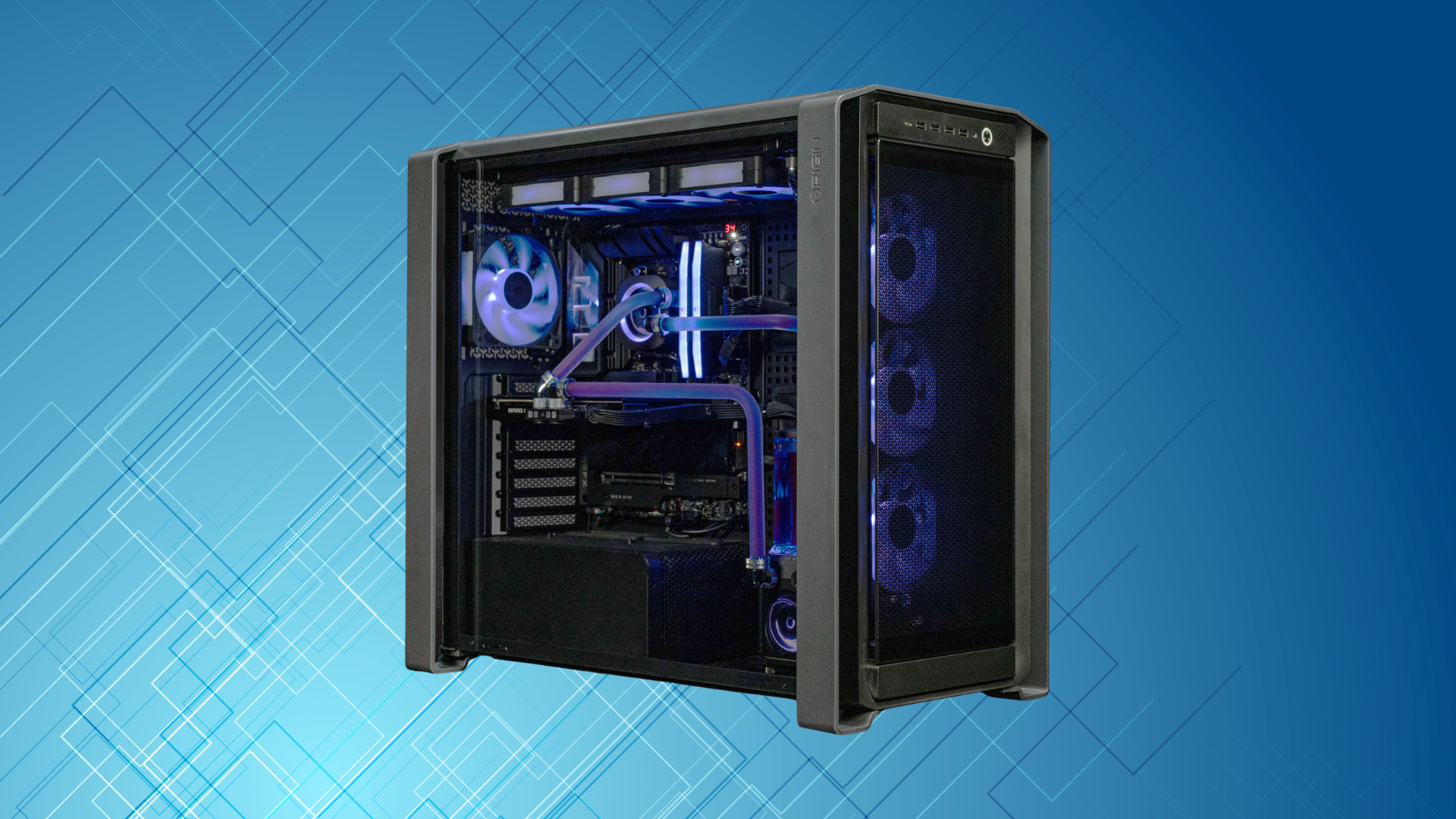
A $1,000 gaming PC should feel like a genuinely capable gaming system, not an entry-level computer with extra lighting and the word “gaming” printed on the box.
At this price, you should expect strong 1080p performance, a good experience at 1440p in many games, an SSD with enough room for a useful game library, and a platform that leaves you with at least a few realistic upgrade options. You may not get premium parts in every category, but the important components should be balanced.
That last word—balanced—is the key. A prebuilt can advertise an impressive graphics card while quietly using one stick of memory, a tiny SSD, a poorly ventilated case, or an unidentified power supply. Another system might promote a high-end-sounding processor even though its weaker graphics card will limit gaming performance.
So, what specs should a $1,000 gaming PC have? Here is the practical baseline I would use when comparing systems.
A Good $1,000 Gaming PC at a Glance
| Component | Minimum to Accept | Preferred |
|---|---|---|
| Processor | Recent 6-core, 12-thread gaming CPU | Strong current-generation Ryzen 5 or Core i5-class CPU |
| Graphics card | Modern 1080p-focused dedicated GPU | A GPU capable of high-refresh 1080p and solid 1440p |
| Memory | 16GB in dual-channel mode | 32GB, or two open/easily replaceable DIMMs |
| Storage | 1TB NVMe SSD | 1TB or larger NVMe SSD plus an open M.2 slot |
| Power supply | Reputable 550W–650W unit appropriate for the GPU | 650W–750W unit with headroom and standard connectors |
| Cooling | Clear intake vents and at least two case fans | Mesh front panel, multiple intakes, and a rear exhaust |
Those are guidelines, not a demand for one exact parts list. Component prices change, and prebuilts frequently go on sale. Still, a machine that falls well below several of these targets probably is not a strong value at $1,000.
The Graphics Card Should Get the Largest Share of the Budget
For a gaming-first PC, the graphics card normally has the biggest effect on frame rates and visual settings. That is why you should identify the exact GPU before paying attention to less meaningful selling points such as RGB fans or an oversized case.
At $1,000, I would look for a current or recent dedicated GPU positioned for excellent 1080p gaming and usable 1440p gaming. Compare the specific model—not just the manufacturer and not just the amount of video memory. “NVIDIA graphics” or “AMD Radeon graphics” is not enough information to judge a PC.
VRAM still matters, especially if you want to play at 1440p, install high-resolution texture packs, or keep the system for several years. An 8GB card can remain perfectly useful for 1080p gaming, but some demanding games will require reduced texture settings. A card with 12GB or 16GB gives you more breathing room when the rest of its performance is also appropriate. Our guide on how much VRAM you need for gaming explains why capacity and resolution need to be considered together.
Do not judge a graphics card by VRAM alone, though. A slower 16GB GPU is not automatically better than a faster 8GB or 12GB model. Use our regularly updated list of the best graphics cards for gaming to see how the specific GPU fits into the wider market.
A Modern Six-Core Processor Is a Sensible Baseline
A recent 6-core, 12-thread processor is a sensible starting point for a $1,000 gaming PC. It is enough for modern games, everyday multitasking, voice chat, web browsing, and light content creation without taking too much money away from the graphics card.
More cores can be worthwhile if you stream, edit video, compile code, or run other demanding applications. For gaming alone, however, buying an eight- or twelve-core processor at this budget often forces a compromise elsewhere. A fast six-core CPU paired with a stronger GPU is usually the better-balanced gaming system.
Pay attention to the processor’s complete model name and generation. “Intel Core i7” does not tell you whether the chip is recent or many generations old, and “Ryzen 7” is also a product tier rather than a guarantee of current performance. If a retailer omits the full model number, I treat that as a reason to investigate further.
If you want a quick reference point, our gaming CPU guide compares the processors that currently make the most sense at different budgets.
16GB of Dual-Channel RAM Is the Minimum
A $1,000 gaming PC should have at least 16GB of system memory. More importantly, that memory should run in dual-channel mode—normally two 8GB modules rather than one 16GB module.
A single memory stick can reduce bandwidth and hurt performance in CPU-sensitive games. It is an easy shortcut for a manufacturer to take because “16GB RAM” still looks correct on the product page. Check the detailed specifications or photos for a “2 x 8GB” configuration.
Thirty-two gigabytes is increasingly attractive for a new system. It gives heavier games, mods, browsers, streaming tools, and background applications more room. I would consider 32GB a valuable bonus rather than a requirement if choosing it means accepting a meaningfully weaker graphics card.
Also check how many memory slots the motherboard has. Two occupied slots on a four-slot board leave an easy upgrade path. Two occupied slots on a two-slot board mean you will need to replace the existing kit to increase capacity later.
A 1TB NVMe SSD Should Be Standard
A 500GB drive fills up quickly after Windows, applications, and a few large games. At around $1,000, a 1TB NVMe SSD should be the minimum target.
The exact SSD model matters less for gaming than capacity, reliability, and upgradeability. A premium drive can make large file transfers faster, but it usually will not transform frame rates. I would rather have a decent 1TB SSD than a very fast 500GB drive in a gaming-focused system.
Look for at least one additional M.2 slot or accessible SATA connections. Storage is one of the easiest upgrades you can make, and having a free slot lets you expand without reinstalling Windows or removing the original drive.
The Power Supply Should Not Be a Mystery
The power supply is one of the most common places for a prebuilt manufacturer to save money. A product listing may describe every visible component but identify the PSU only as “600 watts.” Wattage alone does not establish quality.
Ideally, the listing should give you the brand and model. The unit should have enough capacity for the installed graphics card, the correct PCIe power connectors, and some headroom for reasonable upgrades. For this class of PC, 550W to 750W can all be appropriate depending on the exact components.
An 80 PLUS rating describes efficiency at specified loads; it is not a complete measure of build quality. Our guide to the best power supplies for gaming PCs covers the other details worth checking.
Airflow and Standard Parts Matter More Than RGB
A gaming PC has to move heat away from its CPU and GPU. Look for a mesh front panel or large side vents, unobstructed fan mounts, and a clear path for air to enter and exit the case. Two intake fans and one rear exhaust fan is a solid configuration, although a well-designed case can work with other layouts.
Glass or solid plastic directly in front of the intake fans can restrict airflow. That does not guarantee overheating, but it increases the chance of higher temperatures and more fan noise.
Standard components also make future repairs and upgrades easier. A normal micro-ATX or ATX motherboard, a standard power supply, familiar power connectors, and a conventional case layout are all positives. Before buying, see our guide on whether you can upgrade a prebuilt gaming PC.
What Performance Should You Expect?
A balanced $1,000 gaming PC should deliver a strong 1080p experience and should handle many games at 1440p with sensible settings. Competitive games can often take advantage of a high-refresh-rate monitor, while demanding single-player games may require a mixture of high and medium settings, upscaling, or reduced ray tracing.
Exact frame rates depend on the GPU, CPU, game, resolution, settings, patches, and even the area being tested. That is why a single “up to 300 FPS” claim is not a useful way to evaluate a whole computer. Our companion guide on how much FPS a $1,000 gaming PC should get gives you a better way to set expectations.
Red Flags to Avoid
- The listing does not show the exact CPU or GPU model.
- The PC includes only 8GB of RAM or uses a single 16GB module.
- The only storage is a 500GB SSD—or worse, a hard drive.
- The power supply brand, model, and connectors are impossible to verify.
- The case has a sealed front panel with little visible ventilation.
- The seller emphasizes accessories and RGB lighting instead of core specifications.
- The system uses an older high-tier CPU to distract from a weak graphics card.
- The motherboard or power supply uses proprietary connections that restrict upgrades.
For a repeatable buying process, use our full checklist for evaluating a prebuilt gaming PC before buying.
Frequently Asked Questions
Is $1,000 enough for a good gaming PC?
Yes. A well-configured $1,000 gaming PC can offer excellent 1080p performance and a good 1440p experience. It will not max out every new game with heavy ray tracing, but it should provide a clear step up from entry-level systems. You can compare the value of prebuilts with our current $1,000 gaming PC build.
Should a $1,000 gaming PC have 16GB or 32GB of RAM?
Sixteen gigabytes in dual-channel mode is the minimum I would accept. Thirty-two gigabytes is preferable for demanding games, heavy multitasking, streaming, and long-term use, but it should not come at the cost of a much weaker graphics card.
Should I prioritize the CPU or graphics card?
For a gaming-first system, prioritize a balanced configuration that gives the graphics card the larger share of the budget. A recent six-core processor is enough for most players. Competitive gamers pursuing extremely high frame rates or buyers with productivity workloads may benefit from spending more on the CPU.
Is a 500GB SSD enough?
It can work, but it is not a good target for a new $1,000 system. Once the operating system and applications are installed, a few large games can consume the remaining space. A 1TB NVMe SSD is a much more practical baseline.
Are prebuilt gaming PCs worse than custom-built PCs?
Not automatically. A prebuilt includes assembly, support, and a system warranty, which can make it the better choice for some buyers. The tradeoff is that you may get less hardware for the money or encounter less-upgradeable components. Judge the exact machine rather than assuming every prebuilt is good or bad.
Bottom Line
The best $1,000 gaming PC is not necessarily the one with the longest specifications list. It is the one that puts money into the components that affect your experience: a capable graphics card, a modern processor, dual-channel memory, adequate SSD storage, a trustworthy power supply, and a case that can breathe.
Use the minimums above to eliminate weak configurations, then compare the remaining systems on graphics performance, component quality, warranty coverage, and upgradeability. If a seller makes any of those details hard to find, keep looking.
