
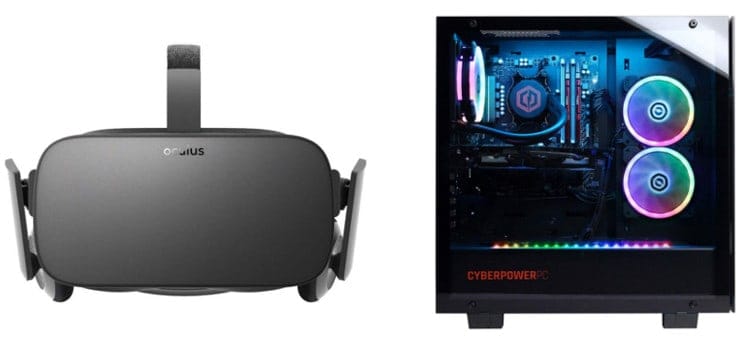
 Looking for a VR ready PC? In this guide, we’ve listed four different PC builds and pre-built systems for VR gaming with prices starting as low as $500.
With more and more VR games and VR experiences getting released, the number of gamers who are looking to experience virtual reality is rapdily increasing. However, if you are one of the many who wants to get into VR gaming, you’ll first need to ensure that your computer can meet the minimum requirements of the Oculus Rift or the HTC Vive or the Valve Index. You’ll find their requirements below:
Oculus Rift Minimum Requirements
| CPU | Intel i3-6100 or AMD Ryzen 3 1200 |
| GPU | NVIDIA GTX 1050Ti or AMD RX 470 |
| RAM | 8GB of Memory |
| OS | Windows 10 |
HTC Vive Minimum Requirements
| CPU | Intel i5-4590 or AMD FX-8350 |
| GPU | NVIDIA GTX 1060 or AMD RX 480 |
| RAM | 4GB of Memory |
| OS | Windows 7/8/10 |
Valve Index Minimum Requirements
| CPU | Dual Core w/Hyperthreading |
| GPU | NVIDIA GTX 970 or AMD RX 480 |
| RAM | 8GB of Memory |
| OS | Windows 10, SteamOS, Linux |
In reality, the requirements to run the Oculus Rift, the HTC Vive, and the Valve Index aren’t too bad. However, they are high enough to where gamers with older systems will need an upgrade before they can start using a VR headset. So, in this guide we’re going to list four different VR ready PC build options (as well as some similarly-performing pre-built options) you have that will handle either the Oculus Rift, the HTC Vive, or the Valve Index.
Table of Contents
2. FAQ: Preparing for VR Gaming
1. Quick-Look: Four VR Ready PC Builds
3. Affordable $500 VR PC Build
FAQ: Questions to Ask Before You Build A VR PC
If you’re not sure what you need in order to start VR gaming, this FAQ section will answer some of the most common questions related to getting the hardware necessary to support today’s popular VR headsets.
1. Are all gaming PCs VR ready?
However, not every PC that is dubbed a “gaming” PC, will meet the minimum requirements for VR and, therefore, you have to be careful that you don’t choose the wrong gaming PC. We’ve listed all of the requirements of the three most popular VR headsets above. Before you choose a gaming computer, make sure they meet or exceed those requirements.
2. What computer should I buy for VR gaming?
3. How do I know if my PC is VR ready?
If you want help figuring out what hardware is in your computer, check out our guide How to Check Your PC Specs.
4. Can gaming laptops run VR?
5. How much RAM do I need for VR gaming?
6. Do you need a PC for VR?
For console gamers, the only option is Sony’s PlayStation VR headset. Unfortunately, if you have an Xbox, there isn’t a headset option for VR gaming.
Quick-Look: Four PC Builds for VR Gaming
Below is a quick look table that highlights the main specs of the three VR ready PC builds and pre-builts that we’ve outlined in this post. The links will take you to the overview of the build/system and what it is capable of, to where you can purchase the parts on Amazon, or to where you can find a similarly-performing pre-built computer. We do recommend that you build your own system so that you can maximize your budget, but if you don’t feel up for building your own computer, the pre-built systems we have linked to will perform similarly (but will cost more).
|
|
NAME | SPECS | ||
|---|---|---|---|---|
|
BUDGET
|
 |
|
||
|
MID-RANGE
|
 |
|
||
|
HIGH-END
|
 |
|
||
|
ULTRA
|
 |
|
*We try to update this guide on a regular basis, but due to the fact that component prices change on a daily basis, its possible that items will have gone out of stock and/or prices will have risen. So, if you see that the prices aren’t in line with the budget we have set, let us know in the comments section and we will give you an alternative option.
A $500 VR Ready PC Build
 If you want to go the least expensive route to getting a new VR-ready gaming PC, this $500 build will do the trick. With an Intel Core i3-10100F processor, an RX 6500 XT graphics card, and 8GB of RAM, this $500 gaming PC will meet the requirements of the Oculus Rift, the HTC Vive, or the Valve Index.
However, while most of the core components in this build surpass the requirements for both headsets, the 8GB of RAM is the minimum requirement for both headsets, so if you can afford to bump up to the $700 system listed below, that might be the better route to take. If not, though, this build will at least get your feet in the door for VR gaming.
Also Read: Is 8GB RAM Enough for Gaming Right Now?
Along with the RX 6500 XT graphics card, this build also comes with a 500GB SSD, a 500W power supply (80 PLUS Gold rated), and a budget-friendly PC case. And, aside from VR-gaming, this build will also allow you to play any game on an affordable 1080P monitor on at least medium settings with acceptable framerates.
So, if you don’t have a ton to spend, but you want to get a new VR ready gaming PC to pair with the Oculus Rift, then the build below should do the trick.
Part List for $500 PC Build
 |
 |
 |
 |
| CPU | Intel Core i3-10100F | |
| MOBO | ASRock H510M | |
| GPU | MSI RX 6500 XT | |
| RAM | Patriot Viper 8GB | |
| SSD | Kingston A400 480GB | |
| CASE | Thermaltake Versa H17 | |
| PSU | EVGA 550W | |
| ODD | Install O.S. from USB | |
| OS | Windows |
Grand Total: $470-$530
*Component prices fluctuate daily. Click here to check current pricing.
**You’ll need an operating system. Windows costs ~$100. However, you can still install Windows for free and it will work indefinitely without activating it—there will just be a watermark at the bottom left of your desktop asking you to activate it.
10100F + RX 6500 XT Benchmark
Mid-Range $700 VR Gaming PC Build
 For a couple hundred more than the $500 build listed above, you can land this mid-range $700 gaming PC. This build has an upgraded CPU, CPU and graphics card, and twice the memory.
The GTX 1660 Super GDDR6 GPU and the Intel Core i5-12400F CPU are powerful enough to easily meet the requirements of the Oculus Rift, the Valve Index, and the HTC Vive. And, for standard gaming, the GTX 1660 Super is strong enough to max-out any game you throw at it on a 1080P monitor. It will also pair well with a 144Hz monitor to give you an incredibly smooth in-game experience in standard gaming.
The bottom line is that for just $700 you can land yourself a really solid gaming PC build that will work well for VR-gaming and will serve as a powerful machine for standard gaming, too.
Part List for $700 PC Build
 |
 |
 |
 |
| CPU | Intel Core i5-12400F | |
| MOBO | MSI H610M | |
| GPU | MSI GTX 1660 Super | |
| RAM | TEAMGROUP 16GB | |
| SSD | Kingston A400 480GB | |
| CASE | Zalman S2 | |
| PSU | Thermaltake 650W | |
| ODD | Install O.S. from USB | |
| OS | Windows |
Grand Total: $670-$730
*Component prices fluctuate daily. Click here to check current pricing.
**You’ll need an operating system. Windows costs ~$100. However, you can still install Windows for free and it will work indefinitely without activating it—there will just be a watermark at the bottom left of your desktop asking you to activate it.
12400F + GTX 1660 Super Benchmark
$1,000 PC for VR & High-End Gaming
 If you have a larger budget to spend and you want to get a really powerful system that can not only handle VR-gaming, but that will also allow you to play games on a higher resolution monitor, then this $1,000 gaming PC might be a better option for you.
This build comes with an Intel Core i5-12400F processor, an RX 6700 XT graphics card, 16GB of RAM, a 1TB SSD, and a nice-looking mid tower case.
In terms of VR-gaming performance, this system easily exceeds the requirements for the Valve Index, the Rift, and the Vive. For standard gaming, this system will allow you to easily max out games on a 1080P monitor and it will allow you to play games on a 1440P 144Hz monitor or a 4K monitor. For the best experience, make sure that you pair this sytem with a FreeSync monitor in order to take advantage of AMD’s variable refresh rate technology (helps provide incredibly smooth gameplay.)
At this price range you could also opt for an RTX 3060 laptop instead if you need more mobility. A laptop with an RTX 3060 in it won’t offer nearly as much performance as this PC build, but it should still allow you run VR games on it.
Ultimately, though, if you have about a thousand dollars to spend and you want a PC that will give you a lot more performance and open up the doors to higher resolution gaming, then this system would be your best bet.
Part List for $1,000 PC Build
|
|
|
 |
| CPU | Intel Core i5-12400F | |
| MOBO | MSI H610M | |
| GPU | XFX RX 6700 XT | |
| RAM | TEAMGROUP 16GB | |
| SSD | WD Black 1TB | |
| CASE | BitFenix Nova Mesh | |
| PSU | Thermaltake 650W | |
| ODD | Install O.S. from USB | |
| OS | Windows |
Grand Total: $970-$1,030
*Prices on PC components change on a daily basis. Click here for the most up-to-date pricing.
**The ‘Grand Total’ price includes the parts that make up the computer only. You’ll need an operating system and Windows costs ~$100 for an activation key. However, you can still install Windows for free and it will work indefinitely without activating it with no problems—there will just be a watermark at the bottom left of your screen asking you to activate it.
12400F + RX 6700 XT Benchmark
$2,000 Ultra Gaming & VR PC Build
 For those of you that have an unlimited budget and who don’t want to mess around, this $2,000 gaming PC build will not only far surpass the recommended requirements for running an HTC VIVE, a Valve Index, and an Oculus Rift, but it will also serve as a 4K gaming PC.
This build comes with an Intel Core i5-13600KF processor, a 360mm AIO liquid cooler, an RTX 4070 Ti graphics cards card, 16GB of RAM, and a 1TB NVME SSD.
Also Read: The Best SSDs for Gaming Right Now
This system also comes with an 850W power supply and a high-end case, too.
We’ve also linked to one of the best pre-built gaming PCs available, so if you don’t want to go through building the system on your own, the pre-built option is viable as well. And, in this price range, you also have the option of going with a high-end gaming laptop as well. Check out our guides on the top RTX 3080 laptops and RTX 3070 laptops for viable VR ready laptops.
But, all-in-all, this $2,000 VR ready PC build will easily handle any virtual reality games and content out there and will serve as a high-end gaming computer for the foreseeable future.
Part List for $2,000 PC Build
 |
 |
|
 |
| CPU | Intel Core i5-13600KF | |
| AIO | Corsair H150i 360 | |
| MOBO | MSI PRO Z790-P | |
| GPU | PNY RTX 4070 Ti | |
| RAM | TEAMGROUP 16GB | |
| SSD | WD BLACK 1TB | |
| CASE | DeepCool CH560 | |
| PSU | Thermaltake 850W | |
| ODD | Use USB to Install O.S. | |
| OS | Windows |
Grand Total: $1,970-$2,030
*Prices on PC components change on a daily basis. Click here for the most up-to-date pricing.
**The ‘Grand Total’ price includes the parts that make up the computer only. You’ll need an operating system and Windows costs ~$100 for an activation key. However, you can still install Windows for free and it will work indefinitely without activating it with no problems—there will just be a watermark at the bottom left of your screen asking you to activate it.
RTX 4070 Ti Benchmark
Have A Different Budget? Check These Guides for More Options
The builds in this guide represent three options you have if you want to build a VR-ready gaming PC. If you have a different budget than is listed above, you might want to check out the two guides below to find a system that will better meet your needs:

The PowerColor AMD Radeon RX 5600 XT isn’t available on Amazon right now and I can’t seem to find one for a good price.
Hi,
I have the same problem, did you find a solution?
Hi there,
being an ignranmous dinosaur when it comes to computers, I may be taking on more than I should, but…I want to build my son the most awesome VR gaming pc I can afford (my budget is roughly $11,000).
I don’t want a ready build because there are always components that are not the best in order to cut costs.
would you be able to point me in the direction of a website or forum or anything where someone can look at the components on my list and tell me if they work together or if Im missing anything?
And no, I’m not rich, I’ve saved about 5 years to be able to do this for my son (who has asperger’s) and never asks fork anything. He’s awesome!!
Sincerely,
Crystal
a mother clearly in over her head
So crystal, you are clearly an awesome mother and one that we all hope to have, (though i already have mine who is awesome). 11,000$ is a lot of money and you can build a brilliant pc with it for your son! So First thing is watch a Linus Tech Tips video titled ‘how much should you play to half life alex’. This will give you a bit of an oversight to the topic. Then watch something called ‘First Person View PC BUILD Guide’ when you eventually build the pc which should cover all you need. I will also inform you that your budget may be ill-informed as that is very overkill, you could build 2 brilliant pc’s with that, full kit and everything. So first the forum thing, reddit is very useful, so r/pcbuildhelp is good. Also for parts list pcpartpicker is great. I compiled this one for you. pcpartpicker.com/list/d2RNj2 this is the best pc to get, assuming you can get the parts, and the valve index full kit is the best vr headset around. Also maybe give some of this money to your son, as alot of this will rely on his choice, so he can add rgb or buy games. Hope this helps!
could you use the gpu from the 500$ dollar rig onto the ultra one?
If you already had parts or just can’t find another GPU right now (even an older generation) then yes, you could. I would look into the RTX 2070 Super, which was a good bang for buck card and should still be available for close to list. Ultimately, your GPU will make more difference than other stuff so don’t go cheap there unless you are just holding over until you can go all in.
Do you know a graphic card the is oculus compatible that is around 200$? Send me a link please.
I have found this article very helpful in my research about a VR ready PC. I have been doing research for some time now just didnt know a good pc for a good price, because on almost anywhere I look I find a cheaper pc that is VR ready yet has these reviews that say that it stopped working in a few days or didnt fully have all the parts or came in terrible condition. I currently own a cyberpower PC but It’s like 6 years old so I was doing research on newer PCs so I didnt have to figure out if what is in my computer is good enough for the Oculus quest 2 (The headset I would be getting). Thank you for making my job easier.
It’s sad to read an article like this now in december, when all the GPUs for these builds are unavailable or go for stupid high prices
Can you do the same for the Oculus quest 2?
I’m new to building PCs and I’ve bought all the parts for the 700$ build except for the GPU which I can’t find and with further research am starting to think I’ll have to wait a while before I see one in stock. Do you know of any alternatives for the Ryzen 3 3100 with similar price and performance
This is my first time building a PC and can’t seem to get the gpu to fit. The steel face plate is resting on the motherboard which stops it from plugging in. Are you sure they are compatible or am I just missing something obvious?
I should specify that it’s the mid range build, and I have determined that it’s because the GPUs plug in plate is sitting on the mother board. Are you sure the case is compatible with the components?
Hi Tyler, email me at bhale@techguided.com with a full list of the parts and pictures of the problem.
The $500 vr ready build you recommended features an AM4 cpu, however the motherboard is designed for an AM2, thankfully I was there to find out and point this out. unfortunately, as a first time builder, this only dawned upon me after I’d already bought the parts, and after I’d broken a pin attempting to fit them together. It’s fine, I probably won’t miss the £200 I spent on it.
Hi James, I apologize for the inconvenience. I haven’t updated this guide in awhile, and, unfortunately, when I had updated other part lists on my site, it had incorrectly updated the parts on this build. I’ve sent you an email to see how I can remedy the situation.
Why would you run a standard SSD and no M.2 memory in your ultra rig?
Hi I’m am a 14 year old and I am trying to design virtual reality games and I need help learning what PCs that are affordable I need and what software to use please just some advice would help
This PC is about 4 years old, special built and it checks out for VR but I keep getting the BSOD so I’m open for suggestions on upgrading.
Intel Core i7-6850K CPU @ 3.60GHZ 48GB ram Windows 10 64 bit operating system GTX 1070 card.
I have an HP Reverb and running Aeroflight FS2 and just bought Half Life Alyx.
I also have a friend who’s interested in getting into VR sims who may very well be interested in a new PC
Hey for the $1000 rig, do you have any possible replacement boards that have USB-C ports built in? Preferably around the same price range.
Does the 700$ build have built-in wifi? If not what will I need?
Currently making the 700$ build, will it be able t connect to the internet or will I need something extra?
How quiet does the $1k rig run while gaming?
Can you tell me how the $1,000 and $700 version do when running Digital Combat Simulator World in VR please? I want to know if either of them are worth getting if I want to play this game.
Can either he $500 or $700 PC’s run the Rift at max resolution/quality?
nvm
Will the 700 dollar pc components fit inside of a GameMax Micro ATX Tower im sorry if you dont know im realy newto this type of thing
I built the $1000 setup with the RX 5700 XT. Put together with stock bios options, the system kept rebooting itself any time a game or GPU test would run. A bit of research showed that the RX 5700 XT is notorious for these issues but they can be resolved by undervolting the card. The fix involves a bit of tweaking in the Adrenalin Radeon software to override the stock voltage/frequency with lower values. (There’s even an ‘auto-undervolt’ option you can try in the software). After I’d done that the card ran cooler and faster and was completely stable. This info saved me from having to return the card.
Quick question about the $2000 computer. Do all the parts fit in the case well?
Hey Matthew, thanks for reading and commenting.
Yep, all of these parts will fit inside of the case just fine!
Hope this helps! Let me know if you have any other questions.
All the Best,
Brent
Hi, I was looking at the $2000 very high end computer and I was wondering if there is a different GPU I can use to lower the cost. I’m looking for a GPU that costs a little less
Hey Michael, thanks for reading and commenting.
The next step down in GPU performance would be the RTX 2080 SUPER. This one would work well:
https://amzn.to/2YeZ2nm
Hope this helps! Let me know if you have any other questions.
All the Best,
Brent
Hey, thanks for the guide! I see that you’ve changed it just recently (I’ve kept it open for quite some time actually), and it seems that it got a bit messy in the thousand-dollar build: FreeSync is not the NVIDIA’s technology if I recall correctly 🙂
Thanks for pointing that out! Recently changed the build from an RTX 2060 Super to an RX 5700 XT and I changed the first part of that sentence, but not the second. Not sure how I missed it. But, thank you for the heads up!
All the Best,
Brent
Hello!
I’m looking at building a PC similar to the “high end” one you listed. However, when using pcpartpicker, the website gives me a warning about this CPU and motherboard having a compatibility issue. Specifically, “Some AMD B450 chipset motherboards may need a BIOS update prior to using Matisse CPUs.” Is this a problem with the specific combination you listed?
Quite simply, you just need to do a BIOS update on the Motherboard to use a 3rd gen ryzen chip 🙂
Hi Brent,
Nice article, I have learnt a lot, thanks.
Just wondering, I have an intel i5-6500, is this better than the Intel i5-4590 suggested for HTC Vive?
Yeah, the i5-6500 is better than the i5-4590, so you’re good there.
Hi Brent:
I would like to use your high-end build. My son and I will assemble. But if I manage to get the cash together for the RTX 2080ti how would that change your suggestions? I believe the GPU is physically larger, and perhaps needs more cooling as well as a higher demand PSU. Would that be correct?
My son says we don’t need the “ti” version. But I am hoping to purchase the pro grade HTC Vive. Ironically this unit costs (with all the extras) about as much as the rtx 2080ti. So buying the rtx 2080 (not 2080ti) you recommend here would be great if it could run the HTC Vive Pro. But no point in investing all that money unless the GPU can run the HTC Vive Pro at high settings.
I am also reading just today about AMD coming out with some major 7 nano offerings. But they seem to be targeting the 2070 rather than the 2080 as competition. Would you recommend waiting to see what AMD has to offer?
Sorry for so many questions. Been reading lots of reviews and have been thinking a lot about options.
Thanks for the recommendations! I’m doing the $2,000 build (actually closer to $2,500). What’s your opinion on BIOS controlled pump and fans or control via the EVGA CLC program? For the BIOS option, what headers are used to control the pump and the CPU fans?
Not the kind of fun I can afford to do often, but the build is a blast!
Thanks!
This is very helpful guide, but there is one problem. In your 1000$ config you have Win 10 on a DVD but you don’t have optical drive in a list.
You are now able to download Windows 10 though Microsoft’s Media creation tool and use the Key that came with your DVD. The key you enter when activating Windows 10 determines which version you will actually be using.
I have a quick question. I have been out of the computer scene for about 20 years and I’m going to build a new gaming system and I see there’s been a lot of changes and improvements my question is I’m building a gaming system something that will run VR do I have to run a hard drive if I go with a solid state drive
Hey Gary, thanks for reading and commenting!
Nope, you will not need a hard drive if you get an SSD. Both SSDs and HDDs serve the same purpose (mass storage), just different technology behind them.