
The best graphics cards for fast video-editing workflows and smooth gaming at every sensible budget.
Disclosure: As an Amazon Associate I earn from qualifying purchases.
A graphics card that is excellent for gaming is not automatically the best card for video editing. Games reward raw rendering speed, ray-tracing performance, and upscaling quality. Editing applications also care about VRAM, codec acceleration, GPU effects, export performance, driver reliability, and support for technologies such as CUDA, NVENC, Quick Sync, and AV1.
That difference changes our recommendations. For a computer that must do both jobs well, the GeForce RTX 5070 Ti 16GB is the best overall choice. It delivers excellent 1440P gaming and capable 4K performance, while its 16GB of VRAM, NVIDIA Studio drivers, CUDA support, and dual encoders make it a strong fit for Premiere Pro, DaVinci Resolve, After Effects, streaming, and 3D applications.
The GeForce RTX 5090 is the fastest option, but it only makes sense for professionals who can use its 32GB of VRAM and enormous GPU performance. The RTX 5080 is the more realistic high-end choice for demanding 4K gaming, multicamera editing, heavy effects, and fast exports.
If gaming matters more than editing, the Radeon RX 9070 XT deserves serious consideration. It provides excellent traditional gaming performance and 16GB of VRAM for substantially less than many comparable GeForce cards. It can edit video well, but NVIDIA remains the safer all-purpose choice for RAW media, GPU-heavy effects, CUDA applications, and mixed professional workflows.
At the value end, the RTX 5060 Ti 16GB is the card we would choose for a moderately priced creator-and-gaming PC. The Intel Arc B580 is our budget pick, provided your computer supports Resizable BAR and your editing workflow is compatible with Intel’s drivers and media engine.
Do not choose by brand or benchmark averages alone. Start with your editing application and footage format, decide how much VRAM you need, and then compare the current prices of the cards in the nearest performance tiers. The best graphics card for your needs can change when one model is heavily discounted or another is selling far above its intended price.
The Short Answer
- Best overall: ASUS Prime RTX 5070 Ti 16GB
- Best for professional editing: MSI RTX 5090 Gaming Trio OC
- Best high-end option: MSI RTX 5080 Ventus 3X OC Plus
- Best for gaming-first builds: Sapphire Pulse RX 9070 XT
- Best value: MSI RTX 5060 Ti Ventus 2X OC Plus 16GB
- Best budget option: Intel Arc B580 Limited Edition
The GPU model matters much more than the logo on the cooler. If the exact version featured below is overpriced, choose a less expensive card with the same GPU, the same amount of VRAM, adequate cooling, and a warranty you trust.
Also Read: The Best CPUs for Gaming
Watch: What to Look for in A Graphics Card
Watch our Beginner’s Guide to Choosing A Graphics Card below, or on our YouTube channel.
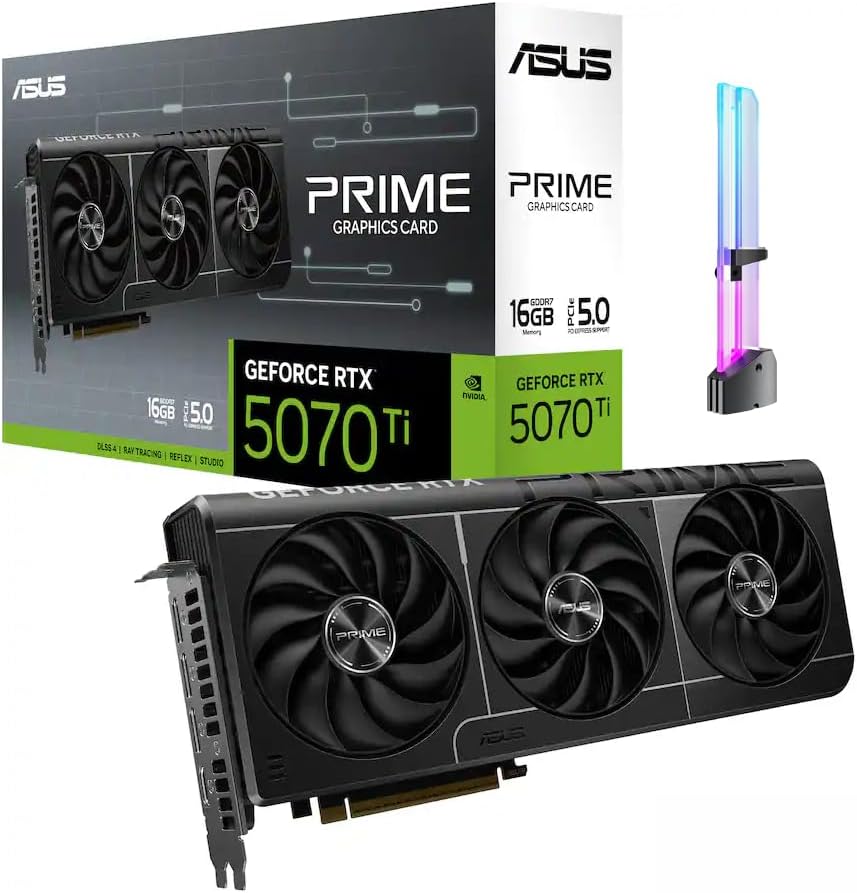
ASUS Prime RTX 5070 Ti 16GB
The best graphics card for video editing and gaming.
Tech Specs
- ARCH.: Blackwell
- CUDA CORES: 8,960
- BOOST: 2,452MHz
- VRAM: 16GB GDDR7
- LENGTH: 304mm
- POWER: 300W
- PSU: 750W
Pros & Cons
- Excellent balance of editing and gaming performance
- 16GB of VRAM suits serious 4K workflows
- Two NVENC encoders plus broad CUDA support
- Strong 1440P, ray-tracing, and 4K gaming results
- Only one decoder; pricing is often inflated
ASUS Prime RTX 5070 Ti 16GB Overview
The GeForce RTX 5070 Ti 16GB is the best starting point for someone building one computer for serious editing and high-end gaming.
It has 8,960 CUDA cores, 16GB of GDDR7 memory, two ninth-generation NVENC encoders, and one sixth-generation NVDEC decoder. That combination is powerful enough for GPU-accelerated effects, color work, encoding, and modern AI-assisted tools without forcing most buyers into RTX 5080 or RTX 5090 pricing.
The Blackwell media engine is particularly useful for current editing workflows. It adds hardware acceleration for formats that include 10-bit 4:2:2 H.264 and H.265 footage, which is increasingly common in mirrorless and cinema cameras. With compatible software, that can make playback and exports smoother without requiring proxies for every project.
The 16GB memory capacity is just as important. An 8GB card can edit ordinary 1080P and lighter 4K projects, but complex timelines, noise reduction, large textures, Fusion compositions, RAW media, and high-resolution gaming can exhaust that capacity. Sixteen gigabytes gives this card much more room to handle both creative work and new games.
Gaming performance is excellent at 1440P and strong at 4K. The RTX 5070 Ti also supports NVIDIA’s latest DLSS features, including Super Resolution, Ray Reconstruction, and Multi Frame Generation in compatible games. Those technologies are most useful when ray tracing or 4K settings would otherwise push the card below your preferred framerate.
NVIDIA’s software ecosystem is one of the main reasons this is our overall recommendation. Premiere Pro, DaVinci Resolve, Blender, many effects packages, and a growing collection of AI tools can use CUDA or NVIDIA-specific acceleration. Studio drivers prioritize creative-application stability, while Game Ready drivers are available for buyers who want day-one optimization for new releases.
The RTX 5080 is faster and has two decoders instead of one, so it is better for heavy multicamera LongGOP timelines. The RTX 5090 is dramatically faster in GPU-heavy Resolve work and includes 32GB of memory. However, neither upgrade is necessary for most editors, especially when the CPU, system memory, or storage is the actual bottleneck.
ASUS’ Prime model measures 304mm long, occupies 2.5 slots, and uses one 16-pin power connector. A quality 750-watt power supply is a sensible baseline, although a power-hungry processor or extensive overclocking may justify more capacity.
Price is the only major catch. Third-party RTX 5070 Ti cards can sell far above their intended tier. If a 5070 Ti is close to the price of an RTX 5080, buy the 5080. If the Radeon RX 9070 XT is substantially less expensive and your workload is gaming-first, the Radeon card may be the better value.
For everyone else, the RTX 5070 Ti 16GB delivers the most convincing combination of VRAM, application support, media acceleration, gaming speed, power consumption, and longevity.
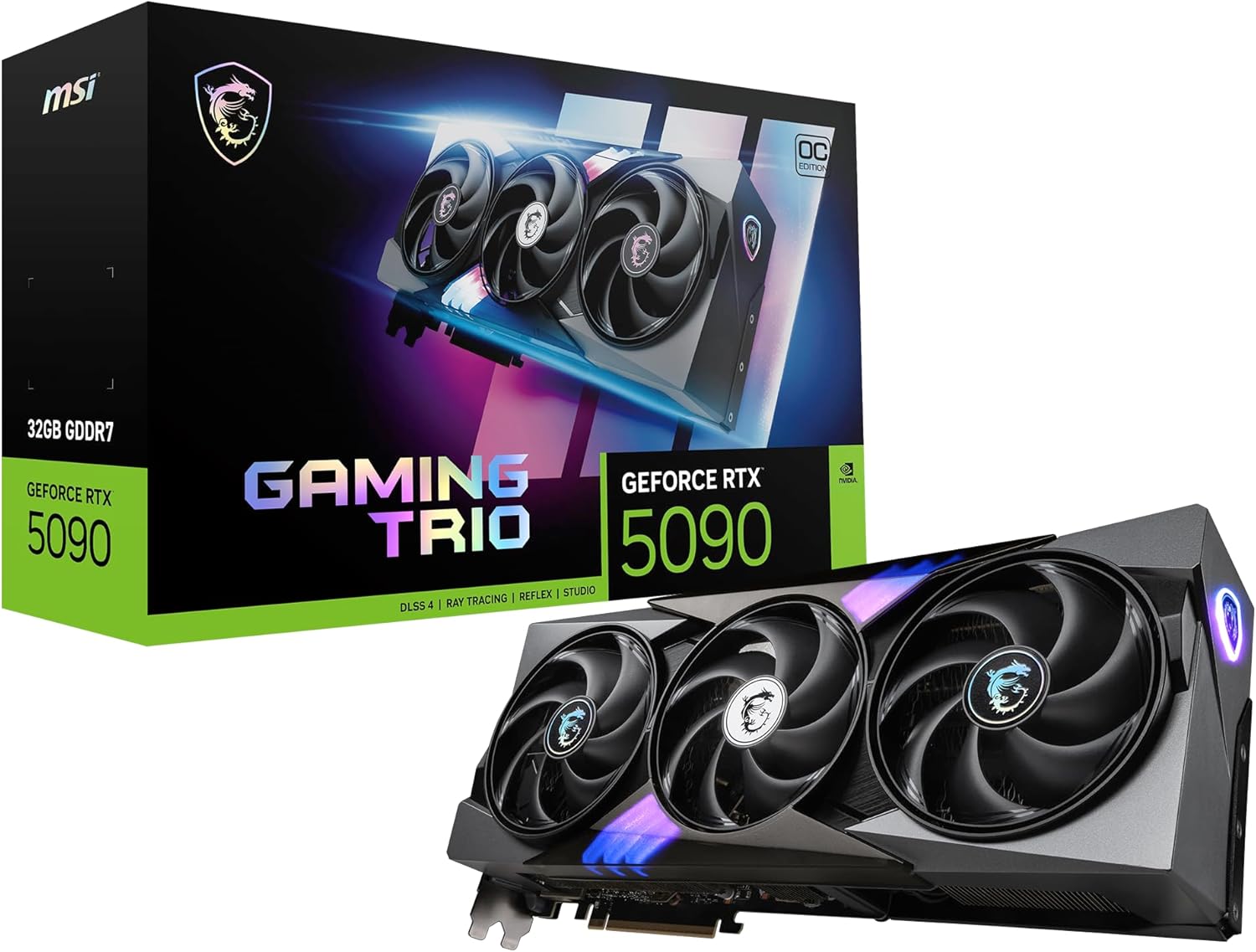
MSI RTX 5090 Gaming Trio OC
The fastest GPU for professional editing and gaming.
Tech Specs
- ARCH.: Blackwell
- CUDA CORES: 21,760
- BOOST: 2,482MHz
- VRAM: 32GB GDDR7
- LENGTH: 359mm
- POWER: 575W
- PSU: 1,000W
Pros & Cons
- The fastest consumer GPU for Resolve and gaming
- 32GB of VRAM for 8K, RAW, Fusion, and AI workloads
- Three encoders and two decoders
- Exceptional ray tracing and CUDA performance
- Extraordinary price, size, heat, and power draw
MSI RTX 5090 Gaming Trio OC Overview
The GeForce RTX 5090 is the card to buy when GPU performance directly affects how quickly you can finish paid work and the cost can be justified by time saved.
It combines 21,760 CUDA cores with 32GB of GDDR7 memory, three ninth-generation NVENC encoders, and two sixth-generation NVDEC decoders. No other consumer graphics card offers the same mixture of compute performance, memory capacity, media throughput, and gaming speed.
DaVinci Resolve is where the difference is easiest to justify. Resolve can place a heavy load on the GPU when a project uses temporal noise reduction, Magic Mask, optical flow, demanding OpenFX, Fusion compositions, high-resolution RAW media, or AI tools. The RTX 5090 has the processing power and VRAM to handle combinations that can overwhelm smaller cards.
The 32GB memory capacity is not just a luxury for every editor. It matters when you work with 8K footage, unusually complex timelines, high-resolution Fusion projects, large 3D scenes, or local AI models. A typical single-stream 4K YouTube workflow will rarely use the card well enough to justify its enormous cost.
Its media engines also make it an exceptional choice for high-volume production. Two decoders can help with dense multicamera H.264 and H.265 timelines, while three encoders can accelerate supported export, transcoding, and streaming tasks. Those fixed-function engines do not make every operation three times faster, but they provide valuable throughput in compatible workflows.
Gaming performance is equally uncompromising. The RTX 5090 is built for maximum-quality 4K, demanding ray tracing, ultrawide displays, and very high refresh rates. DLSS can push performance higher in compatible games, although generated frames are not a substitute for a strong underlying framerate in competitive play.
The disadvantages are severe. MSI rates the Gaming Trio OC at 575 watts and recommends a 1,000-watt power supply. The card is 359mm long, 149mm tall, approximately 70mm thick, and weighs more than two kilograms. You need a large case, excellent airflow, a support bracket, and enough clearance to route the 16-pin cable without a sharp bend.
Use a high-quality ATX 3.1 power supply with a native 16-pin cable whenever possible. Fully seat the connector and inspect it after installation. This is not the place to reuse a questionable power supply or force a cable against a side panel.
For gaming alone, the RTX 5080 and RTX 5070 Ti are far better values. For ordinary Premiere Pro work, the CPU and media engine often matter more than the RTX 5090’s huge shader count. Buy this card because you know your workflow scales with GPU compute or requires 32GB of VRAM—not simply because it is the fastest option.
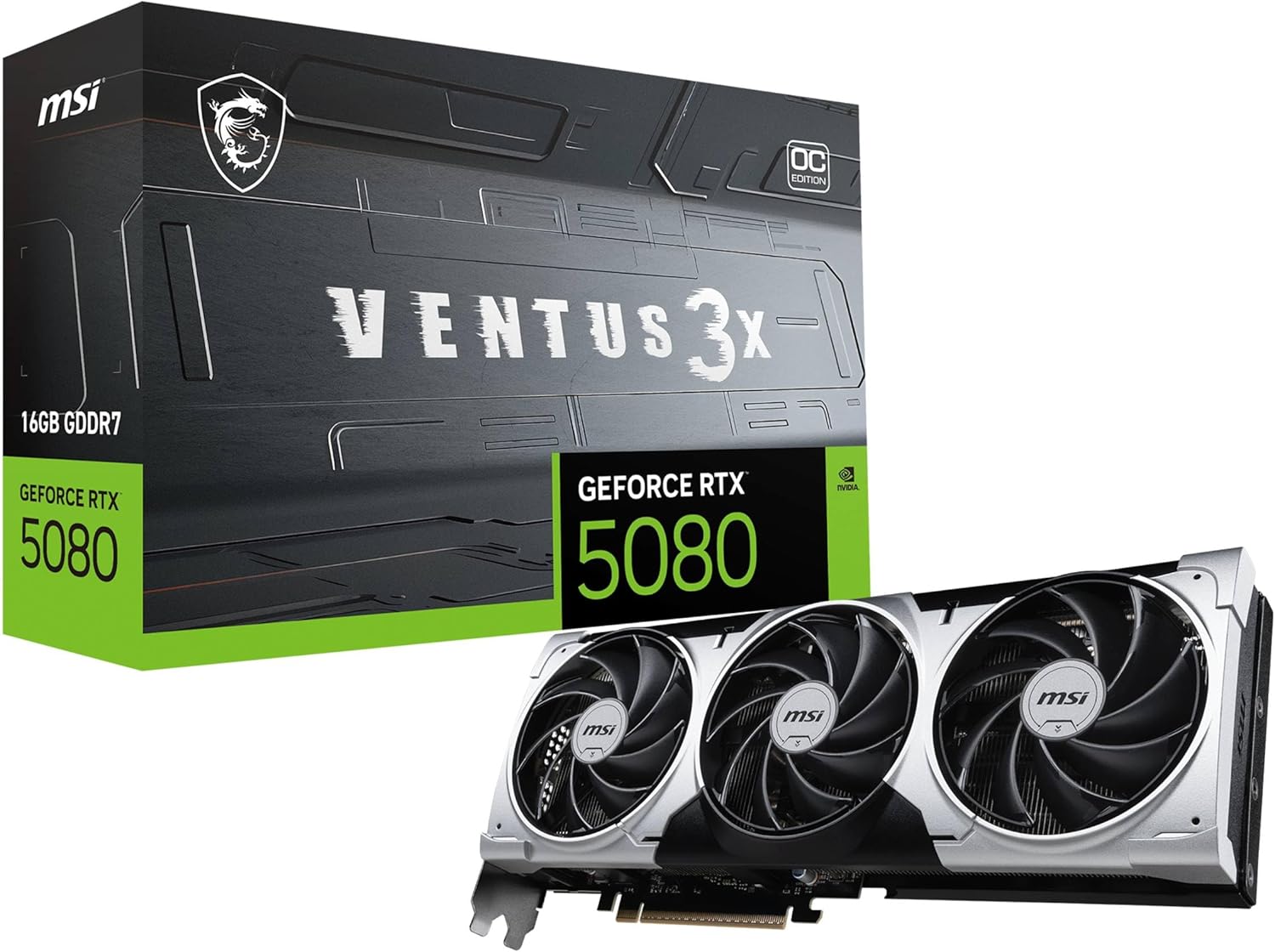
MSI RTX 5080 Ventus 3X OC Plus
The best high-end graphics card for 4K creators.
Tech Specs
- ARCH.: Blackwell
- CUDA CORES: 10,752
- BOOST: 2,640MHz
- VRAM: 16GB GDDR7
- LENGTH: 303mm
- POWER: 360W
- PSU: 850W
Pros & Cons
- Excellent 4K gaming and GPU-effects performance
- Two encoders and two decoders
- 16GB of fast GDDR7 memory
- Far easier to accommodate than an RTX 5090
- Still expensive; 16GB can limit extreme workloads
MSI RTX 5080 Ventus 3X OC Plus Overview
The GeForce RTX 5080 is the premium choice for editors who need more media throughput and gaming performance than an RTX 5070 Ti but cannot justify an RTX 5090.
It includes 10,752 CUDA cores, 16GB of GDDR7 memory, two ninth-generation NVENC encoders, and two sixth-generation NVDEC decoders. That second decoder is an important distinction from the RTX 5070 Ti and RTX 5060 Ti for editors working with multiple streams of LongGOP footage.
Multicamera H.264 and H.265 projects can be deceptively demanding. A high-end GPU may have plenty of shader performance while playback is constrained by its fixed-function decoder or by the CPU. The RTX 5080’s dual decoders make it a better fit for productions that routinely stack several camera angles, high-resolution clips, or multiple video layers.
It is also substantially faster than the RTX 5070 Ti in GPU-heavy Resolve workloads, demanding effects, 3D rendering, and AI-assisted tasks. The 16GB of VRAM is enough for the overwhelming majority of 4K editing and gaming, although the RTX 5090’s 32GB is safer for extreme 8K, Fusion, or local-AI projects.
For gaming, the RTX 5080 is an excellent 4K card. It has the ray-tracing performance to use effects that can be impractical on less expensive GPUs, and DLSS can substantially improve framerates in supported games. It is also a strong match for a high-refresh ultrawide monitor.
The card is not automatically a smart upgrade over the RTX 5070 Ti. The difference in editing speed will be small when your application is CPU-limited, your projects use lightly accelerated codecs, or your effects are modest. A faster graphics card will not compensate for too little system memory, slow media storage, or a weak processor.
MSI’s Ventus 3X OC Plus is comparatively manageable for a high-end GPU. It measures 303mm long and 49mm thick, while its triple-fan cooler focuses on practical thermals rather than elaborate lighting. MSI lists a 360-watt power rating and recommends an 850-watt supply.
The card uses one 16-pin connector. As with the RTX 5090, use a quality modern power supply, seat the plug completely, and make sure the side panel does not force a hard bend at the connector.
Choose the RTX 5080 if you edit multicamera footage, use GPU-heavy effects, play at 4K, and can buy it for a reasonable premium over the RTX 5070 Ti. If the price gap is enormous, the RTX 5070 Ti remains the more balanced purchase.
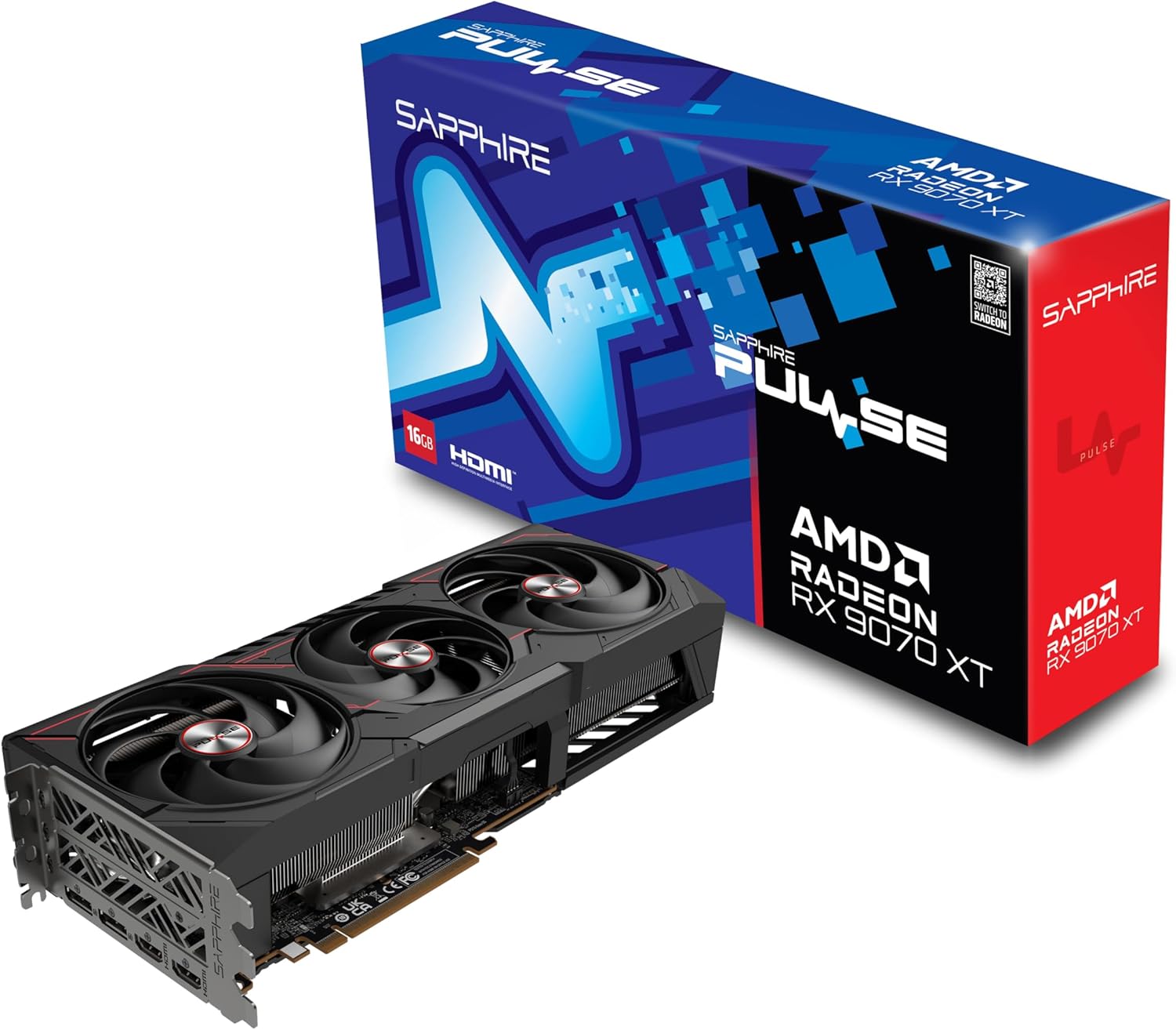
Sapphire Pulse RX 9070 XT
The best choice when gaming comes first.
Tech Specs
- ARCH.: RDNA 4
- PROCESSORS: 4,096
- BOOST: 2,970MHz
- VRAM: 16GB GDDR6
- LENGTH: 320mm
- POWER: 304W
- PSU: 750W
Pros & Cons
- Exceptional 1440P and strong 4K gaming value
- 16GB of VRAM with full AV1 encode and decode
- Two standard eight-pin power connectors
- Capable performance in the right editing workflow
- Less consistent than NVIDIA for creator applications
Sapphire Pulse RX 9070 XT Overview
The Radeon RX 9070 XT is the most compelling alternative to NVIDIA when gaming performance matters more than universal creator-app support.
It has 4,096 stream processors, 16GB of GDDR6 memory, full AV1 encoding and decoding, and AMD’s RDNA 4 architecture. The memory capacity gives it enough headroom for high-resolution textures, 4K editing, color grading, and many GPU effects.
Its greatest strength is traditional gaming performance. The RX 9070 XT is excellent for high-refresh 1440P and capable 4K gaming, often delivering more rasterized performance per dollar than a GeForce card sold at an inflated price. AMD also improved ray tracing and introduced newer FSR upscaling and frame-generation features.
For video editing, the answer is more nuanced. The card can perform very well with H.264, H.265, intraframe codecs, and supported effects. Its media engine handles modern formats, and AV1 support makes it useful for recording, streaming, and efficient exports.
However, performance can vary sharply by application and media type. Premiere Pro workflows built around RAW media or heavy GPU effects have traditionally favored NVIDIA, while CUDA-dependent plugins and applications may not support Radeon at all. DaVinci Resolve can use Radeon effectively, but NVIDIA remains the safer recommendation when your work mixes many applications and plugins.
That does not make the RX 9070 XT a poor creator card. It makes it a specialized value choice. A gamer who edits YouTube videos, records gameplay, works mainly with LongGOP footage, or uses a Radeon-friendly Resolve workflow may be extremely happy with it. A professional whose deadlines depend on a specific CUDA effect should choose GeForce.
The 16GB capacity also makes the Radeon a more attractive long-term option than a similarly priced 12GB card. It is not a reason to pay nearly RTX 5070 Ti money, but it is a meaningful advantage over 8GB alternatives.
Sapphire’s Pulse model is a straightforward triple-fan card. It measures 320mm long, draws approximately 304 watts, and uses two conventional eight-pin PCIe power connectors. Sapphire recommends a 750-watt power supply.
Choose the RX 9070 XT when it is substantially less expensive than the RTX 5070 Ti and most of your GPU time will be spent gaming. Choose the GeForce card when editing reliability, CUDA, ray tracing, or broad software compatibility matters more than maximum rasterized gaming value.
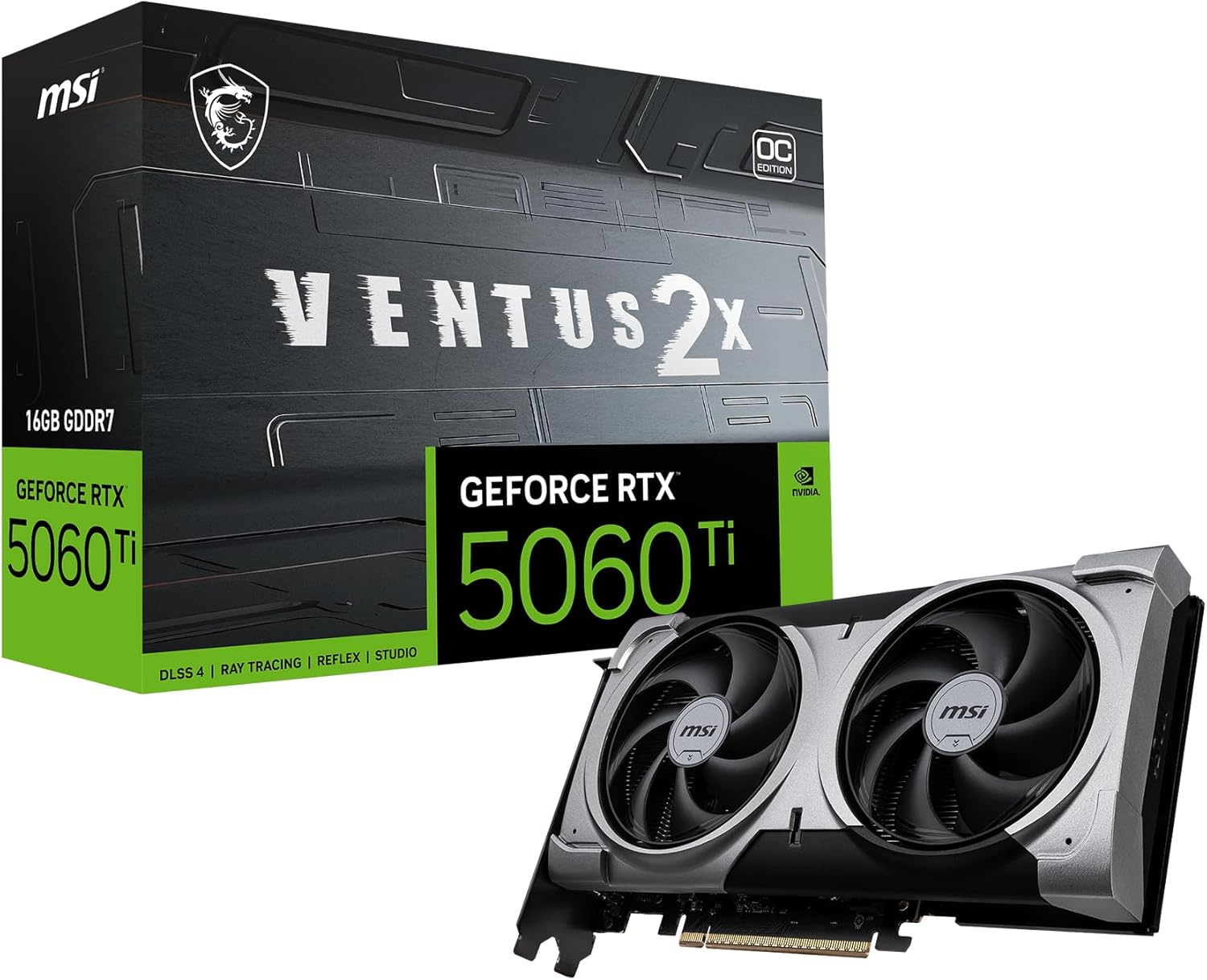
MSI RTX 5060 Ti Ventus 2X OC Plus 16GB
The best value graphics card for editing and gaming.
Tech Specs
- ARCH.: Blackwell
- CUDA CORES: 4,608
- BOOST: 2,602MHz
- VRAM: 16GB GDDR7
- LENGTH: 227mm
- POWER: 180W
- PSU: 600W
Pros & Cons
- 16GB of VRAM at a more attainable tier
- CUDA, NVENC, AV1, and Studio-driver support
- Strong 1080P and good 1440P gaming
- Compact, efficient, and uses one eight-pin connector
- Narrow bus and one decoder limit demanding workloads
MSI RTX 5060 Ti Ventus 2X OC Plus 16GB Overview
The 16GB version of the RTX 5060 Ti is the best value option for buyers who want a dependable creator GPU without paying for high-end gaming performance they may not use.
It combines 4,608 CUDA cores, 16GB of GDDR7 memory, one ninth-generation NVENC encoder, and one sixth-generation NVDEC decoder. It supports the same modern Blackwell codec features as the more expensive GeForce cards, including acceleration for 10-bit 4:2:2 H.264 and H.265 in compatible editing software.
The 16GB capacity is the reason this version earns a recommendation. NVIDIA also sells an 8GB RTX 5060 Ti, but saving a modest amount for half the memory is a poor trade for a system expected to edit video and play demanding new games for several years.
Sixteen gigabytes does not make this card as fast as an RTX 5070 Ti. Its narrower memory bus, lower core count, single decoder, and single encoder still define its performance tier. What the extra capacity does is prevent memory limits from cutting a capable GPU out of projects it could otherwise handle.
For Premiere Pro, ordinary 4K timelines, GPU-accelerated effects, streaming, and YouTube production, the RTX 5060 Ti 16GB is a practical choice. It is also suitable for moderate Resolve work, although demanding noise reduction, Fusion, RAW, and multicamera projects benefit from the RTX 5070 Ti, RTX 5080, or RTX 5090.
Gaming performance is strongest at 1080P and good at 1440P. DLSS can improve results in demanding games, while ray tracing is usable when settings are chosen realistically. This is not the card we would buy for uncompromised native 4K gaming.
MSI’s Ventus 2X model is particularly easy to install. It is only 227mm long, weighs 600 grams, and uses one standard eight-pin PCIe power connector. Its 180-watt power rating and 600-watt recommended power supply make it a comfortable upgrade for many existing systems.
Pricing can ruin the value proposition. The RTX 5060 Ti 16GB should be meaningfully less expensive than an RTX 5070 Ti. If the gap is small, the faster card is worth the upgrade. Also compare it with the RX 9070 XT: the Radeon is substantially faster in gaming, while the GeForce card offers the more predictable creator ecosystem.
For a compact, efficient computer that needs to edit 4K footage and deliver excellent 1080P or solid 1440P gaming, the RTX 5060 Ti 16GB is the sensible value pick.
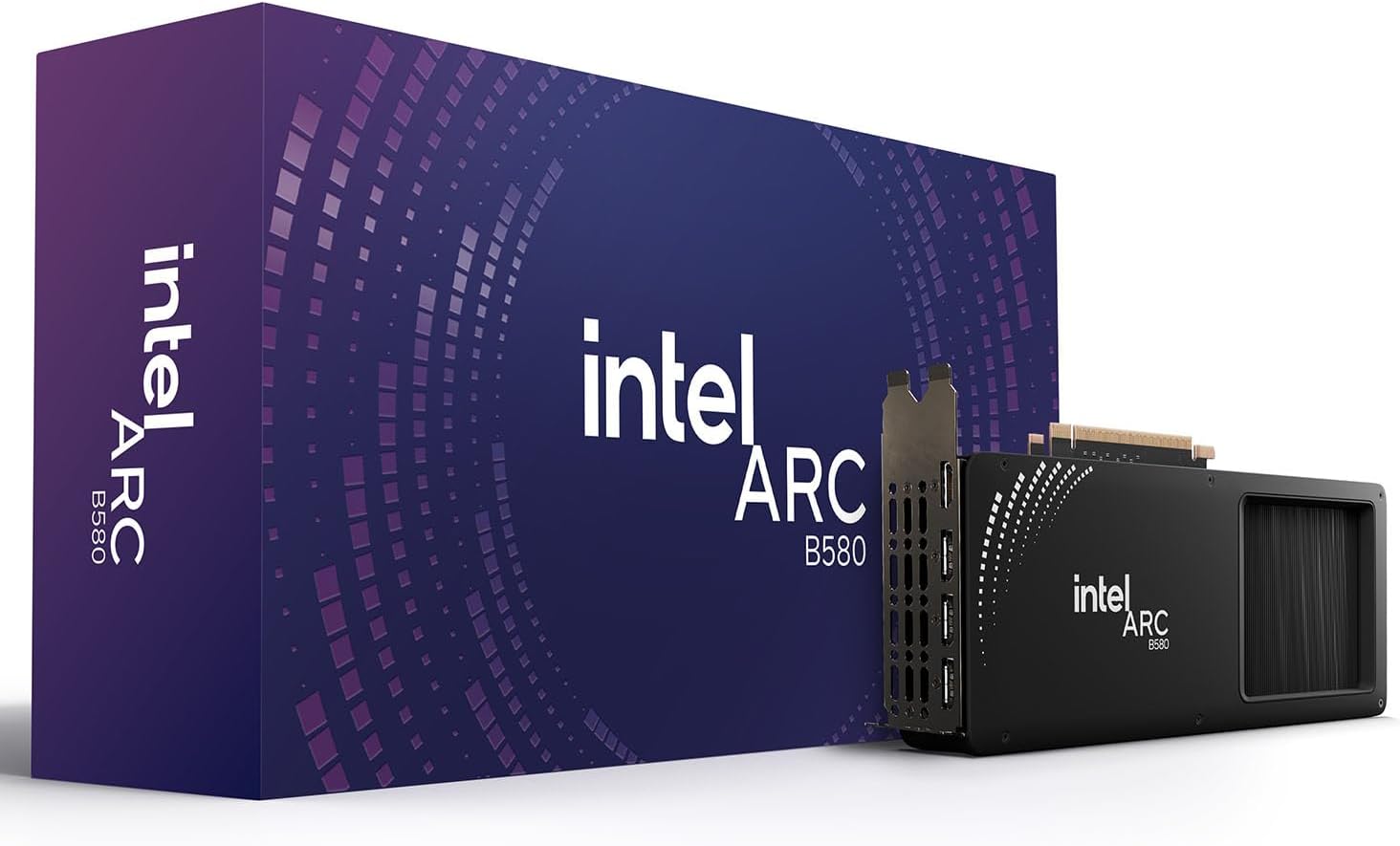
Intel Arc B580 Limited Edition
The best budget graphics card for editing and gaming.
Tech Specs
- ARCH.: Xe2
- XE CORES: 20
- CLOCK: 2,670MHz
- VRAM: 12GB GDDR6
- LENGTH: 272mm
- POWER: 190W
- PSU: 600W
Pros & Cons
- 12GB of VRAM is exceptional for a budget card
- Dual media engines with broad codec support
- Good 1080P and capable 1440P gaming
- Strong GPU-effects performance for its class
- Application behavior varies; Resizable BAR is required
Intel Arc B580 Limited Edition Overview
The Intel Arc B580 is the most interesting budget option for a modern computer, but it requires more homework than the NVIDIA and AMD cards above.
It includes 20 Xe cores, 12GB of GDDR6 memory, a 192-bit memory interface, and two media engines. That is unusually generous hardware for an entry-level card. The media engine supports AV1 and a wide range of H.264 and H.265 formats, including 10-bit 4:2:2 HEVC processing in compatible applications.
Those capabilities can make the B580 remarkably effective in the right editing workflow. It can perform well in GPU effects, and its media engines can deliver excellent LongGOP performance in supported versions of DaVinci Resolve. The 12GB memory capacity also gives it more breathing room than the 8GB cards commonly sold near this tier.
The warning is software consistency. Intel’s graphics drivers have improved substantially, but individual codecs, editing applications, plugins, and game APIs can still behave differently from their NVIDIA or AMD counterparts. Independent testing has found cases where the B580’s media acceleration performs extremely well and others where application or driver behavior holds it back.
For that reason, this is not our default recommendation for a professional editor with immovable deadlines. It is an excellent budget choice for someone who can verify that their application, footage, and plugins work correctly—or who is comfortable troubleshooting occasional compatibility issues.
Gaming performance is strong for the price. The B580 is well suited for 1080P at high settings and can handle many games at 1440P. Intel’s XeSS upscaling can improve performance in supported titles, and the card includes capable ray-tracing hardware.
Resizable BAR is essential. Intel requires it for intended performance, so the B580 is best installed in a reasonably modern computer with compatible motherboard firmware and a supported processor. Verify support and enable the feature in the BIOS before relying on this card as an upgrade for an older PC.
Intel’s Limited Edition card measures 272mm long and 44mm thick. It draws up to 190 watts, uses one eight-pin power connector, and calls for a 600-watt power supply.
The B580 is most attractive close to its budget price class. If it costs nearly as much as an RTX 5060 Ti 16GB, the NVIDIA card’s broader application support is worth paying for. At the right price, however, the B580’s 12GB of VRAM, dual media engines, and gaming performance are difficult to match.
How We Chose These Graphics Cards
This list is designed for people who genuinely edit video and play games on the same computer. We did not rank cards by gaming performance alone, and we did not assume the most expensive GPU is automatically the best purchase.
1. Editing performance and application support
We prioritized GPUs that accelerate the work editors actually do: timeline playback, scaling, color processing, effects, noise reduction, AI features, RAW processing, decoding, and exporting. We also considered how broadly each card is supported across Premiere Pro, DaVinci Resolve, After Effects, Blender, streaming software, and common plugins.
This is why NVIDIA occupies more positions than AMD or Intel. Radeon and Arc can be excellent in the right workload, but CUDA support, NVENC, Studio drivers, and consistent third-party application support make GeForce the safer all-purpose choice.
2. VRAM before small clock-speed differences
For a new editing-and-gaming PC, 16GB is the target we recommend when the budget allows. Twelve gigabytes is reasonable for a budget system. Eight gigabytes remains usable for ordinary 1080P editing and gaming, but it offers less headroom for 4K timelines, large effects, high-resolution textures, and future software.
This is also why the RTX 5060 Ti 16GB made the list and the 8GB version did not. A small factory overclock usually changes performance by only a few percent; doubling VRAM can determine whether a workload runs at all.
3. Gaming performance at an appropriate resolution
Every card here can play modern games, but they target different experiences. The Arc B580 is a budget 1080P and entry-level 1440P card. The RTX 5060 Ti 16GB is strongest at 1080P and comfortable at 1440P. The RTX 5070 Ti and RX 9070 XT are excellent at 1440P and capable at 4K. The RTX 5080 and RTX 5090 are premium 4K cards.
Upscaling and frame generation are useful tools, but they do not erase hardware differences. Image quality, latency, and support vary by game, so we still value strong native rendering performance.
4. The complete build
A graphics card must fit your case, power supply, and budget. We considered board dimensions, power draw, connector requirements, cooling, and whether the card makes sense alongside the rest of a balanced system.
Spending everything on the GPU can make an editing PC slower overall. Premiere Pro and many codecs still depend heavily on the processor. High-resolution projects also need adequate system memory and fast storage for media, cache, and project files.
Read our guide on how much you should spend on your graphics card.
What Matters Most for Video Editing?
Your editing application
Premiere Pro and DaVinci Resolve do not use a graphics card in exactly the same way. Premiere often depends more heavily on the CPU, while the GPU accelerates selected effects, color operations, scaling, decoding, and exports. Resolve places more of its image-processing pipeline on the GPU and can show much larger gains from a high-end card.
If Resolve is your primary application and you regularly use noise reduction, Fusion, Magic Mask, optical flow, or GPU-heavy OpenFX, buying a faster GPU can make a dramatic difference. If you mostly cut simple H.264 footage in Premiere, a balanced CPU, GPU, memory, and storage configuration is usually smarter than an RTX 5090.
Your footage and codecs
Codec support can matter more than raw GPU speed. LongGOP H.264 and H.265 footage depends heavily on hardware decoding for smooth playback, while ProRes, DNxHR, and many RAW formats follow different processing paths.
NVIDIA’s RTX 50-series media engine adds hardware support for 10-bit 4:2:2 H.264 and H.265 in compatible software. This is valuable for footage from current mirrorless and cinema cameras. Intel’s Arc media engine also offers unusually broad codec support, while AMD’s RX 9070 XT includes H.264, H.265, and AV1 encode/decode capability.
Always verify your exact combination of codec, bit depth, chroma subsampling, resolution, frame rate, operating system, and editing application. A specification that says “HEVC supported” does not guarantee acceleration for every variety of HEVC.
VRAM capacity
VRAM stores frames, textures, effects data, and other working information needed by the GPU. When a project exceeds available VRAM, performance can collapse, an effect may fail, or an application may become unstable.
Four to six gigabytes can handle lighter projects. Eight gigabytes is workable for ordinary 1080P and some 4K editing. Twelve gigabytes is a reasonable budget target. Sixteen gigabytes is the sweet spot for a powerful mixed-use system. Thirty-two gigabytes is valuable for extreme Resolve, Fusion, 8K, 3D, or local-AI workloads but unnecessary for most editors.
Encoders and decoders
Dedicated media engines process supported video formats without consuming the same resources used for 3D rendering and effects. More engines can improve throughput, but only when the application and workload can use them.
The RTX 5090 has three encoders and two decoders. The RTX 5080 has two of each. The RTX 5070 Ti has two encoders and one decoder. The RTX 5060 Ti has one of each. Intel’s Arc B580 includes dual media engines. These differences matter most for multicamera playback, parallel transcodes, streaming while gaming, and high-volume export workflows.
Which Graphics Card Should You Choose?
For most people who edit video and play games, choose the RTX 5070 Ti 16GB. It has enough VRAM for serious work, excellent gaming performance, modern codec hardware, and the broadest creator-software support without the extreme requirements of the top two cards.
Choose the RTX 5080 if you work with dense multicamera timelines, use GPU-heavy effects, or want stronger 4K gaming. Its second decoder is a real workflow advantage, not just a larger benchmark number.
Choose the RTX 5090 only if 32GB of VRAM or maximum Resolve, 3D, and AI performance will save meaningful production time. It is the fastest card here, but it is not the best value and can force expensive case, cooling, and power-supply upgrades.
Choose the RX 9070 XT when gaming is the priority and it is substantially cheaper than the RTX 5070 Ti. It can be a strong editing card, but verify your applications and plugins before giving up NVIDIA’s broader software ecosystem.
Choose the RTX 5060 Ti 16GB for a compact, efficient, moderately priced editing-and-gaming PC. Avoid the 8GB version unless the discount is enormous and your work is light.
Choose the Arc B580 for a budget build only after confirming Resizable BAR support and compatibility with your editing workflow. Its hardware is unusually capable for the price, but its software behavior is less predictable.
Finally, compare real prices. An RTX 5070 Ti should not cost nearly as much as an RTX 5080, an RTX 5060 Ti should not cost nearly as much as an RX 9070 XT, and an Arc B580 loses its appeal when it is priced far above its intended budget tier.
Frequently Asked Questions
What is the best graphics card for video editing and gaming?
The GeForce RTX 5070 Ti 16GB is the best overall choice for most buyers. It combines excellent 1440P and capable 4K gaming with 16GB of VRAM, CUDA support, two NVENC encoders, modern codec acceleration, and NVIDIA Studio drivers.
The RTX 5080 is better for demanding multicamera and GPU-heavy workflows. The RTX 5090 is the fastest option for professionals who need 32GB of VRAM.
What is the best graphics card for Premiere Pro?
The RTX 5070 Ti 16GB is the sensible choice for most Premiere Pro systems. The RTX 5080 is attractive for complex multicamera work because it has two decoders, while the RTX 5090 is appropriate for the heaviest effects, RAW, and cross-application workflows.
Premiere remains dependent on the CPU for many tasks, so a faster GPU will not always create a proportional improvement. Balance the card with a strong processor, adequate system memory, and fast project storage.
What is the best graphics card for DaVinci Resolve?
The RTX 5090 is the fastest consumer option for DaVinci Resolve and its 32GB of VRAM suits demanding noise reduction, Fusion, AI, RAW, and high-resolution work.
The RTX 5080 and RTX 5070 Ti are better values for most Resolve users. The correct choice depends on project resolution, effects, codec, timeline complexity, and whether the work generates enough income to justify a faster card.
Is NVIDIA, AMD, or Intel best for video editing?
NVIDIA is the safest all-purpose choice because of CUDA, NVENC, Studio drivers, and broad support in professional applications and plugins.
AMD can provide excellent performance and value in specific Premiere Pro and Resolve workflows, especially when the same computer is used primarily for gaming. Intel offers outstanding media features and budget VRAM, but application and driver behavior should be verified before using Arc for deadline-critical work.
How much VRAM do you need for video editing?
For 1080P editing, 8GB is normally enough. For a new 4K editing-and-gaming system, 12GB is a practical minimum and 16GB is the preferred target.
Editors working with 6K or 8K media, heavy noise reduction, complex Fusion compositions, large 3D scenes, or local AI models may benefit from 24GB or 32GB. VRAM requirements depend on the application and effects, not resolution alone.
Is an 8GB graphics card still enough?
Yes, for light 1080P editing, esports, and games with moderate texture settings. It is less attractive for a new computer expected to handle 4K editing and demanding games for several years.
When an affordable 12GB or 16GB alternative is available, the additional memory is usually worth prioritizing over a small factory overclock or premium cooler.
Do you need an RTX 5090 for 8K video editing?
No. Many 8K workflows can be handled with proxies, optimized media, and a less expensive GPU. However, the RTX 5090’s 32GB of VRAM, two decoders, three encoders, and enormous compute performance make it the strongest consumer choice for complex native 8K projects.
Storage speed, system memory, CPU performance, codec support, and project complexity matter just as much as the nominal footage resolution.
Does the GPU help with H.264 and H.265 editing?
Yes, when the GPU and editing application support the exact codec format. Hardware decoders can improve playback and scrubbing, while hardware encoders can accelerate supported exports.
Pay attention to bit depth and chroma subsampling. Support for ordinary 8-bit 4:2:0 H.264 does not automatically mean a card accelerates 10-bit 4:2:2 HEVC. NVIDIA’s RTX 50 series is particularly attractive because its new media engine supports 10-bit 4:2:2 H.264 and H.265 in compatible software.
Is the RX 9070 XT good for video editing?
Yes, in the right workflow. It has 16GB of VRAM, modern H.264, H.265, and AV1 media support, and capable GPU performance.
Its results vary more by application and media type than NVIDIA’s. It is best for a gaming-first computer whose owner has verified Radeon performance with their editing application, footage, and plugins. For RAW, heavy GPU effects, CUDA tools, and mixed professional software, choose GeForce.
Is the Intel Arc B580 good for video editing?
The B580 can be excellent for budget video editing. It has 12GB of VRAM and dual media engines with broad codec support, including AV1 and useful H.265 formats.
It is also less predictable. Some application-and-codec combinations perform extremely well, while others are affected by driver or software issues. Verify your workflow and make sure Resizable BAR can be enabled before buying it.
Should you use NVIDIA Studio or Game Ready drivers?
Use Studio drivers when stability in creative applications is the priority. They are tested around major releases of popular creator software and are the better default for a workstation.
Use Game Ready drivers when you prioritize immediate support for newly released games. Both driver branches support gaming and creative work, and you can switch between them through NVIDIA’s software.
Can an integrated GPU help with video editing?
Yes. A supported Intel integrated GPU can accelerate specific H.264 and H.265 formats through Quick Sync even when a separate graphics card handles effects and display output.
This can make a processor with integrated graphics more useful than a similar chip without one. Application, operating-system, BIOS, and driver configuration determine whether the integrated and discrete GPUs can work together effectively.
What graphics card do you need for 1080P gaming and editing?
The Arc B580 is a strong budget choice if your system supports Resizable BAR and your editing software works well with Intel graphics. The RTX 5060 Ti 16GB is the safer and more broadly compatible option.
An RTX 5070 Ti is unnecessary for ordinary 1080P play unless you target extremely high framerates, use demanding ray tracing, or rely on GPU-heavy creator applications.
What graphics card do you need for 1440P gaming and 4K editing?
The RTX 5060 Ti 16GB is a practical entry point. The RTX 5070 Ti 16GB is the best overall GPU for 1440P 144hz+ gaming and more demanding 4K editing.
The RX 9070 XT is a strong alternative when gaming matters more and it is substantially less expensive than the RTX 5070 Ti.
What graphics card do you need for 4K gaming and editing?
Start with the RTX 5070 Ti or RX 9070 XT for capable 4K gaming. Choose the RTX 5080 for a premium experience with stronger ray tracing, higher framerates, and dual-decoder editing performance.
The RTX 5090 is the fastest option, but its price and power requirements are difficult to justify unless you also run professional workloads that use its 32GB of VRAM and additional compute performance.
How large of a power supply do you need?
A quality 600-watt unit is appropriate for the Arc B580 or RTX 5060 Ti in a balanced system. The RTX 5070 Ti and RX 9070 XT generally call for approximately 750 watts. An RTX 5080 build should use a quality 850-watt supply, while the RTX 5090 calls for at least 1,000 watts.
The CPU, overclocking, number of drives, and transient power behavior can change the requirement. Build quality and the correct native connectors matter more than buying the largest advertised wattage from an unknown brand.
Will these graphics cards fit in any computer case?
No. Check length, height, thickness, expansion-slot clearance, and room for the power connector. Also account for front radiators, drive cages, bottom fans, and other expansion cards.
Leave extra space where a 16-pin cable exits the card. A case may technically support the card’s length while still pressing its side panel against the power cable.
Should you buy the factory-overclocked version?
Only when the price is close to a standard model. Factory overclocks usually produce a small real-world performance difference.
Prioritize the GPU tier, VRAM capacity, cooler quality, noise, dimensions, warranty, and current price. A less expensive version of the same GPU is usually the smarter purchase.
Should you buy an older graphics card for editing and gaming?
An older RTX 40-series card can still be a good purchase at a large discount, particularly an RTX 4070 Ti SUPER, RTX 4080 SUPER, or RTX 4090. However, RTX 50-series cards add newer media hardware, including support for 10-bit 4:2:2 H.264 and H.265 workflows.
Compare the real price, VRAM, warranty, power requirements, and codec features rather than assuming either the newest or oldest card is automatically the better value.
