
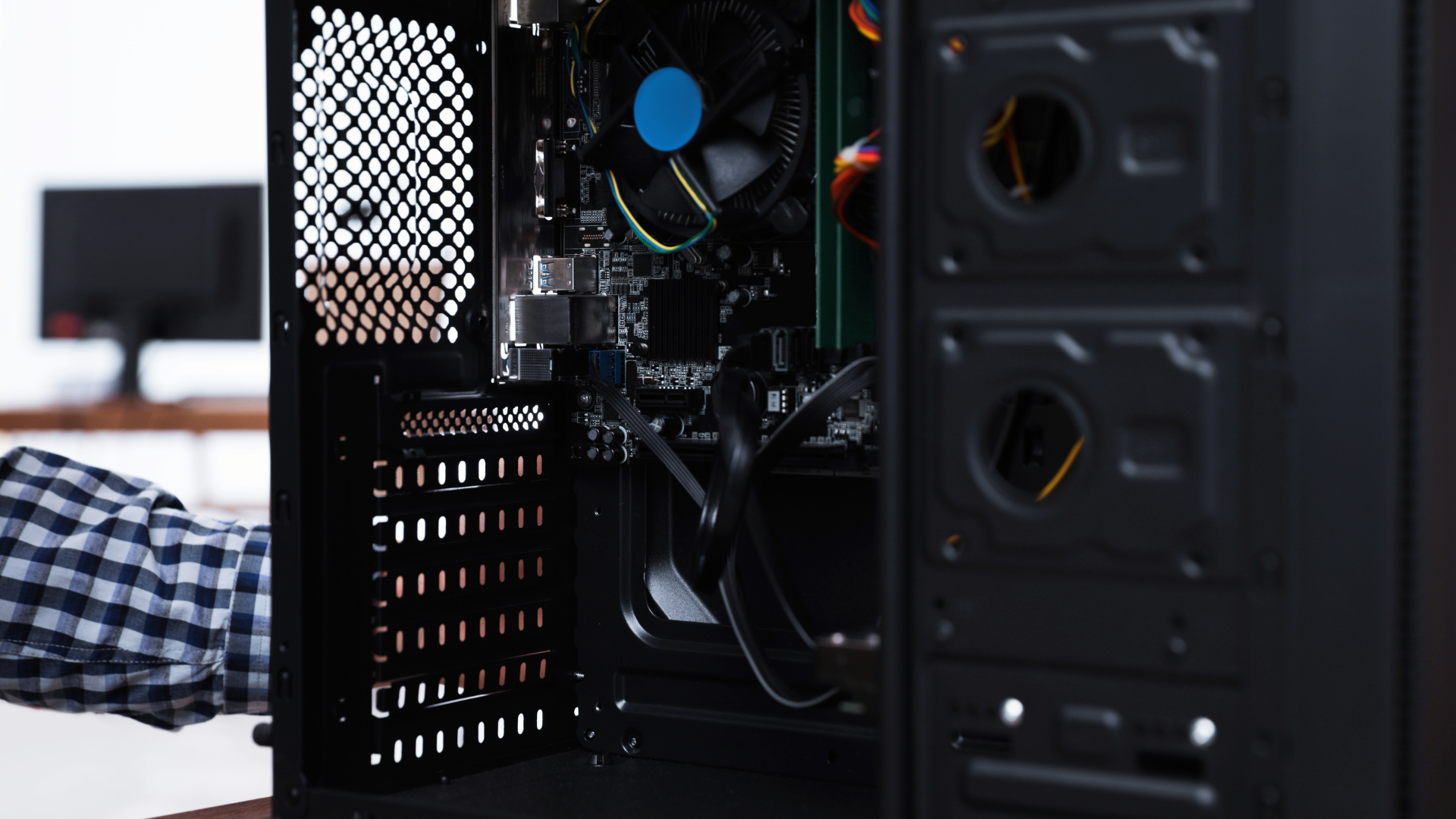
The easiest way to tell whether a prebuilt PC uses proprietary parts is to inspect its motherboard shape, power connections, power-supply dimensions, front-panel wiring, and cooler mounting system. If those components follow common ATX standards, the PC will usually be easier to repair and upgrade. If they use unusual shapes or connectors, replacement options may be limited to parts supplied by the original manufacturer.
Proprietary does not automatically mean unreliable. Large manufacturers can design compact, efficient systems around custom components. The problem is compatibility: a normal retail motherboard or power supply may not fit or connect to the system later.
This guide shows you what to look for in product photos, service manuals, specification sheets, and the computer itself. It is especially useful when comparing the best prebuilt gaming PCs under $1,000, where future upgrades can add years to a system’s useful life.
What Is a Proprietary PC Part?
A proprietary component is designed for a particular manufacturer, product family, or chassis instead of following a widely used industry format. The difference is not the logo on the part. A branded motherboard can still use a standard micro-ATX layout, and an unbranded power supply can still use normal ATX dimensions and connectors.
| Component | Common Standard | Possible Proprietary Sign |
|---|---|---|
| Motherboard | ATX, micro-ATX, or Mini-ITX outline and mounting points | Irregular board shape, nonstandard screw locations, or front I/O built into the board |
| Power supply | ATX or SFX dimensions with standard cables | Long, narrow, or custom-shaped housing with unusual motherboard plugs |
| Motherboard power | 24-pin main power plus 4-pin or 8-pin CPU power | Six-pin, eight-pin, or ten-pin main connector with manufacturer-specific wiring |
| Case wiring | Separate power-switch, LED, USB, and audio headers | One combined front-panel plug or hardwired front I/O |
| CPU cooler | Socket-standard mounting hardware | Custom hole spacing, backplate, shroud, or fan connection |
Why Do Prebuilt Manufacturers Use Proprietary Parts?
Custom parts let a manufacturer control the entire system design. A single board can combine the motherboard and front I/O, reduce internal cabling, fit into a smaller case, and lower assembly time. A custom power supply can occupy unused space rather than conforming to a rectangular retail form factor.
Those choices can make sense for an office desktop or a compact workstation that will never be modified. They are less attractive in a gaming PC, where owners commonly add storage, replace a graphics card, improve cooling, or reuse the case and PSU during a future platform upgrade.
Systems sold by boutique builders and custom PC builder websites more often use retail-style components, but you should still verify the exact configuration. Brand reputation is not a substitute for checking the machine you are buying.
Check the Motherboard Shape and Mounting Points
Start with an interior photo taken straight through the side panel. A standard micro-ATX board is roughly square, while a standard ATX board is taller and provides more expansion positions. Both normally place the rear ports together in a rectangular opening and use screw locations that align with common case standoffs.
Warning signs include a board that stretches across the front of the case, a narrow extension containing the front USB ports, an irregular L-shaped outline, or rear and front ports mounted on the same PCB. These designs can work perfectly in the original chassis but make a motherboard replacement difficult.
Count the memory and expansion slots, too. Only two DIMM slots or one usable PCIe slot does not make a board proprietary, but it does reduce upgrade flexibility. A printed motherboard model number can lead you to a service manual or replacement listing that shows whether the design is unique to that PC family.
Inspect the Main Power Connector
A standard modern desktop motherboard normally receives main power through a 24-pin connector. The CPU receives additional power through a separate four- or eight-pin connection near the processor socket.
If the board uses a small six-pin, eight-pin, ten-pin, or otherwise unfamiliar main plug, the system may use manufacturer-specific voltage conversion or pin wiring. Never assume that a physically compatible plug has the correct pinout. Connecting the wrong power supply or adapter can damage the motherboard and other components.
Adapters are available for some well-documented systems, but they should not be your first choice for a major gaming upgrade. A standard connection gives you a much larger selection of tested PSUs. If a new graphics card is part of your plan, use our guide to checking PSU compatibility for a GPU.
Measure the Power Supply
Do not identify a PSU by wattage alone. Measure its width, height, and depth, note how it attaches to the case, and photograph every cable connection.
A standard ATX power supply mounts at the rear with a familiar four-screw pattern. SFX and SFX-L units are smaller but also follow defined dimensions. Some OEM units are long and narrow, mount in the front or side of the chassis, or use a custom bracket. A retail replacement may not fit even if its wattage is appropriate.
Also check whether the cables are standard. An OEM unit might power the motherboard through a unique plug and provide no PCIe graphics connectors. A modular-looking connector on the PSU is not universal; modular cables are model-specific and must never be mixed unless the manufacturer explicitly confirms compatibility.
Look at Front-Panel and Cooler Connections
A standard case normally connects its power switch, reset switch, indicator lights, front USB ports, and audio jacks to separate motherboard headers. Large manufacturers sometimes combine several functions into a single block or integrate the front ports directly into the motherboard.
A combined connector can prevent a straightforward motherboard swap. The PC may still operate if you map the wiring correctly, but that turns a normal replacement into a custom wiring project.
CPU coolers can create a similar problem. Verify the socket, mounting-hole spacing, backplate, available height, and fan connector. Some systems use the case itself as part of the cooler mount, while others monitor a proprietary fan signal and display an error when a standard fan is installed.
Use the Service Manual, Not Just the Sales Page
Retail listings often name the CPU and graphics card but omit the motherboard and PSU. Search the complete desktop model number followed by “service manual,” “maintenance manual,” or “parts list.” The exact suffix matters because one product family can include several chassis and board revisions.
A useful manual will show the motherboard diagram, connector labels, supported processors, memory limits, storage locations, removal steps, and replacement part numbers. Search those part numbers separately. If every result points back to the same manufacturer or a small group of used OEM parts, the component is likely proprietary.
Videos and teardown photos are helpful, but make sure they show the exact model. A company can sell one gaming line built from standard parts and another built around a custom small-form-factor platform. Comparing Dell versus HP desktops, for example, is less useful than comparing two specific model numbers.
What Proprietary Parts Mean for Upgrades
Memory and storage upgrades may remain easy even in a heavily customized system. Standard DDR modules, M.2 drives, and SATA drives are common because manufacturers benefit from using widely available components.
The largest obstacles usually appear when replacing the graphics card, PSU, CPU cooler, motherboard, or case. One nonstandard component can create a chain reaction. A GPU may require a new PSU; the standard replacement PSU may not connect to the proprietary motherboard; replacing the motherboard may then require a new case and front-panel wiring.
That does not make every upgrade impossible. It changes the economics. Add the cost of adapters, brackets, supporting components, and troubleshooting before deciding that an inexpensive OEM desktop is a bargain.
Pre-Purchase Proprietary-Parts Checklist
- Find the exact system model and service manual.
- Identify the motherboard model and form factor.
- Confirm that the main motherboard connector is a standard 24-pin plug.
- Verify the PSU form factor, wattage, model, and GPU connectors.
- Measure graphics-card length, height, and slot clearance.
- Check whether front-panel cables use separate standard headers.
- Confirm the CPU cooler uses normal socket mounting.
- Look for open DIMM, M.2, SATA, and PCIe expansion options.
- Read the warranty rules for user-installed parts.
- Price the complete upgrade path, not only the first replacement part.
This inspection is particularly important when buying a refurbished gaming PC, because an older proprietary replacement board or PSU may be expensive or difficult to find.
Frequently Asked Questions
Are proprietary PC parts always bad?
No. They can make a computer smaller, easier to manufacture, and well optimized for its original configuration. They become a disadvantage when you want retail replacement parts, major upgrades, or long-term repair flexibility.
Can a proprietary motherboard be replaced?
Usually with an identical compatible OEM board. Replacing it with a retail motherboard may also require a new case, power supply, front-panel connections, cooler hardware, and Windows activation.
Which prebuilt brands use standard parts?
No brand is a universal guarantee. Boutique builders tend to use more standard components, while large OEMs often mix standard and custom designs across product lines. Check the exact model and revision.
Can proprietary parts affect airflow?
Yes. Custom cases and fan mounts can restrict cooling upgrades. Our guide to improving prebuilt PC airflow explains which changes are safe and worthwhile.
Bottom Line
To tell whether a prebuilt uses proprietary parts, examine the motherboard outline, 24-pin power connection, PSU shape, case wiring, and cooler mount. Confirm your observations with the model’s service manual and replacement part numbers.
A proprietary component is not an automatic reason to reject a PC. It is a cost and flexibility factor that should be included in the purchase decision—especially if you expect to upgrade the graphics card, power supply, or platform later.
