
These are the best Skytech gaming PCs available right now.
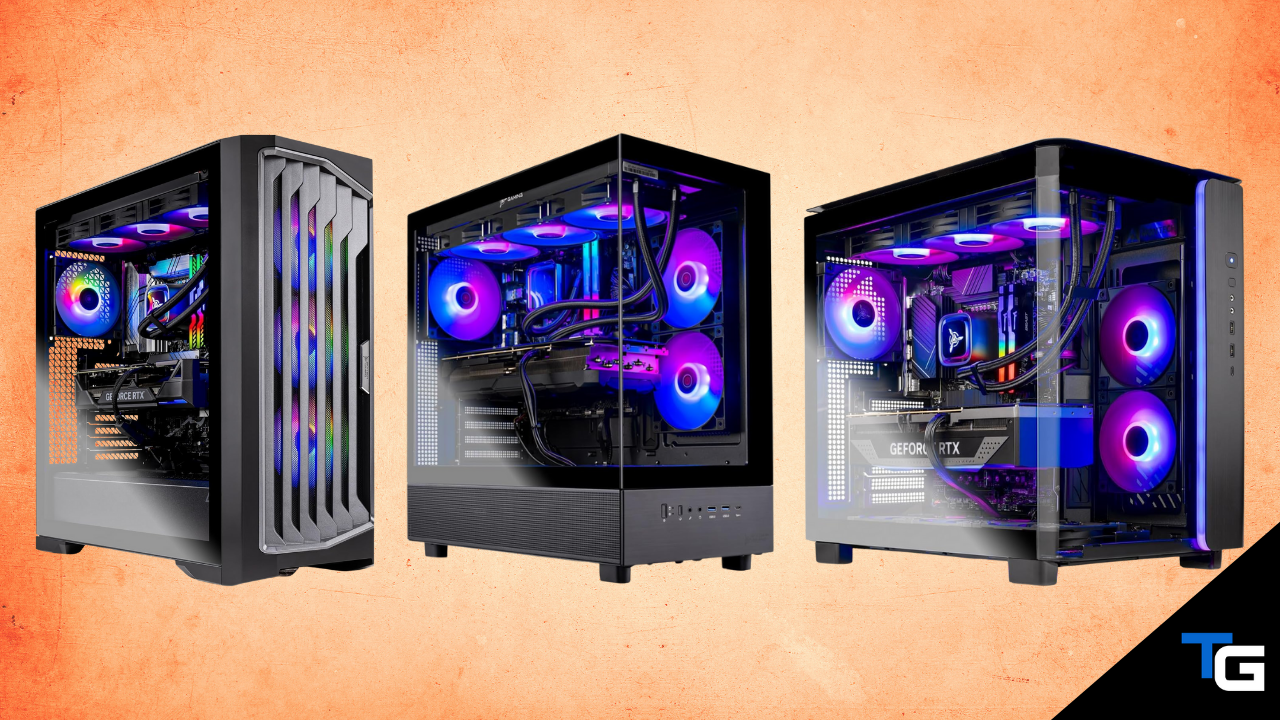
Along with brands like CyberPowerPC and iBUYPOWER, Skytech is another prebuilt gaming PC company that has made a name for itself by offering a wide range of desktops on Amazon.
Skytech’s lineup ranges from reasonably-priced 1080P gaming PCs all the way up to extreme RTX 5090-powered systems. And, because they offer so many different configurations, there is usually a Skytech desktop available for just about any performance level.
In this guide, we’ve picked out five of the best Skytech gaming PCs currently available on Amazon. We’ve included an extreme RTX 5090 option, a high-end RTX 5080 desktop, a powerful RTX 5070 Ti system, and a couple of more affordable options for 1080P and 1440P gaming.
Prices and availability change frequently, so some of the systems below may move in and out of the price ranges discussed.
Skytech Legacy 4
The best extreme Skytech gaming PC.
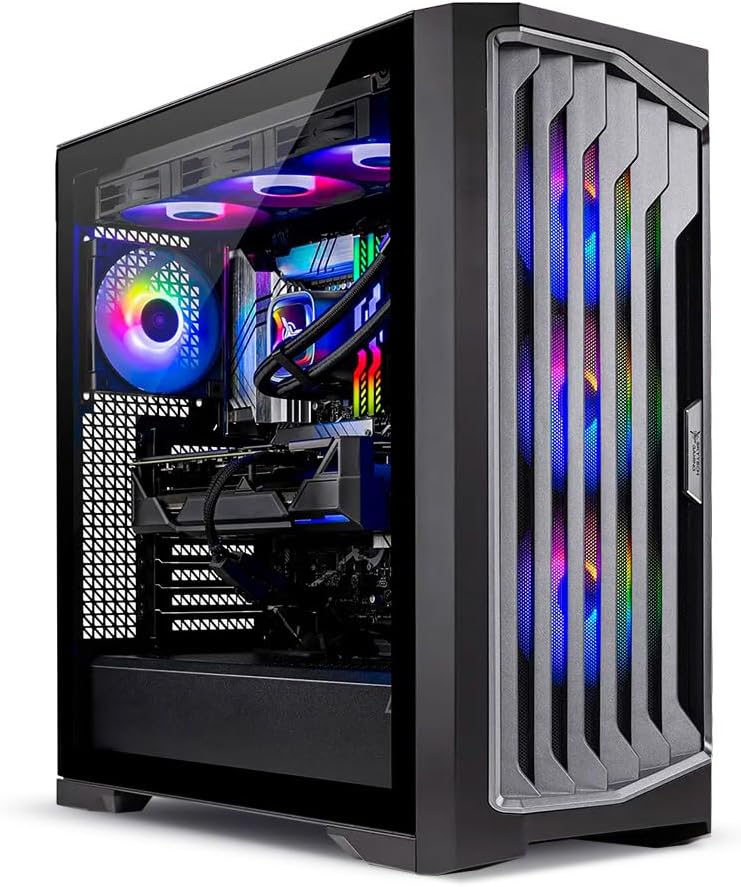
PC Specs
- CPU: Ryzen 9 9950X3D
- COOL: 420mm AIO
- GPU: RTX 5090 32GB
- RAM: 64GB DDR5
- SSD: 4TB Gen4 NVME
- PSU: 1200W Gold
Pros & Cons
- Elite CPU/GPU combination
- Excellent CPU-heavy gaming performance
- Massive 4TB NVME SSD
- 64GB of DDR5 memory
- Extremely expensive
Skytech Legacy 4 Overview
If you’re looking for the most powerful Skytech gaming PC you can get, this configuration of the Legacy 4 is the obvious choice.
It pairs AMD’s Ryzen 9 9950X3D processor with NVIDIA’s GeForce RTX 5090. That’s about as high-end of a CPU/GPU combination as you can put into a gaming PC right now.
The 9950X3D gives you both excellent gaming performance and 16 cores of CPU horsepower, making this configuration particularly appealing if you want a system that can handle gaming, streaming, video editing, or other demanding workloads.
Of course, the RTX 5090 is the real star here. Its 32GB of VRAM and enormous amount of graphics horsepower make this system better suited for high-refresh-rate 4K gaming than anything else in Skytech’s lineup. It’s also an excellent option if you plan on using your PC for GPU-heavy productivity applications.
Skytech has surrounded the two high-end components with appropriately high-end supporting hardware as well. You get 64GB of DDR5 memory, a massive 4TB Gen4 NVME SSD, an X870 motherboard, a 1200-watt Gold-rated power supply, and a 420mm AIO liquid cooler.
For a gaming-only system, there’s obviously a point of diminishing returns here. You can spend significantly less on an RTX 5080 or RTX 5070 Ti system and still get an excellent gaming experience.
But if price isn’t a concern and you want one of the fastest prebuilt gaming PCs available, this version of Skytech’s Legacy 4 is the option we’d choose.
Skytech Azure 3 (RTX 5080)
A more sensible alternative to an RTX 5090 desktop.
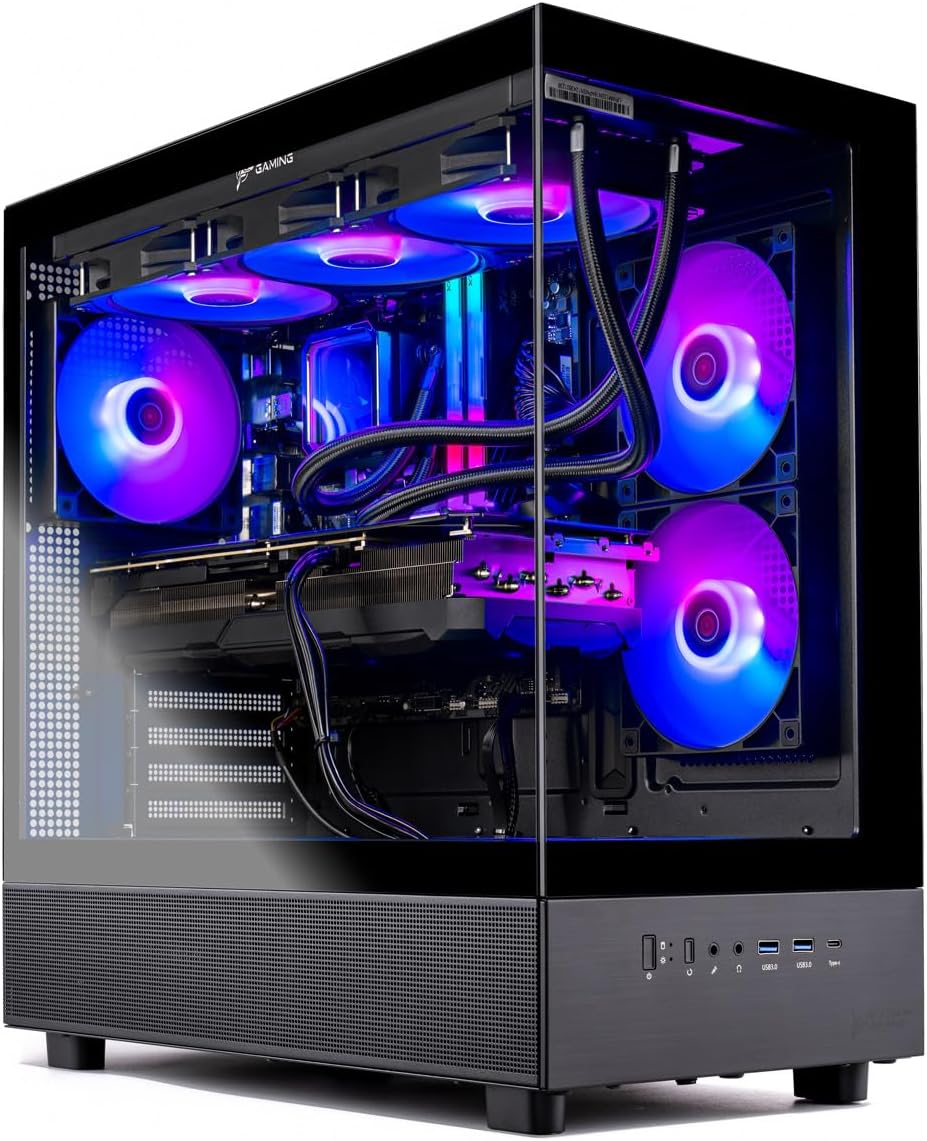
PC Specs
- CPU: Ryzen 7 9800X3D
- COOL: 360mm AIO
- GPU: RTX 5080 16GB
- RAM: 32GB DDR5
- SSD: 2TB NVME
- PSU: 850W Gold
Pros & Cons
- Excellent high-end 4K performance
- 9800X3D is excellent for gaming
- 32GB DDR5 and 2TB storage
- 360mm AIO liquid cooler
- Still very expensive
Skytech Azure 3 (RTX 5080) Overview
For most gamers shopping at the high-end of the market, this RTX 5080-powered Azure 3 probably makes more sense than jumping all the way up to the RTX 5090 Legacy 4 listed above.
This configuration pairs an AMD Ryzen 7 9800X3D with an NVIDIA RTX 5080 16GB graphics card. The 9800X3D is an excellent gaming processor, and pairing it with an RTX 5080 gives this system more than enough performance for high-refresh-rate 1440P gaming or demanding 4K gaming.
And, compared to the RTX 5090 system above, you’re giving up performance primarily in scenarios where the extra GPU horsepower can actually be utilized. For a lot of gamers, the RTX 5080 is already more graphics power than they’ll realistically need.
The rest of this build is appropriately high-end as well. It comes with 32GB of DDR5-6000 memory, a 2TB NVME SSD, an 850-watt Gold-rated ATX 3 power supply, and a 360mm AIO liquid cooler.
The Azure 3 chassis also gives the system a clean panoramic appearance that should appeal to anyone who wants their PC to serve as a centerpiece in their gaming setup.
So, while this isn’t an inexpensive gaming PC by any means, it is the Skytech system we’d look at first if you want excellent 4K performance without paying the premium required to get an RTX 5090.
Skytech King 95
A powerful RTX 5070 Ti system for 1440P or 4K gaming.
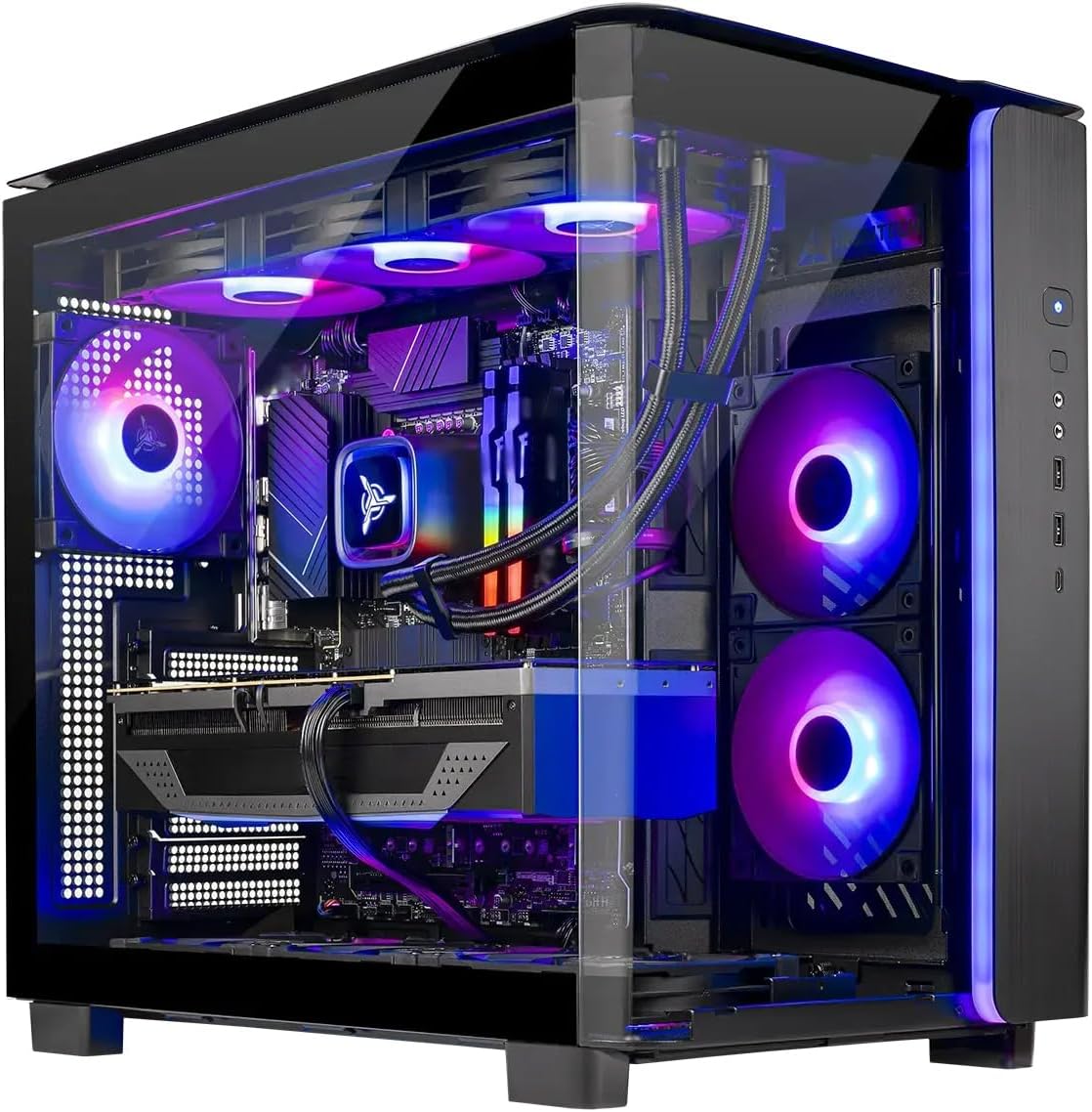
PC Specs
- CPU: Ryzen 7 9800X3D
- COOL: 360mm AIO
- GPU: RTX 5070 Ti 16GB
- RAM: 32GB DDR5
- SSD: 2TB Gen4 NVME
- PSU: 850W Gold
Pros & Cons
- Excellent 1440P gaming performance
- 16GB of VRAM
- 9800X3D handles CPU-heavy games well
- 2TB of storage out-of-the-box
- 5080 offers noticeably more GPU performance
Skytech King 95 Overview
If you don’t need RTX 5080- or RTX 5090-level graphics performance, this configuration of Skytech’s King 95 is another high-end option worth considering.
The biggest change from the configuration we previously recommended is the graphics card. Instead of an RTX 5070, this version comes with an RTX 5070 Ti and its larger 16GB VRAM buffer.
That makes it a much more appealing long-term option for high-end 1440P gaming. It’s also capable enough to step up to 4K, although you’ll obviously get higher framerates from the RTX 5080 system listed above.
Skytech hasn’t skimped on the CPU, either. The Ryzen 7 9800X3D is one of the strongest gaming-oriented processors available and is particularly useful if you play competitive games, simulation titles, MMOs, or other games that can lean heavily on CPU performance.
This King 95 also comes with 32GB of DDR5-6000 memory, a 2TB Gen4 NVME SSD, an 850-watt Gold-rated power supply, and a 360mm AIO liquid cooler.
We also like the King 95’s panoramic-style chassis, which gives it a more premium appearance than the basic cases that are often used in prebuilts.
Ultimately, if you want a powerful gaming desktop that will handle basically anything at 1440P resolution while also offering enough graphics horsepower for 4K gaming, this RTX 5070 Ti configuration is one of the better Skytech options currently available.
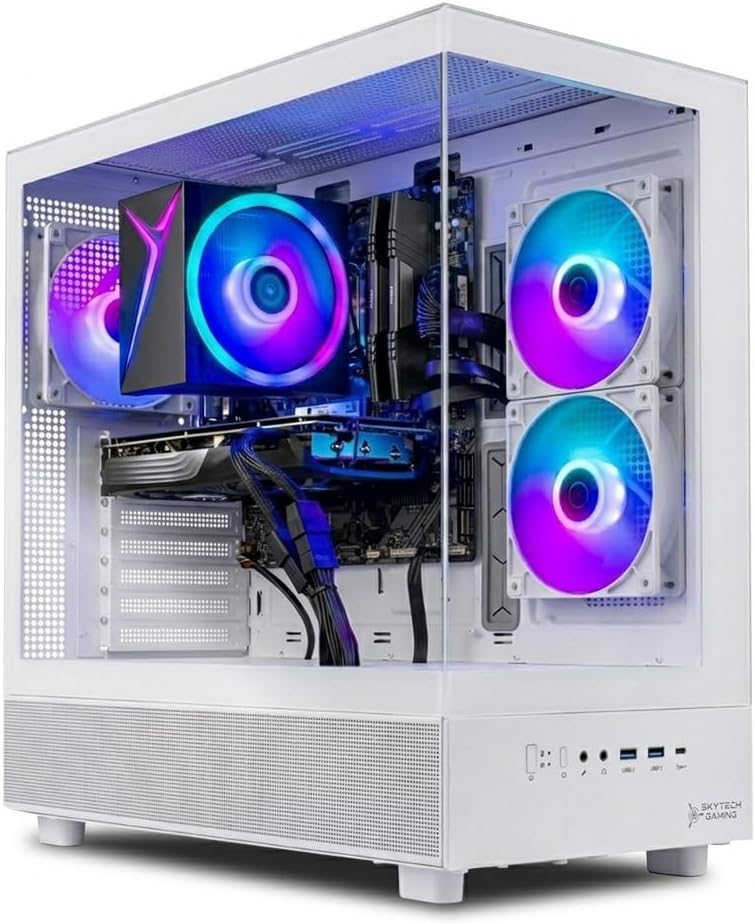
Skytech Azure 3 (RTX 5060 Ti)
A balanced mid-range Skytech gaming PC.
PC Specs
- CPU: Ryzen 5 9600X
- COOL: Air Cooler
- GPU: RTX 5060 Ti 16GB
- RAM: 16GB DDR5
- SSD: 1TB NVME
- PSU: 650W Gold
Pros & Cons
- Strong 1080P and 1440P performance
- 16GB of VRAM
- Modern AM5 platform
- Only comes with 16GB of RAM
- Only 1TB of storage
Skytech Azure 3 (RTX 5060 Ti) Overview
If you’re looking for something more affordable, this Ryzen 5 9600X and RTX 5060 Ti configuration of the Azure 3 offers a much more balanced option for a mid-range gaming setup.
The RTX 5060 Ti in this system is the 16GB version, which is the one we’d prefer over the 8GB model. Having twice as much VRAM gives the card more breathing room for higher-resolution textures and should make it the better option over the long run.
Paired with the RTX 5060 Ti is AMD’s Ryzen 5 9600X. While it doesn’t have the extra 3D V-Cache found on the X3D processors in the systems above, it’s still a capable modern gaming CPU and, importantly, puts you on AMD’s newer AM5 platform.
This setup will be more than enough for playing most games on high settings at 1080P resolution, and it is also capable of delivering a solid experience at 1440P.
There are a couple of areas where Skytech has cut costs, though.
You only get 16GB of DDR5 memory and a 1TB NVME SSD. Both are usable, but we’d probably look at upgrading the memory to 32GB at some point, and gamers with large libraries may need additional storage fairly quickly.
The 650-watt Gold-rated power supply is appropriate for the hardware included in the system, although it could become a limitation if you eventually want to upgrade to a significantly more powerful graphics card.
Still, as a complete mid-range gaming PC, this Azure 3 configuration offers a nice combination of a modern AM5 processor and a 16GB graphics card without forcing you into the much higher pricing of an RTX 5070 Ti system.
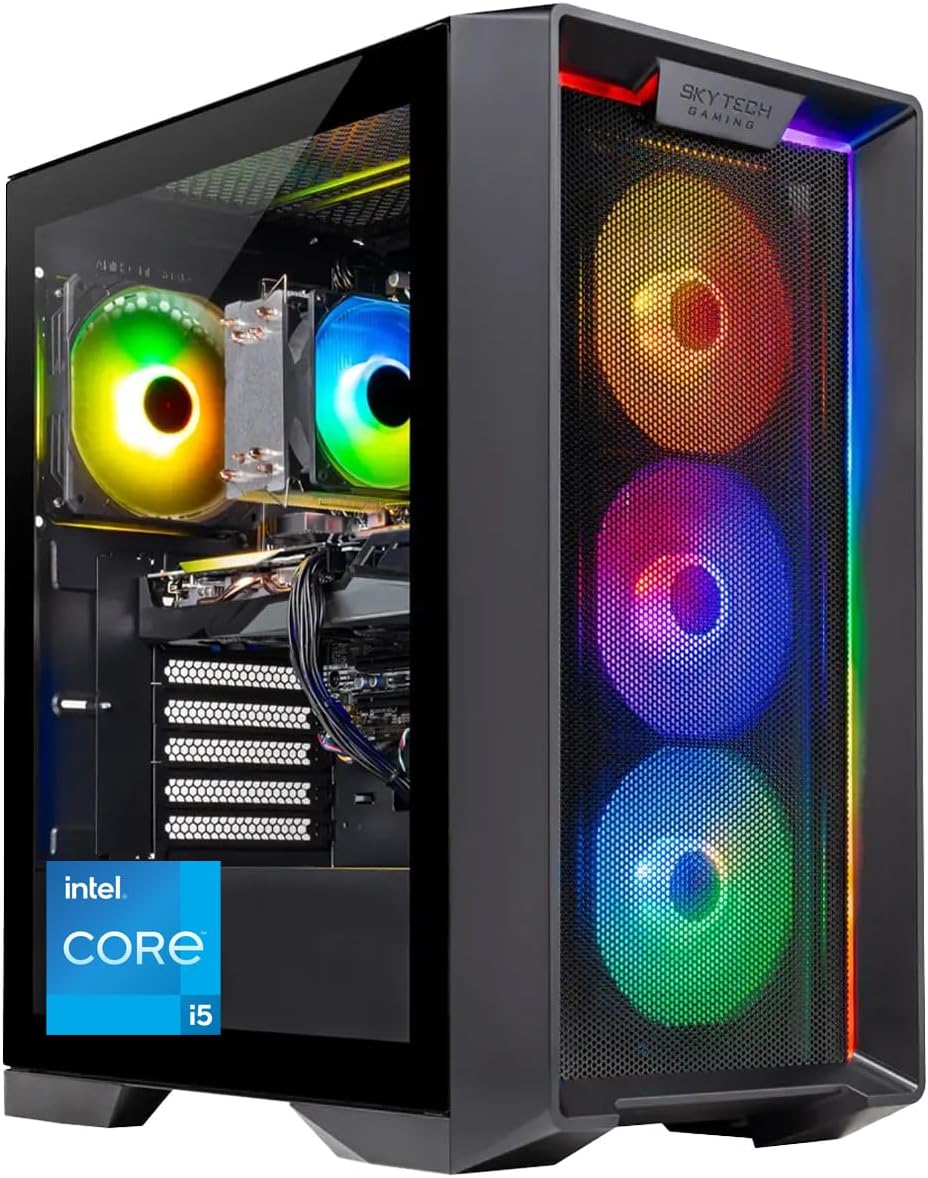
Skytech Nebula
The best budget Skytech gaming PC right now.
PC Specs
- CPU: Core i5-14400F
- COOL: Air Cooler
- GPU: RTX 5060
- RAM: 16GB DDR5
- SSD: 1TB NVME
- PSU: 650W Gold
Pros & Cons
- Good 1080P gaming performance
- DDR5 memory
- Affordable for a current-gen gaming PC
- Only 16GB of RAM
- RTX 5060 only has 8GB of VRAM
Skytech Nebula Overview
Skytech doesn’t currently have as many attractive sub-$1,000 options as it has offered in the past. So, if you’re looking for the least expensive Skytech gaming PC we’d recommend right now, this RTX 5060-powered Nebula is the option we’d start with.
It comes with an Intel Core i5-14400F processor, an NVIDIA GeForce RTX 5060 graphics card, and 16GB of DDR5 memory.
The RTX 5060 isn’t designed to compete with the higher-end graphics cards listed above, but it is well suited for gaming at 1080P resolution. For esports titles, you’ll have enough performance to take advantage of a high-refresh-rate monitor, and most more-demanding games should run well at higher settings.
The RTX 5060’s biggest downside is its 8GB VRAM capacity. That’s enough for the type of gaming this PC is intended for right now, but it isn’t as reassuring for long-term use as the 16GB RTX 5060 Ti in the Azure 3 listed above.
You also only get 16GB of DDR5 memory and a 1TB NVME SSD. Fortunately, RAM and storage are two of the easiest components to upgrade, so neither limitation would prevent us from recommending the system at the right price.
A 650-watt Gold-rated power supply rounds out the main components.
Overall, if you’re primarily gaming at 1080P and you want to spend as little as possible on a current Skytech desktop, the Nebula offers a solid starting point. If your budget allows for it, though, we’d prefer the RTX 5060 Ti 16GB Azure 3 above for the added GPU performance and larger VRAM capacity.
Which Skytech Gaming PC is Right for You?
Skytech continues to offer one of the wider selections of prebuilt gaming desktops on Amazon, with systems ranging from affordable 1080P gaming PCs all the way up to some of the most powerful hardware available.
If money isn’t a concern, the RTX 5090-powered Legacy 4 is the obvious choice. The RTX 5080 Azure 3 provides most gamers with a more sensible high-end option, while the RTX 5070 Ti King 95 is an excellent fit for anyone who wants high-end 1440P performance without jumping all the way up to an RTX 5080.
For more moderate budgets, we’d choose the RTX 5060 Ti 16GB Azure 3 for 1080P or 1440P gaming. And, if you just want the least expensive Skytech PC we’d currently recommend, the RTX 5060-powered Nebula should handle 1080P gaming well.
Just be sure to check the current prices before choosing, as Skytech’s Amazon pricing can change frequently and a different configuration can quickly become the better value.
Frequently Asked Questions
Is Skytech a good gaming PC brand?
Yes. Skytech is one of the more established companies selling prebuilt gaming desktops through Amazon and offers systems across a wide range of performance levels. As with any prebuilt, though, the value of an individual Skytech PC depends heavily on the components included and its current price. That’s why we recommend comparing the CPU, GPU, memory, storage, and power supply rather than buying based solely on the Skytech model name.
What is the best Skytech gaming PC?
If you’re looking strictly for the most performance possible, the RTX 5090-powered Skytech Legacy 4 listed above is the best option in this guide. However, most gamers don’t need an RTX 5090. The RTX 5080 Azure 3 and RTX 5070 Ti King 95 offer significantly less expensive alternatives while still delivering excellent gaming performance.
Which Skytech PC is best for 1440P gaming?
For a high-end 1440P gaming setup, we’d choose the RTX 5070 Ti-powered King 95. The RTX 5070 Ti has enough performance to run demanding games at high settings and high framerates at 1440P, and its 16GB of VRAM makes it a more attractive long-term option than cards with smaller VRAM capacities.
If you’re trying to spend less, the RTX 5060 Ti 16GB Azure 3 can also handle 1440P gaming well, although you’ll have to lower settings in more demanding titles.
Which Skytech PC is best for 4K gaming?
The RTX 5090 Legacy 4 is the most powerful 4K gaming option in Skytech’s current lineup, but the RTX 5080 Azure 3 is a more practical choice for most gamers. The RTX 5070 Ti King 95 can also handle 4K gaming, especially when using upscaling, but it is better suited as a high-end 1440P system.
Can you upgrade a Skytech gaming PC?
Yes. Skytech desktops use upgradeable PC hardware, and components such as the graphics card, memory, storage, and power supply can generally be replaced or expanded as long as the new hardware is compatible with the motherboard, case, cooling system, and power supply.
Skytech also states that using third-party components or performing an upgrade does not, by itself, void its limited warranty. However, damage caused by an improperly-installed or incompatible component would not be covered.
What warranty does Skytech offer?
Skytech currently includes a standard one-year limited warranty on its gaming desktops covering parts and labor for eligible hardware defects. The company also advertises lifetime technical support. As always, it’s worth checking Skytech’s current warranty terms before purchasing, as warranty policies can change.
How much RAM do you need in a gaming PC in 2026?
For a new gaming PC, we’d prefer 32GB of RAM where the budget allows for it. However, 16GB is still enough to run most games, which is why the less-expensive Skytech systems in this guide remain viable options.
The nice thing about memory is that it is generally inexpensive and easy to upgrade later. So, if choosing between a better graphics card and additional RAM, we’d usually prioritize the better graphics card and upgrade the memory when necessary.
Should you buy a Skytech PC with an RTX 5060 or RTX 5060 Ti?
If you’re mainly gaming at 1080P and trying to keep costs as low as possible, an RTX 5060 system will get the job done. However, we’d prefer an RTX 5060 Ti 16GB system if your budget allows for it.
Along with offering more graphics performance, the 16GB version of the RTX 5060 Ti has twice the VRAM of the RTX 5060, which gives it more headroom for demanding games and higher-resolution textures.
Do Skytech gaming PCs come with Windows?
Yes, the Skytech configurations we’ve highlighted in this guide come with Windows 11 installed, so they are ready to set up and use after you connect your monitor and peripherals.
