
 High ping can ruin even the best online games. In this updated guide, we’ll cover eight proven ways to lower your ping and reduce lag while gaming in 2026.
Ping is one of the most important factors in online gaming performance. It determines how quickly your inputs reach the game server and how fast the server responds back to you. The higher your ping, the more noticeable the delay—often showing up as lag, rubberbanding, or delayed hit registration.
For fast-paced competitive games, even a small increase in ping can make a big difference. While upgrading your internet plan can help in some cases, many ping issues can be improved without spending extra money.
In this guide, we’ll walk through eight modern, practical ways to lower your ping, starting with the easiest fixes and working up to more involved solutions.
Not sure if your internet plan is even suitable for gaming? Check out this guide to see what speeds and latency you actually need.
Table of Contents
3. Close Background Downloads & Updates
5. Restart Your Router & Modem
6. Use a Wired Ethernet Connection
1. Improve Your Wi-Fi Signal
If you’re gaming over Wi-Fi, your signal strength plays a major role in your ping and stability.
Walls, floors, furniture, and even other electronics can interfere with wireless signals. Moving closer to your router or positioning it in a more central location can reduce latency and packet loss.
Quick tips:
- Place your router in an open, elevated location
- Avoid placing it near microwaves or large metal objects
- Use the 5GHz or 6GHz band instead of 2.4GHz if available
While this won’t eliminate latency entirely, it can noticeably smooth out gameplay—especially on weaker Wi-Fi setups.
2. Play on the Closest Server
Distance matters. The farther you are from a game server, the higher your ping will be.
Most online games let you choose a server region or automatically display ping values next to servers. Always select the server with the lowest ping for the best experience.
Even a small distance change—like switching from a cross-continent server to a local one—can reduce ping by tens of milliseconds.
3. Close Background Downloads & Updates
Background programs can quietly consume bandwidth and increase latency.

Use Task Manager to close programs that are consuming network, CPU, or disk resources.
Before gaming:
- Pause Windows updates
- Close game launchers downloading patches
- Stop cloud sync tools (OneDrive, Google Drive, etc.)
- Close streaming apps and web browsers
This reduces competition for your internet connection and helps keep ping stable.
4. Reduce Network Congestion
Your router has limited bandwidth and processing power. The more devices connected, the more strain it’s under.
Streaming video, large downloads, and smart devices can all contribute to higher ping—even if nobody is actively using them.
To reduce congestion:
- Disconnect unused devices
- Avoid 4K streaming while gaming
- Enable Quality of Service (QoS) on your router if available
QoS can prioritize gaming traffic and prevent spikes caused by other devices.
5. Restart Your Router and Modem
Routers and modems benefit from occasional restarts. Over time, memory leaks, firmware hiccups, and routing issues can increase latency.
Unplug both your modem and router, wait about 30 seconds, then plug them back in. Give them a few minutes to fully reconnect.
This simple step can often resolve unexplained ping spikes.
6. Use a Wired Ethernet Connection
A wired connection is one of the most effective ways to lower ping.
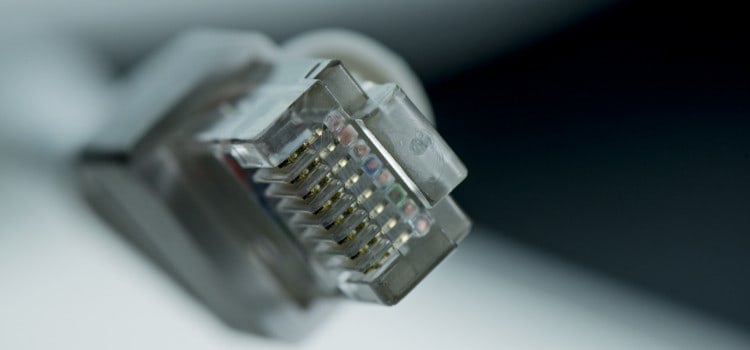
Ethernet connections are more stable and consistently deliver lower latency than Wi-Fi.
Ethernet:
- Eliminates wireless interference
- Reduces packet loss
- Provides more consistent latency
If you’re serious about online gaming, Ethernet is strongly recommended whenever possible.
7. Upgrade or Reposition Your Router
Older routers struggle with modern internet speeds and multiple devices.
If your router is several years old, upgrading to a Wi-Fi 6 or Wi-Fi 6E model can improve latency, coverage, and stability—especially in busy households.
When upgrading:
- Look for low-latency performance, not just speed
- Choose routers with gaming or QoS features
- Update firmware regularly
8. Check Your PC for Performance Issues
While ping is primarily network-related, poor system performance can make lag feel worse.
High CPU usage, overheating, or background malware can cause stuttering that feels like network lag.
Make sure to:
- Keep your system clean and well-cooled
- Update network and chipset drivers
- Scan for malware occasionally
A smooth-running PC ensures you’re not mistaking performance issues for network problems.
Final Thoughts
Lowering your ping doesn’t always require a faster internet plan. In many cases, small changes—like switching to Ethernet, closing background apps, or choosing the right server—can dramatically improve your online gaming experience.
Start with the free and easy fixes first, then work your way up if needed. With the right setup, you’ll enjoy smoother gameplay, faster response times, and fewer frustrating lag spikes.
